How to Set Up the Magnifier Shortcut on Samsung Galaxy A57
The Galaxy A57 can open the Magnifier — the camera view that zooms in on small print — when you press the Side and Volume up buttons together. The assignment lives in the Accessibility shortcuts settings, and the fastest way there is through Settings search, as recorded here.
}}- DeviceSamsung Galaxy A57
- SystemOne UI 8.5 (Android 16)
- AppSettings (pre-installed)
- Also works onOther Samsung phones running One UI 8.5
- Last verifiedOctober 27, 2026
Every screenshot below is taken from the actual recording on this device — no stock images.
Before you start
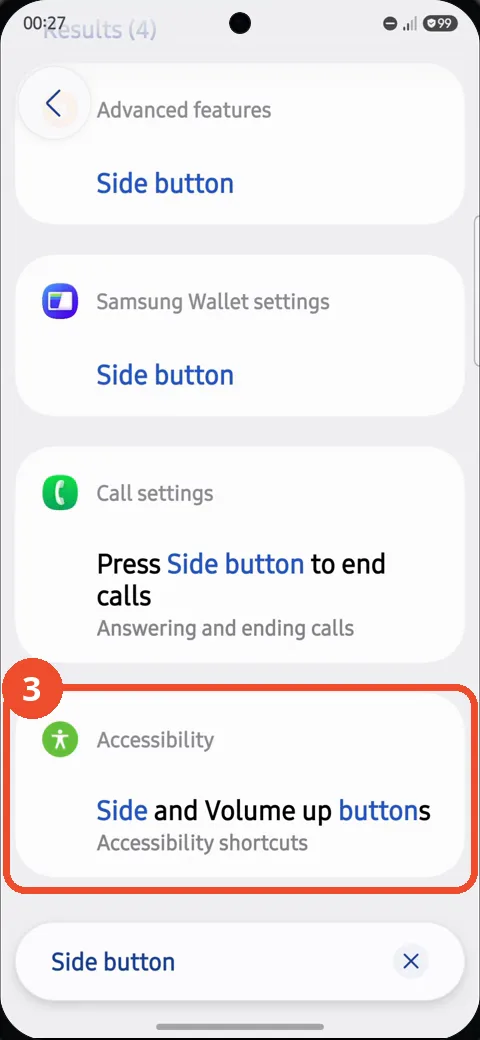
- Searching for “Side button” shows more than one result. The one you need is grouped under Accessibility and named Side and Volume up buttons — not the Side button page under Advanced features, which controls double-pressing the Side button alone.
- One button combination takes one shortcut: if something else is already assigned to Side and Volume up, choosing Magnifier replaces it.
Steps
Open Settings
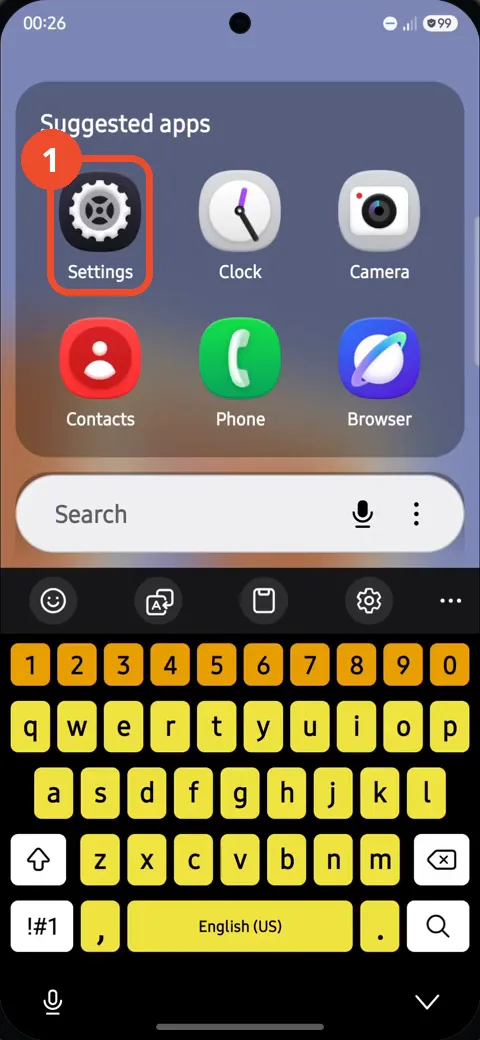
Swipe up to open the apps screen and tap Settings in the Suggested apps.
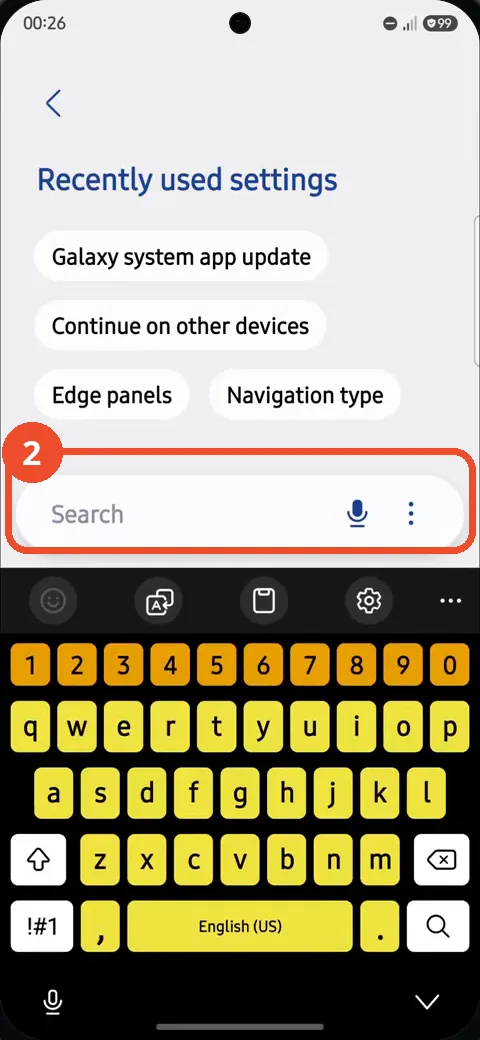
Tap the Search field and search for Side button
Settings opens on its search page in this recording. Tap the Search field and type Side button.
Tap Side and Volume up buttons under Accessibility
In the results, tap the card grouped under Accessibility: Side and Volume up buttons, described as Accessibility shortcuts.
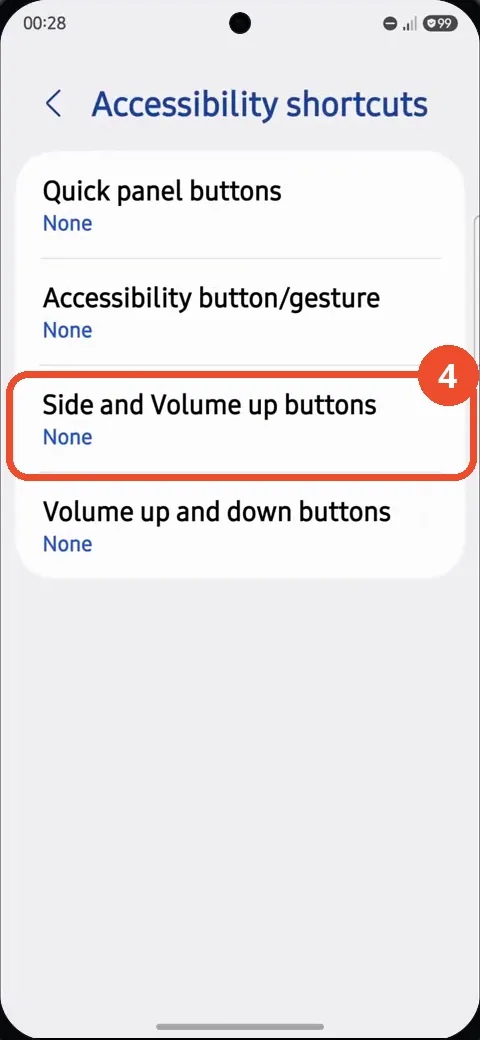
Tap Side and Volume up buttons
On the Accessibility shortcuts page, tap Side and Volume up buttons — it shows None until a shortcut is assigned.
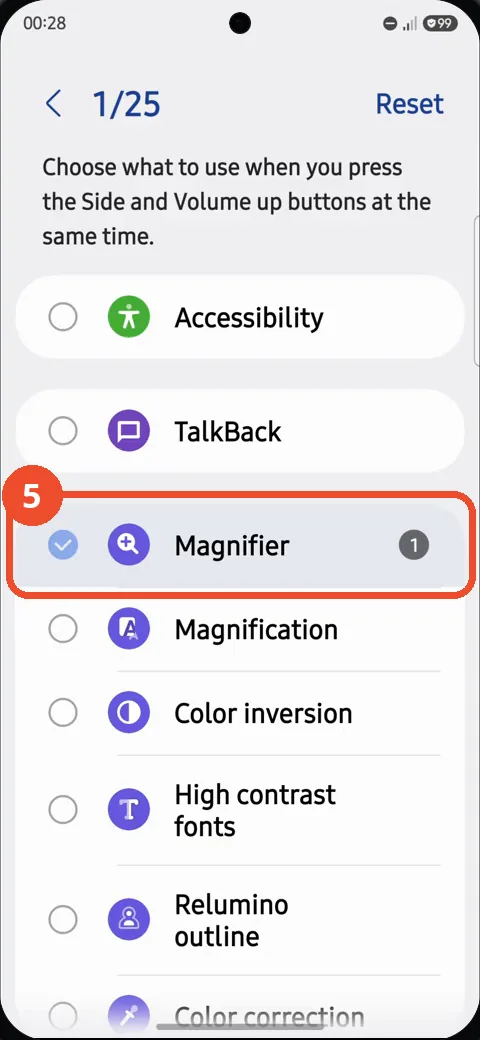
Select Magnifier
Tap Magnifier in the list. It becomes selected with a check mark, and the counter at the top shows 1 of 25 shortcuts assigned. From now on, pressing the Side and Volume up buttons at the same time opens the Magnifier.
If the shortcut does not open Magnifier
- Go back to Accessibility shortcuts and check that Side and Volume up buttons now shows Magnifier instead of None.
- Press both buttons at the same time — a long press or pressing them one after the other does not trigger the shortcut.
- If you picked the Advanced features result by mistake, nothing is broken: that page sets what a double press of the Side button does, a separate shortcut from this one.