How to Remove the Google Search Bar on Samsung Galaxy A57
The dark Google Search bar on the Galaxy A57’s Home screen is a widget, not a permanent part of the launcher — in One UI 8.5 you can take it off the page in a few seconds. Removing it does not uninstall Google or disable search; it only frees the space on that Home screen page.
- DeviceSamsung Galaxy A57
- SystemOne UI 8.5 (Android 16)
- AppOne UI Home (pre-installed)
- Also works onOther Samsung phones running One UI 8.5
- Last verifiedOctober 27, 2026
Every screenshot below is taken from the actual recording on this device — no stock images.
Before you start
- The bar can sit on a secondary Home screen page — in this recording it is on the page with the weather widget, not the first page.
- Removing the widget affects only that page. The Google app and Google search keep working normally.
Steps
Go to the Home screen page with the Google Search bar
Swipe between your Home screen pages until you find the one that shows the dark Google Search bar with the G logo.
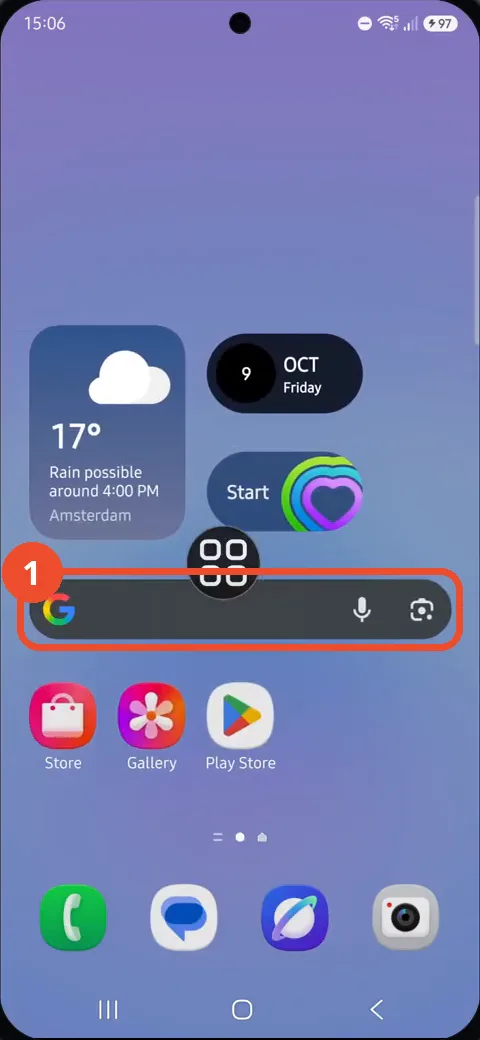
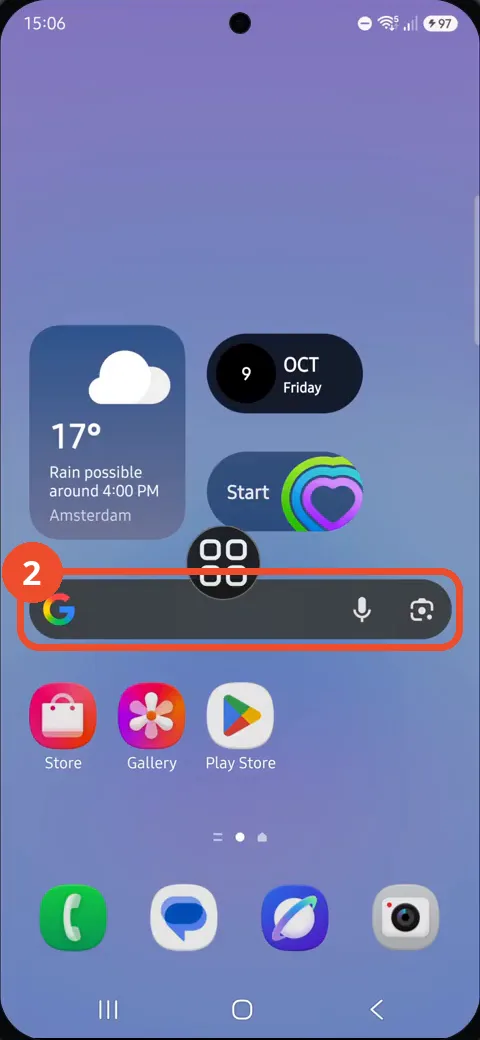
Press and hold the Search bar
Press and hold directly on the Search bar itself — not on an app icon — until the Search menu pops up above it.
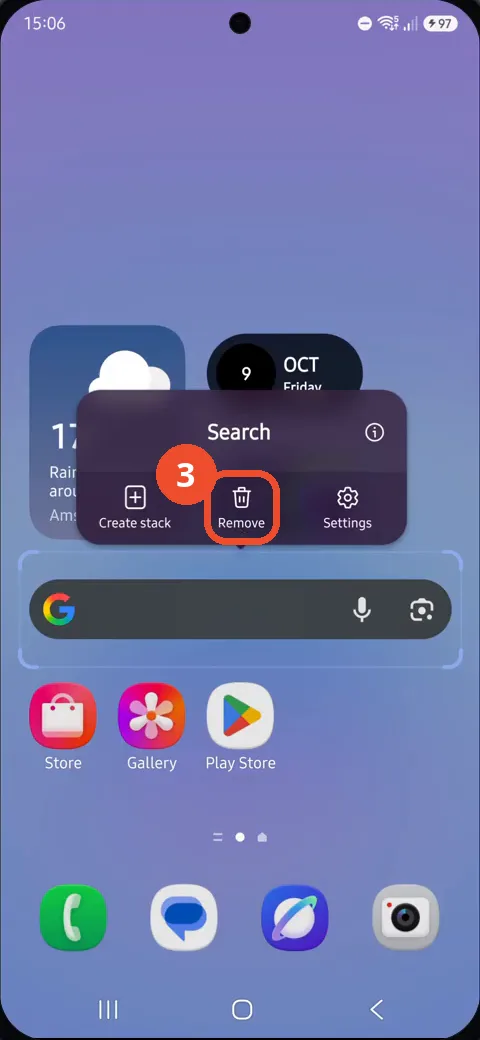
Tap Remove
In the pop-up menu, tap Remove (the trash-can icon in the middle). The bar is taken off the page right away, with no confirmation dialog.
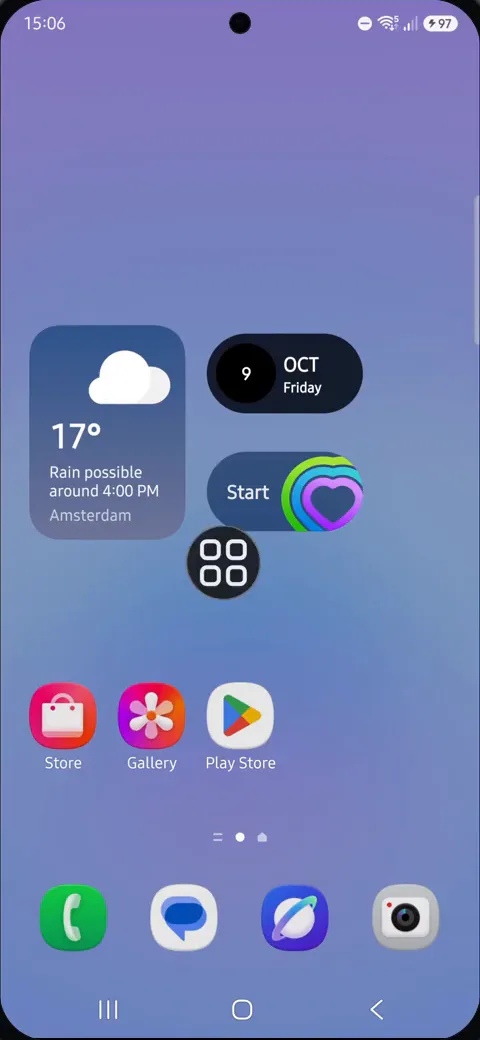
Check the Search bar is gone
The page now shows only the widgets and apps that were around the bar — the Google Search bar is gone and the space is free.
If you want the Search bar back
- Press and hold an empty spot on the Home screen and tap Widgets.
- Find the Google section, press and hold the Search widget, and drop it on the page where you want it.
If no menu appears
Press and hold the bar itself, in its middle. Pressing an icon next to the bar opens that app’s menu instead — tap somewhere empty to close it and try the bar again.