How to Find Call Recording Settings on Samsung Galaxy A57
Call recording on the Galaxy A57 is controlled inside the Phone app, not in the main Settings app — which is why it is easy to miss. The Record calls page holds everything in one place: voice transcription, the notification after a recording, your saved recordings, and automatic deletion of old ones.
}}- DeviceSamsung Galaxy A57
- SystemOne UI 8.5 (Android 16)
- AppSamsung Phone (pre-installed)
- Also works onOther Samsung phones running One UI 8.5
- Last verifiedOctober 27, 2026
Every screenshot below is taken from the actual recording on this device — no stock images.
Before you start
- Whether the Record calls entry exists at all depends on your region and carrier — call recording is restricted in some countries. It is present on this Galaxy A57.
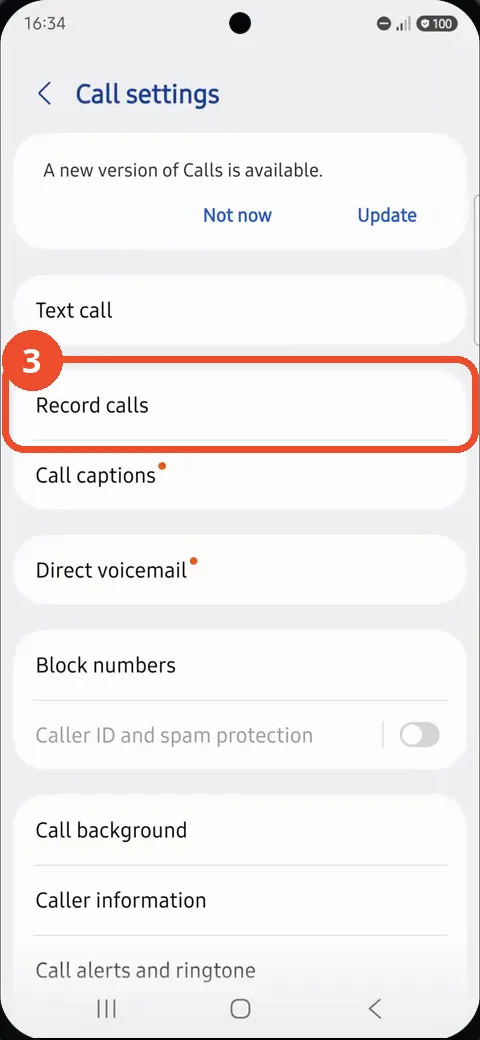
- The Phone app may show a banner such as A new version of Calls is available above the settings list, as in the step 3 screenshot. You can ignore it for this task.
Steps
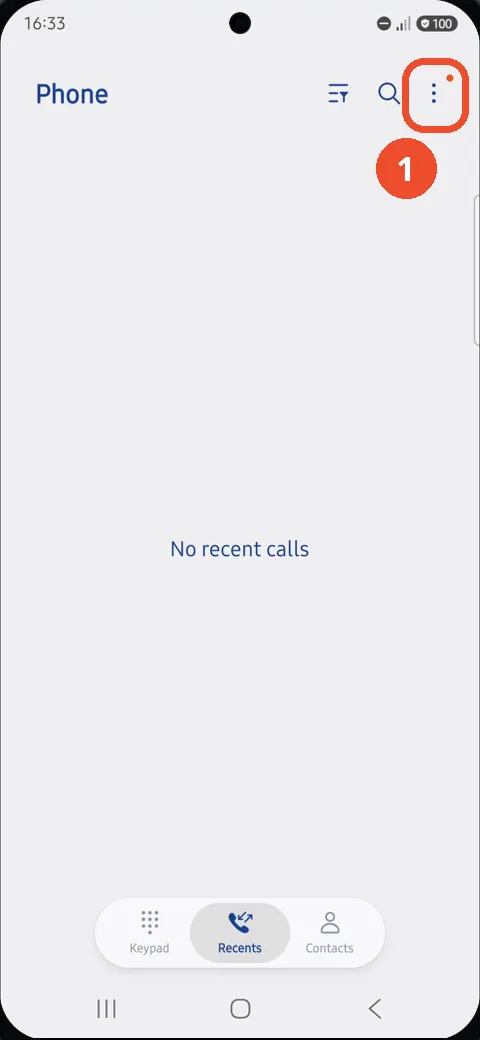
Open the Phone app and tap More options (⋮)
Open Phone from the dock and tap the More options (⋮) button at the top right.
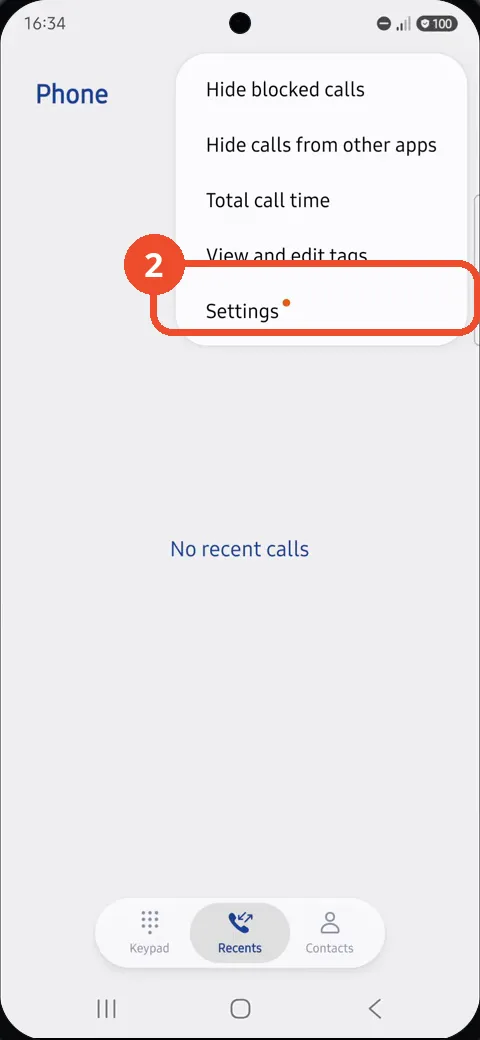
Tap Settings
In the menu that opens, tap Settings at the bottom.
Tap Record calls
On the Call settings page, tap Record calls.
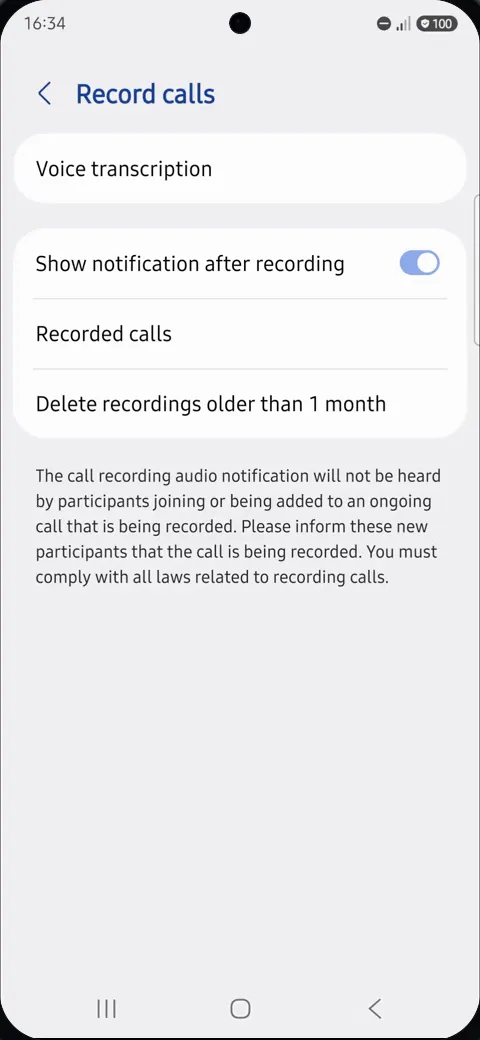
Review the recording options
The Record calls page shows all the recording options: Voice transcription, Show notification after recording (on here), Recorded calls, and Delete recordings older than 1 month. The notice at the bottom explains that new participants joining a recorded call must be informed that it is being recorded.
Good to know
- Voice transcription opens an information page about Intelligent features — it explains the feature and changes no recording setting by itself.
- Recorded calls is where finished recordings are stored; Delete recordings older than 1 month keeps that folder from growing forever.
- If Record calls is missing from Call settings, the feature is not offered for your region or carrier on this phone — there is no other page where Samsung hides it.