How to Enable Autofill Codes by SMS on Samsung Galaxy A57 with One UI 8.5
Typing SMS verification codes by hand is slow and error-prone. The Galaxy A57 can read them from your messages and fill them in — once you switch on both options under Verification codes by SMS.
- DeviceSamsung Galaxy A57
- SystemOne UI 8.5
- AppSettings
- Also works onOther Samsung Galaxy phones running One UI 8.5
- Last verifiedNovember 1, 2026
Every screenshot below is taken from the actual recording on this device — no stock images.
Steps
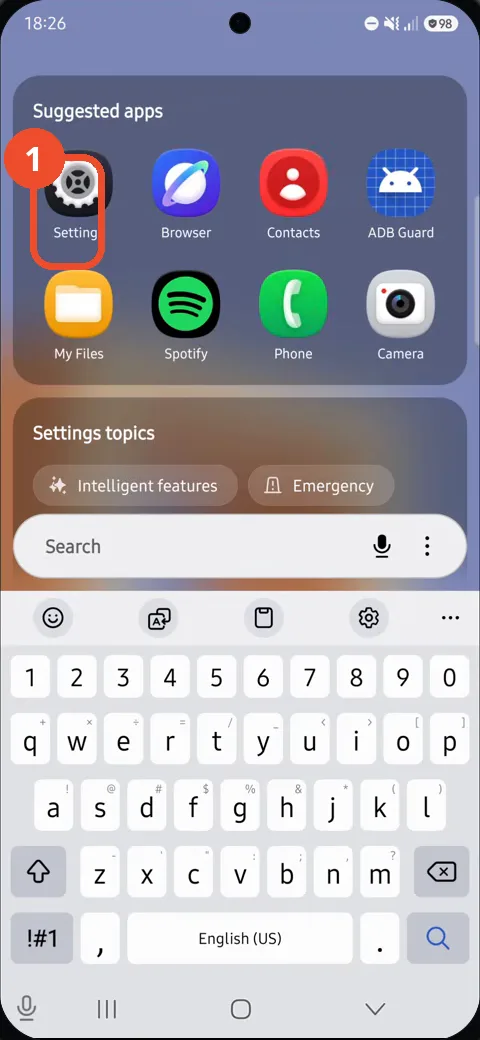
Open Settings from the app drawer
In the app drawer, tap Settings under Suggested apps. The main Settings screen opens.
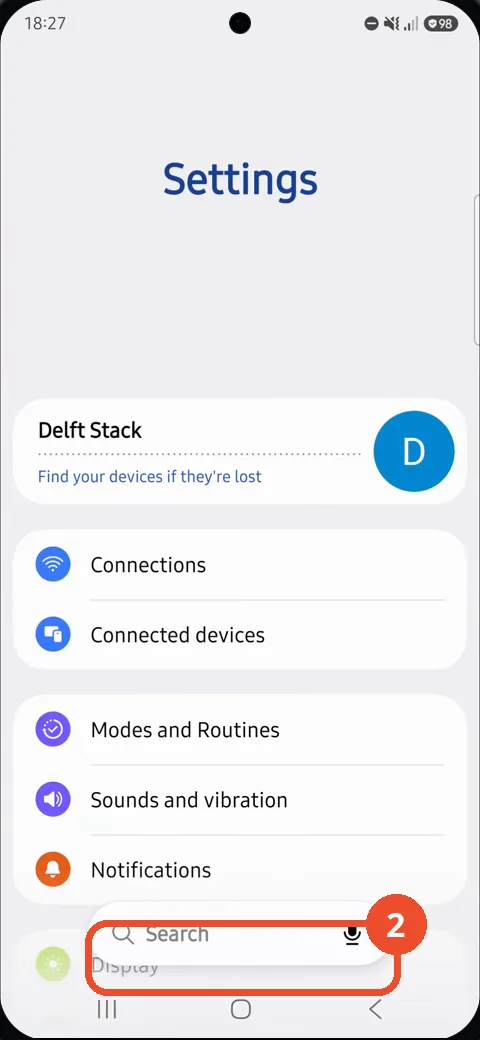
Tap Search in Settings
On the main Settings screen, tap the Search bar at the bottom. The search screen opens with the keyboard up.
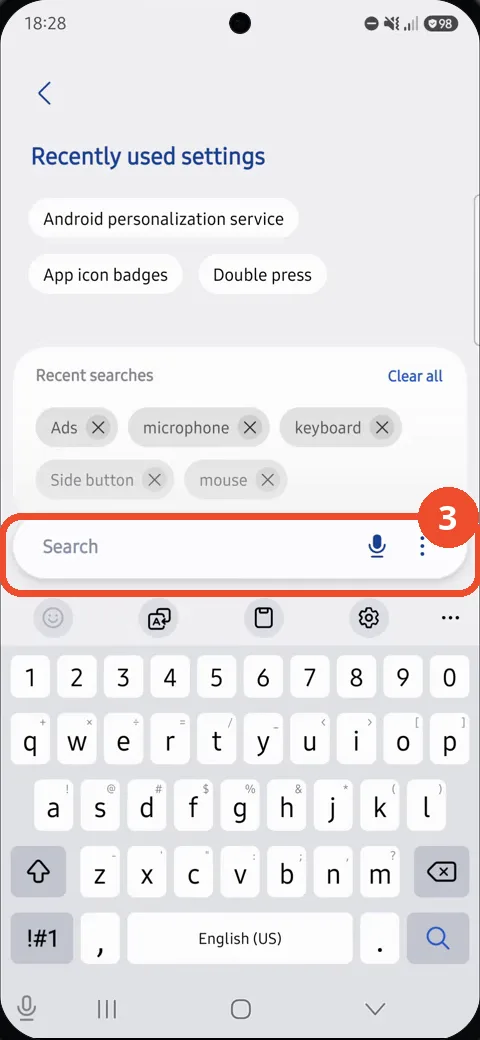
Search for verification codes
Tap the search field and type verification codes. Matching settings appear above the keyboard.
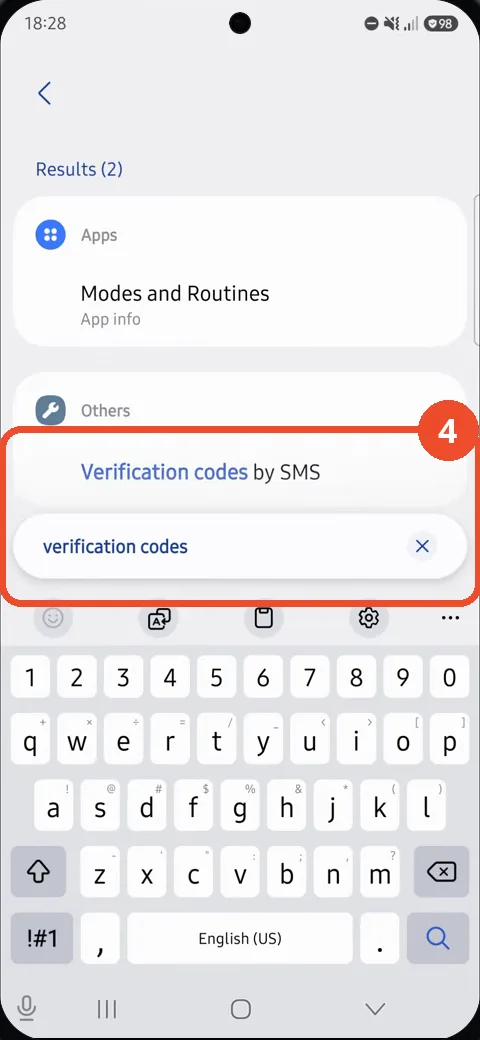
Tap Verification codes by SMS
Under Results, tap Verification codes by SMS, listed under Others. The Verification codes by SMS page opens with both switches off.
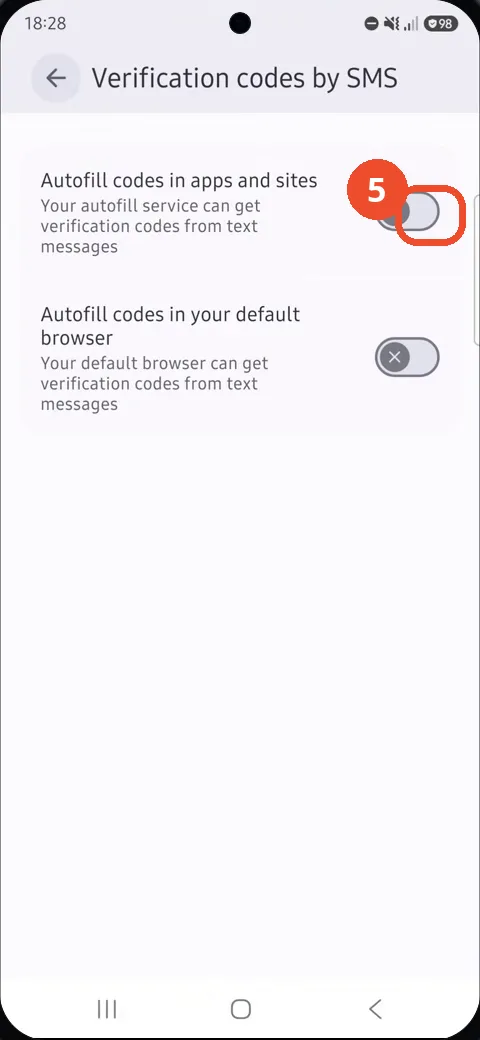
Switch on autofill in apps and sites
Tap the switch beside Autofill codes in apps and sites. It turns blue with a checkmark, so your autofill service can read codes from text messages.
Switch on autofill in the default browser
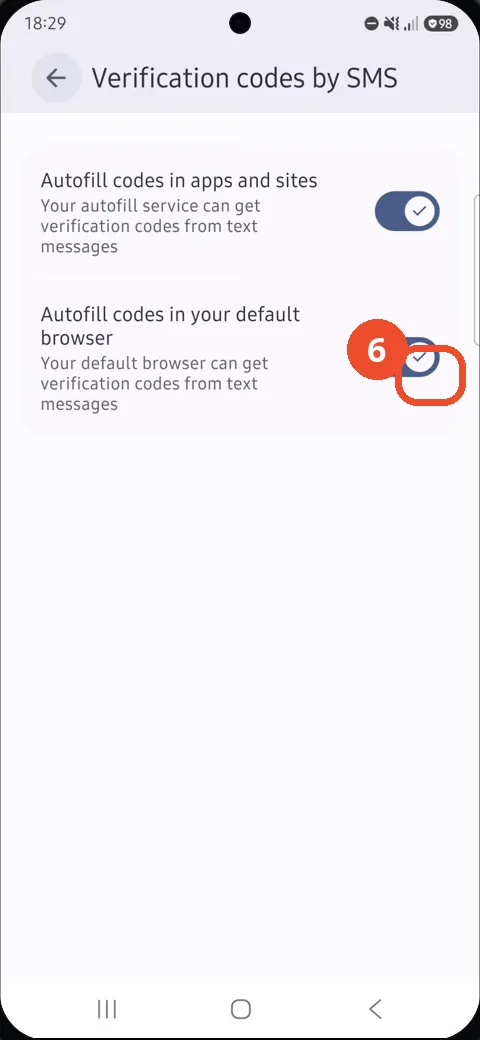
Tap the switch beside Autofill codes in your default browser as well. Both switches are now blue with checkmarks, so codes fill in everywhere.
Good to know
- Searching autofill alone surfaces browser and Samsung Pass entries, not these SMS toggles — search verification codes instead.
- Both switches start off in the recording: one for apps and sites, one for the default browser; the guide switches both on.
- With both on, your autofill service and your default browser can read verification codes from incoming text messages.
- Remove the Google Search Bar on Samsung Galaxy A57
- Find Private Album in Samsung Gallery on Samsung Galaxy A57
- Set Up the Magnifier Shortcut on Samsung Galaxy A57
- Find Call Recording Settings on Samsung Galaxy A57
- Check Your Hotspot Password on Samsung Galaxy A57
- Change Notification Sound on Samsung Galaxy A57
- Change Font Size on Samsung Galaxy A57
- Check Multi Control on Samsung Galaxy A57
- How to Enable Autocorrect on Samsung Galaxy A57
- How to Turn On the Flashlight on Samsung Galaxy A57
- How to Change Keyboard Layout on Samsung Galaxy A57
- How to Change the Lock Screen Clock Style on Samsung Galaxy A57
- How to Check and Enable NFC on Samsung Galaxy A57
- How to Change Your Ringtone on Samsung Galaxy A57
- How to Open the Power Menu with the Side Button on Samsung Galaxy A57
- How to Block Calls from Unknown Numbers on Samsung Galaxy A57
- How to Change Font Style on Samsung Galaxy A57
- How to Block Spam Calls on Samsung Galaxy A57
- How to Check the First Used Date on Samsung Galaxy A57 with One UI 8.5