How to Enable Autocorrect on Samsung Galaxy A57
Samsung calls autocorrect ‘Auto replace’, and it lives in the Samsung Keyboard settings. The recording finds it already switched on for English (US); the same steps turn it on if yours is off.
- DeviceSamsung Galaxy A57
- SystemOne UI 8.5
- AppSamsung Settings (pre-installed)
- Also works onOther Samsung phones running One UI 8.5
- Last verifiedOctober 29, 2026
Every screenshot below is taken from the actual recording on this device — no stock images.
Steps
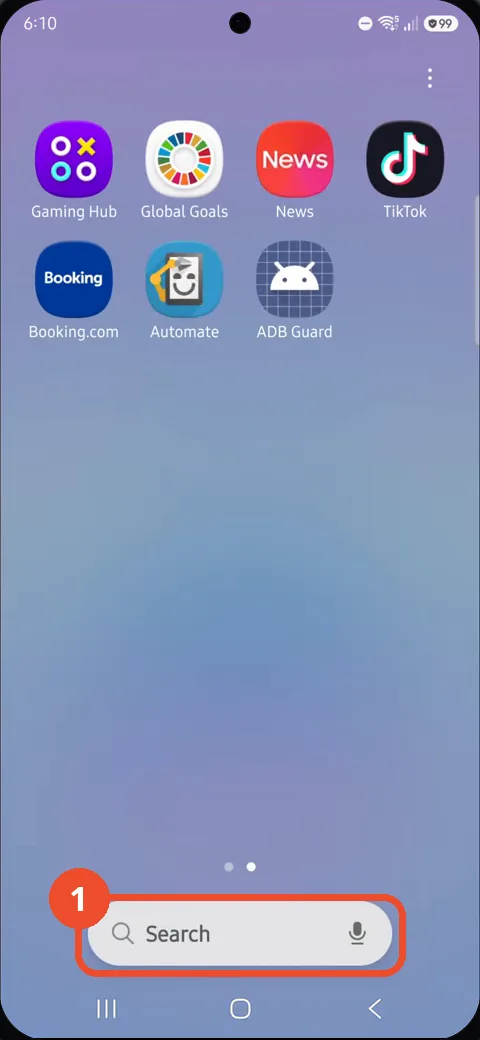
Swipe to the app search page and tap Search
Swipe to the apps page that has the search bar, then tap Search at the bottom of the screen.
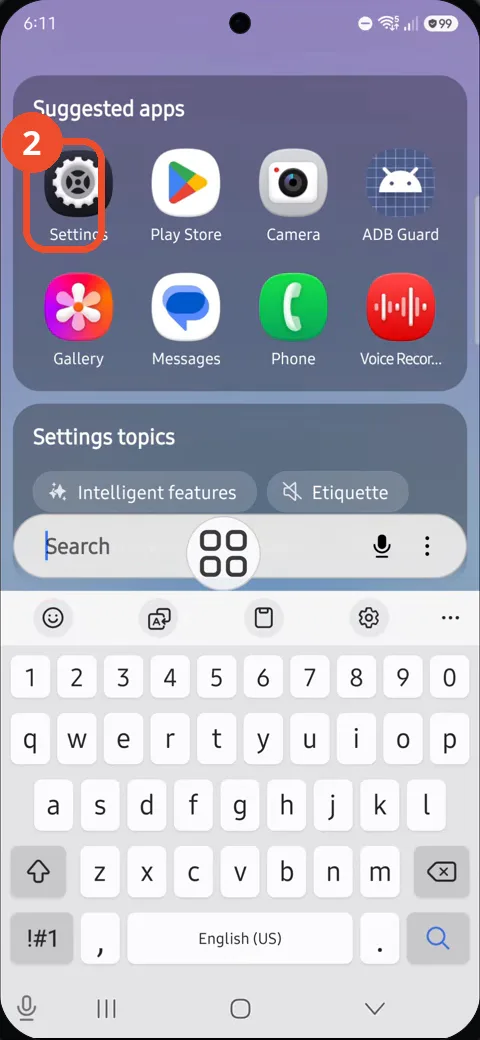
Tap Settings in Suggested apps
The search screen suggests apps at the top. Tap the Settings gear, the first icon under Suggested apps.
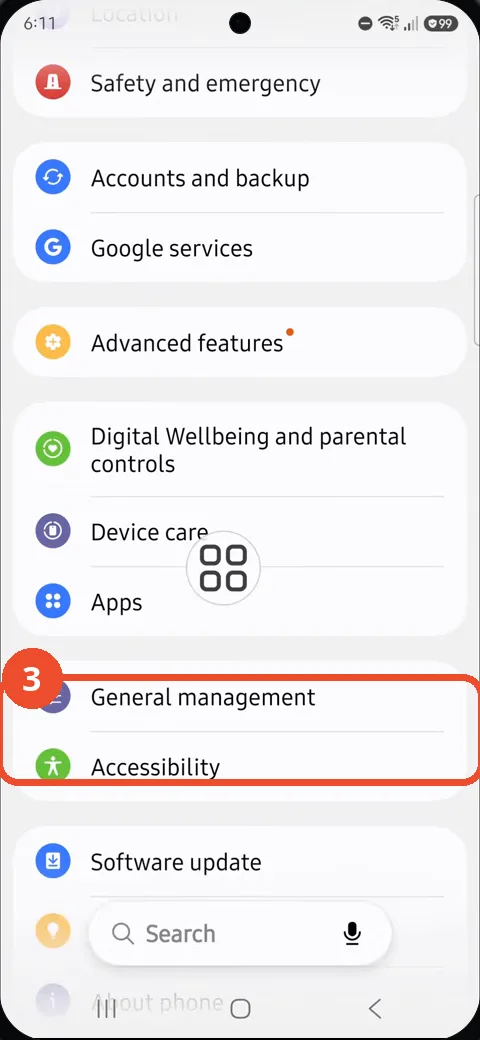
Scroll down and tap General management
Scroll down the Settings list until General management appears below Apps, then tap it.
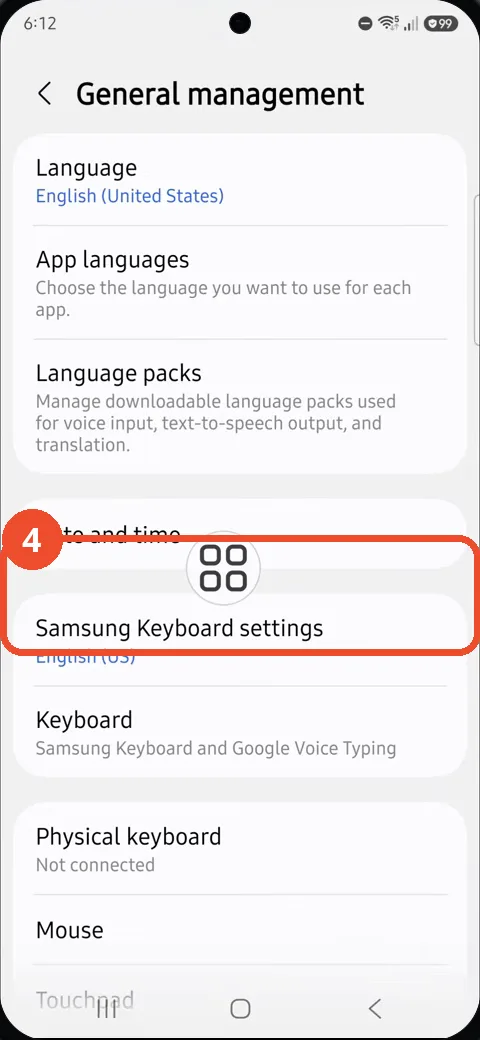
Tap Samsung Keyboard settings
On the General management page, tap Samsung Keyboard settings, which shows English (US) underneath.
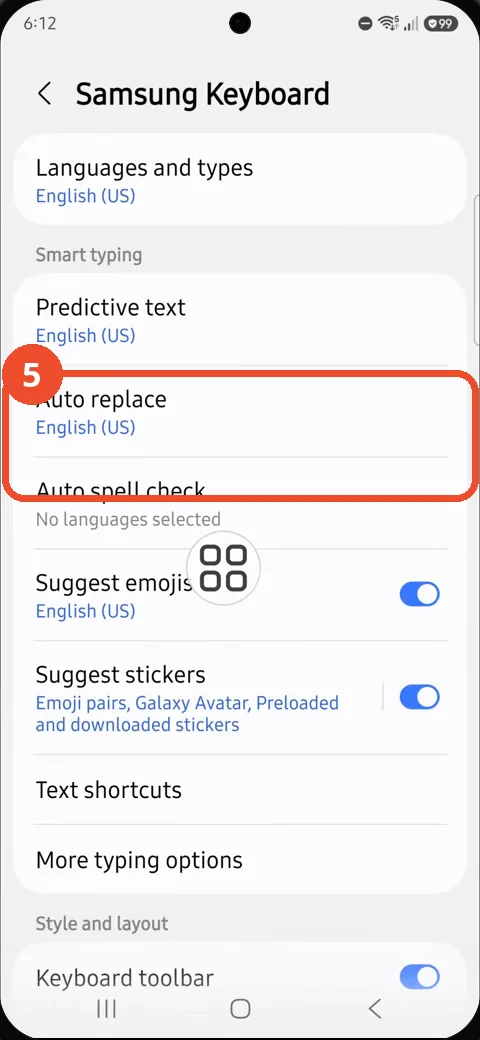
Tap Auto replace
On the Samsung Keyboard page, tap Auto replace, also listed for English (US).
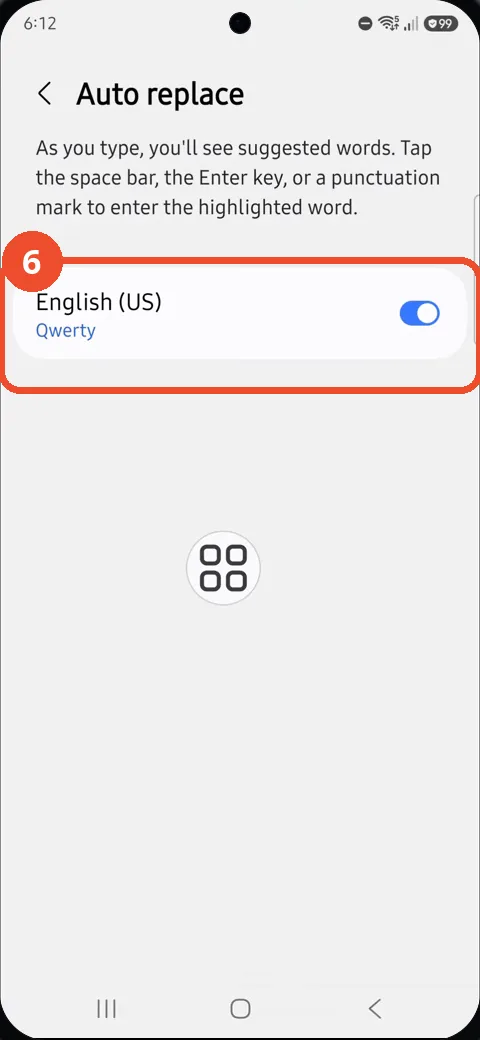
Check that Auto replace is on for English (US)
The Auto replace page explains that suggested words are entered with the space bar, the Enter key or a punctuation mark. The English (US) Qwerty toggle is blue, so autocorrect is on. If yours is grey, tap the toggle to switch it on.
Good to know
- Auto replace works per language: the toggle shown is for English (US) Qwerty, so other languages have their own entries.
- Auto spell check is a separate row on the Samsung Keyboard page — on this phone it shows ‘No languages selected’.
- Block Spam Calls on Samsung Galaxy A57
- Remove the Google Search Bar on Samsung Galaxy A57
- Find Private Album in Samsung Gallery on Samsung Galaxy A57
- Set Up the Magnifier Shortcut on Samsung Galaxy A57
- Find Call Recording Settings on Samsung Galaxy A57
- Check Your Hotspot Password on Samsung Galaxy A57
- Change Notification Sound on Samsung Galaxy A57
- Change Font Size on Samsung Galaxy A57
- How to Check Multi Control on Samsung Galaxy A57