How to Check the Android Security Patch Level on Samsung Galaxy A57 with One UI 8.5
The Android security patch level lives in Software information, under About phone. Open Settings, scroll to the bottom, tap About phone, then Software information, and scroll down to read the date.
- DeviceSamsung Galaxy A57
- SystemOne UI 8.5
- AppSettings
- Also works onOther Samsung phones running One UI 8.5
- Last verifiedNovember 23, 2026
Every screenshot below is taken from the actual recording on this device — no stock images.
Steps
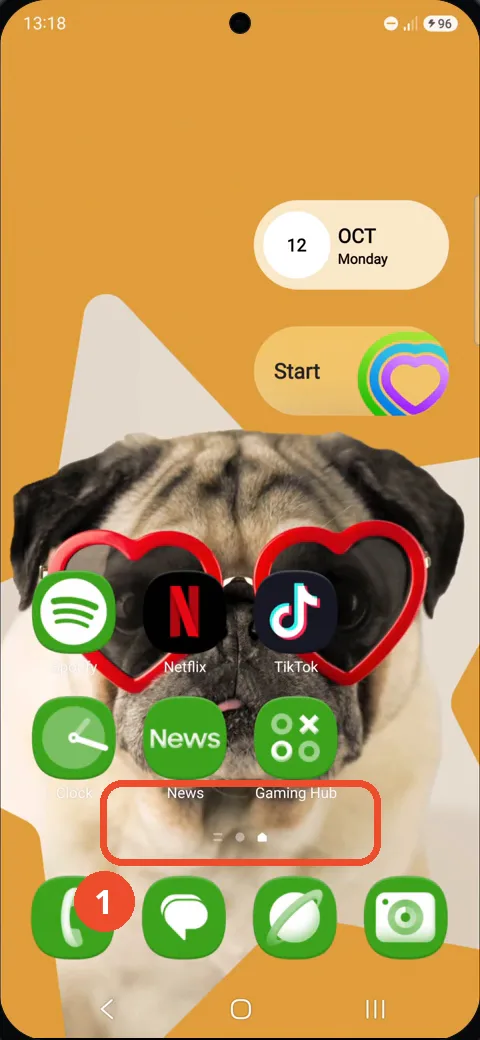
Swipe up to open the app drawer
On the Home screen, swipe up to open the app drawer.
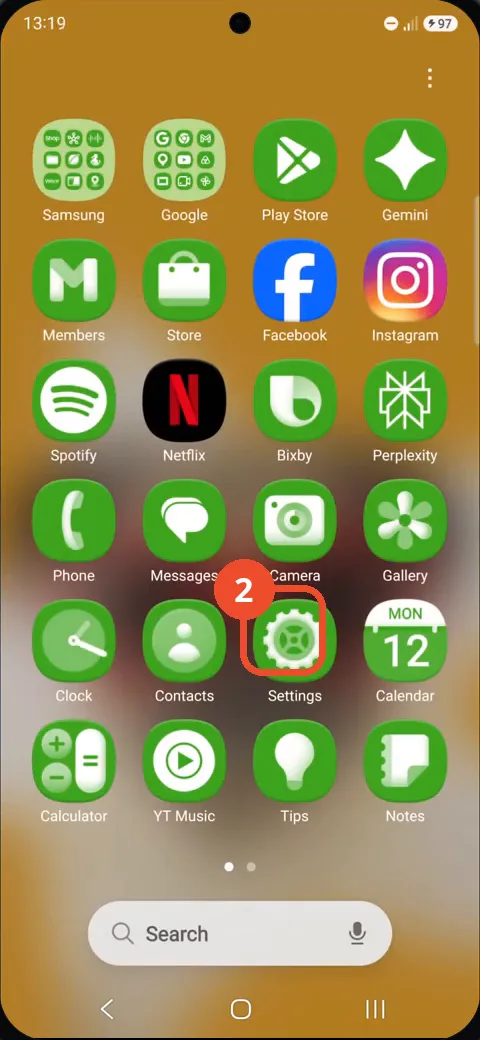
Tap Settings
In the app drawer, tap Settings.
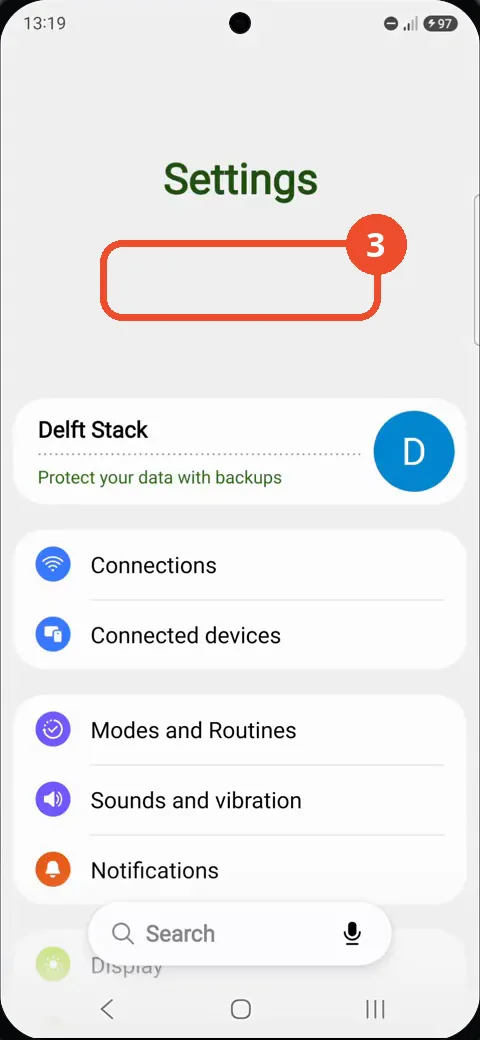
Scroll down to the bottom of Settings
Swipe up on the Settings screen to scroll to the bottom of the list. About phone sits near the end of the list.
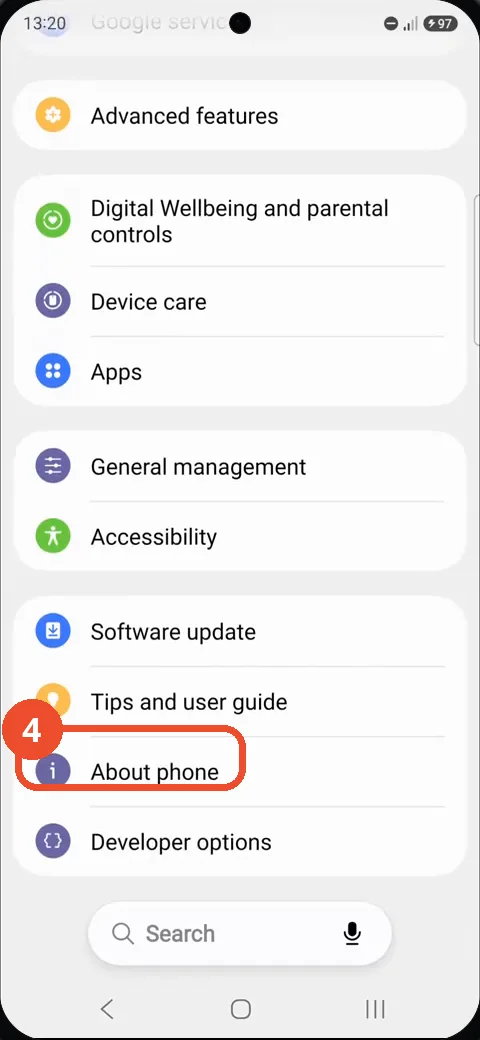
Tap About phone
At the bottom of Settings, tap About phone. The About phone page opens.
Tap Software information
On the About phone page, tap Software information. The Software information page opens.
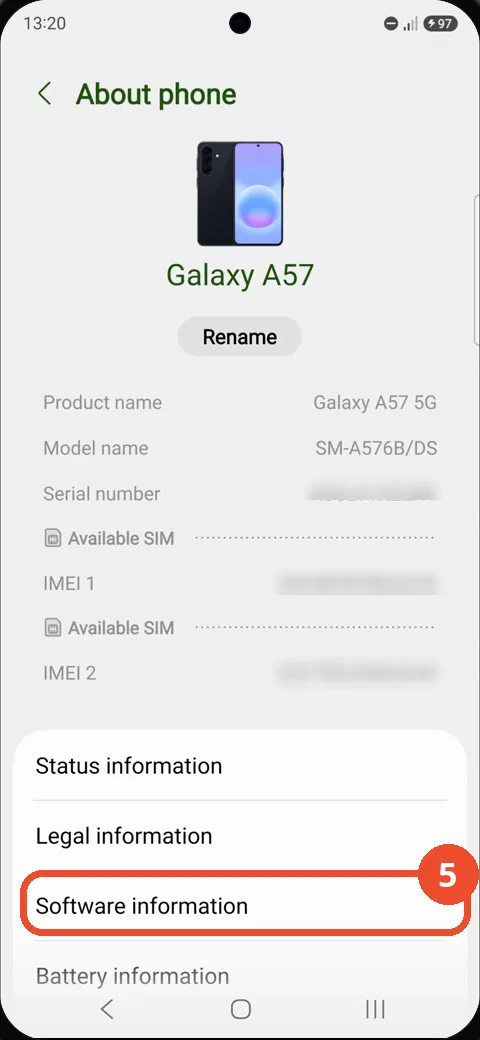
Scroll down to the Android security patch level
Swipe up in the middle of the Software information list to scroll to the bottom of the page.
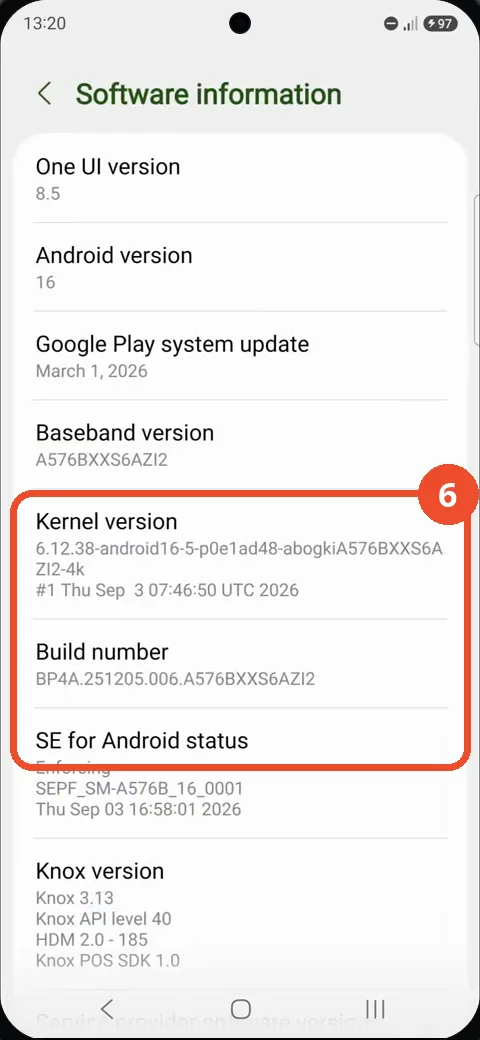
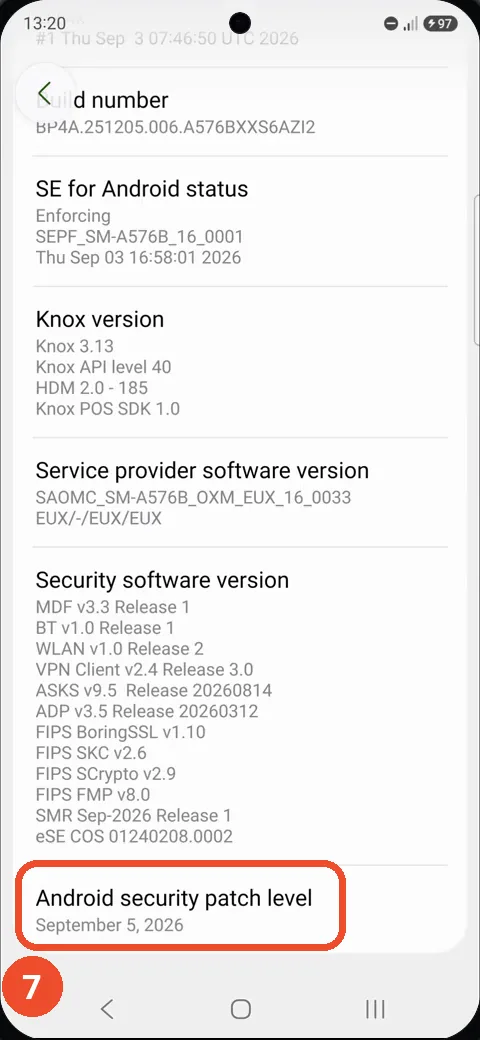
Read the Android security patch level
At the bottom of the page, read Android security patch level: September 5, 2026.
Good to know
- Nothing is changed in this recording - it only reads the patch level, so checking it is safe.
- On this phone the Android security patch level reads September 5, 2026, matching the narration.
- The same Software information page also lists the One UI version (8.5), Android version (16), and Google Play system update (March 1, 2026).
- The serial number and both IMEI numbers visible on the About phone page are blurred in the screenshots.
- The device name is changed from the same About phone page — see How to Change Your Samsung Galaxy A57 Device Name with One UI 8.5.
- If Software information is missing from About phone, check that you are on the About phone page: the first used date lives on Battery information instead, and has its own article — see How to Check the First Used Date on Samsung Galaxy A57 with One UI 8.5.
- Remove the Google Search Bar on Samsung Galaxy A57
- Find Private Album in Samsung Gallery on Samsung Galaxy A57
- Set Up the Magnifier Shortcut on Samsung Galaxy A57
- Find Call Recording Settings on Samsung Galaxy A57
- Check Your Hotspot Password on Samsung Galaxy A57
- Change Notification Sound on Samsung Galaxy A57
- Change Font Size on Samsung Galaxy A57
- Check Multi Control on Samsung Galaxy A57
- How to Enable Autocorrect on Samsung Galaxy A57
- How to Turn On the Flashlight on Samsung Galaxy A57
- How to Change Keyboard Layout on Samsung Galaxy A57
- How to Change the Lock Screen Clock Style on Samsung Galaxy A57
- How to Check and Enable NFC on Samsung Galaxy A57
- How to Change Your Ringtone on Samsung Galaxy A57
- How to Open the Power Menu with the Side Button on Samsung Galaxy A57
- How to Block Calls from Unknown Numbers on Samsung Galaxy A57
- How to Change Font Style on Samsung Galaxy A57
- How to Check the First Used Date on Samsung Galaxy A57 with One UI 8.5
- How to Enable Autofill Codes by SMS on Samsung Galaxy A57 with One UI 8.5
- How to Find the Default Launcher Setting on Samsung Galaxy A57 with One UI 8.5
- How to Change App Icon Size on Samsung Galaxy A57 with One UI 8.5
- How to Turn Touch Feedback On or Off on Samsung Galaxy A57 with One UI 8.5
- How to Find the Swipe-Down Notification Setting on Samsung Galaxy A57 with One UI 8.5
- How to Block Spam Calls on Samsung Galaxy A57
- How to Enable Motion Photo on Samsung Galaxy A57 with One UI 8.5
- How to Change Screen Brightness on Samsung Galaxy A57 with One UI 8.5
- How to Draw on Photos in Samsung Gallery on Samsung Galaxy A57 with One UI 8.5
- How to Choose the Game Booster Shortcut Bar on Samsung Galaxy A57 with One UI 8.5
- How to Manage Messages Bubbles on Samsung Galaxy A57 with One UI 8.5
- How to Use the Magnification Shortcut on Samsung Galaxy A57 with One UI 8.5
- How to Turn on Sound Mode on Samsung Galaxy A57 with One UI 8.5
- How to Use Accessibility Shortcuts on Samsung Galaxy A57 with One UI 8.5
- How to Check Battery Health on Samsung Galaxy A57 with One UI 8.5
- How to Enable Floating Windows on Samsung Galaxy A57 with One UI 8.5
- How to Change Display Size on Samsung Galaxy A57 with One UI 8.5
- How to Enable Silent Mode on Samsung Galaxy A57 with One UI 8.5
- How to Check Call Screening on Samsung Galaxy A57 with One UI 8.5
- How to Choose Automatic System Update Downloads on Samsung Galaxy A57 with One UI 8.5
- How to Enable Dark Mode on Samsung Galaxy A57 with One UI 8.5
- How to Force Stop an App on Samsung Galaxy A57 with One UI 8.5
- How to Find an App on Samsung Galaxy A57 with One UI 8.5
- How to View Downloads on Samsung Galaxy A57 with One UI 8.5
- How to Find PIN Setup Options on Samsung Galaxy A57 with One UI 8.5
- How to Find Predictive Text in Samsung Keyboard Settings on Samsung Galaxy A57 with One UI 8.5
- How to Close All Tabs in Samsung Internet on Samsung Galaxy A57 with One UI 8.5
- How to Find the Manual Time Settings on Samsung Galaxy A57 with One UI 8.5
- How to Enable Dolby Atmos on Samsung Galaxy A57 with One UI 8.5
- How to Add Lock Screen Text on Samsung Galaxy A57 with One UI 8.5
- How to Connect Samsung Galaxy A57 to Wi-Fi on One UI 8.5
- How to Turn On Reduce Animations on Samsung Galaxy A57 with One UI 8.5
- How to Change the Home Screen Grid on Samsung Galaxy A57 with One UI 8.5
- How to Zoom with Camera Volume Buttons on Samsung Galaxy A57 with One UI 8.5
- How to Manage Password Autofill Settings on Samsung Galaxy A57 with One UI 8.5
- How to Find Mobile Hotspot Settings on Samsung Galaxy A57 with One UI 8.5
- How to Enable Dual Messenger on Samsung Galaxy A57 with One UI 8.5
- How to Turn Off RCS Chats on Samsung Galaxy A57 with One UI 8.5
- How to Find Home Button Order Options on Samsung Galaxy A57 with One UI 8.5
- How to Add a Photo to a Contact on Samsung Galaxy A57 with One UI 8.5
- How to Manage App Notifications on Samsung Galaxy A57 with One UI 8.5
- How to Find Downloads on Samsung Galaxy A57 with One UI 8.5
- How to Enable Remote Lock on Samsung Galaxy A57 with One UI 8.5
- How to Find the Camera Grid Lines Setting on Samsung Galaxy A57 with One UI 8.5
- How to Set Up Android Auto on Samsung Galaxy A57 with One UI 8.5
- How to Change App Icon Colors with Your Wallpaper on Samsung Galaxy A57 with One UI 8.5
- How to Check Emoji Suggestions on Samsung Galaxy A57 with One UI 8.5
- How to Find the Theme Setting in Google Messages on Samsung Galaxy A57 with One UI 8.5
- How to Disable Roaming Clock on Samsung Galaxy A57 with One UI 8.5
- How to Change Your Samsung Galaxy A57 Device Name with One UI 8.5
- How to Fix Screen Rotation Not Working on Samsung Galaxy A57 with One UI 8.5
- How to Open Camera Settings on Samsung Galaxy A57 with One UI 8.5
- How to Update Apps on Samsung Galaxy A57 with One UI 8.5
- How to Find Google Lens on Samsung Galaxy A57 with One UI 8.5
- How to Change Touch Sounds on Samsung Galaxy A57 with One UI 8.5
- How to Set a Ringtone for a Contact on Samsung Galaxy A57 with One UI 8.5
Guide complete
Every step above comes from the original recording, with a screenshot for each step. Want more like this? Browse all Samsung Galaxy A57 guides.