How to Change Your Ringtone on Samsung Galaxy A57
Changing the ringtone on the Galaxy A57 takes a few taps in Settings. This guide opens Sounds and vibration and picks a new sound from the ringtone list.
✅ Tested on
- DeviceSamsung Galaxy A57
- SystemOne UI 8.5
- AppSettings
- Also works onOther Samsung Galaxy phones running One UI 8.5
- Last verifiedOctober 30, 2026
Every screenshot below is taken from the actual recording on this device — no stock images.
Steps
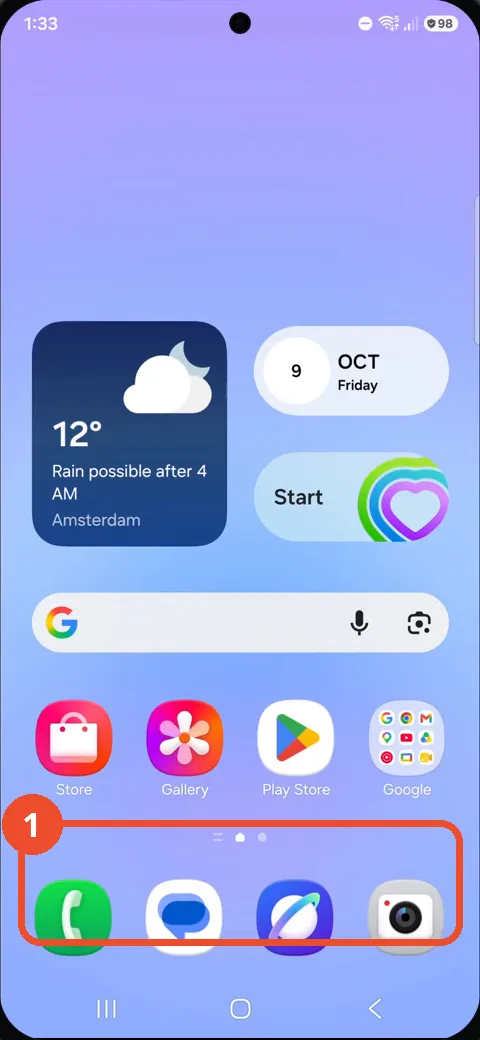
Swipe up from the Home screen
From the Home screen, swipe up from the bottom of the screen. The apps list opens.
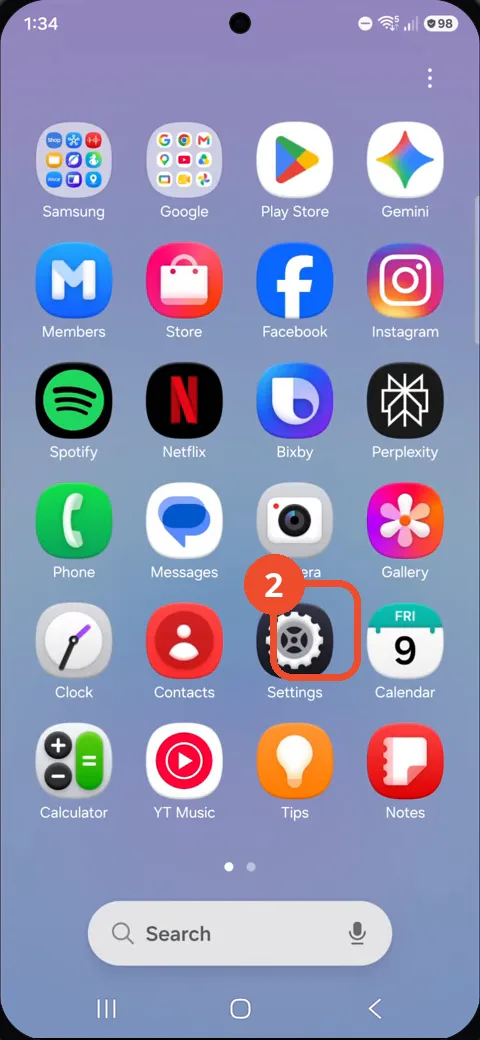
Open Settings
In the apps list, tap the Settings gear icon. The Settings screen opens.
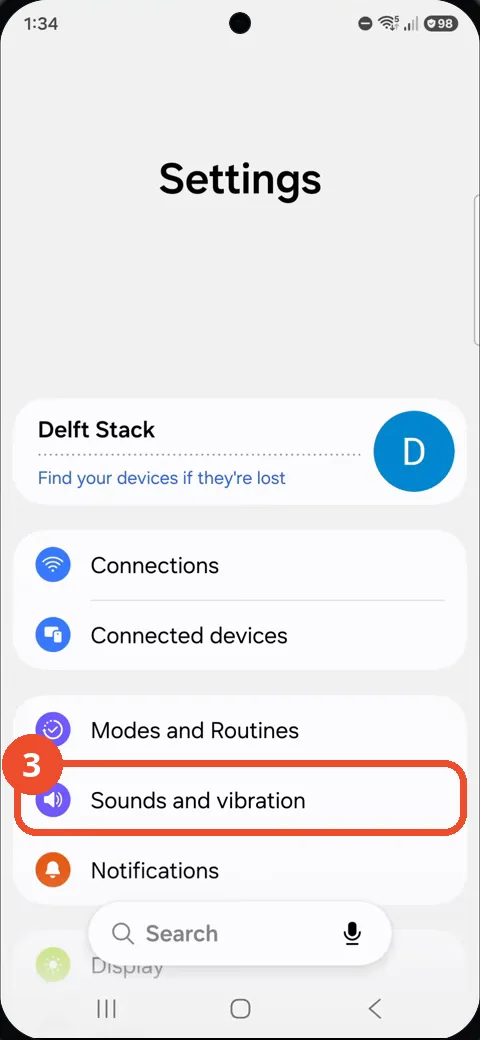
Open Sounds and vibration
On the Settings screen, tap Sounds and vibration. Its settings page opens.
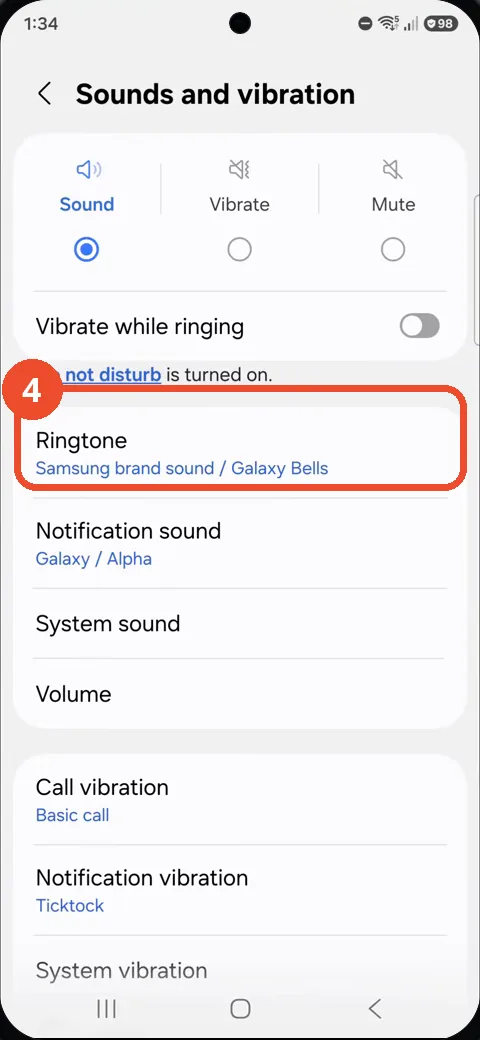
Tap Ringtone
Tap Ringtone, currently set to Samsung brand sound / Galaxy Bells. The ringtone list opens.
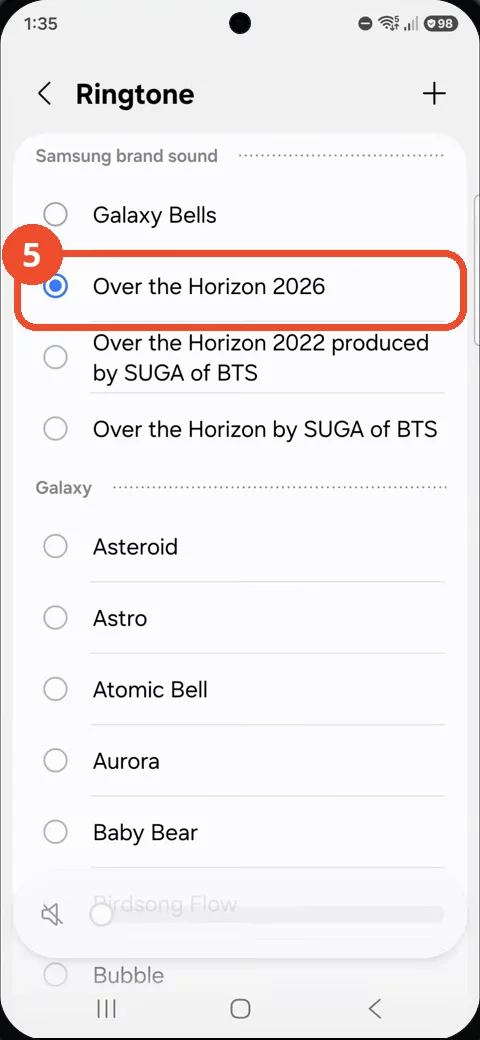
Select Over the Horizon 2026
In the ringtone list, tap Over the Horizon 2026. Its radio button fills in, confirming it is the new ringtone.
Good to know
- The selected ringtone shows a filled radio button in the list.
- You can add your own audio with the + button at the top right of the ringtone list.
- Notification sound is a separate setting on the same Sounds and vibration screen.
- Remove the Google Search Bar on Samsung Galaxy A57
- Find Private Album in Samsung Gallery on Samsung Galaxy A57
- Set Up the Magnifier Shortcut on Samsung Galaxy A57
- Find Call Recording Settings on Samsung Galaxy A57
- Check Your Hotspot Password on Samsung Galaxy A57
- Change Notification Sound on Samsung Galaxy A57
- Change Font Size on Samsung Galaxy A57
- Check Multi Control on Samsung Galaxy A57
- How to Enable Autocorrect on Samsung Galaxy A57
- How to Turn On the Flashlight on Samsung Galaxy A57
- How to Change Keyboard Layout on Samsung Galaxy A57
- How to Change the Lock Screen Clock Style on Samsung Galaxy A57
- How to Check and Enable NFC on Samsung Galaxy A57
- Block Spam Calls on Samsung Galaxy A57