How to Find Your Wi-Fi IP Address on Redmi Note 17 Pro with HyperOS 3
The IP address of the connected Wi-Fi network is on the network’s details page. This recording first opens About phone and Detailed info and specs, then goes back to Settings and opens the Wi-Fi details for the connected network.
- DeviceRedmi Note 17 Pro
- SystemHyperOS 3
- AppSettings
- Also works onOther Xiaomi phones running HyperOS 3
- Last verifiedNovember 22, 2026
Every screenshot below is taken from the actual recording on this device — no stock images.
Steps
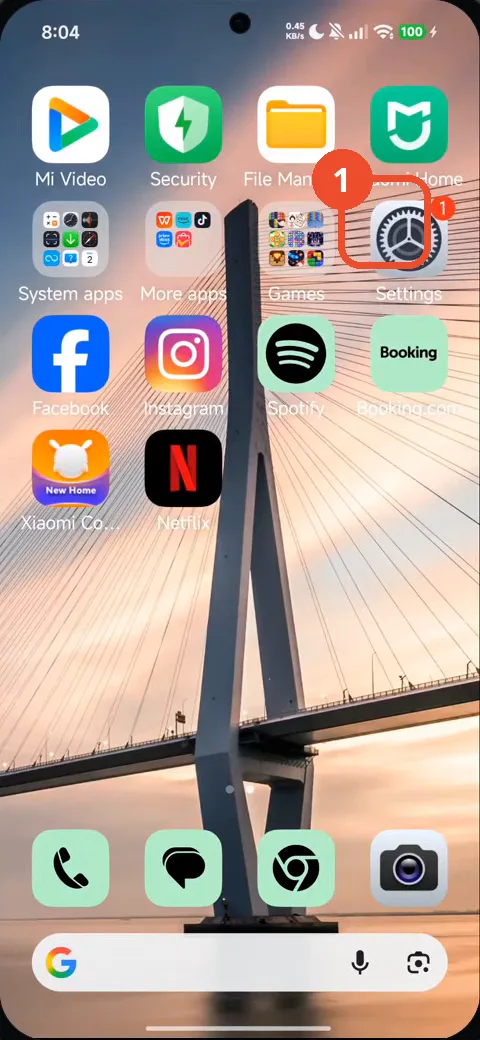
Swipe to the Home screen page with Settings, then tap Settings
Swipe to the Home screen page that has Settings, then tap the Settings icon.
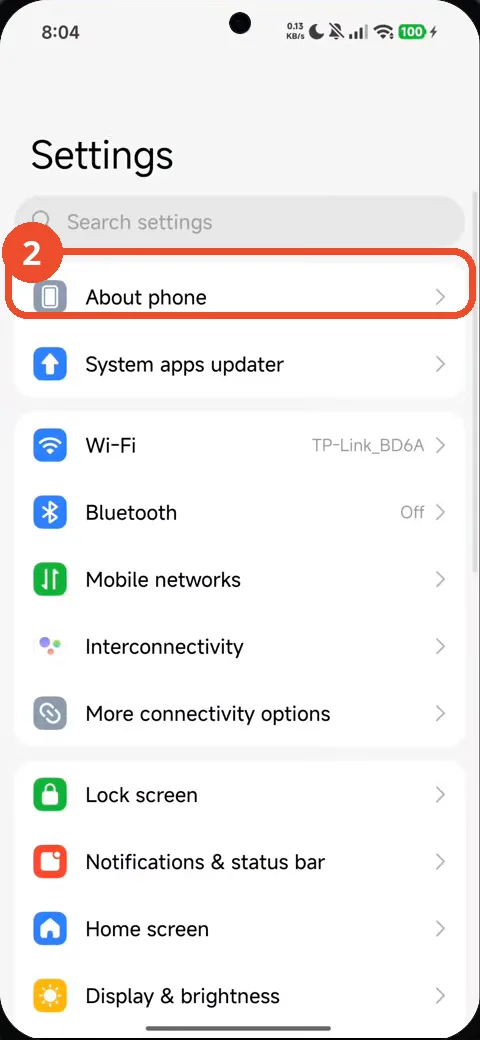
Tap About phone
In Settings, tap About phone.
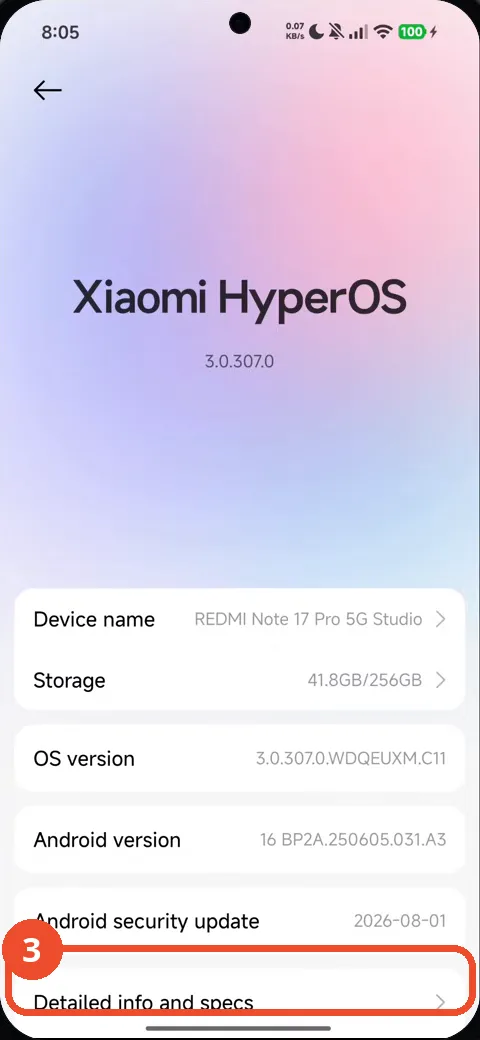
Scroll down and tap Detailed info and specs
Scroll down the About phone page and tap Detailed info and specs.
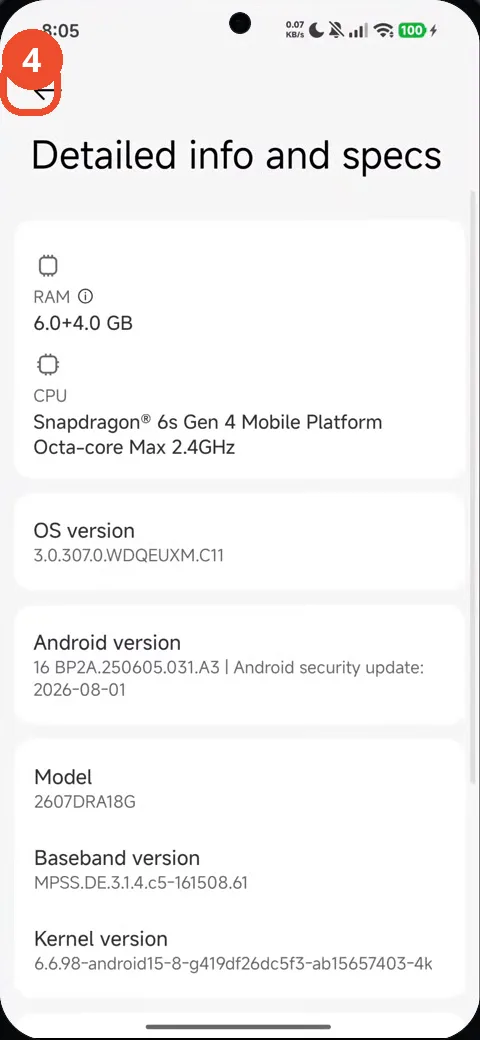
Tap Back twice to return to Settings
Tap Back to return to About phone, then Back again to return to the main Settings list.
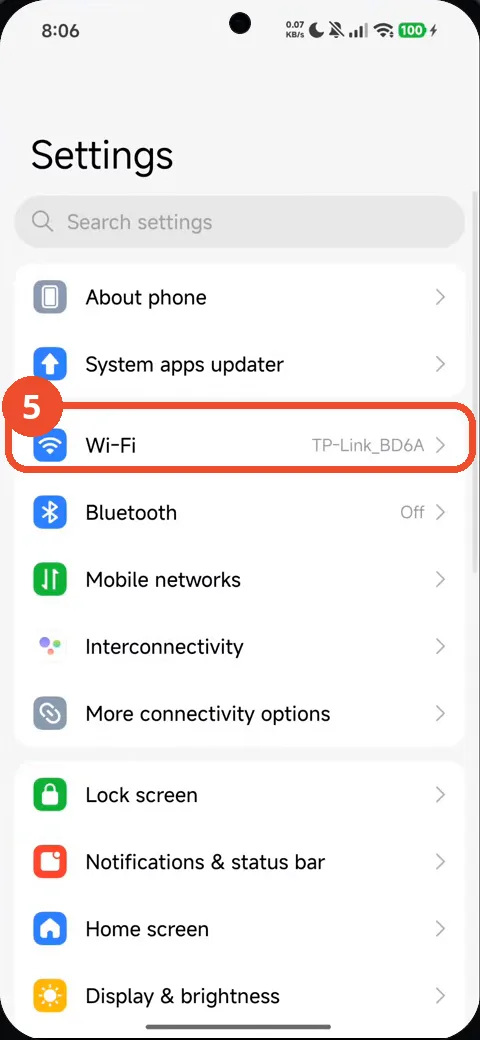
Tap Wi-Fi
In Settings, tap Wi-Fi.
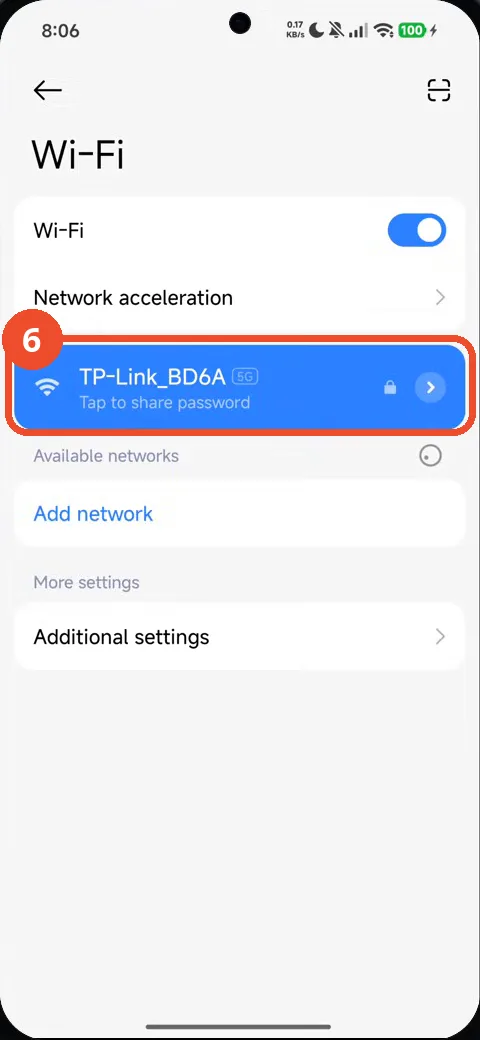
Tap TP-Link_BD6A to open its network details
Tap the connected network, TP-Link_BD6A, to open its details.
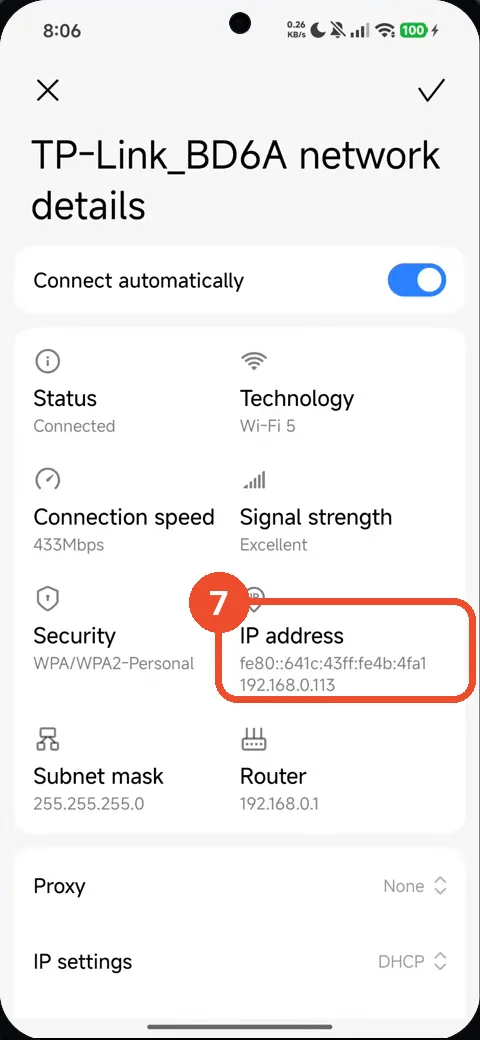
Read the IP address
The IP address field shows the IPv6 address fe80::641c:43ff:fe4b:4fa1 and the IPv4 address 192.168.0.113. That is the confirmation.
Good to know
- The same details page also shows the connection speed (433Mbps), signal strength (Excellent), subnet mask (255.255.255.0) and router (192.168.0.1).
- The About phone detour is part of this recording — the video opens Detailed info and specs before going back to Wi-Fi; the IP address itself is only on the Wi-Fi details page.
- The phone is a REDMI Note 17 Pro 5G (model 2607DRA18G) running HyperOS 3.0.307.0 on Android 16, as the About phone page shows.
- How to Check NFC Is Enabled on Redmi Note 17 Pro with HyperOS 3
- How to Check Mobile Data on Redmi Note 17 Pro with HyperOS 3
- How to Check RAM Usage on Redmi Note 17 Pro with HyperOS 3
- How to Turn Off Vibration and Haptic Feedback on Redmi Note 17 Pro with HyperOS 3
- How to Check Battery Health on Redmi Note 17 Pro with HyperOS 3
- How to Check the 80% Charging Limit on Redmi Note 17 Pro with HyperOS 3
- How to Enable Always-on Display on Redmi Note 17 Pro with HyperOS 3
- How to Remove Lock Screen Shortcuts on Redmi Note 17 Pro with HyperOS 3
- How to Check Gmail Notifications on Redmi Note 17 Pro with HyperOS 3
- How to Enable the App Drawer on Redmi Note 17 Pro with HyperOS 3
- How to Find and Apply a Free Font on Redmi Note 17 Pro with HyperOS 3
Guide complete
Every step above comes from the original recording, with a screenshot for each step. Want more like this? Browse all Redmi Note 17 Pro guides.