How to Find and Apply a Free Font on Redmi Note 17 Pro with HyperOS 3
Free fonts live in the Themes app’s Fonts store, reached from Settings. Open Display & brightness, tap Font, then browse Categories — Cool Fonts lists free typefaces such as Arial Bold.
- DeviceRedmi Note 17 Pro
- SystemHyperOS 3
- AppThemes
- Also works onOther Xiaomi phones running HyperOS 3
- Last verifiedNovember 22, 2026
Every screenshot below is taken from the actual recording on this device — no stock images.
Steps
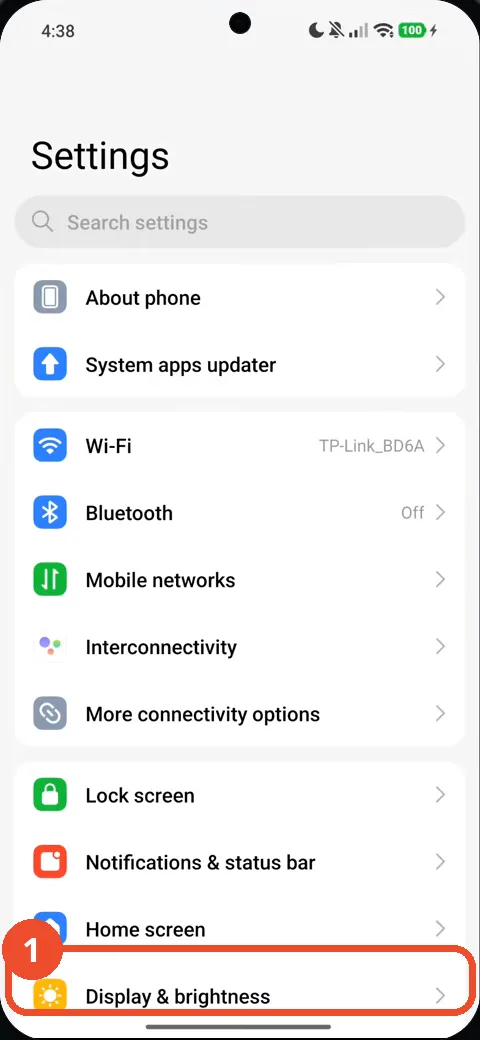
Open Settings and tap Display & brightness
Open Settings, then tap Display & brightness near the bottom of the list.
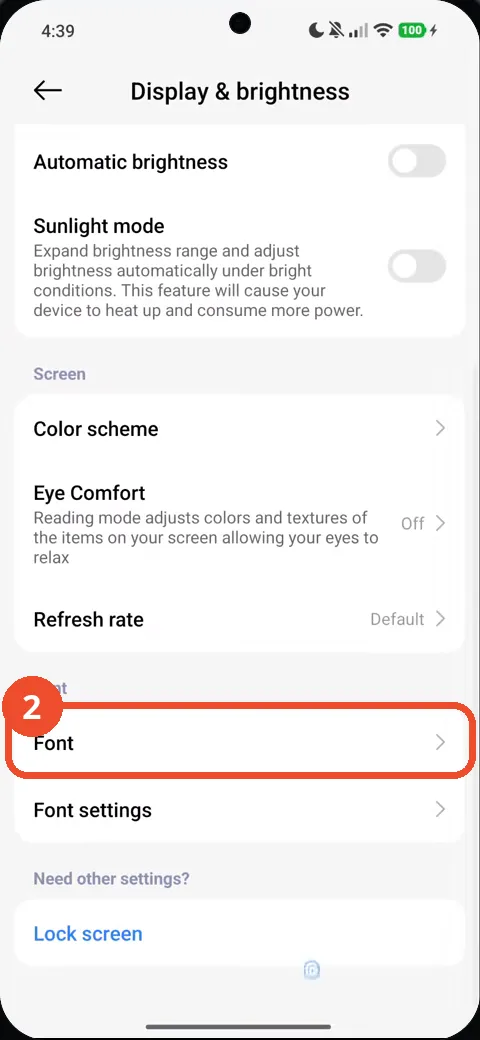
Scroll down and tap Font
Scroll down the Display & brightness page and tap Font.
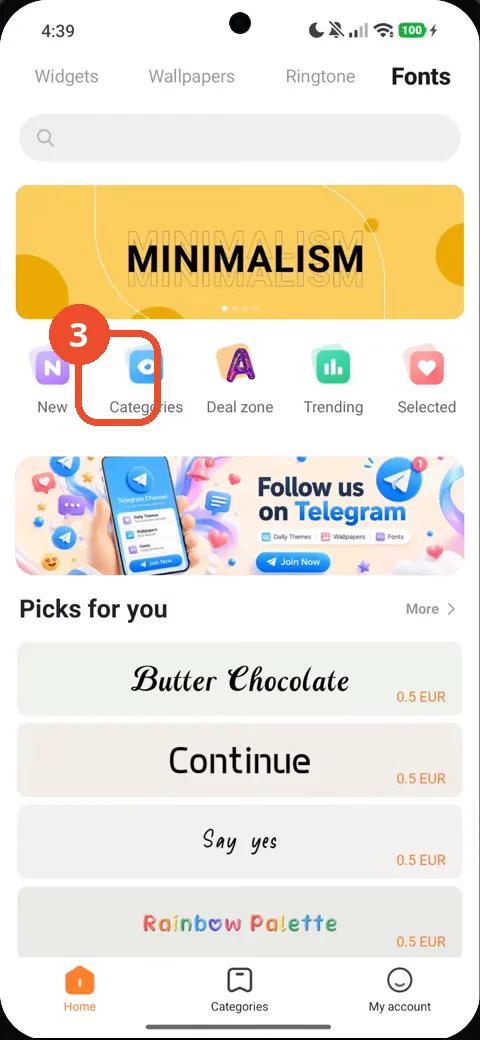
Tap Categories
The Fonts storefront opens. Tap Categories to browse by category.
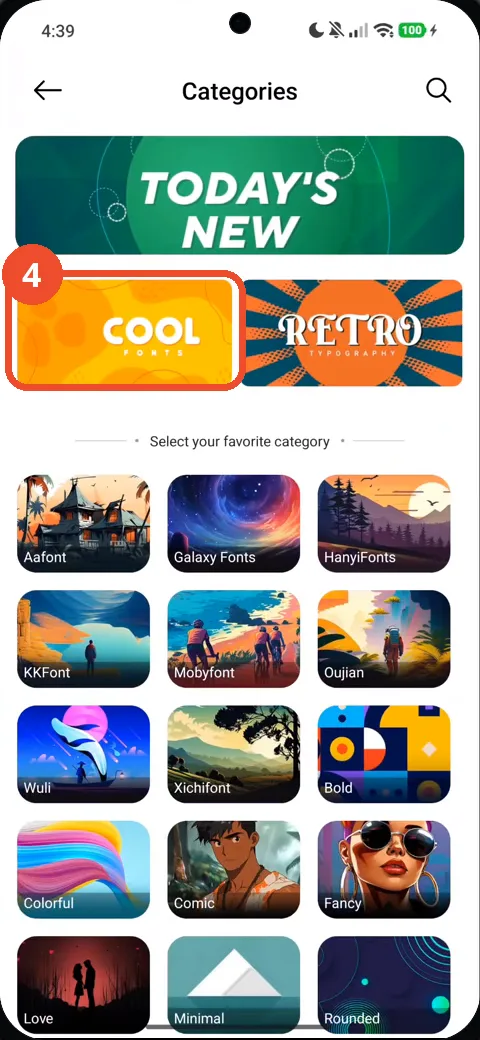
Tap Cool Fonts
On the Categories page, tap the Cool Fonts tile.
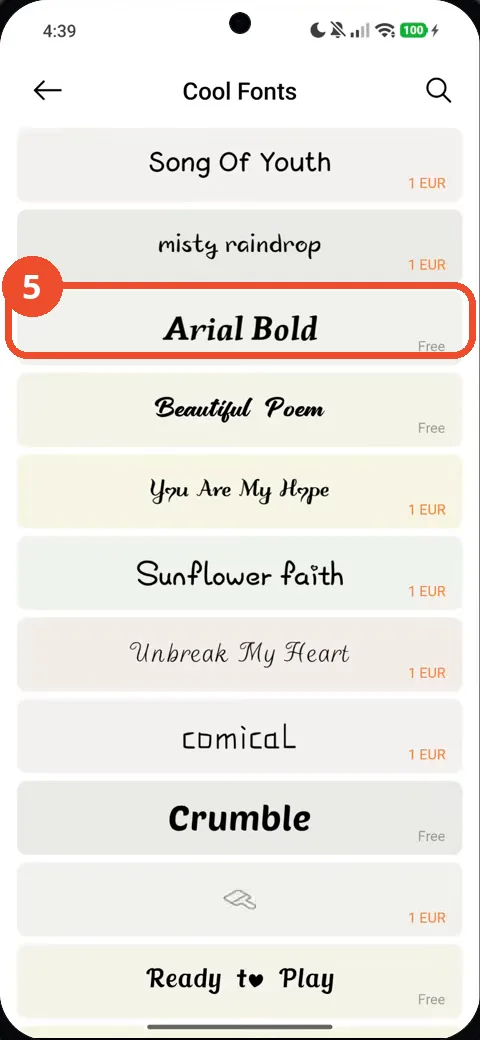
Tap Arial Bold
In the Cool Fonts list, tap Arial Bold — it is marked Free.
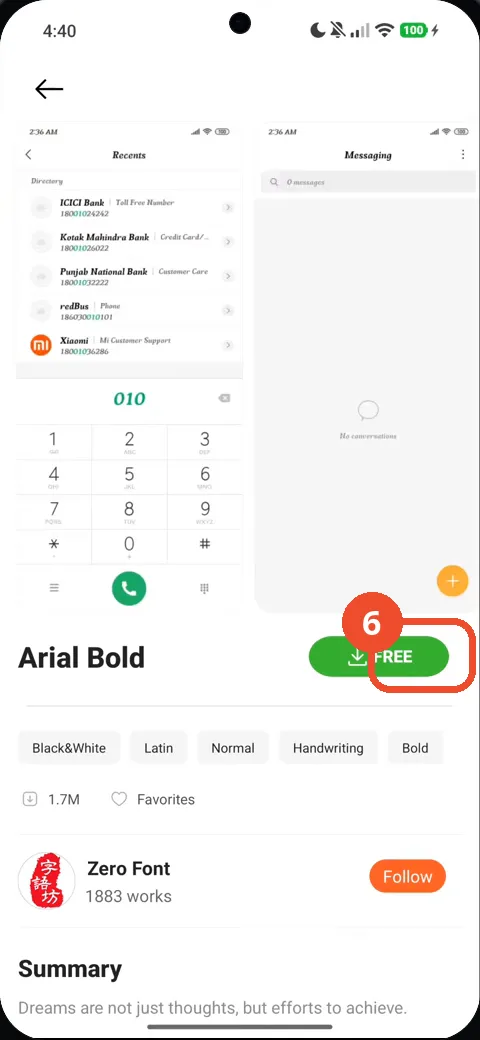
Tap Free to download the font
On the Arial Bold page, tap the green Free button to download the font.
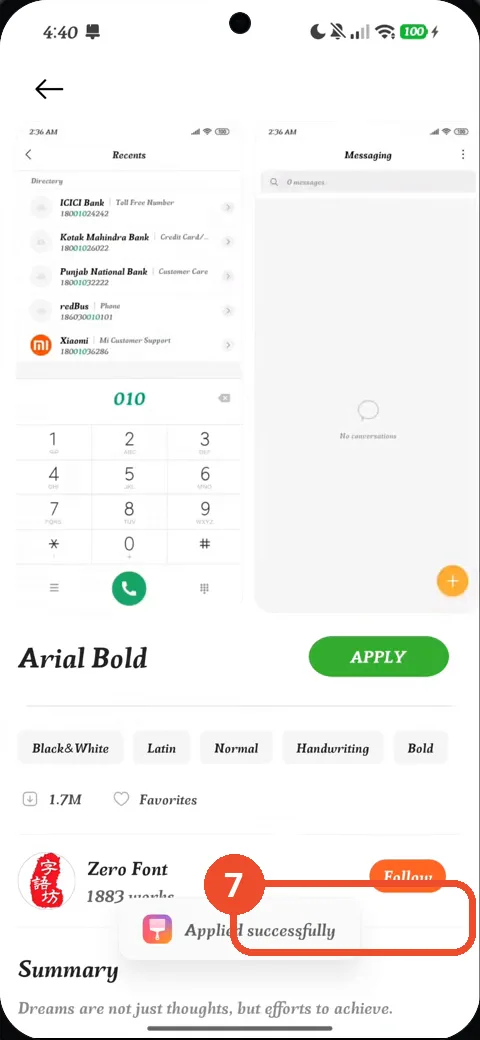
Tap Apply and check the Applied successfully message
Once downloaded, the button becomes Apply. Tap it — an ‘Applied successfully’ message appears at the bottom of the screen.
Good to know
- The narration names Notifications & status bar, but the recording opens Display & brightness — Font is under Display & brightness.
- Arial Bold is free; other fonts in the Cool Fonts list cost 1 EUR, as the list shows.
- The recording shows the ‘Applied successfully’ message but never leaves the preview page, so the changed system font is not shown on the Home screen.
- How to Check NFC Is Enabled on Redmi Note 17 Pro with HyperOS 3
- How to Check Mobile Data on Redmi Note 17 Pro with HyperOS 3
- How to Check RAM Usage on Redmi Note 17 Pro with HyperOS 3
- How to Turn Off Vibration and Haptic Feedback on Redmi Note 17 Pro with HyperOS 3
- How to Check Battery Health on Redmi Note 17 Pro with HyperOS 3
- How to Check the 80% Charging Limit on Redmi Note 17 Pro with HyperOS 3
- How to Enable Always-on Display on Redmi Note 17 Pro with HyperOS 3
- How to Remove Lock Screen Shortcuts on Redmi Note 17 Pro with HyperOS 3
- How to Check Gmail Notifications on Redmi Note 17 Pro with HyperOS 3
- How to Enable the App Drawer on Redmi Note 17 Pro with HyperOS 3
- How to Find Your Wi-Fi IP Address on Redmi Note 17 Pro with HyperOS 3
Guide complete
Every step above comes from the original recording, with a screenshot for each step. Want more like this? Browse all Redmi Note 17 Pro guides.