How to Check Mobile Data on Redmi Note 17 Pro with HyperOS 3
The mobile data switch lives on the Mobile networks page. Open Settings, tap Mobile networks, and look at the Mobile data switch at the top of the page.
✅ Tested on
- DeviceRedmi Note 17 Pro
- SystemHyperOS 3
- AppSettings
- Also works onOther Xiaomi phones running HyperOS 3
- Last verifiedNovember 21, 2026
Every screenshot below is taken from the actual recording on this device — no stock images.
Steps
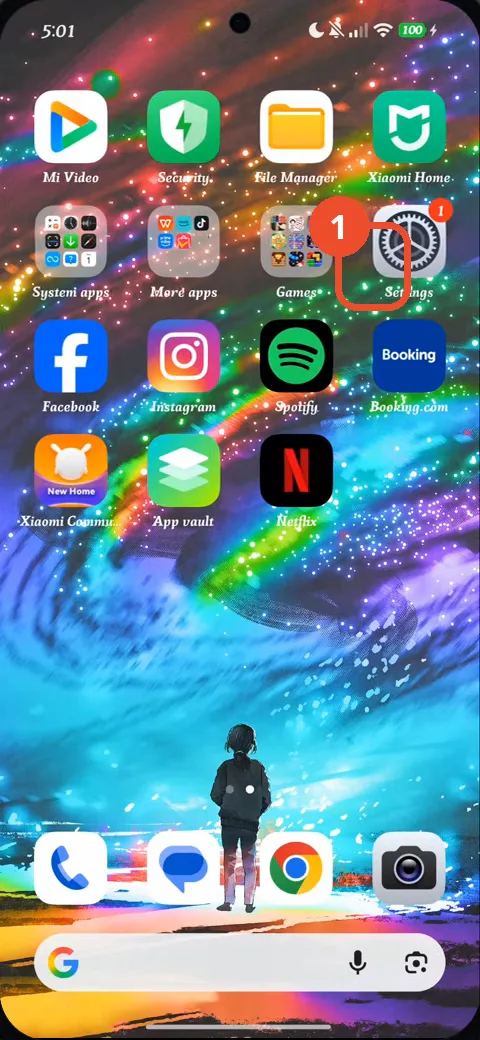
Swipe to the Home screen page with Settings
Swipe to the next Home screen page, then tap Settings.
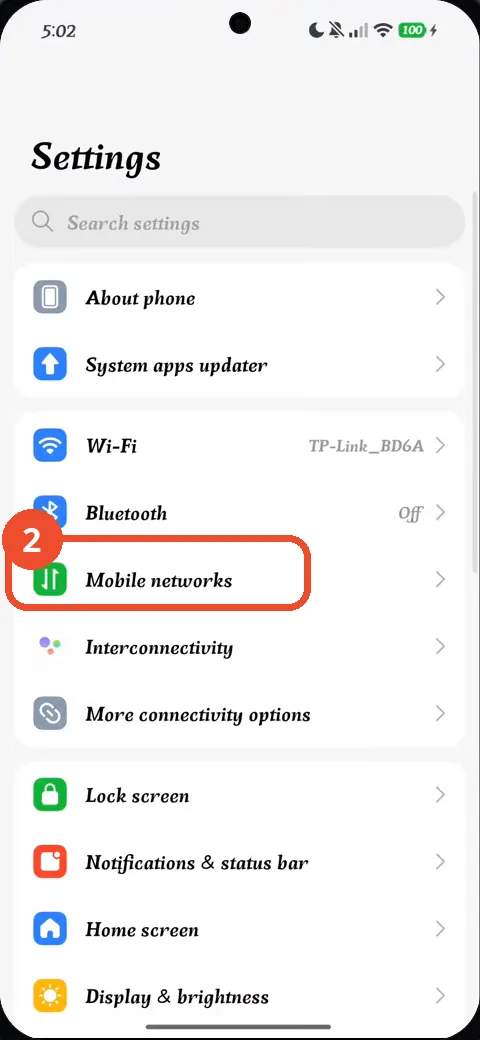
Tap Mobile networks
In Settings, tap Mobile networks.
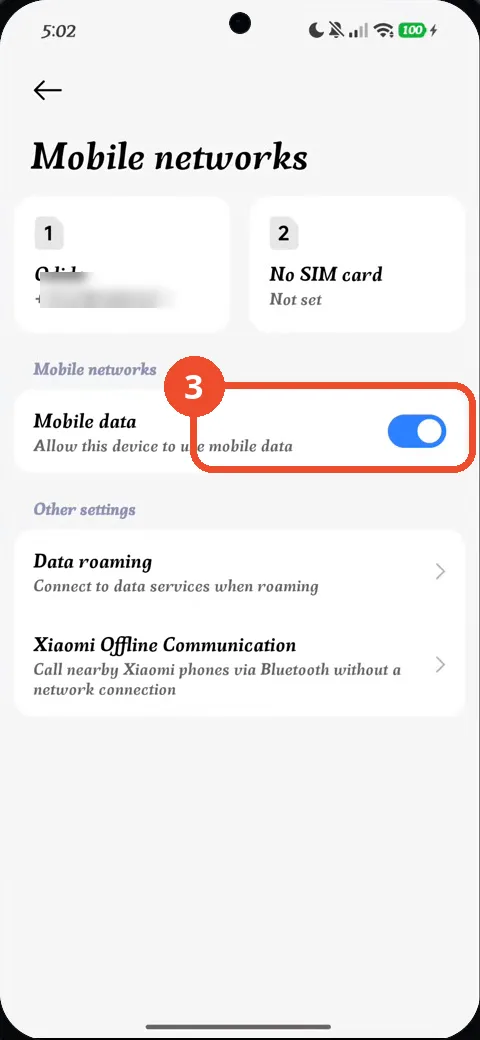
Check that Mobile data is on
The Mobile data switch is on (blue), so this device is allowed to use mobile data. That is the confirmation.
Good to know
- The Mobile data switch is already on in this recording — the video only checks it, nothing is switched.
- The phone number shown under the Odido SIM is blurred in the screenshot.
- SIM 1 holds the Odido card; the second slot has no SIM card. Data roaming is controlled on the same page, below the switch.
- How to Check the 80% Charging Limit on Redmi Note 17 Pro with HyperOS 3
- How to Check NFC Is Enabled on Redmi Note 17 Pro with HyperOS 3
- How to Check RAM Usage on Redmi Note 17 Pro with HyperOS 3
- How to Turn Off Vibration and Haptic Feedback on Redmi Note 17 Pro with HyperOS 3
- How to Check Battery Health on Redmi Note 17 Pro with HyperOS 3
Guide complete
Every step above comes from the original recording, with a screenshot for each step. Want more like this? Browse all Redmi Note 17 Pro guides.