How to Assign Camera Zoom to Volume Buttons on Redmi Note 17 Pro with HyperOS 3
The volume buttons’ camera job is set in Camera settings. Open Camera, open Settings from the controls panel, go to General, then open Volume buttons function and select Zoom.
- DeviceRedmi Note 17 Pro
- SystemHyperOS 3
- AppCamera
- Also works onOther Xiaomi phones running HyperOS 3
- Last verifiedNovember 23, 2026
Every screenshot below is taken from the actual recording on this device — no stock images.
Steps
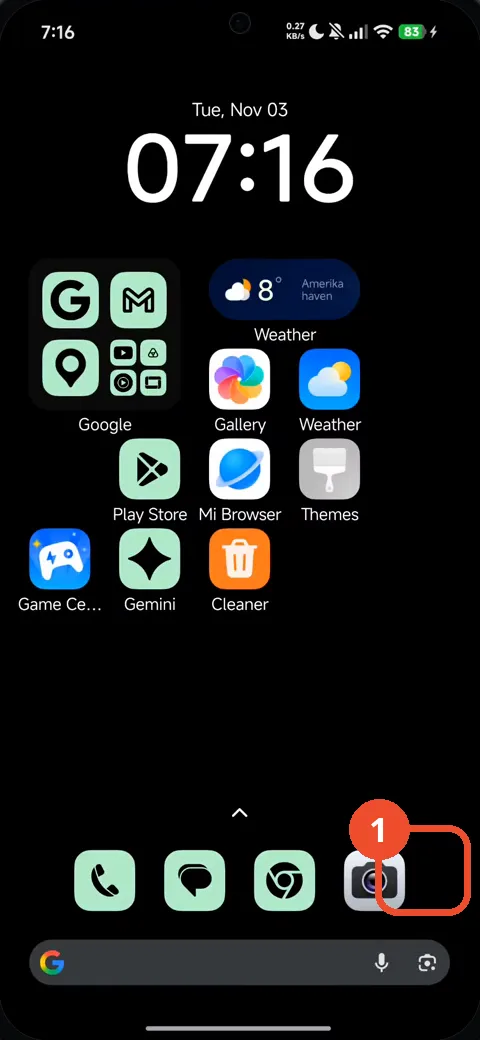
Open Camera from the home screen
Tap the Camera icon in the dock to open the Camera app.
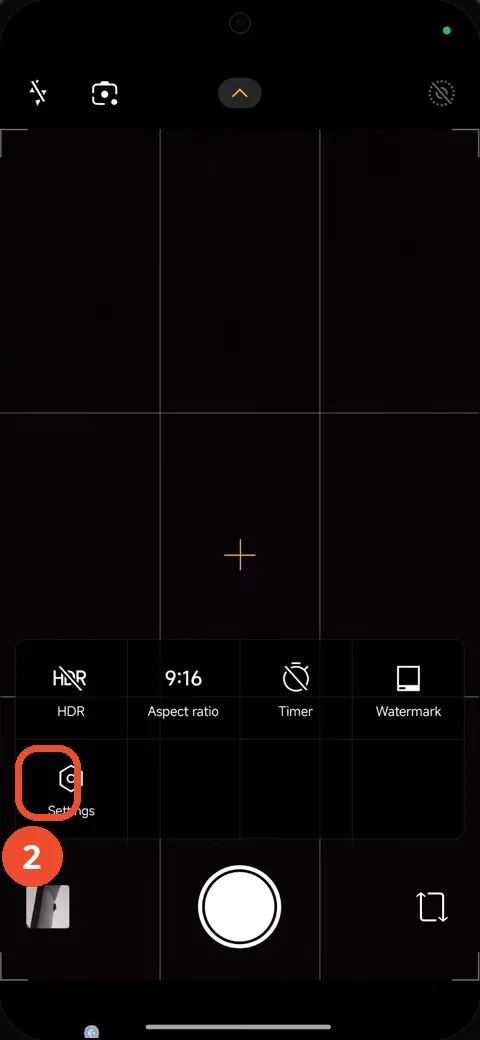
Expand the camera controls and tap Settings
Expand the controls panel above the mode strip, then tap the Settings gear at the bottom left.
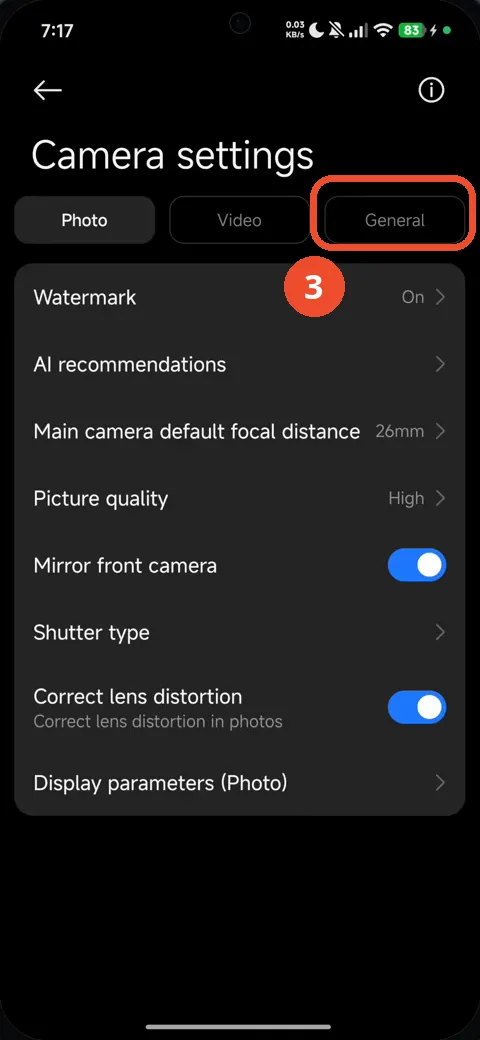
Tap General
On the Camera settings page, tap the General tab at the top.
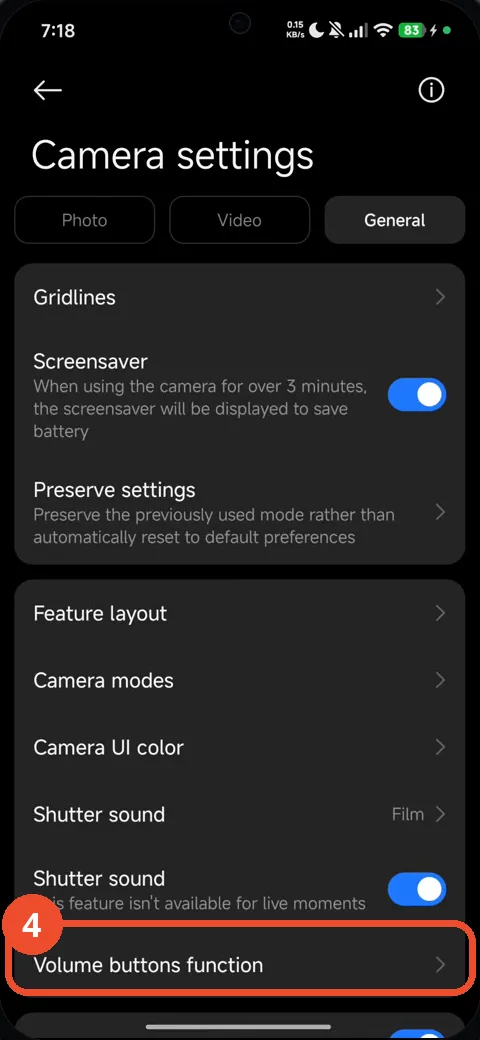
Tap Volume buttons function
Scroll to the bottom of the General tab and tap Volume buttons function.
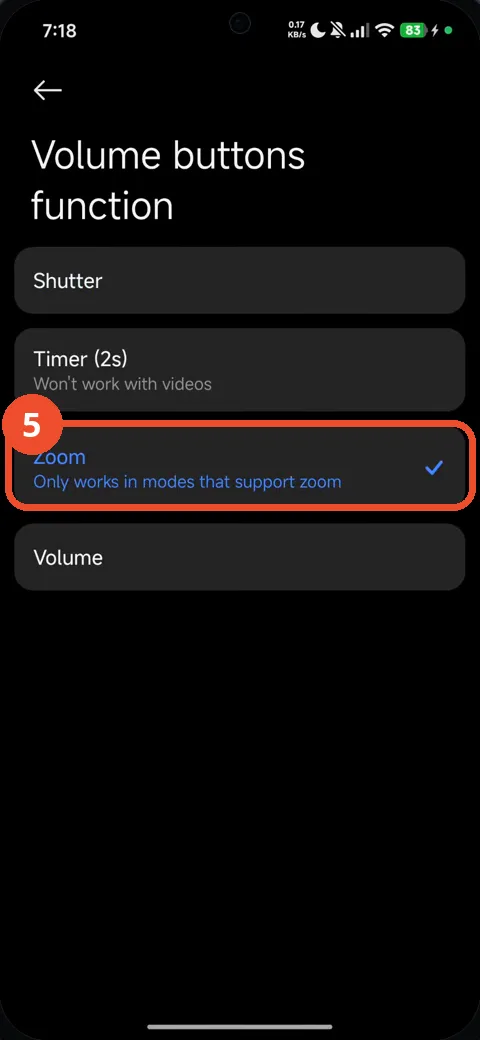
Select Zoom
Tap Zoom — it is now checked, so the volume buttons control zoom. That is the confirmation.
Good to know
- Zoom only works in modes that support zoom, as the option itself notes.
- The same page also offers Shutter (the previous setting here), Press and hold, Timer (2s) and Volume.
- The same setting on the Galaxy A57 is covered in How to Zoom with Camera Volume Buttons on Samsung Galaxy A57 with One UI 8.5.
- How to Check NFC Is Enabled on Redmi Note 17 Pro with HyperOS 3
- How to Check Mobile Data on Redmi Note 17 Pro with HyperOS 3
- How to Check RAM Usage on Redmi Note 17 Pro with HyperOS 3
- How to Turn Off Vibration and Haptic Feedback on Redmi Note 17 Pro with HyperOS 3
- How to Check Battery Health on Redmi Note 17 Pro with HyperOS 3
- How to Enable Always-on Display on Redmi Note 17 Pro with HyperOS 3
- How to Remove Lock Screen Shortcuts on Redmi Note 17 Pro with HyperOS 3
- How to Check Gmail Notifications on Redmi Note 17 Pro with HyperOS 3
- How to Enable the App Drawer on Redmi Note 17 Pro with HyperOS 3
- How to Find Your Wi-Fi IP Address on Redmi Note 17 Pro with HyperOS 3
- How to Find and Apply a Free Font on Redmi Note 17 Pro with HyperOS 3
- How to Check the 80% Charging Limit on Redmi Note 17 Pro with HyperOS 3
- How to Find the Mobile Hotspot Switch on Redmi Note 17 Pro with HyperOS 3
- How to Check for Macro Mode on Redmi Note 17 Pro with HyperOS 3
- How to Change the Map Type to Satellite in Google Maps on Redmi Note 17 Pro with HyperOS 3
- How to Change Video Resolution on Redmi Note 17 Pro with HyperOS 3
- How to Raise Media Volume on Redmi Note 17 Pro with HyperOS 3
Guide complete
Every step above comes from the original recording, with a screenshot for each step. Want more like this? Browse all Redmi Note 17 Pro guides.