Where Is NFC on the Google Pixel 11 Pro with Android 17?
NFC lives under Connected devices > Connection preferences in Settings. Search for NFC, open the NFC row, and check the Use NFC switch at the top of the NFC page.
✅ Tested on
- DeviceGoogle Pixel 11 Pro
- SystemAndroid 17
- AppSettings
- Also works onOther Pixel phones running Android 17
- Last verifiedNovember 3, 2026
Every screenshot below is taken from the actual recording on this device — no stock images.
Steps
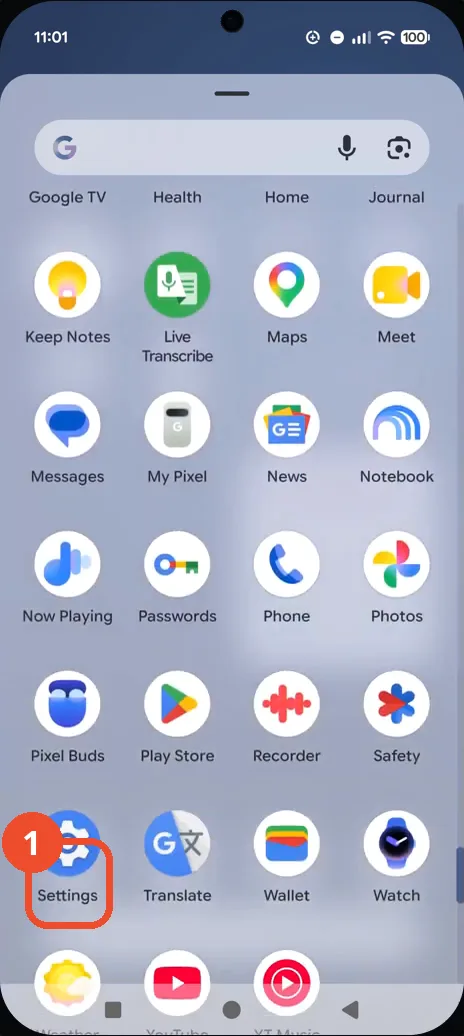
Open Settings from the app drawer
Swipe up to open the app drawer, swipe to the second page, then tap Settings.
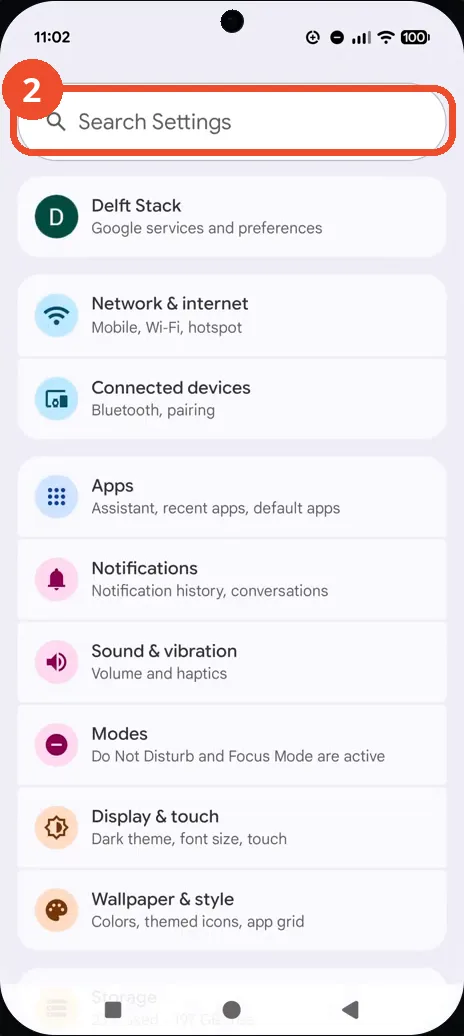
Tap the Search Settings bar
In Settings, tap the Search Settings bar at the top of the page.
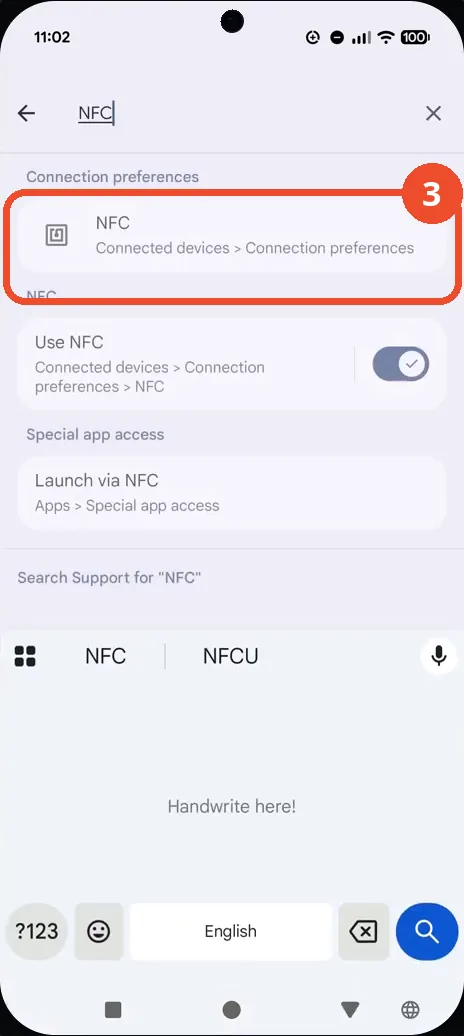
Search for NFC and tap the result
Type NFC, then tap the NFC result under Connection preferences.
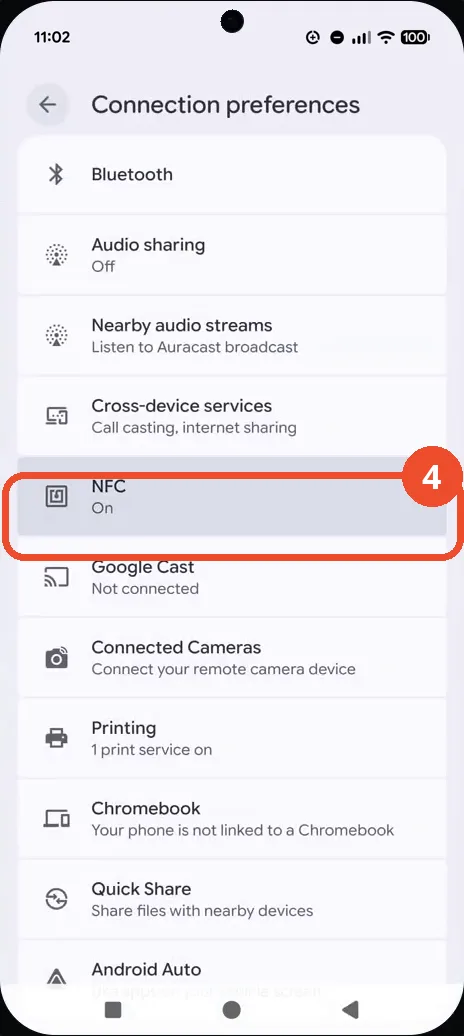
Tap the NFC row
On the Connection preferences page, tap the NFC row — it already reads On.
Confirm Use NFC is on
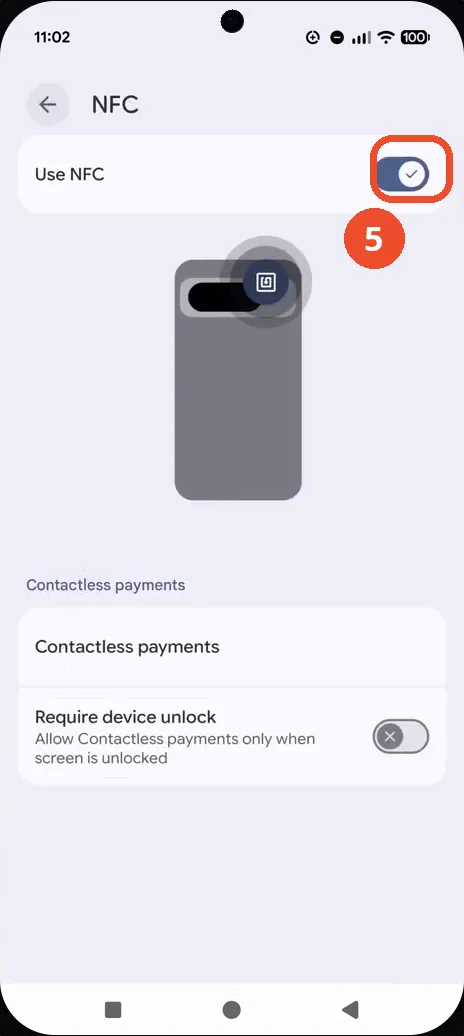
The NFC page shows Use NFC switched on, with the contactless-payments illustration below it.
Good to know
- Use NFC is already switched on in the recording, so the guide shows where the setting lives and how to confirm it rather than a change being applied.
- NFC lives under Connected devices > Connection preferences, not on the Settings home page — searching for NFC is the fastest way in.
- Below Use NFC, the page also offers Contactless payments and a Require device unlock switch.
- Change App Icons on Google Pixel 11 Pro
- Turn On the Flashlight on Google Pixel 11 Pro
- Turn Off Pop-Up Notifications for Messages on Google Pixel 11 Pro
- Turn On Spoken Directions in Google Maps on Google Pixel 11 Pro
- Find Call Recording Settings on Google Pixel 11 Pro
- Change Text Tone in Google Messages on Google Pixel 11 Pro
- Block Spam Calls on Google Pixel 11 Pro
- How to Find Apps on Google Pixel 11 Pro
- How to Find System Apps on Google Pixel 11 Pro
- How to Open the Power Menu with the Power Button on Google Pixel 11 Pro
- How to Check VoLTE Support on Google Pixel 11 Pro
- How to Change the Google Messages Notification Sound on Google Pixel 11 Pro
- How to Change System Colors on Google Pixel 11 Pro
- How to Check RAM Usage on Google Pixel 11 Pro
- How to Edit Quick Settings Tiles on Google Pixel 11 Pro
- How to Enable GPS Location on Google Pixel 11 Pro
- How to Set a Ringtone for One Contact on Google Pixel 11 Pro
- How to Enable Daily Changing Wallpaper on Google Pixel 11 Pro
- How to Change Font Size on Google Pixel 11 Pro
- How to Customize the Google Search Bar on Pixel 11 Pro with Android 17
- How to Use Macro Focus on Pixel 11 Pro with Android 17
- How to View Blocked Numbers on Pixel 11 Pro with Android 17
- How to Adjust Volume Without Buttons on Google Pixel 11 Pro