How to View Blocked Numbers on Pixel 11 Pro with Android 17
The blocked list lives inside the Phone app’s own Settings, not the system Settings app. Open the Phone navigation drawer, tap Settings, then Blocked numbers to see who is blocked.
✅ Tested on
- DeviceGoogle Pixel 11 Pro
- SystemAndroid 17
- AppPhone
- Also works onOther Pixel phones running Android 17
- Last verifiedNovember 2, 2026
Every screenshot below is taken from the actual recording on this device — no stock images.
Steps
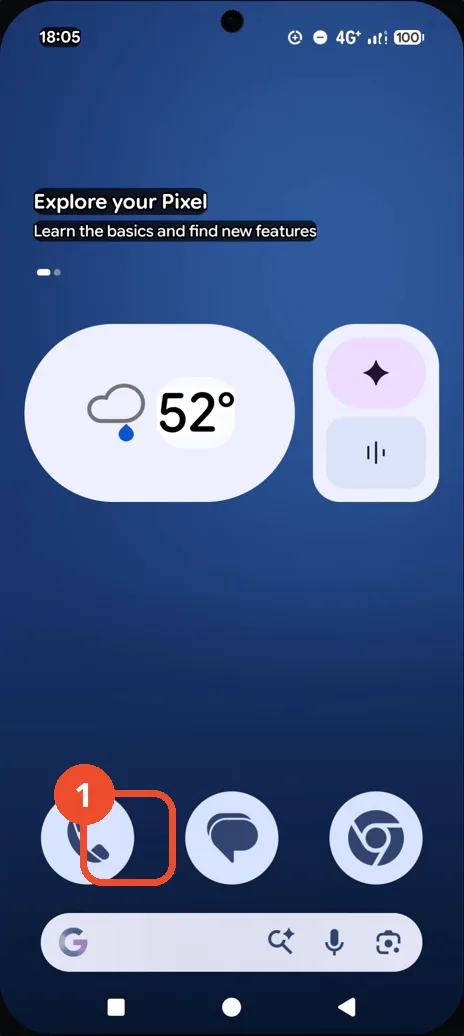
Open the Phone app
On the Home screen, tap the Phone icon in the dock.
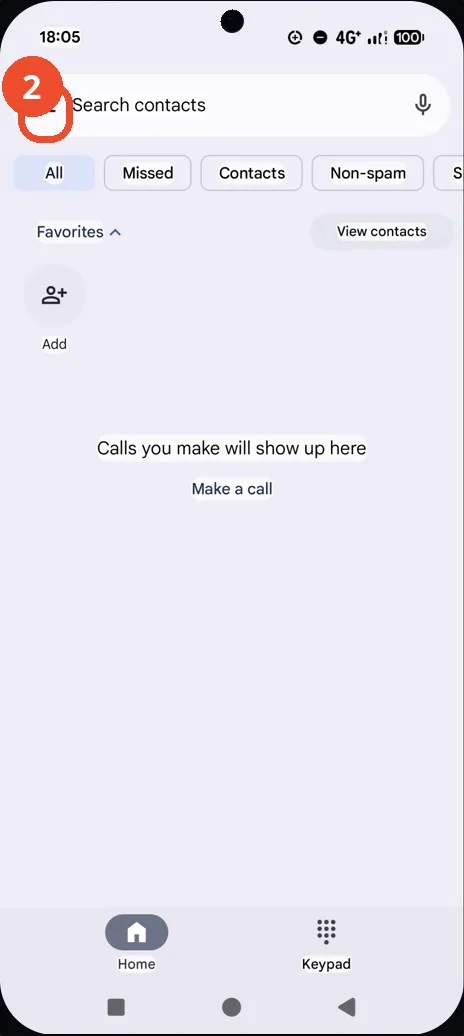
Tap the menu in the search bar
In the Phone app, tap the menu icon at the top left of the search bar. The navigation drawer opens.
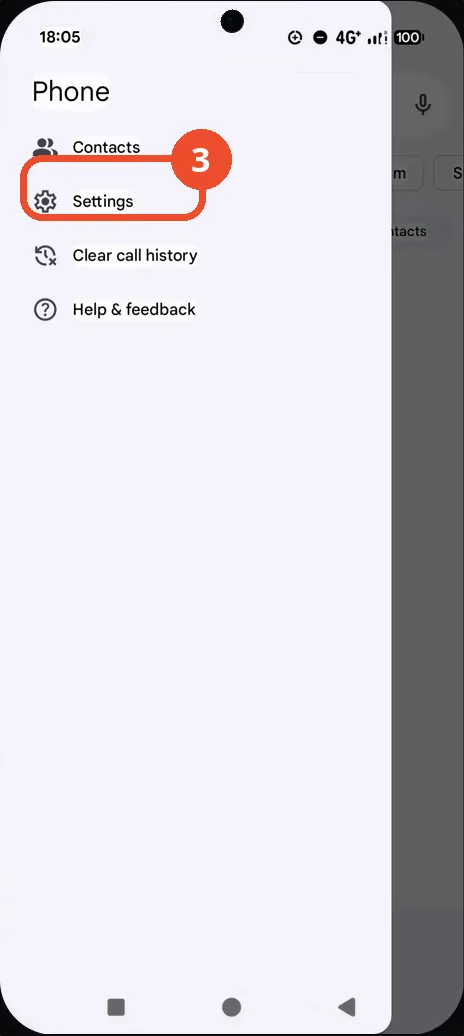
Tap Settings
In the navigation drawer, tap Settings.
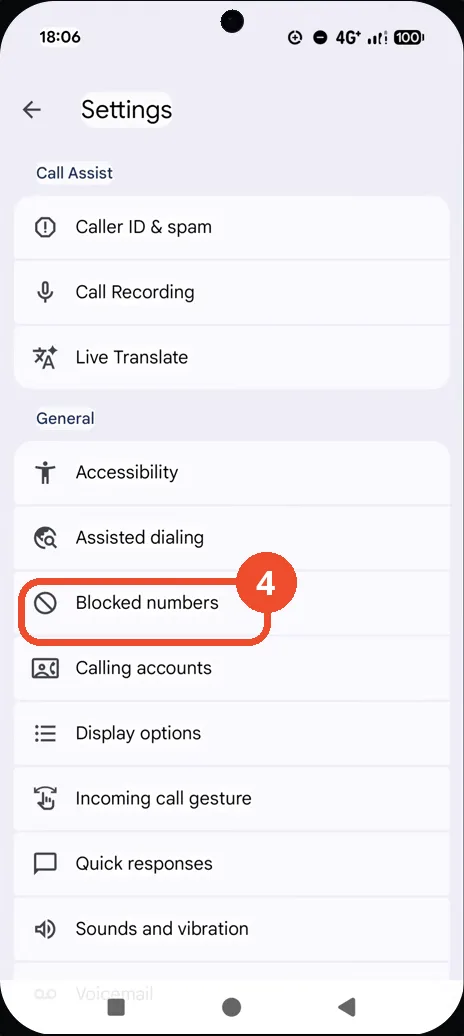
Tap Blocked numbers
Under General in Settings, tap Blocked numbers.
Check the blocked list
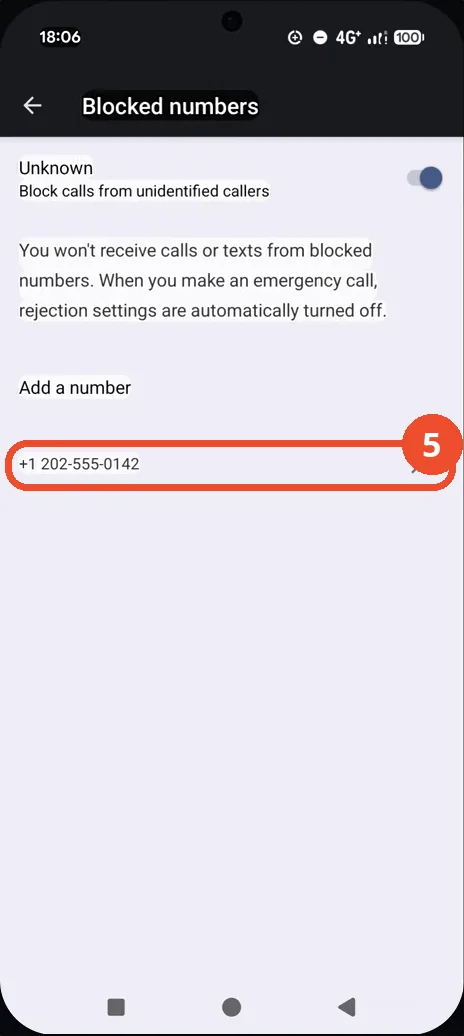
The Blocked numbers page shows the Unknown switch on and the blocked number +1 202-555-0142. You will not receive calls or texts from blocked numbers.
Good to know
- The Unknown switch is on in the recording, so calls from unidentified callers are blocked as well as the listed number.
- The Blocked numbers page states that when you make an emergency call, rejection settings are automatically turned off.
- The listed number +1 202-555-0142 is in the fictional 555-01xx range used for demonstrations.
- Change App Icons on Google Pixel 11 Pro
- Turn On the Flashlight on Google Pixel 11 Pro
- Turn Off Pop-Up Notifications for Messages on Google Pixel 11 Pro
- Turn On Spoken Directions in Google Maps on Google Pixel 11 Pro
- Find Call Recording Settings on Google Pixel 11 Pro
- Change Text Tone in Google Messages on Google Pixel 11 Pro
- Block Spam Calls on Google Pixel 11 Pro
- How to Find Apps on Google Pixel 11 Pro
- How to Find System Apps on Google Pixel 11 Pro
- How to Open the Power Menu with the Power Button on Google Pixel 11 Pro
- How to Check VoLTE Support on Google Pixel 11 Pro
- How to Change the Google Messages Notification Sound on Google Pixel 11 Pro
- How to Change System Colors on Google Pixel 11 Pro
- How to Check RAM Usage on Google Pixel 11 Pro
- How to Edit Quick Settings Tiles on Google Pixel 11 Pro
- How to Enable GPS Location on Google Pixel 11 Pro
- How to Set a Ringtone for One Contact on Google Pixel 11 Pro
- How to Enable Daily Changing Wallpaper on Google Pixel 11 Pro
- How to Change Font Size on Google Pixel 11 Pro
- How to Adjust Volume Without Buttons on Google Pixel 11 Pro
- How to Customize the Google Search Bar on Pixel 11 Pro with Android 17
- How to Use Macro Focus on Pixel 11 Pro with Android 17