How to Find Call Recording Settings on Google Pixel 11 Pro
On the Pixel 11 Pro, call recording is managed inside the Phone app — there is no call recording entry in the main Settings app, which is why it is easy to miss. The Call Recording page shows whether recording is on and holds the automatic recording options.
- DeviceGoogle Pixel 11 Pro
- SystemAndroid 17
- AppGoogle Phone (pre-installed)
- Also works onOther Pixel phones with the same Phone app
- Last verifiedOctober 28, 2026
Every screenshot below is taken from the actual recording on this device — no stock images.
Before you start
- Call recording is not available in every country or on every carrier. If the Call Recording entry is missing from Phone Settings, it is not offered for your region.
- When call recording is on, the other party is told the call is being recorded — Google announces it, there is no silent mode.
Steps
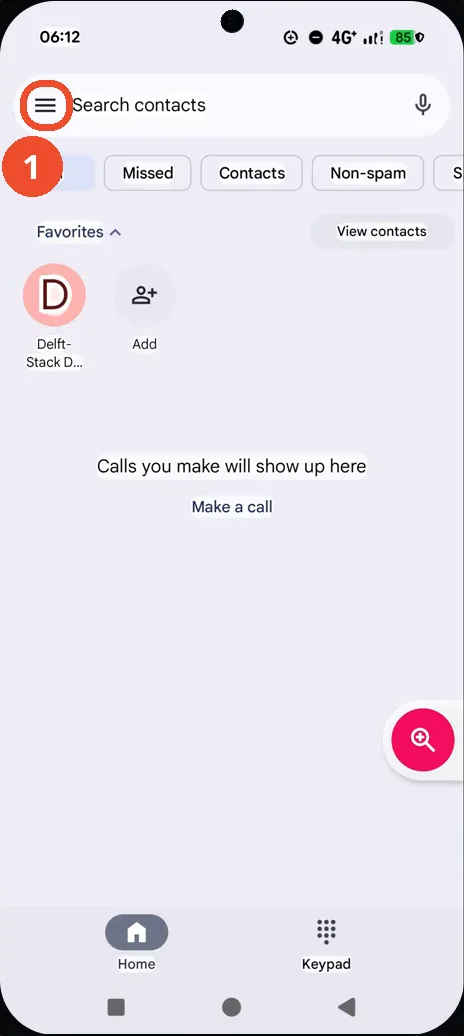
Open the Phone app and tap the menu (☰)
Open Phone and tap the ☰ menu at the left of the Search contacts bar.
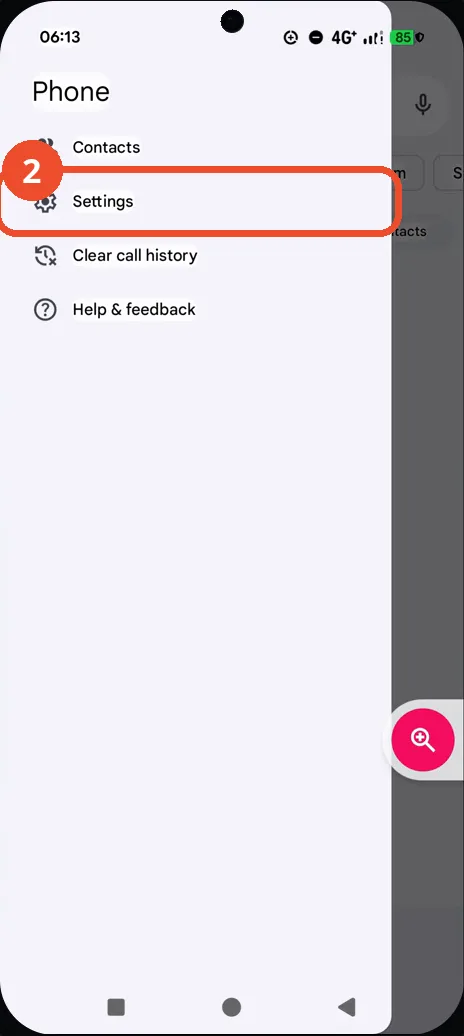
Tap Settings
In the menu that slides in, tap Settings.
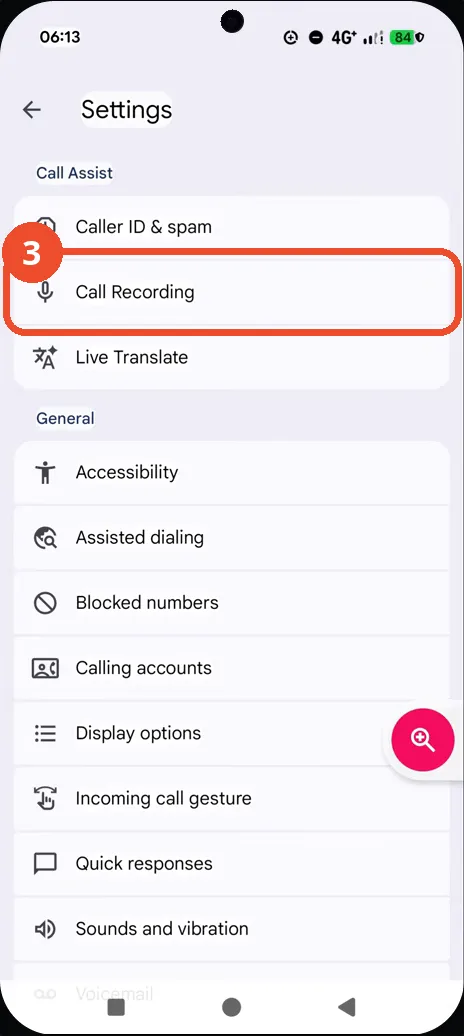
Tap Call Recording
In Phone Settings, tap Call Recording, right under Caller ID & spam.
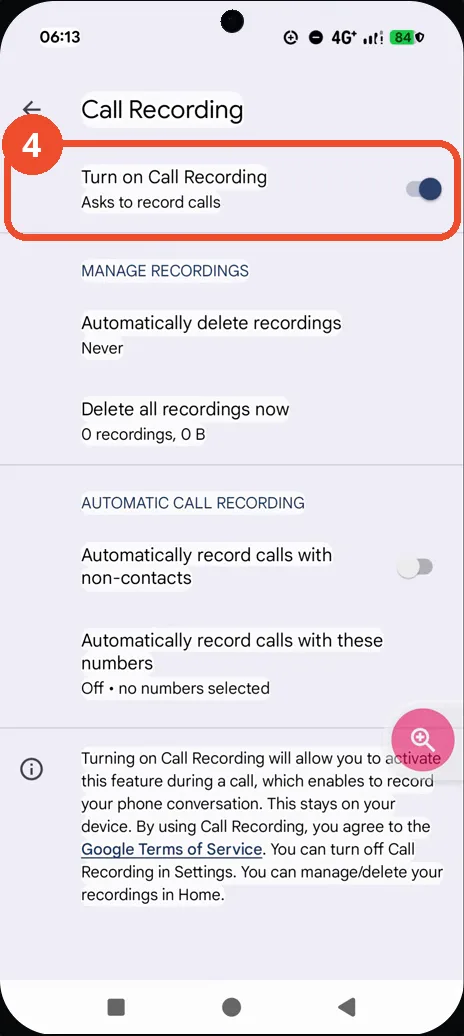
Check the automatic recording options
The Call Recording page opens. On this phone Turn on Call Recording (Asks to record calls) is already on. The automatic options below it — Automatically record calls with non-contacts and Automatically record calls with these numbers — stay off, so a call is only recorded when you start recording during the call itself.
Good to know
- The same page holds Manage recordings: automatically delete recordings after a set age, or delete all recordings now.
- Automatic recording stays off until you choose it — turning on Call Recording alone never records a call by itself.
- Change App Icons on Google Pixel 11 Pro
- Adjust Volume Without Buttons on Google Pixel 11 Pro
- Turn On the Flashlight on Google Pixel 11 Pro
- Turn Off Pop-Up Notifications for Messages on Google Pixel 11 Pro
- Turn On Spoken Directions in Google Maps on Google Pixel 11 Pro
- Change Text Tone in Google Messages on Google Pixel 11 Pro
- Block Spam Calls on Google Pixel 11 Pro
- Find Call Recording Settings on Samsung Galaxy A57