How to Enable GPS Location on Google Pixel 11 Pro
GPS location on the Pixel 11 Pro is a single switch in Settings, with a more precise Location Accuracy option behind it. This guide switches location on and confirms the accuracy setting is already enabled.
- DeviceGoogle Pixel 11 Pro
- SystemAndroid 17
- AppSettings
- Also works onOther Pixel phones running Android 17
- Last verifiedOctober 31, 2026
Every screenshot below is taken from the actual recording on this device — no stock images.
Steps
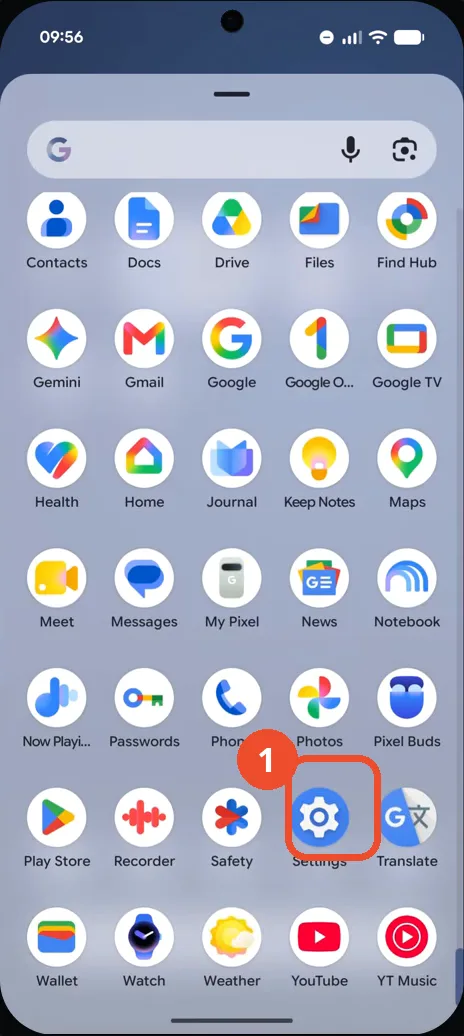
Open Settings from the app drawer
Swipe up to open the app drawer, scroll down, and tap the Settings gear icon. The main Settings screen opens.
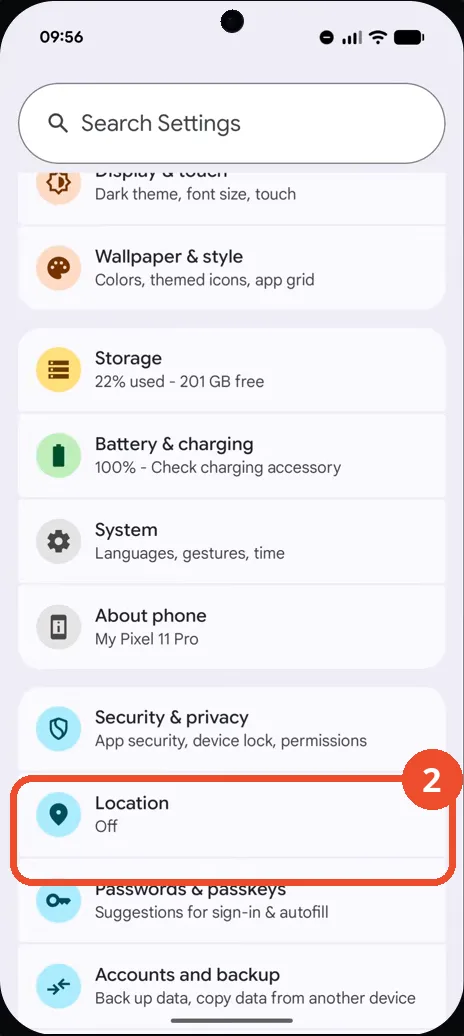
Scroll to Location and tap it
On the main Settings screen, scroll down to Location, shown as Off, and tap it. The Location screen opens.
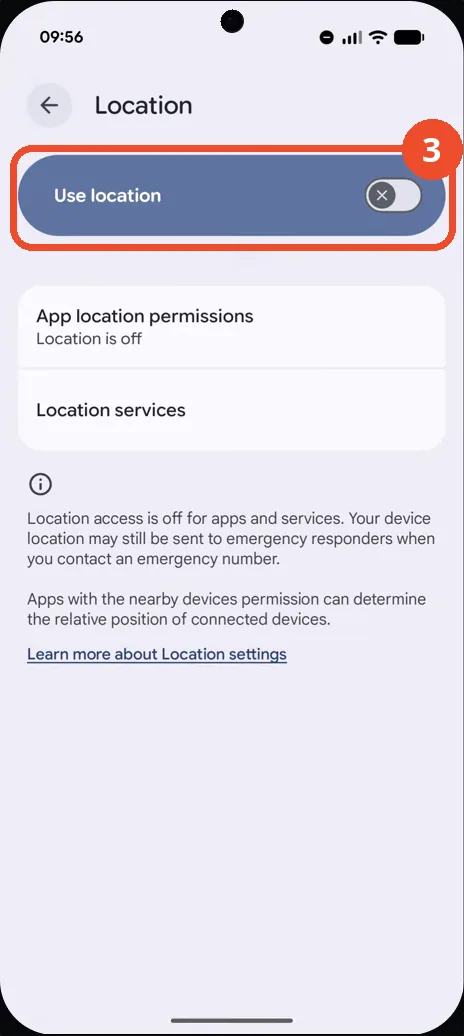
Find the Use location switch
On the Location screen, the Use location switch sits at the top. Here it is off, and App location permissions reads Location is off.
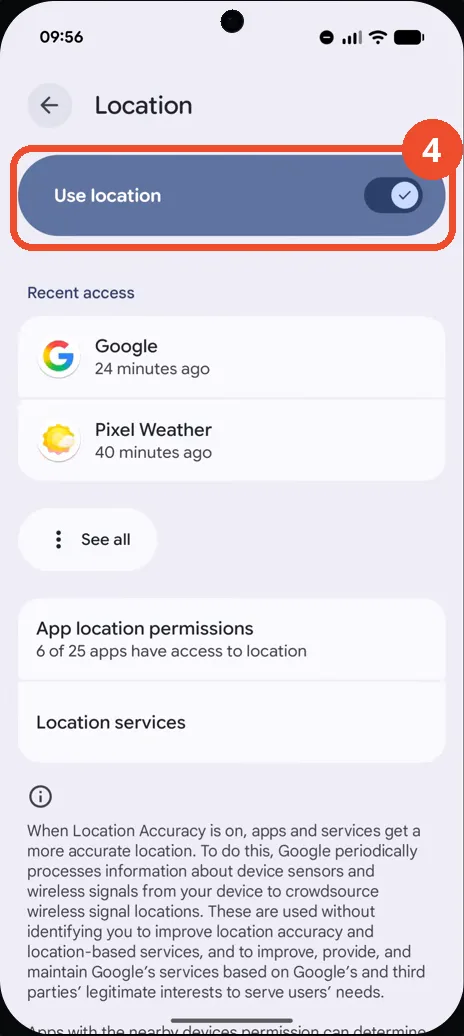
Switch on Use location
Tap the Use location switch. It turns on, and the screen now shows recent access and that 6 of 25 apps have access to location.
Check Location Accuracy in Location services
Open Location services from the bottom of the Location screen. On the Location services screen, Location Accuracy already reads On.
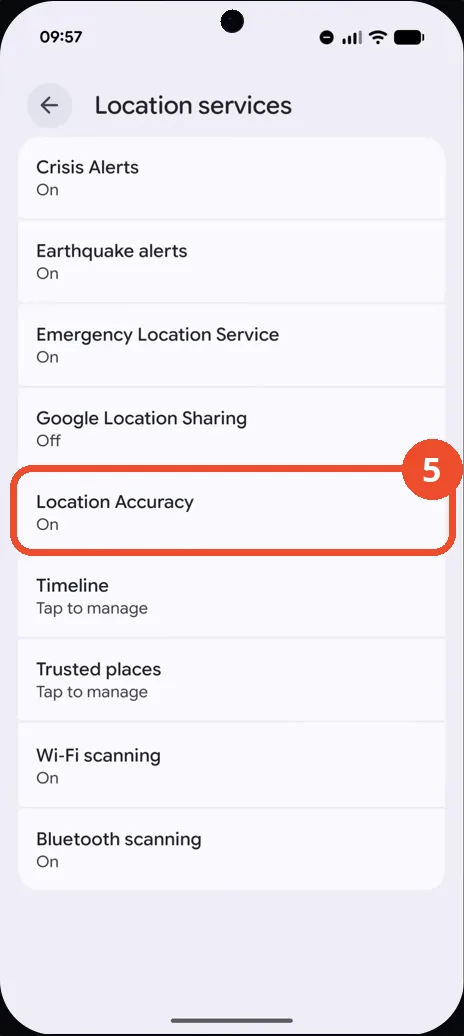
Confirm Location Accuracy is on
Tap Location Accuracy. The Improve Location Accuracy switch is already on, so Wi-Fi, cellular and sensor data refine the GPS fix.
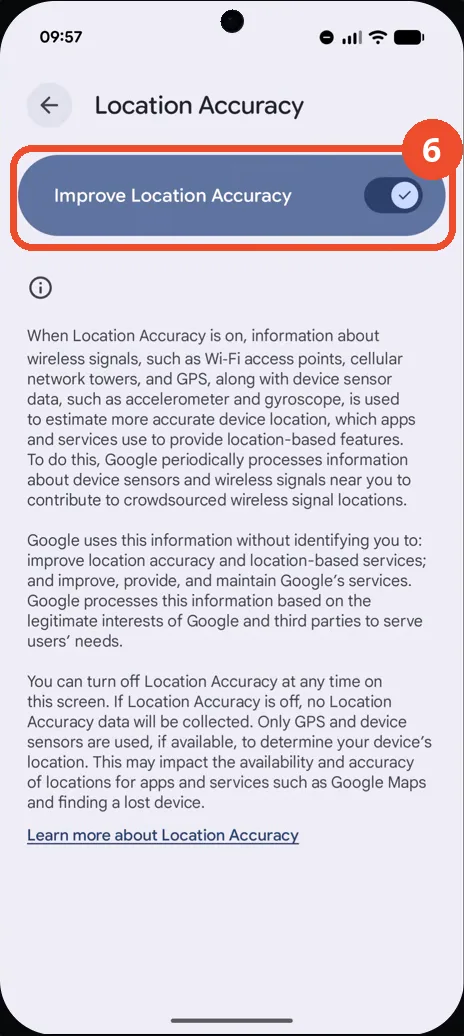
Go back and confirm location is on
Go back to the Location screen. Use location is now on, with recent access and app permissions listed below it.
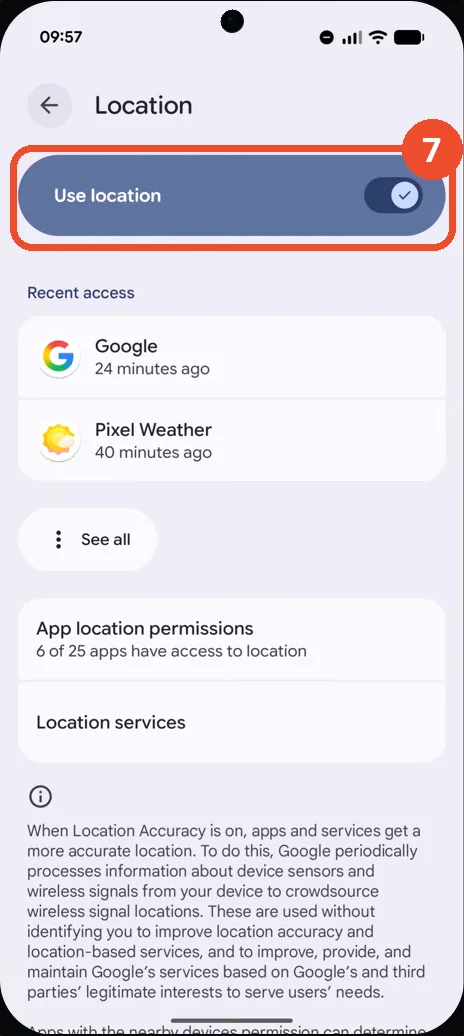
Good to know
- With Use location off, apps get no location at all; the screen still notes that location may be sent to emergency responders for an emergency call.
- Location Accuracy being on means Wi-Fi, cellular and sensor data refine the GPS fix; with it off, only GPS and device sensors are used.
- After switching on, the Location screen lists recent access — here Google and Pixel Weather — and notes that 6 of 25 apps have access to location.
- Change App Icons on Google Pixel 11 Pro
- Turn On the Flashlight on Google Pixel 11 Pro
- Turn Off Pop-Up Notifications for Messages on Google Pixel 11 Pro
- Turn On Spoken Directions in Google Maps on Google Pixel 11 Pro
- Find Call Recording Settings on Google Pixel 11 Pro
- Change Text Tone in Google Messages on Google Pixel 11 Pro
- Block Spam Calls on Google Pixel 11 Pro
- How to Find Apps on Google Pixel 11 Pro
- How to Find System Apps on Google Pixel 11 Pro
- How to Open the Power Menu with the Power Button on Google Pixel 11 Pro
- How to Check VoLTE Support on Google Pixel 11 Pro
- How to Change the Google Messages Notification Sound on Google Pixel 11 Pro
- How to Change System Colors on Google Pixel 11 Pro
- How to Adjust Volume Without Buttons on Google Pixel 11 Pro
- How to Check RAM Usage on Google Pixel 11 Pro
- How to Edit Quick Settings Tiles on Google Pixel 11 Pro