How to Enable Daily Changing Wallpaper on Google Pixel 11 Pro
Instead of one fixed wallpaper, the Pixel can rotate through a whole collection, swapping in a new image every day. This guide switches on daily rotation for the Landscapes collection.
- DeviceGoogle Pixel 11 Pro
- SystemAndroid 17
- AppPixel Launcher (pre-installed)
- Also works onOther Pixel phones running Android 17
- Last verifiedNovember 1, 2026
Every screenshot below is taken from the actual recording on this device — no stock images.
Steps
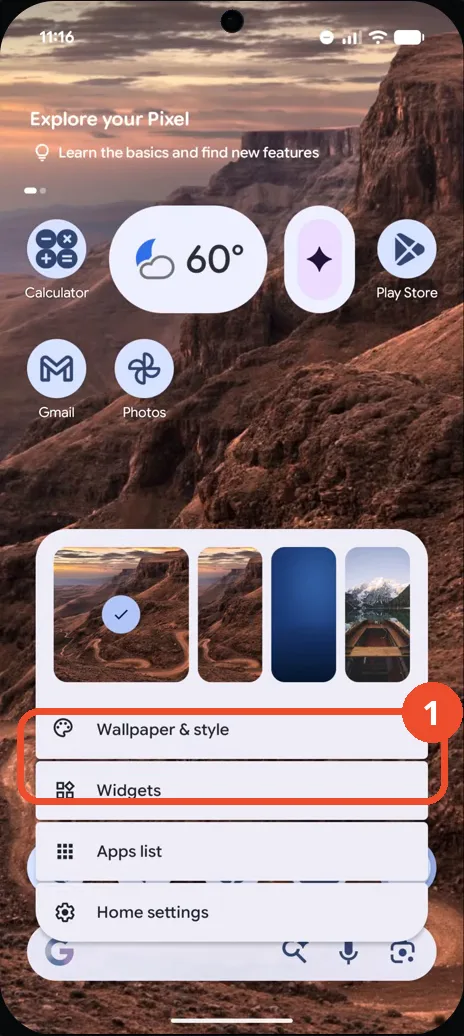
Long-press the Home screen and tap Wallpaper & style
Touch and hold an empty area of the Home screen until this menu appears, then tap Wallpaper & style.
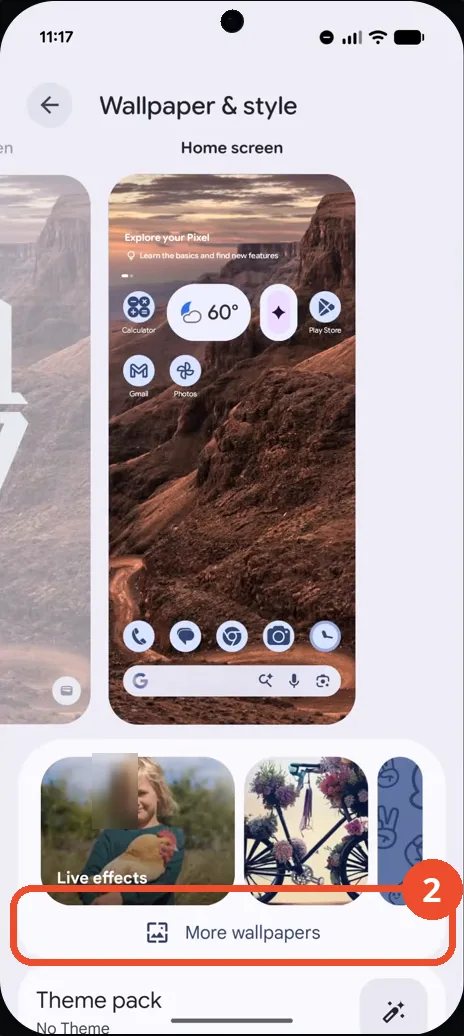
Tap More wallpapers
On the Wallpaper & style screen, tap More wallpapers at the bottom. The full wallpaper picker opens.
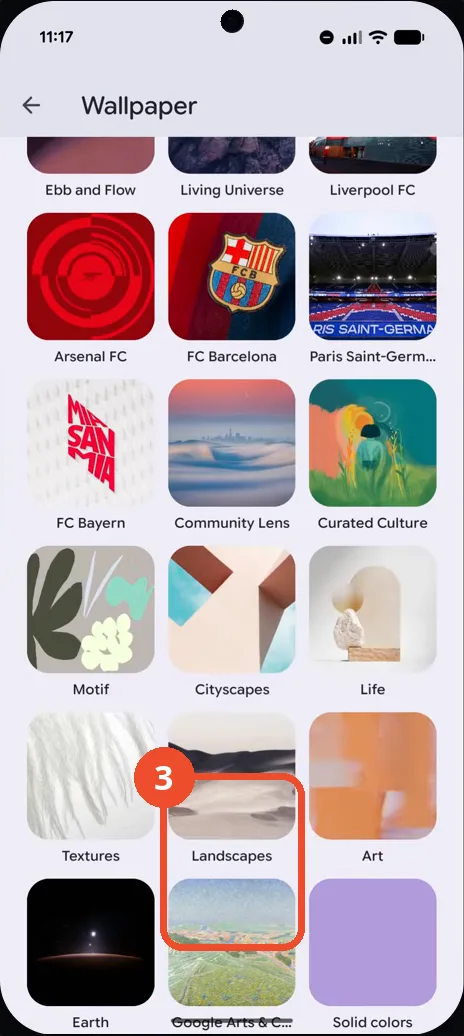
Open the Landscapes collection
Scroll down the Collections list and tap Landscapes. The Landscapes grid opens.
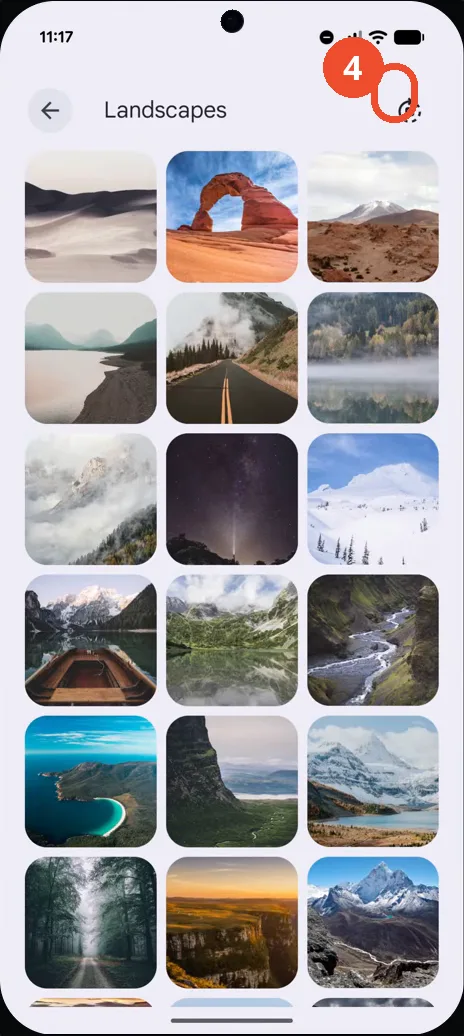
Tap the daily-change icon
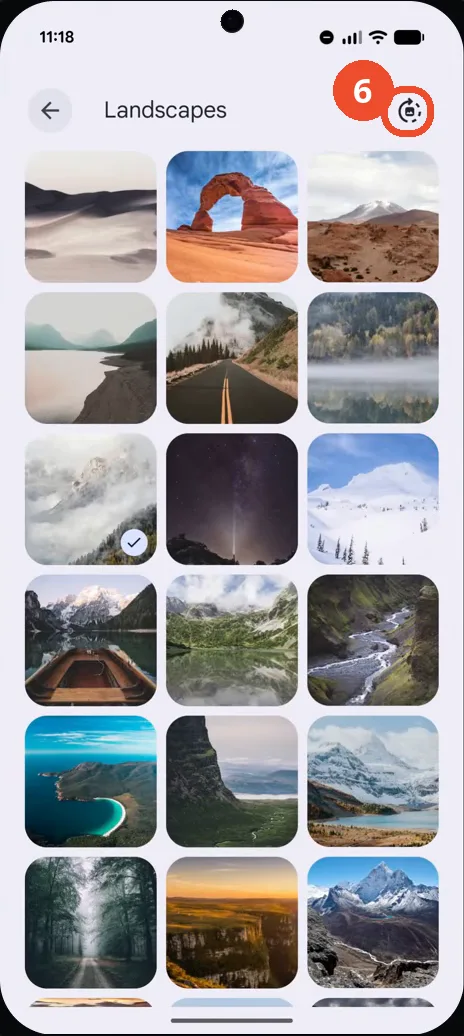
On the Landscapes page, tap the circular daily-change icon at the top right. A confirmation dialog appears.
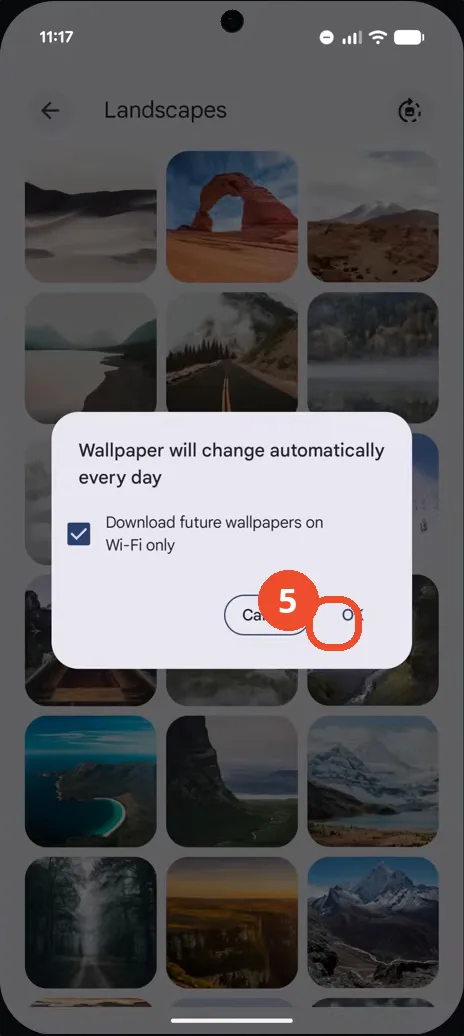
Tap OK in the confirmation dialog
The dialog says the wallpaper will change automatically every day. Leave Download future wallpapers on Wi-Fi only checked and tap OK.
Confirm the daily icon is filled
Back on the Landscapes page, the daily-change icon at the top right is now filled in, which means daily rotation is on.
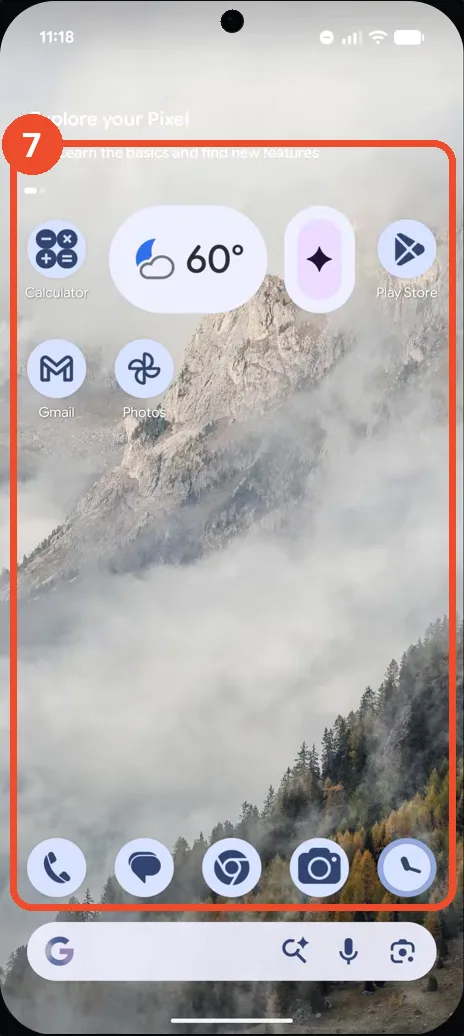
Check the new Home wallpaper
Go back to the Home screen: the wallpaper is now a misty mountain scene from the Landscapes collection, replacing the earlier canyon scene.
Good to know
- The confirmation dialog offers Download future wallpapers on Wi-Fi only, checked in the recording — leave it checked to avoid mobile data use.
- Daily rotation applies to the collection you opened (Landscapes here); each collection page has its own daily-change icon.
- In the recording the Home wallpaper changes from a canyon scene to a misty mountain scene once rotation is on.
- Change App Icons on Google Pixel 11 Pro
- Turn On the Flashlight on Google Pixel 11 Pro
- Turn Off Pop-Up Notifications for Messages on Google Pixel 11 Pro
- Turn On Spoken Directions in Google Maps on Google Pixel 11 Pro
- Find Call Recording Settings on Google Pixel 11 Pro
- Change Text Tone in Google Messages on Google Pixel 11 Pro
- Block Spam Calls on Google Pixel 11 Pro
- How to Find Apps on Google Pixel 11 Pro
- How to Find System Apps on Google Pixel 11 Pro
- How to Open the Power Menu with the Power Button on Google Pixel 11 Pro
- How to Check VoLTE Support on Google Pixel 11 Pro
- How to Change the Google Messages Notification Sound on Google Pixel 11 Pro
- How to Change System Colors on Google Pixel 11 Pro
- How to Check RAM Usage on Google Pixel 11 Pro
- How to Edit Quick Settings Tiles on Google Pixel 11 Pro
- How to Enable GPS Location on Google Pixel 11 Pro
- How to Adjust Volume Without Buttons on Google Pixel 11 Pro
- How to Set a Ringtone for One Contact on Google Pixel 11 Pro