How to Check VoLTE Support on Google Pixel 11 Pro
Does the Google Pixel 11 Pro support VoLTE? The answer is not in the SIM details alone. This guide checks what the phone’s own Settings show: first the SIM’s preferred network type, then a direct search for VoLTE.
- DeviceGoogle Pixel 11 Pro
- SystemAndroid 17
- AppSettings
- Also works onOther Pixel phones running Android 17
- Last verifiedOctober 30, 2026
Every screenshot below is taken from the actual recording on this device — no stock images.
Steps
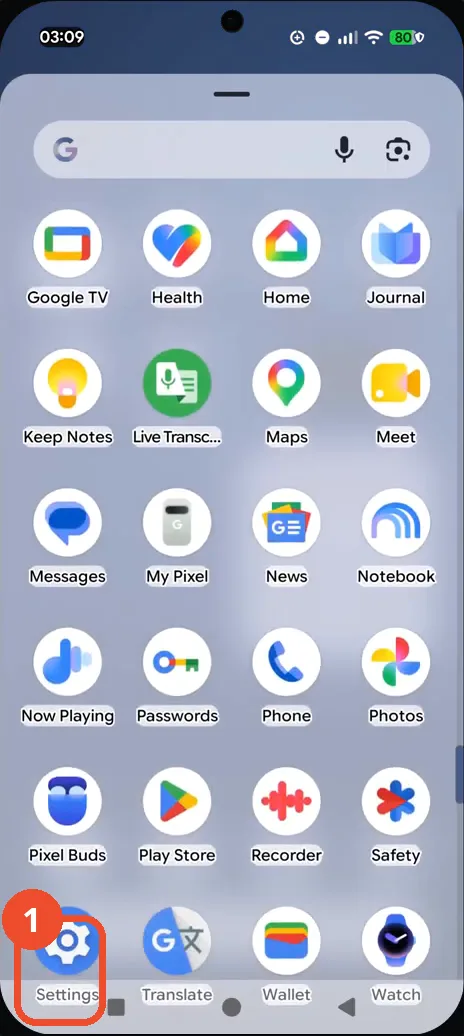
Open Settings from the app drawer
Swipe up to open the app drawer, scroll to the last page, and tap Settings. The main Settings screen opens.
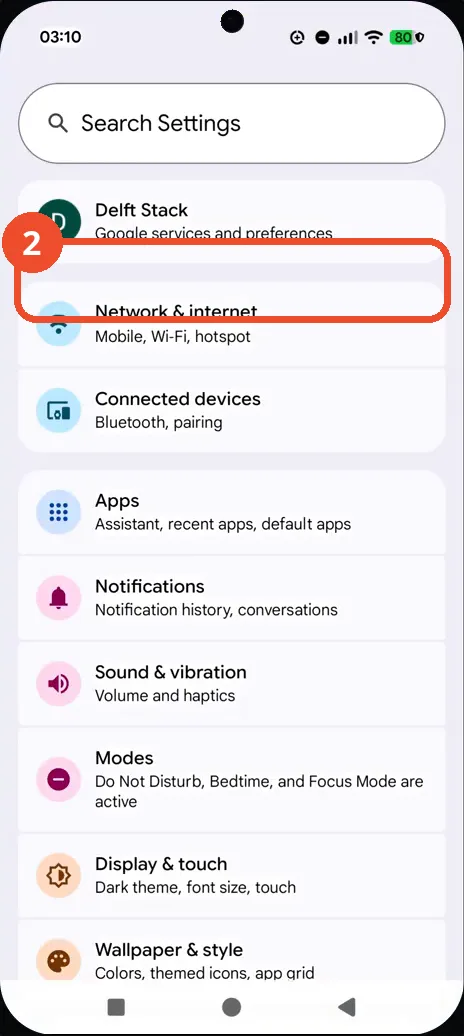
Open Network & internet
On the main Settings screen, tap Network & internet, listed with the subtitle Mobile, Wi-Fi, hotspot. The Network & internet screen opens.
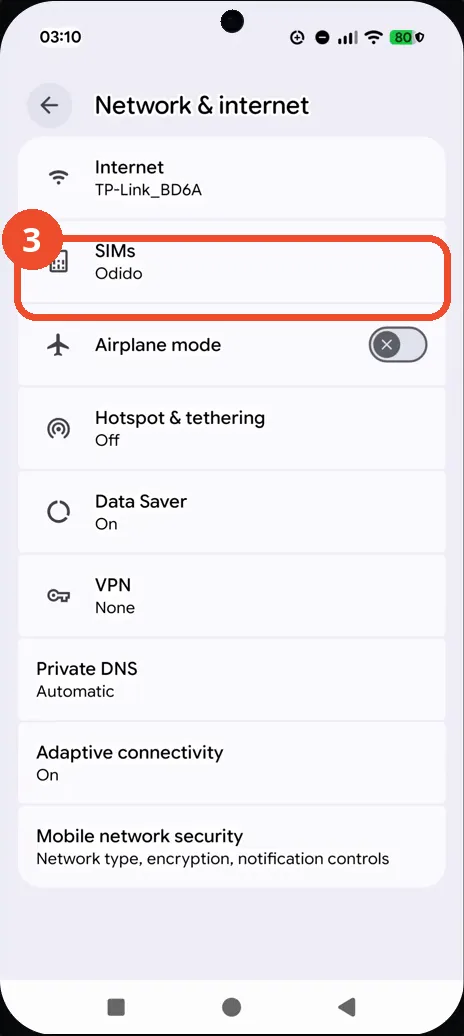
Choose SIMs
Tap SIMs, shown under Internet with the carrier name Odido. The SIMs screen lists your SIMs.
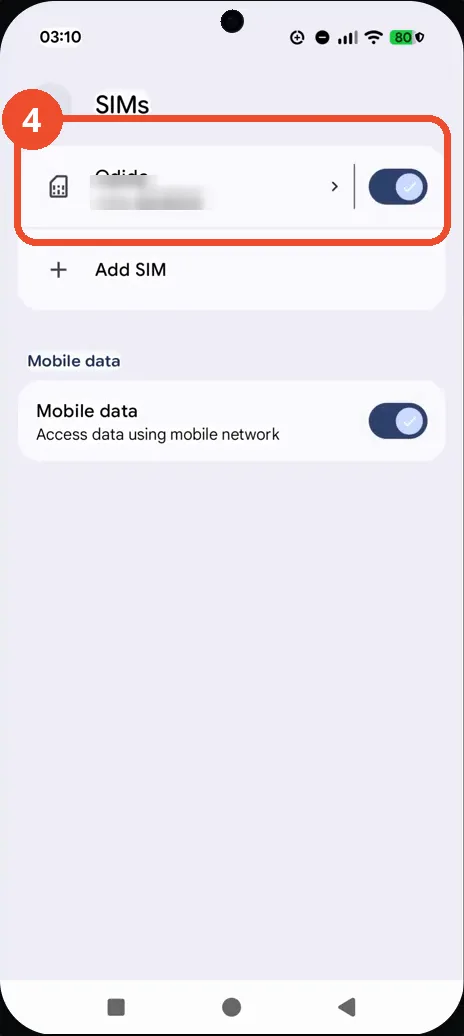
Select the Odido SIM
Tap the Odido entry at the top of the SIMs list. Its details screen opens.
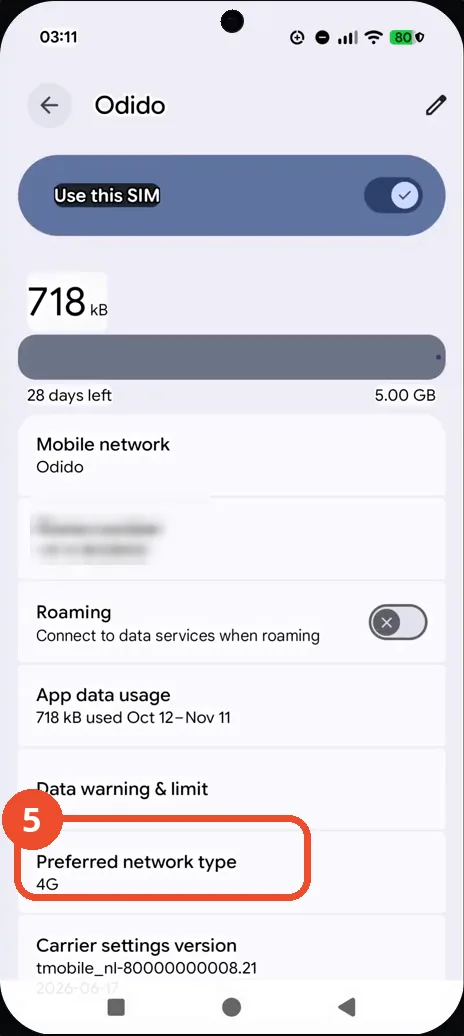
Check the preferred network type
On the Odido details screen, find Preferred network type near the bottom of the list. It reads 4G on this phone.
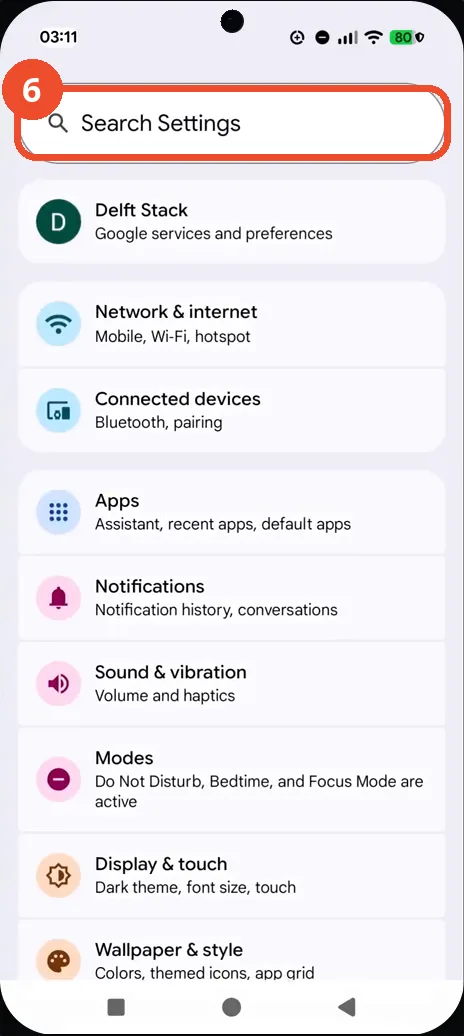
Search Settings for VoLTE
Go back to the main Settings screen and tap the Search Settings bar at the top. Type VoLTE to search the settings.
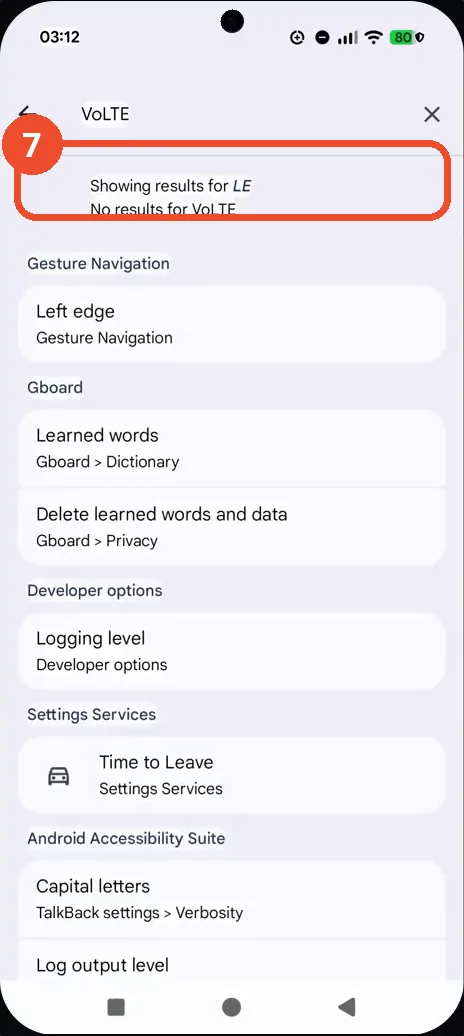
Check the VoLTE search result
The search returns ‘No results for VoLTE’: this phone exposes no VoLTE entry in Settings. Note that this alone does not confirm whether the carrier has provisioned VoLTE.
Good to know
- No VoLTE entry in Settings search does not prove the carrier has not provisioned VoLTE — it only shows this phone exposes no VoLTE toggle here.
- The SIM details screen also shows the preferred network type, which is 4G on this phone.
- If you need VoLTE for calls, confirm provisioning with your carrier.
- Change App Icons on Google Pixel 11 Pro
- Turn On the Flashlight on Google Pixel 11 Pro
- Turn Off Pop-Up Notifications for Messages on Google Pixel 11 Pro
- Turn On Spoken Directions in Google Maps on Google Pixel 11 Pro
- Find Call Recording Settings on Google Pixel 11 Pro
- Change Text Tone in Google Messages on Google Pixel 11 Pro
- Block Spam Calls on Google Pixel 11 Pro
- How to Find Apps on Google Pixel 11 Pro
- How to Find System Apps on Google Pixel 11 Pro
- How to Open the Power Menu with the Power Button on Google Pixel 11 Pro
- Adjust Volume Without Buttons on Google Pixel 11 Pro