How to Change the Text Tone in Google Messages on Google Pixel 11 Pro
The sound your Pixel plays for an incoming text is not a phone-wide setting — in Google Messages each notification category has its own sound. The path runs through Messages’ own settings, and in the recording the incoming-message tone changes from Eureka to Gentle Gong. The email address under the account name in the step 2 screenshot is blurred for privacy.
- DeviceGoogle Pixel 11 Pro
- SystemAndroid 17
- AppGoogle Messages
- Also works onOther Android phones with Google Messages
- Last verifiedOctober 28, 2026
Every screenshot below is taken from the actual recording on this device — no stock images.
Before you start
- This changes the tone for the Incoming messages category, which covers normal texts. Other categories keep their own sounds.
- You need at least one conversation screen open — the profile icon sits on the Messages home screen.
Steps
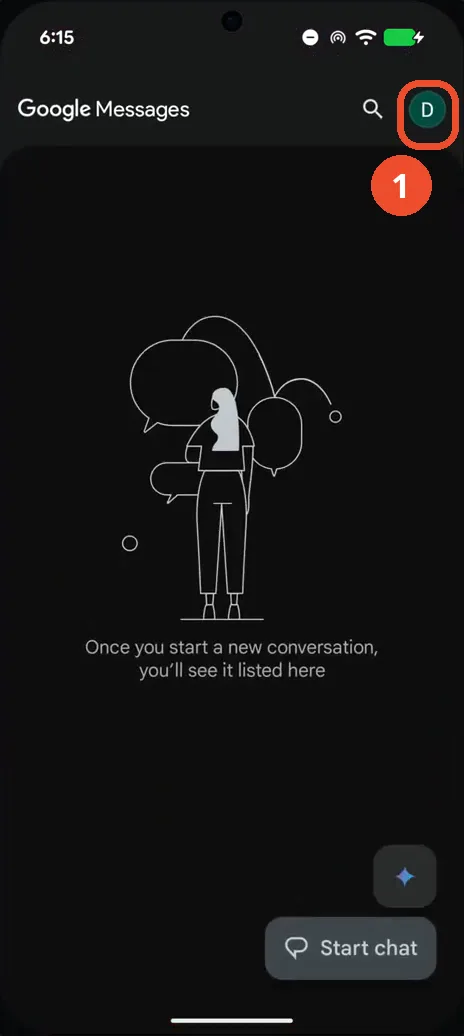
Tap your profile icon in Google Messages
Open Google Messages and tap your profile icon at the top right.
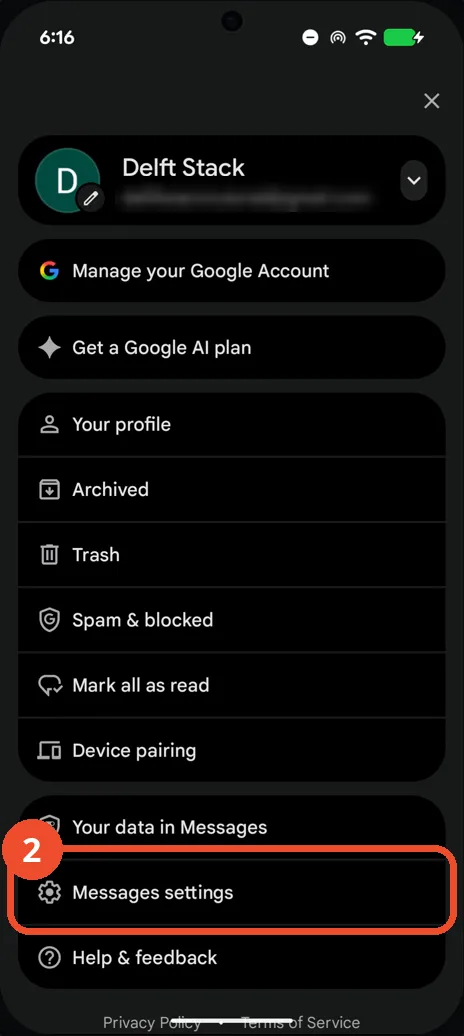
Tap Messages settings
In the account menu, tap Messages settings near the bottom. (The account email above it is blurred in this screenshot.)
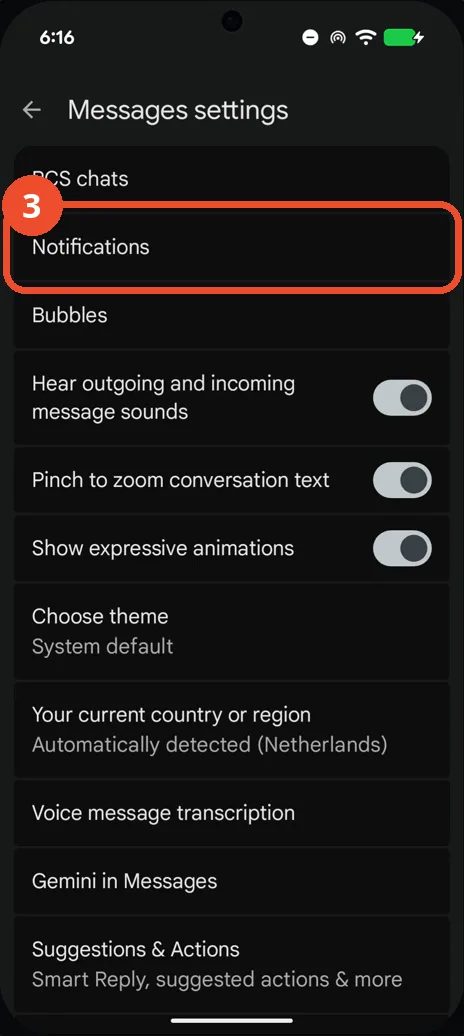
Tap Notifications
On the Messages settings page, tap Notifications.
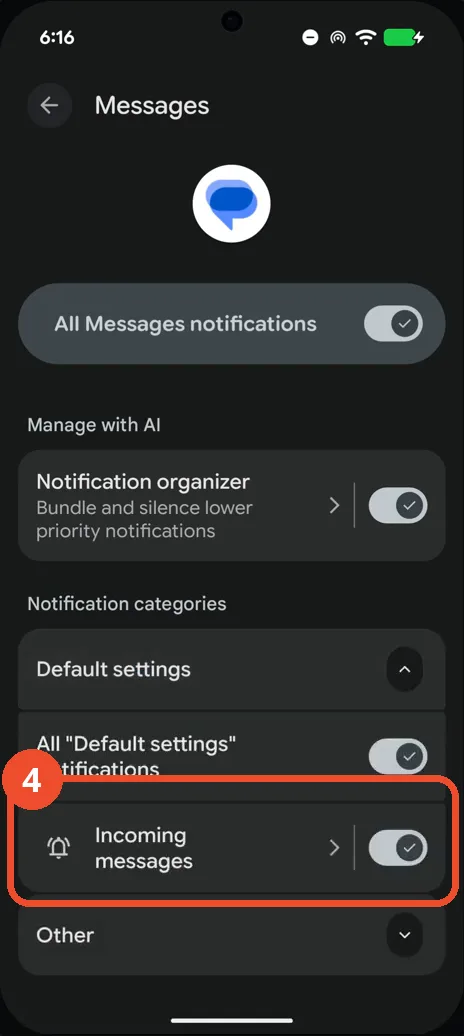
Tap Incoming messages
Scroll to the notification categories under Default settings and tap Incoming messages.
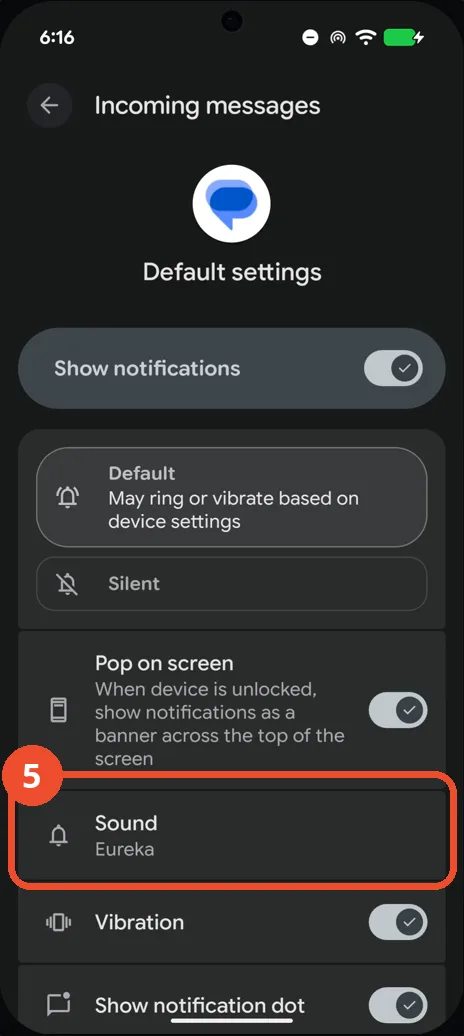
Tap Sound
Tap Sound. It currently shows Eureka, the tone that is about to change.
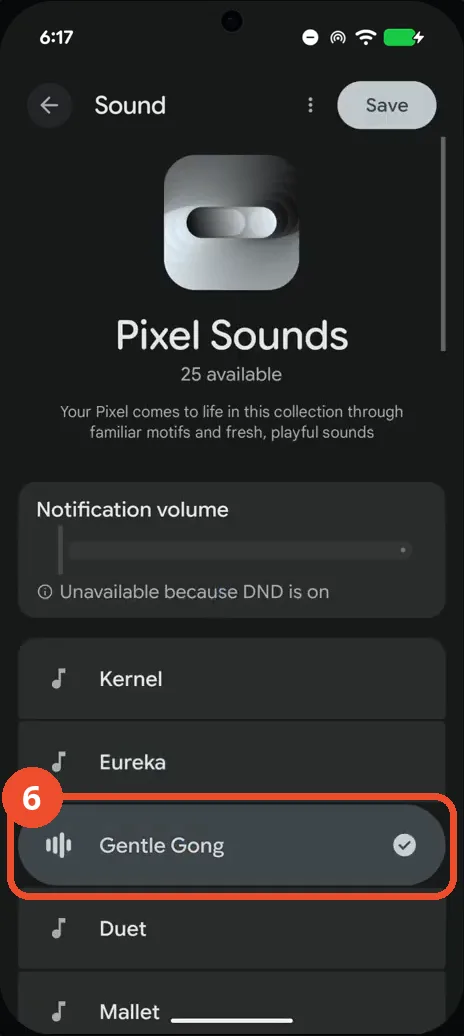
Select Gentle Gong in Pixel Sounds
In the Pixel Sounds list, select Gentle Gong. Each sound plays as you tap it, so you can audition the list first.
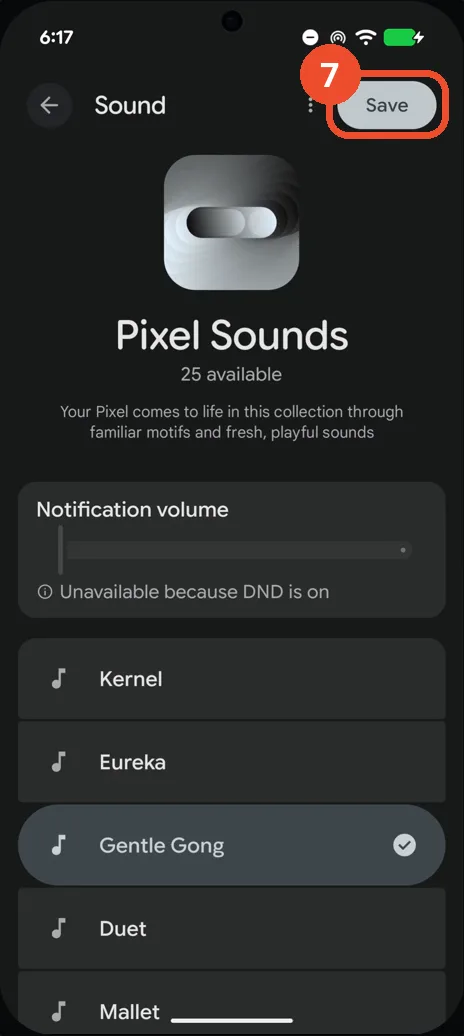
Tap Save
Tap Save at the top right to keep the new tone.
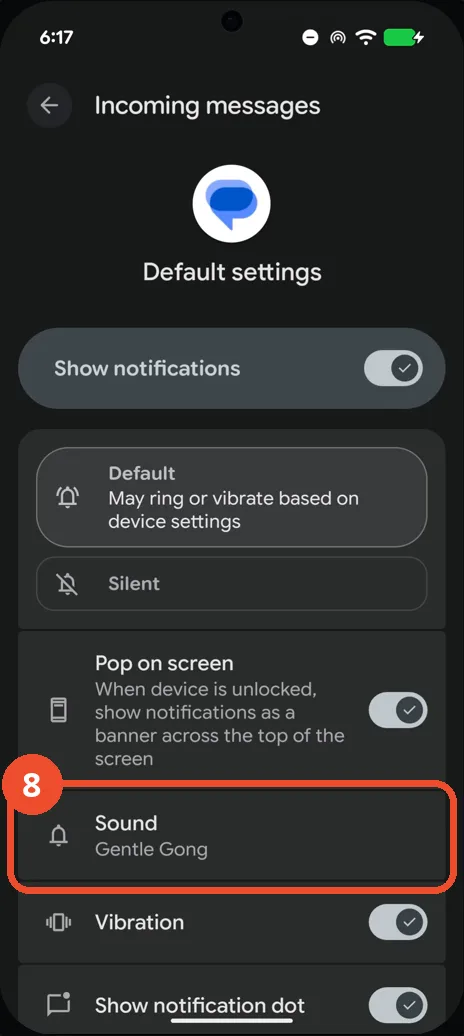
Check the new sound
Back on the Incoming messages page, Sound now shows Gentle Gong — incoming texts will use the new tone from now on.
Good to know
- The same Sound row exists for every notification category in Messages — repeat the last four steps to give another category its own tone.
- Nothing here changes the ringtone for calls; that lives in the phone’s Settings → Sound & vibration.
- Change App Icons on Google Pixel 11 Pro
- Adjust Volume Without Buttons on Google Pixel 11 Pro
- Turn On the Flashlight on Google Pixel 11 Pro
- Turn Off Pop-Up Notifications for Messages on Google Pixel 11 Pro
- Turn On Spoken Directions in Google Maps on Google Pixel 11 Pro
- Find Call Recording Settings on Google Pixel 11 Pro
- Block Spam Calls on Google Pixel 11 Pro