How to Change Media Output on Pixel 11 Pro with Android 17
Media output is the device your Pixel 11 Pro plays sound through — the phone speaker, or a connected Bluetooth speaker or headphones. On Android 17 it is checked from Settings under Sound & vibration: open the audio output row, confirm the device, and tap Done.
- DeviceGoogle Pixel 11 Pro
- SystemAndroid 17
- AppSettings
- Also works onOther Pixel phones running Android 17
- Last verifiedNovember 7, 2026
Every screenshot below is taken from the actual recording on this device — no stock images.
Steps
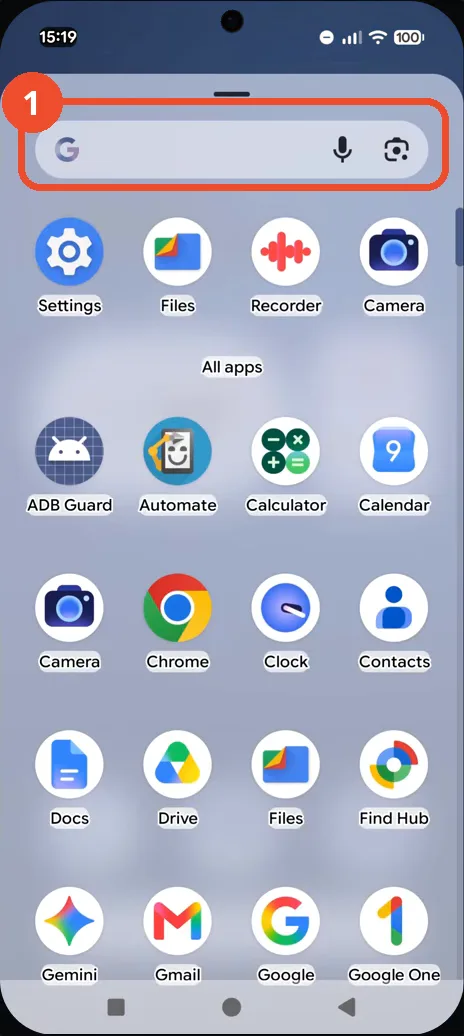
Swipe up to open the app drawer
From the Home screen, swipe up: the app drawer opens, with your recent apps at the top and the full app list below.
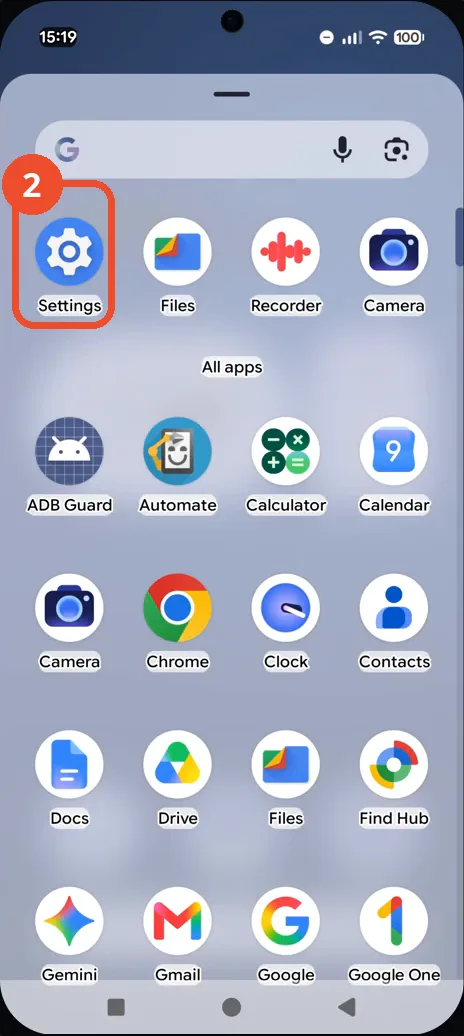
Tap Settings
Tap the Settings gear icon in the recent-apps row at the top of the drawer.
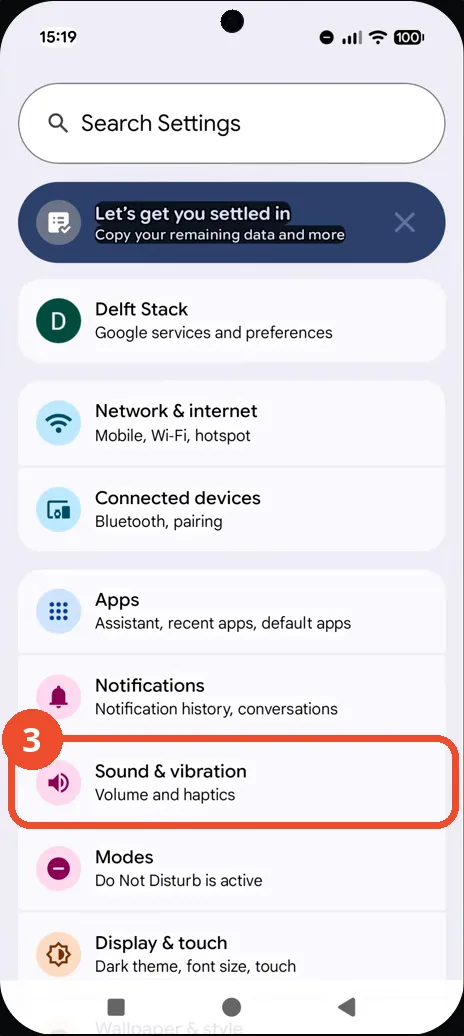
Tap Sound & vibration
In Settings, tap Sound & vibration: the row reads “Volume and haptics”.
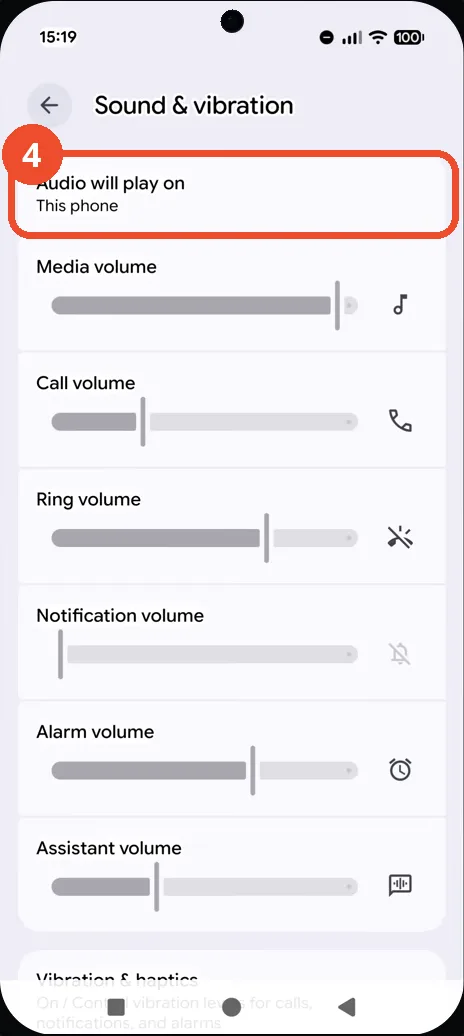
Tap the audio output row
At the top of the Sound & vibration page, tap Audio will play on — it currently says “This phone”.
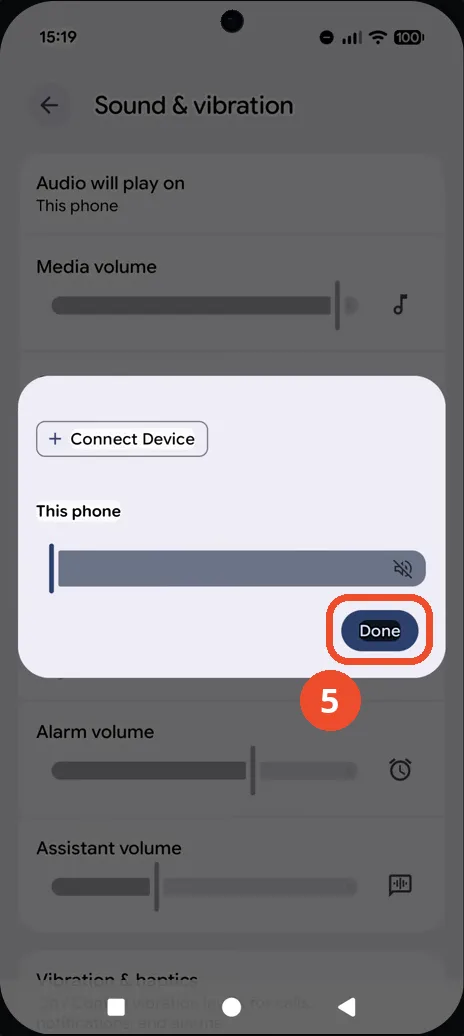
Check the output and tap Done
The output sheet shows This phone as the selected output, with a Connect Device button for adding a Bluetooth speaker or headphones. Tap Done to confirm and close the sheet.
Good to know
- No other output device is connected in this recording, so the sheet only lists This phone — to switch output, connect a Bluetooth device first and it appears here, or tap + Connect Device.
- The video does not change the output: This phone was already selected, so this is a check-and-confirm, not a switch.
- After Done, Sound & vibration again shows “Audio will play on: This phone” — that line is the confirmation.
- The volume sliders on the same page (Media, Call, Ring) control loudness, not the output device — the output is only changed from the Audio will play on row.
- Change App Icons on Google Pixel 11 Pro
- Turn On the Flashlight on Google Pixel 11 Pro
- Turn Off Pop-Up Notifications for Messages on Google Pixel 11 Pro
- Turn On Spoken Directions in Google Maps on Google Pixel 11 Pro
- Find Call Recording Settings on Google Pixel 11 Pro
- Change Text Tone in Google Messages on Google Pixel 11 Pro
- Block Spam Calls on Google Pixel 11 Pro
- How to Find Apps on Google Pixel 11 Pro
- How to Find System Apps on Google Pixel 11 Pro
- How to Open the Power Menu with the Power Button on Google Pixel 11 Pro
- How to Check VoLTE Support on Google Pixel 11 Pro
- How to Change the Google Messages Notification Sound on Google Pixel 11 Pro
- How to Change System Colors on Google Pixel 11 Pro
- How to Check RAM Usage on Google Pixel 11 Pro
- How to Edit Quick Settings Tiles on Google Pixel 11 Pro
- How to Enable GPS Location on Google Pixel 11 Pro
- How to Set a Ringtone for One Contact on Google Pixel 11 Pro
- How to Enable Daily Changing Wallpaper on Google Pixel 11 Pro
- How to Change Font Size on Google Pixel 11 Pro
- How to Customize the Google Search Bar on Pixel 11 Pro with Android 17
- How to Use Macro Focus on Pixel 11 Pro with Android 17
- How to View Blocked Numbers on Pixel 11 Pro with Android 17
- How to Adjust Volume Without Buttons on Google Pixel 11 Pro
- Where Is NFC on the Google Pixel 11 Pro with Android 17?
- How to Adjust Camera ISO on Pixel 11 Pro with Android 17
- How to Turn On Camera Flash on Pixel 11 Pro with Android 17
- How to Check Desktop Experience on Pixel 11 Pro with Android 17
- How to Show Wallpaper on Always-on Display on Pixel 11 Pro with Android 17
- How to Enable or Disable Google Discover on Pixel 11 Pro with Android 17
- How to Find Deleted Messages in Google Messages on Pixel 11 Pro with Android 17
- How to Check the App Drawer Layout on Pixel 11 Pro with Android 17
- How to Turn Off Motion Photo on Pixel 11 Pro with Android 17
- How to Turn on Dark Theme on Pixel 11 Pro with Android 17
- How to Change App Size on Pixel 11 Pro with Android 17