How to Block Spam Calls on Google Pixel 11 Pro
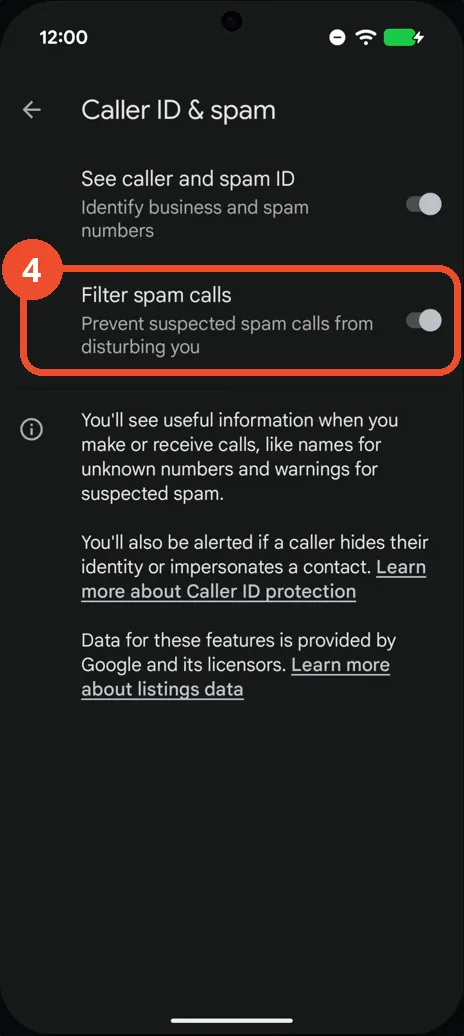
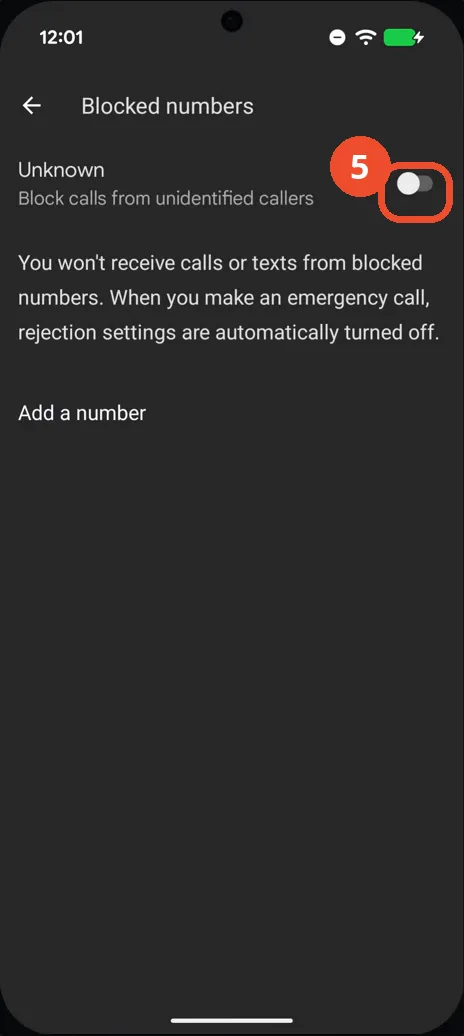
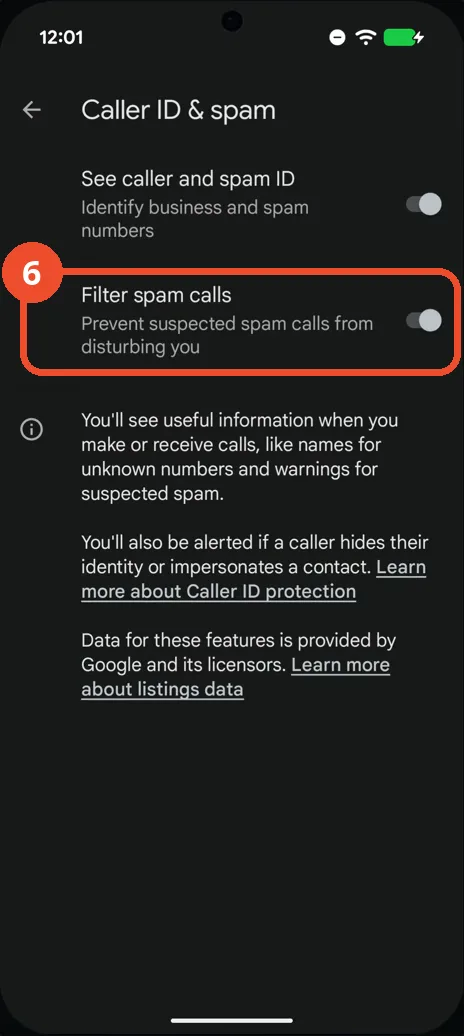
Google’s spam protection on the Pixel lives in the Phone app, on the Caller ID & spam page. The switch that does the blocking is Filter spam calls — Prevent suspected spam calls from disturbing you. The recording turns it on and deliberately leaves the stronger Unknown block off; both are covered below so you can choose.
- DeviceGoogle Pixel 11 Pro
- SystemAndroid 17
- AppGoogle Phone (pre-installed)
- Also works onOther Pixel phones with the same Phone app
- Last verifiedOctober 28, 2026
Every screenshot below is taken from the actual recording on this device — no stock images.
Before you start
- Filter spam calls and See caller and spam ID work together: the first stops suspected spam from ringing, the second shows names and spam warnings for numbers that do ring.
- The Unknown switch in step 5 is a different, blunter tool — it blocks every caller who hides their number, including legitimate ones (delivery drivers, doctors’ offices).
Steps
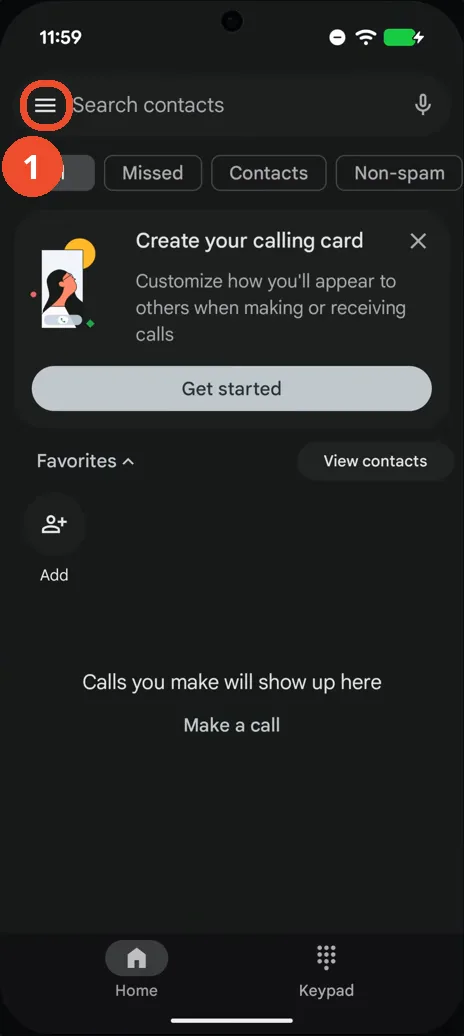
Open the Phone app and tap the menu (☰)
Open Phone and tap the ☰ menu at the left of the Search contacts bar.
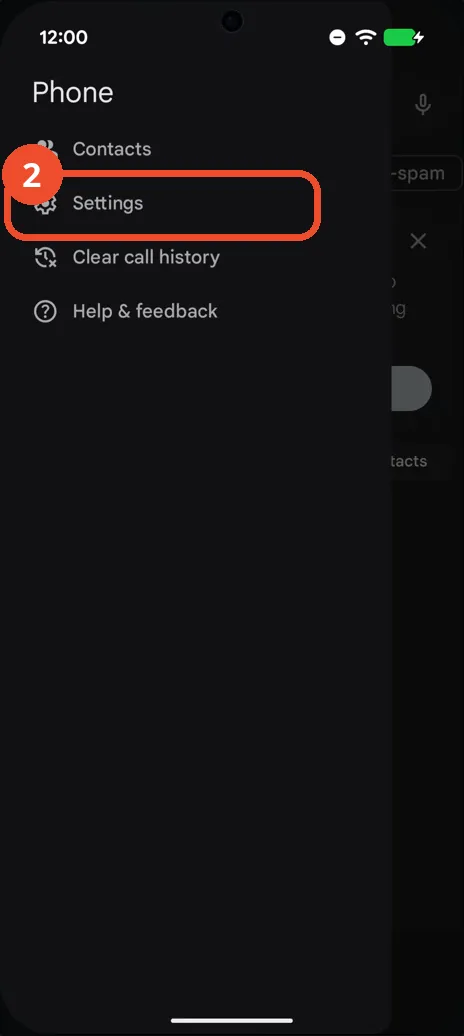
Tap Settings
In the menu that slides in, tap Settings.
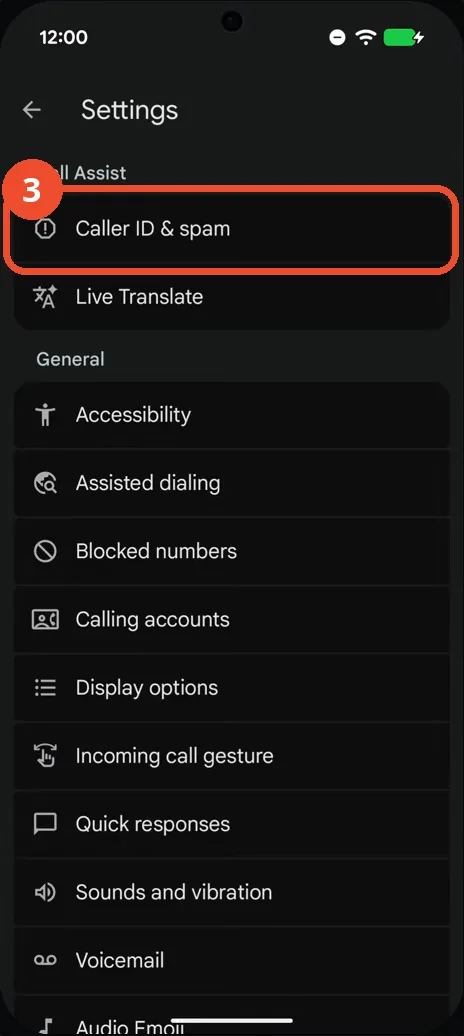
Tap Caller ID & spam
In Phone Settings, tap Caller ID & spam at the top.
Turn on Filter spam calls
Turn on Filter spam calls. From now on, calls Google suspects are spam will not disturb you.
Leave the Unknown switch off (optional)
While you are in Settings, Blocked numbers holds the Unknown switch — Block calls from unidentified callers. It stays off in this recording: it would block every hidden number, not just spam. Turn it on only if you never want to receive calls from unidentified callers at all.
Check Filter spam calls is on
Go back to Caller ID & spam and confirm Filter spam calls is on. See caller and spam ID is on as well, so numbers that do get through are identified where possible.
Good to know
- A call the filter stops is not deleted — it lands in your call history and voicemail, so a misjudged call is never lost.
- You can still block individual numbers by hand from the Blocked numbers page with Add a number.
- Change App Icons on Google Pixel 11 Pro
- Adjust Volume Without Buttons on Google Pixel 11 Pro
- Turn On the Flashlight on Google Pixel 11 Pro
- Turn Off Pop-Up Notifications for Messages on Google Pixel 11 Pro
- Turn On Spoken Directions in Google Maps on Google Pixel 11 Pro
- Find Call Recording Settings on Google Pixel 11 Pro
- Change Text Tone in Google Messages on Google Pixel 11 Pro
- Block Spam Calls on Samsung Galaxy A57