How to Adjust Camera ISO on Pixel 11 Pro with Android 17
Camera ISO lives in the Pro controls panel, not in Photo settings. Open Camera, open the manual panel, tap ISO, and drag the slider to the value you want.
✅ Tested on
- DeviceGoogle Pixel 11 Pro
- SystemAndroid 17
- AppCamera
- Also works onOther Pixel phones running Android 17
- Last verifiedNovember 3, 2026
Every screenshot below is taken from the actual recording on this device — no stock images.
Steps
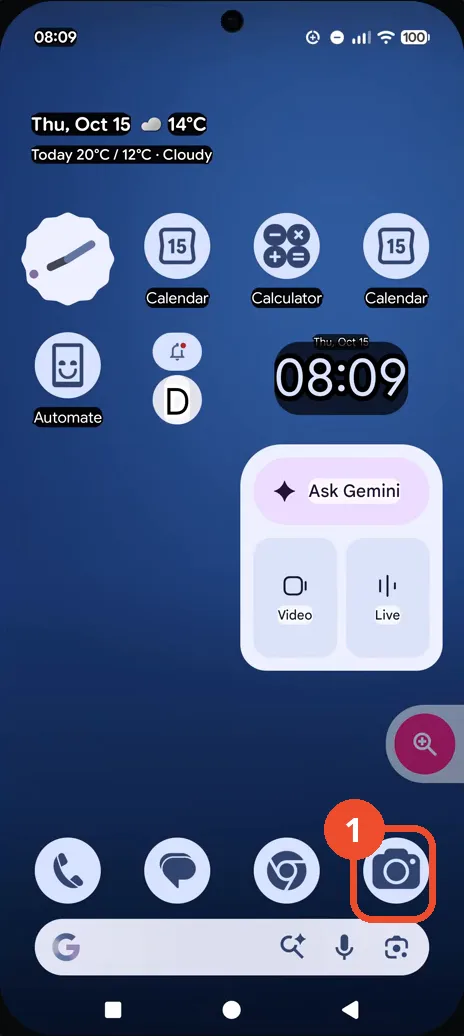
Open Camera from the Home screen
On the Home screen, tap the Camera icon in the dock.
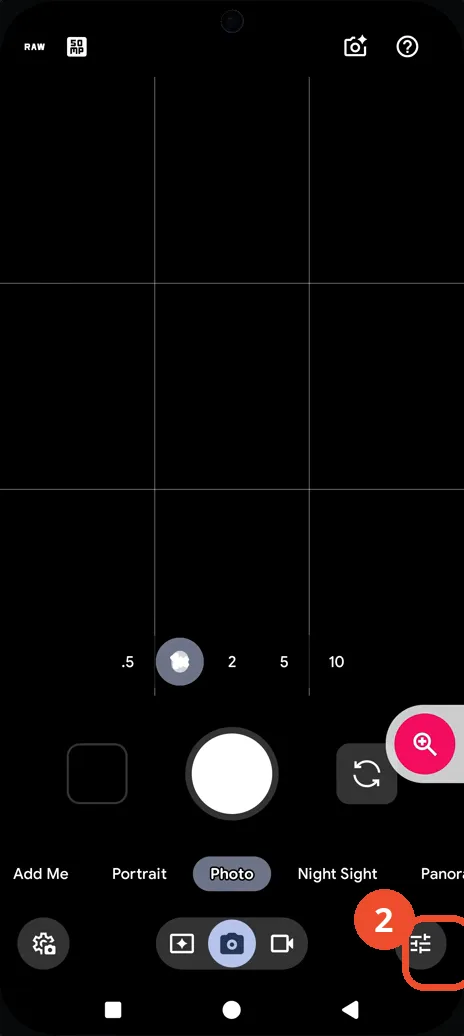
Open the Pro controls
In the viewfinder, tap the Pro controls (sliders) button at the bottom right to open the manual panel.
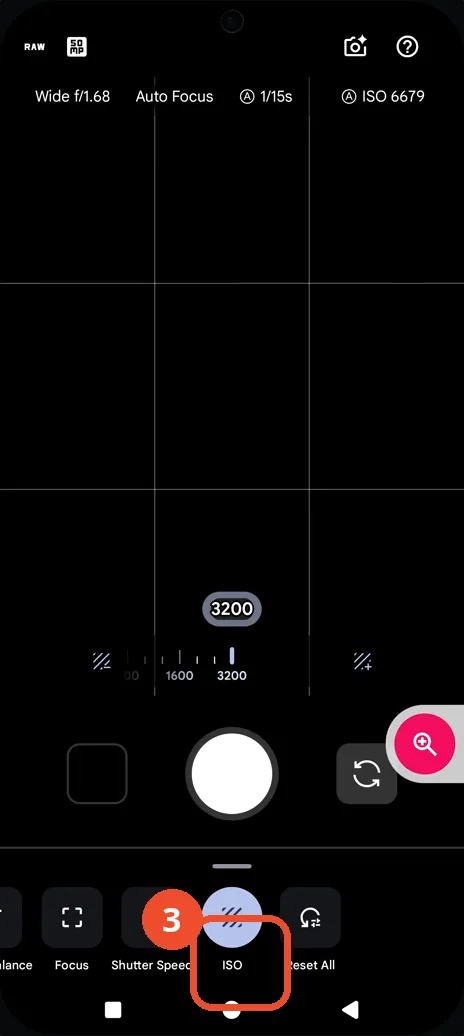
Tap ISO in the tab row
In the Pro panel, tap ISO in the tab row. The ISO slider appears, here at 3200.
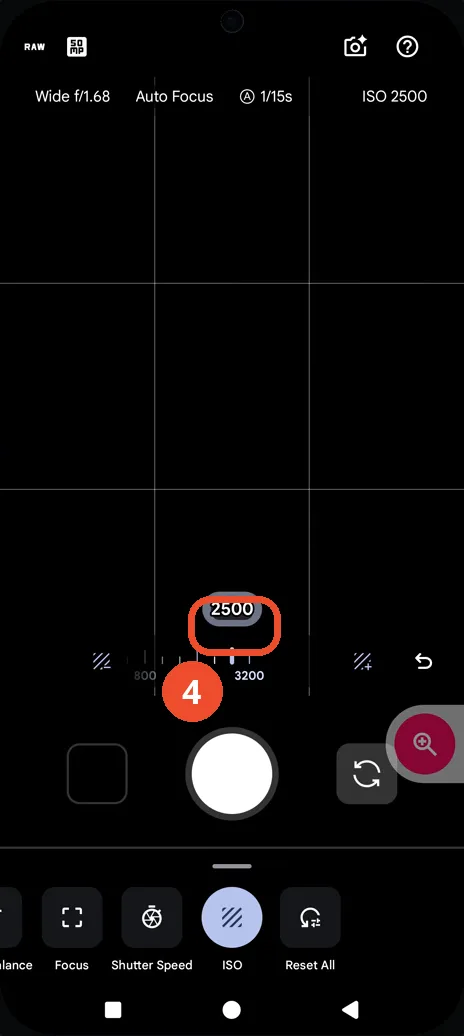
Drag the slider to 2500
Drag the ISO slider until the pill reads 2500; the top-right readout confirms ISO 2500.
Good to know
- The ISO slider in the recording moves from 3200 down to 2500; the top-right readout confirms ISO 2500 at the end.
- The Pro panel tab row also holds Focus, Shutter Speed, and Reset All next to ISO.
- The top-right ISO readout lags the slider while dragging (it still read ISO 6679 when the slider already showed 3200), so judge the final value from the slider pill and the settled readout together.
- Change App Icons on Google Pixel 11 Pro
- Turn On the Flashlight on Google Pixel 11 Pro
- Turn Off Pop-Up Notifications for Messages on Google Pixel 11 Pro
- Turn On Spoken Directions in Google Maps on Google Pixel 11 Pro
- Find Call Recording Settings on Google Pixel 11 Pro
- Change Text Tone in Google Messages on Google Pixel 11 Pro
- Block Spam Calls on Google Pixel 11 Pro
- How to Find Apps on Google Pixel 11 Pro
- How to Find System Apps on Google Pixel 11 Pro
- How to Open the Power Menu with the Power Button on Google Pixel 11 Pro
- How to Check VoLTE Support on Google Pixel 11 Pro
- How to Change the Google Messages Notification Sound on Google Pixel 11 Pro
- How to Change System Colors on Google Pixel 11 Pro
- How to Check RAM Usage on Google Pixel 11 Pro
- How to Edit Quick Settings Tiles on Google Pixel 11 Pro
- How to Enable GPS Location on Google Pixel 11 Pro
- How to Set a Ringtone for One Contact on Google Pixel 11 Pro
- How to Enable Daily Changing Wallpaper on Google Pixel 11 Pro
- How to Change Font Size on Google Pixel 11 Pro
- How to Customize the Google Search Bar on Pixel 11 Pro with Android 17
- How to Use Macro Focus on Pixel 11 Pro with Android 17
- How to View Blocked Numbers on Pixel 11 Pro with Android 17
- How to Adjust Volume Without Buttons on Google Pixel 11 Pro
- Where Is NFC on the Google Pixel 11 Pro with Android 17?