How to Set the Shortest Route on Waze
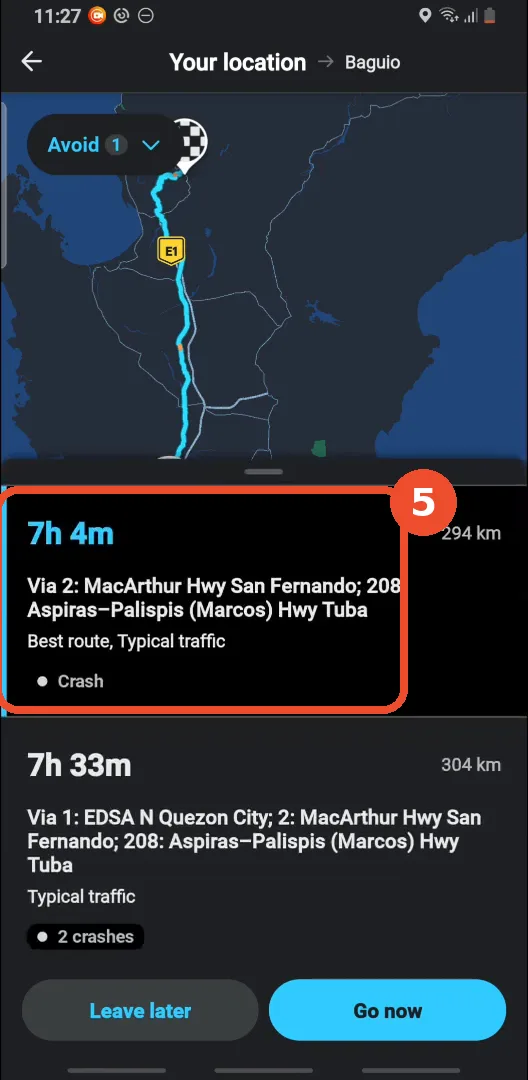
Waze already picks the fastest route for you using live traffic data — but it also shows the alternatives, so you can check the shortest one yourself. The film searches for Baguio, opens View routes, and compares the two routes Waze offers: 7 hours 4 minutes against 7 hours 33 minutes.
- SystemAndroid
- AppWaze
- Last verifiedNovember 26, 2026
Every screenshot below is taken from the actual recording on this device — no stock images.
Steps
Open Waze
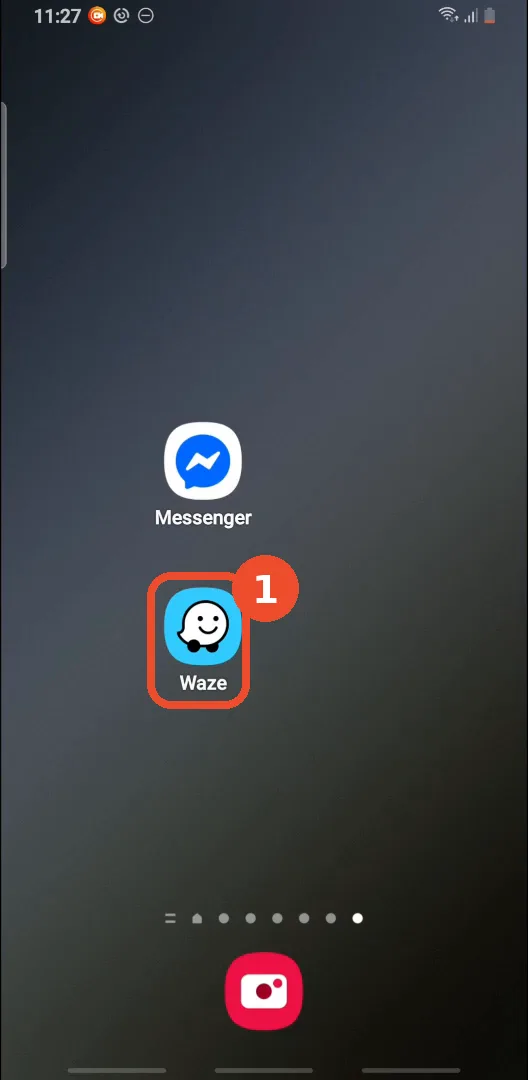
Open the Waze app. The film opens on the home screen, with the Waze icon below Messenger.
Tap Where to?
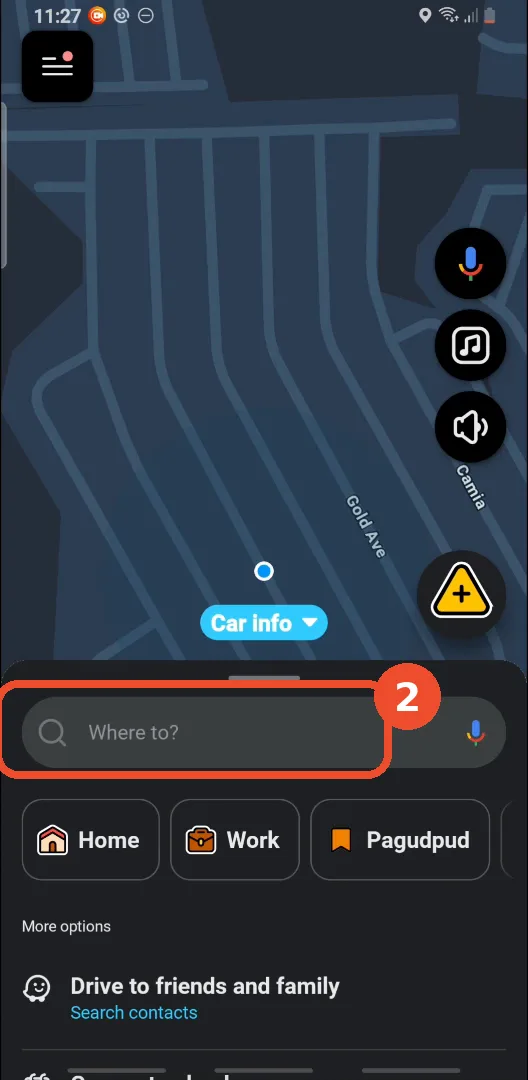
On the map, tap the Where to? search bar at the bottom. The search page opens with the keyboard ready.
Type your destination and tap Baguio
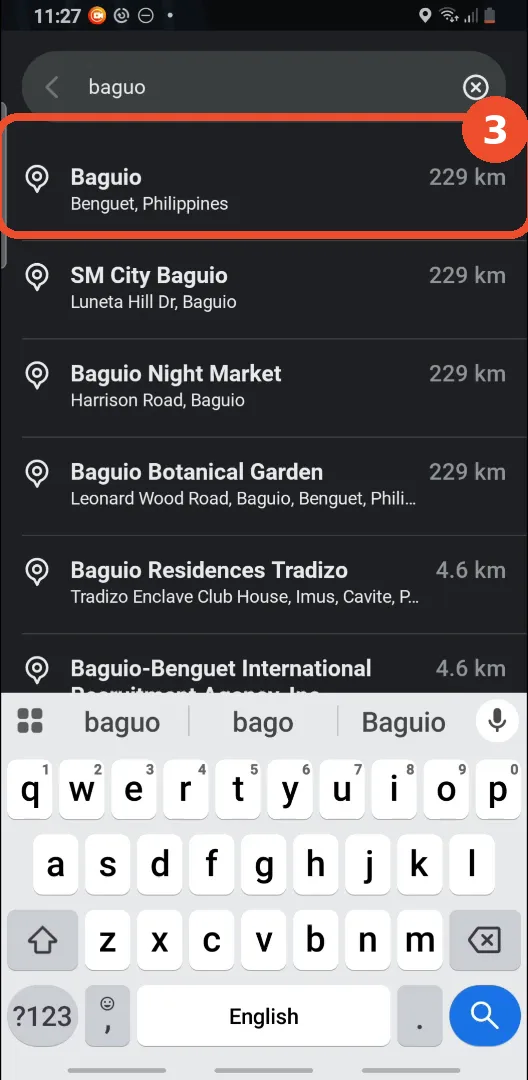
Type your destination — the film types “baguo” — then tap the matching result. Baguio, Benguet, Philippines, 229 km away, is the first suggestion.
Tap View routes
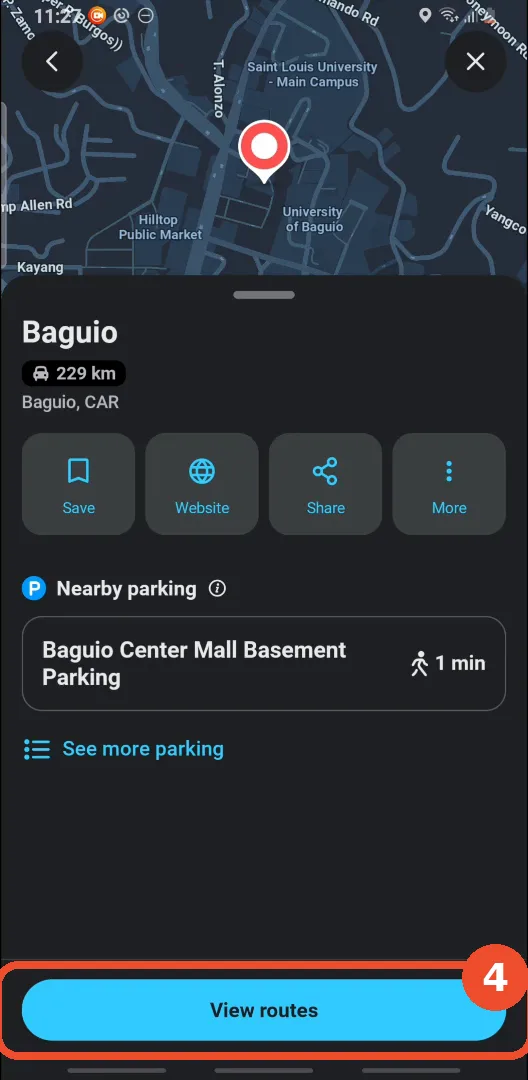
On the Baguio place card, tap the blue View routes button at the bottom. Waze takes a moment to calculate the routes.
Pick the shortest route
Waze lists the options with the shortest first: 7h 4m, 294 km, marked Best route, via MacArthur Hwy San Fernando. The alternative is 7h 33m, 304 km. The film stops here — it shows both options but never taps Go now, so tap Go now yourself when you are ready to drive.
Good to know
- Shortest here means shortest time, not shortest distance: the 7h 4m route is 294 km and the 7h 33m alternative is 304 km, so the quicker route is also the shorter one in this case — that is not always true. Check the time, not just the kilometres.
- For a short trip Waze usually shows more than two options. This is a 229 km trip, so only two appear — the film says so itself.
- The film never taps Go now: the route list just sits on screen from 1:12 to the end of the film. Nothing is started in the film.
- A DelftStack banner slides across the bottom of the screen at about 0:29–0:33. It is the channel’s own overlay, not part of Waze.
- A small red camera button floats at the bottom of the home screen in this film. It is the screen recorder’s own button, not a Waze control.
- The search page suggests the phone’s own saved places (Home, Work, Pagudpud). Those are shortcuts on this phone, not steps.
More on Waze
- How to Activate Sound on Waze App
- How to Fix Waze Sound Not Working
- How to Use a Waze Route Offline
- How to Fix the No Network Connection Issue on Waze
- How to Avoid Congestion Charge on Waze
- How to Change Waze North Up
- How to Avoid Cops on Waze
- How to Change Waze Map Color
- How to Avoid ULEZ on Waze
- How to Message People on Waze
Guide complete
Every step above comes from the original recording, with a screenshot for each step. Want more like this? Browse all Waze guides.