How to Change Waze Map Color
The Waze map color comes from two settings on the same page: Dark mode for the light-or-dark look, and Type for the map style itself. Both live under Settings, then Map display.
- SystemAndroid
- AppWaze
- Last verifiedNovember 24, 2026
Every screenshot below is taken from the actual recording on this device — no stock images.
Steps
Open Waze
Open the Waze app. The film opens on the map in light mode, with the menu button in the top-left corner.
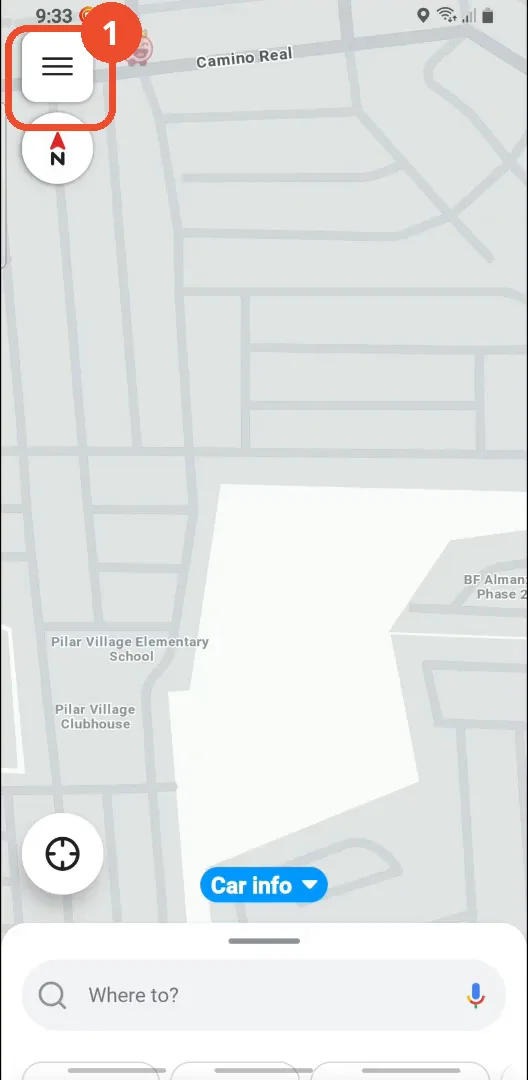
Tap the menu, then Settings
Tap the menu button — the three lines in the top-left corner — then tap Settings in the menu.
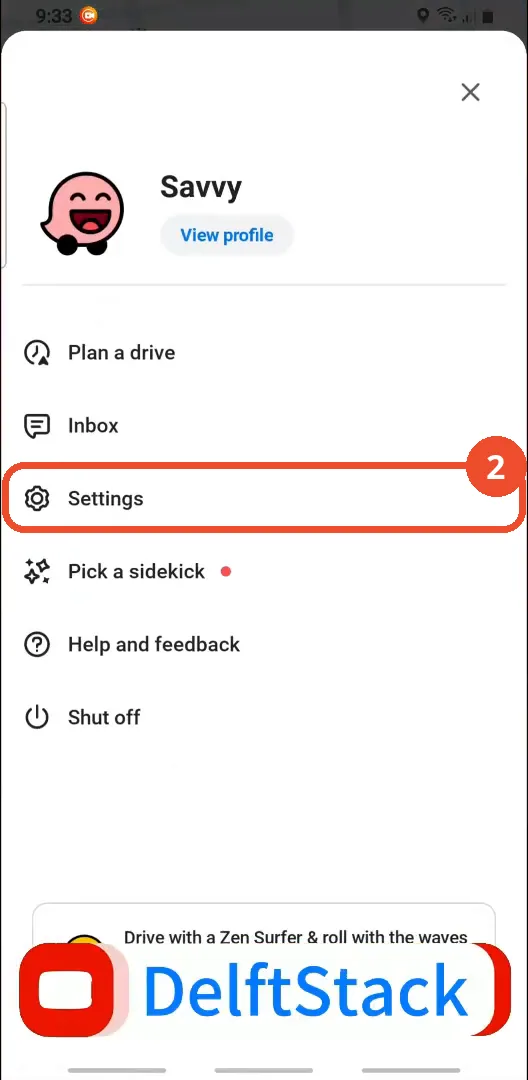
Tap Map display
In Waze Settings, tap Map display. It is the second row, under General.
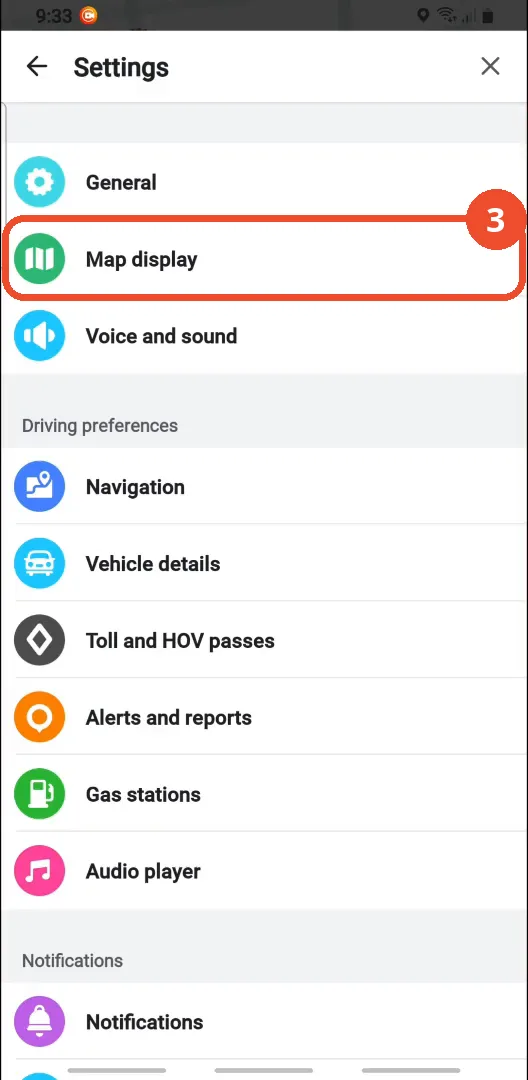
Tap Dark mode
At the top of the Map display page is Dark mode. In the film it reads ‘Only at night’. Tap it.
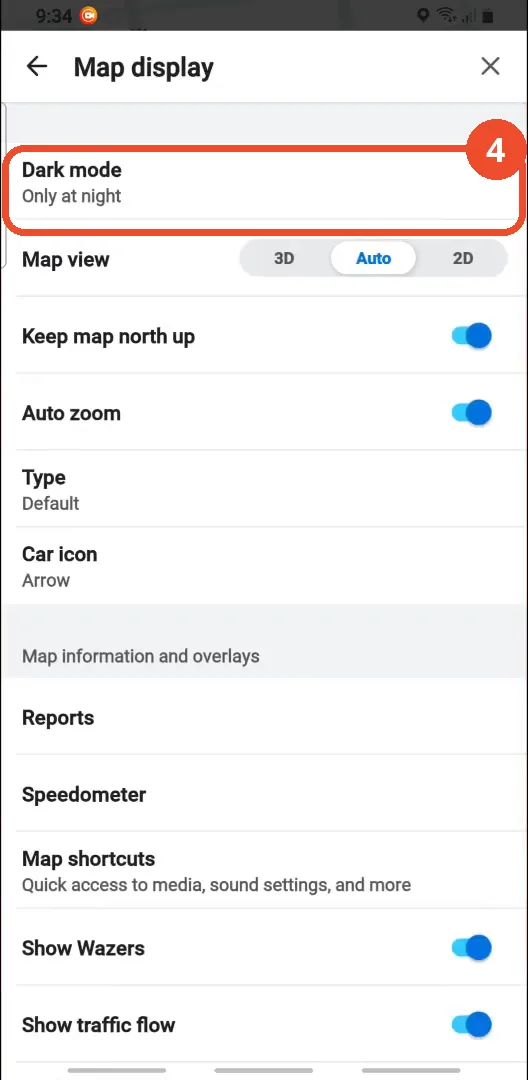
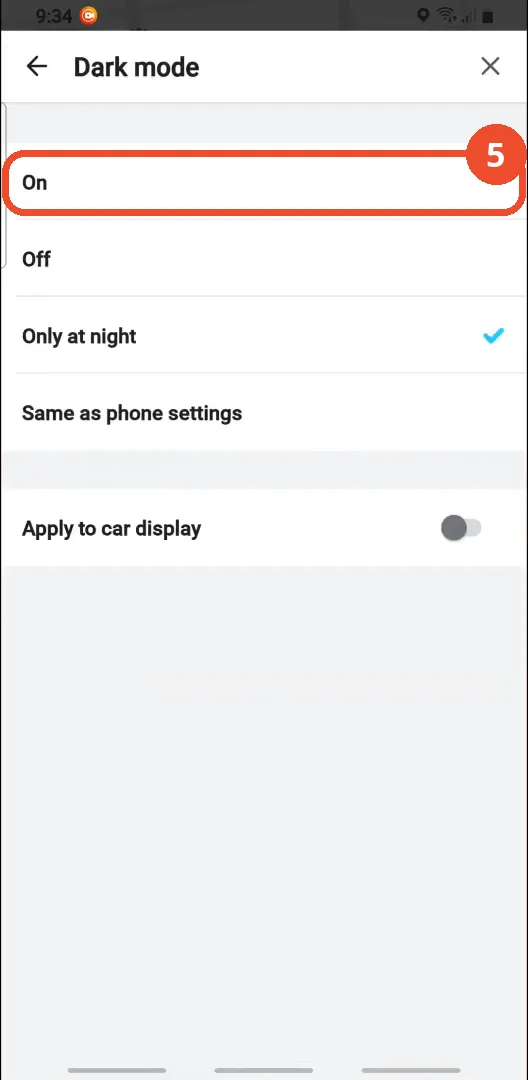
Tap On
On the Dark mode page, tap On. The check moves from ‘Only at night’ to On, and the whole page turns dark at once.
Pick a map Type
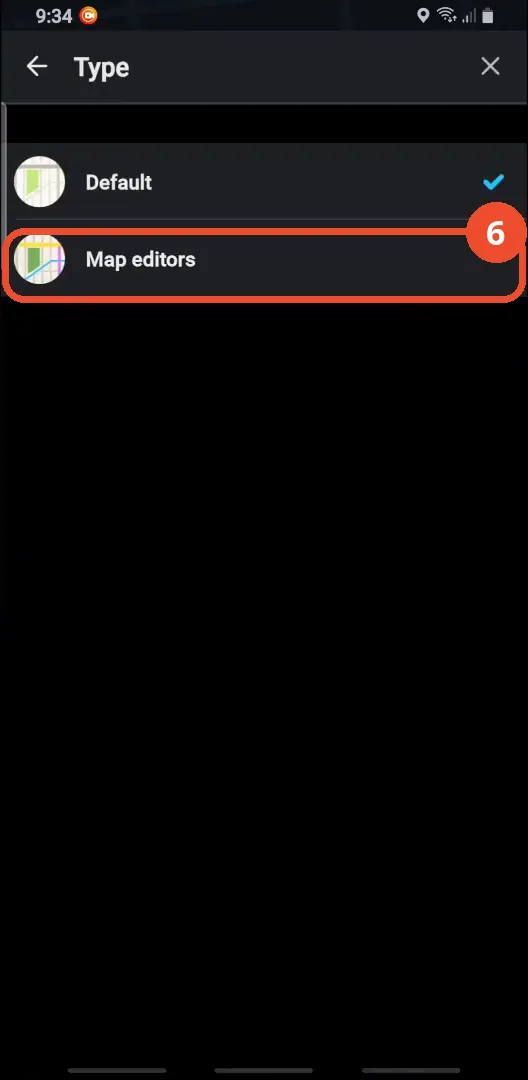
Go back to Map display and tap Type. Two styles are offered — Default and Map editors. Tap Map editors to switch the map style; the check moves to it. The film selects Map editors.
Check Dark mode reads On
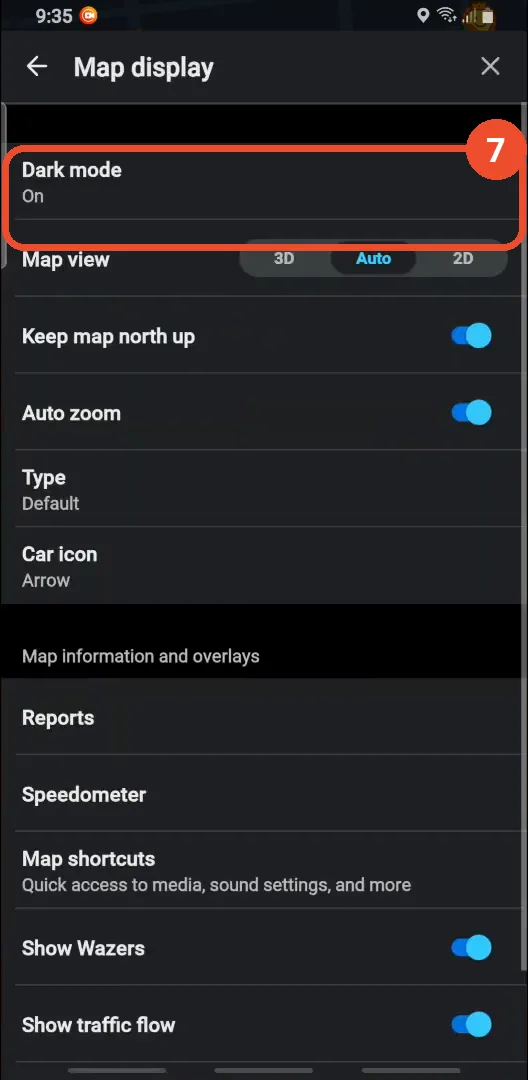
Back on the Map display page, Dark mode reads On and the page stays dark. That is the change made — the map itself now uses the dark colors.
Good to know
- Dark mode has four choices, not just on and off: On, Off, Only at night, and Same as phone settings. Pick ‘Only at night’ if you only want the dark map after dark.
- The film’s closing frames still read Type ‘Default’ on the Map display page, even though Map editors was just selected on the Type page — the label had not caught up when the film ended. Reopen Map display to confirm your Type choice stuck.
- The same Map display page also holds Map view (3D / Auto / 2D), Keep map north up, and Auto zoom — all left as the film found them, with north up and auto zoom on.
- The menu in the film shows the operator’s own Waze name, Savvy. That is the account name on this phone, not a setting to change.
More on Waze
- How to Activate Sound on Waze App
- How to Fix Waze Sound Not Working
- How to Use a Waze Route Offline
- How to Fix the No Network Connection Issue on Waze
Guide complete
Every step above comes from the original recording, with a screenshot for each step. Want more like this? Browse all Waze guides.