How to Avoid Highways on Waze
Waze routes you on highways by default. Turn on Avoid freeways in Navigation settings and Waze will prefer local roads instead. The film makes the switch in under a minute.
- SystemAndroid
- AppWaze
- Last verifiedNovember 28, 2026
Every screenshot below is taken from the actual recording on this device — no stock images.
Steps
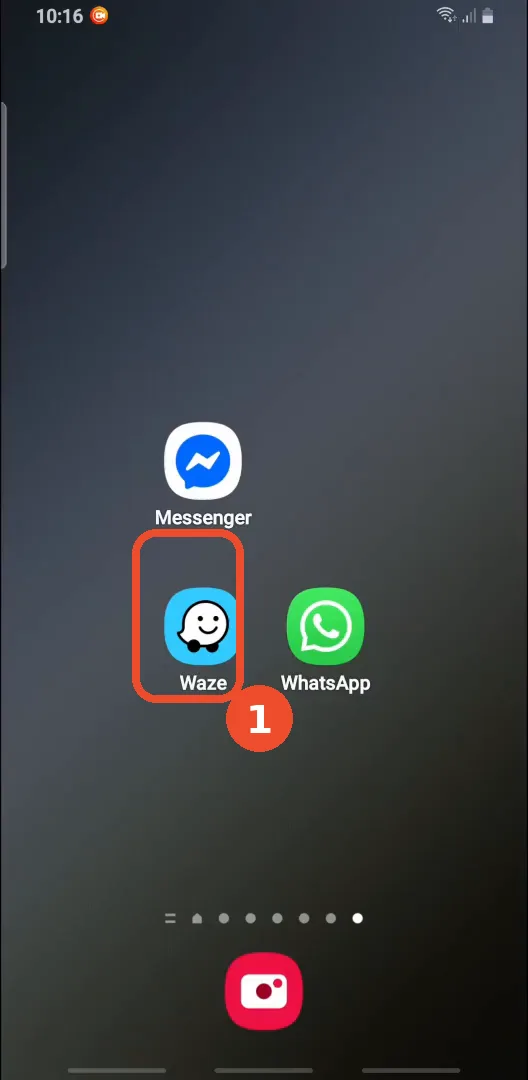
Open Waze
Open the Waze app. The film opens on the home screen — Waze sits below Messenger, next to WhatsApp.
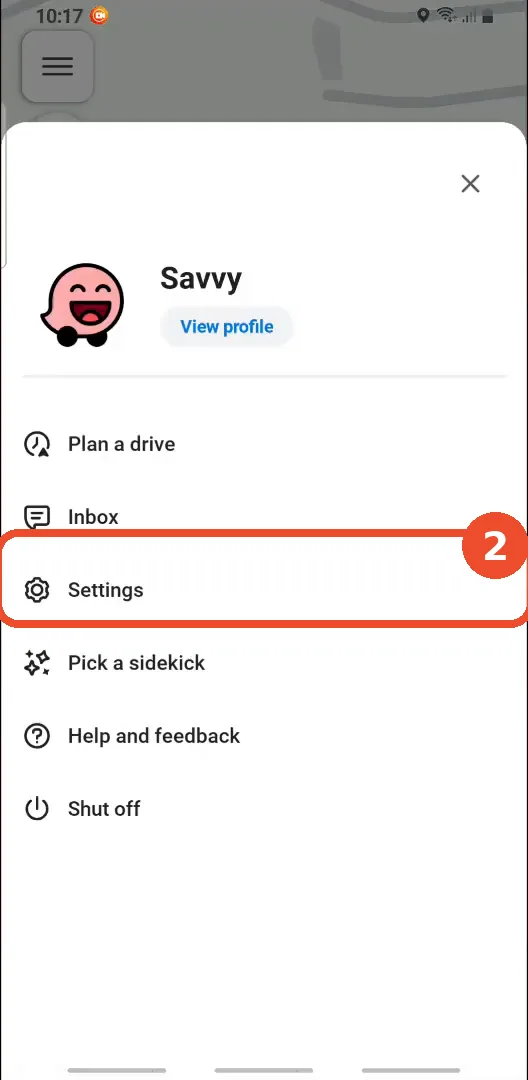
Tap the menu, then Settings
Tap the menu button — the three lines in the top-left corner — then tap Settings in the menu.
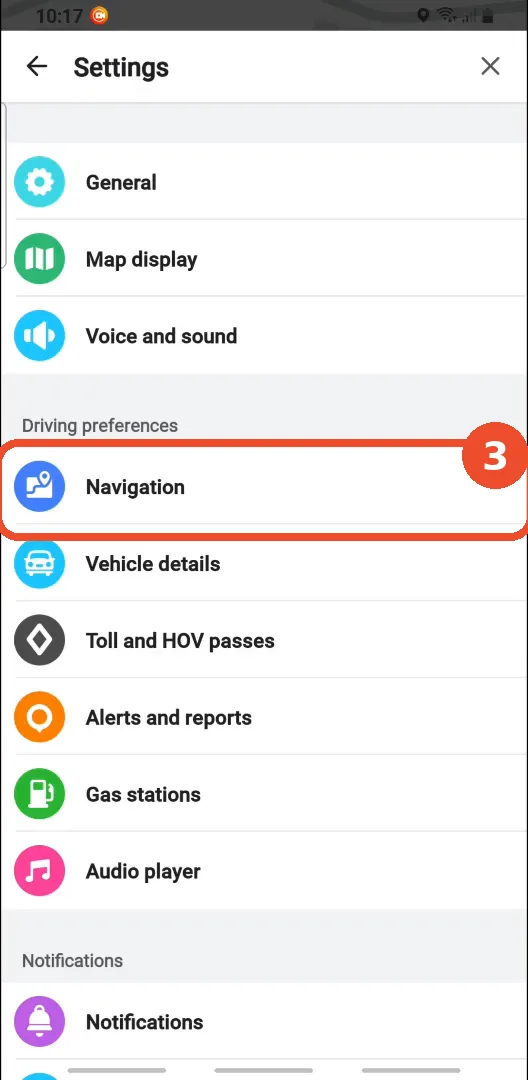
Tap Navigation
In Settings, under Driving preferences, tap Navigation.
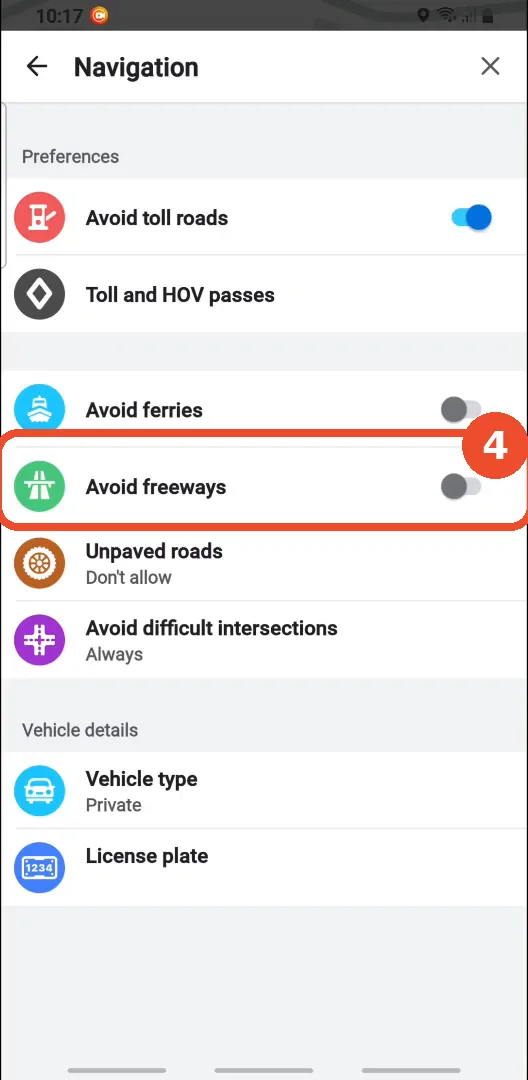
Turn on Avoid freeways
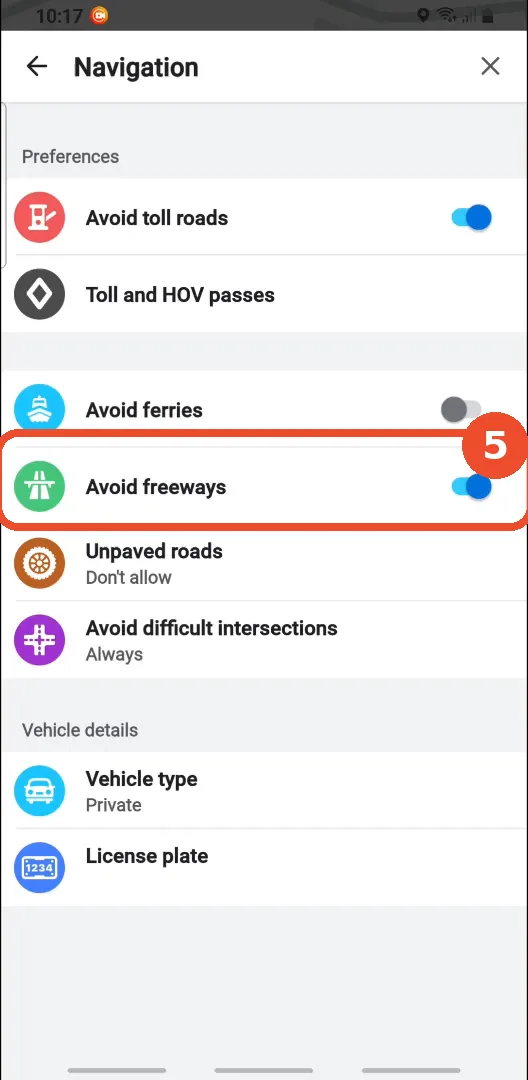
On the Navigation page, under Preferences, find Avoid freeways — the fourth row, below Avoid toll roads, Toll and HOV passes and Avoid ferries. Its switch is off; tap it to turn it on.
Check Avoid freeways is on
Avoid freeways now reads on (blue). Waze will route you on local roads instead of highways where it can.
Good to know
- Avoid freeways was off when the Navigation page opened; the film taps it on at about 1:00. Avoid toll roads was already on — the film does not touch it.
- Avoid freeways is a preference, not a guarantee: the narration says Waze may still use a highway if no other viable route exists. Check the route it offers before you drive.
- This film is shot in Waze’s light theme — the menu and Settings pages are white, unlike the dark theme in the other Waze films in this batch. The steps are the same either way.
- The menu shows the operator’s own Waze name, Savvy. That is the account name on this phone, not a setting to change.
- The film never plans a route after the switch — it stops on the Navigation page. Plan a route yourself to see the difference.
- A DelftStack banner slides across the bottom of the screen at about 0:30–0:35. It is the channel’s own overlay, not part of Waze.
- A small red camera button floats at the bottom of the home screen. It is the screen recorder’s own button, not a Waze control.
More on Waze
- How to Activate Sound on Waze App
- How to Fix Waze Sound Not Working
- How to Use a Waze Route Offline
- How to Fix the No Network Connection Issue on Waze
- How to Avoid Congestion Charge on Waze
- How to Change Waze North Up
- How to Avoid Cops on Waze
- How to Set the Shortest Route on Waze
- How to Avoid ULEZ on Waze
- How to Message People on Waze
- How to Change Waze Map Color
- How to Set Waze for Motorcycle Navigation
- How to Mark Your Current Location in Waze
- How to Create a Waze Link with Waypoints
- How to Avoid Clean Air Zones on Waze
- How to Check Traffic on Waze
Guide complete
Every step above comes from the original recording, with a screenshot for each step. Want more like this? Browse all Waze guides.