How to View TikTok Profiles Privately Without Notifications
By default TikTok does not notify people when you view their profile — unless both you and the other person have Profile view history switched on. Turn that switch off and your profile visits stay private, at the cost of losing your own viewer list.
✅ Tested on
- SystemAndroid
- AppTikTok
- Also works oniPhone (TikTok settings look the same on iOS).
- Last verifiedNovember 1, 2026
Every screenshot below is taken from the actual recording on this device — no stock images.
Steps
Open your profile and tap the menu
Open TikTok, tap Profile in the bottom navigation, then tap the menu icon in the top right.

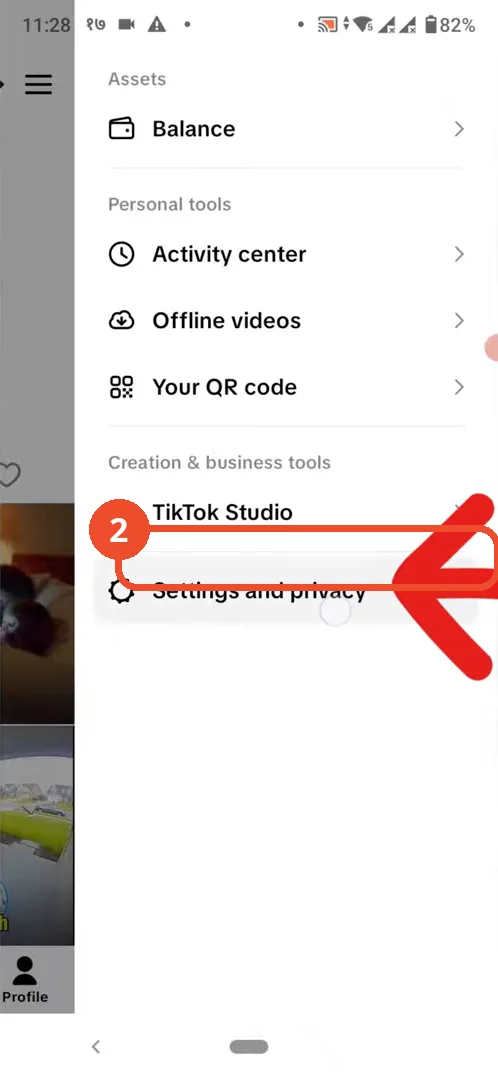
Tap Settings and privacy
In the side menu, tap Settings and privacy.
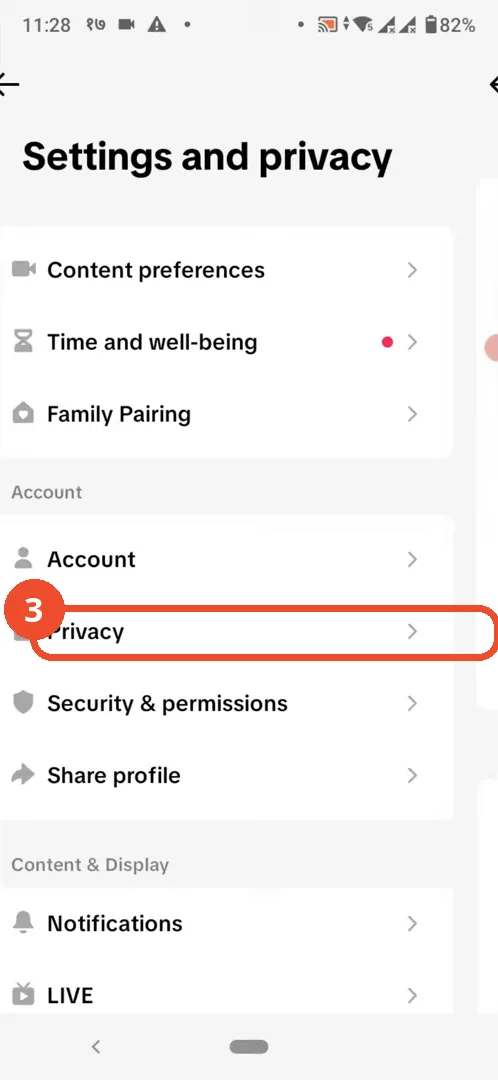
Tap Privacy
In Settings and privacy, tap Privacy.
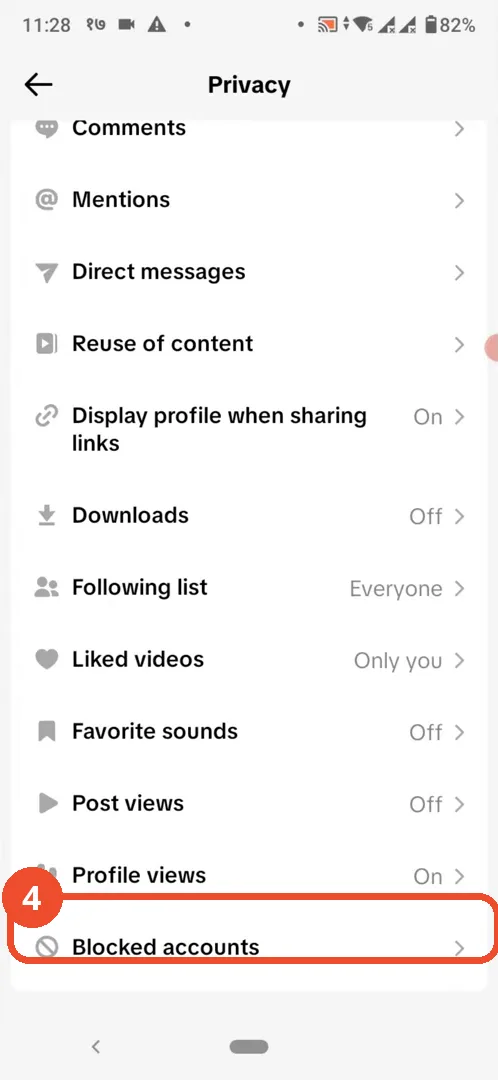
Tap Profile views
Scroll down the Privacy page and tap Profile views — it shows On while history is enabled.
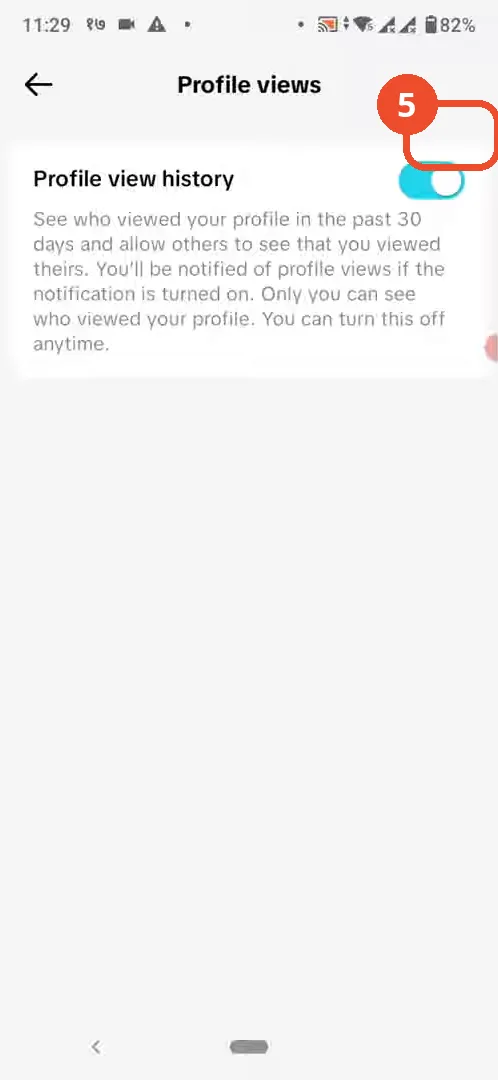
Turn off Profile view history
Tap the Profile view history switch to turn it off.
Check the switch is off
The switch is now grey and off — you can browse other profiles without sending a notification.

Good to know
- TikTok only notifies the other person if both of you have Profile view history turned on.
- Turning it off also means you can no longer see who viewed your own profile.
- Profile view history covers the past 30 days.
- The switch takes effect for profiles you visit after turning it off.
More on TikTok
- How to Fix the ‘Tapping Too Fast’ Error on TikTok
- How to Hide TikTok Posts from Certain Followers
- How to Watch TikTok Without Installing the App
- How to Fix TikTok Notifications Not Working
- How to Fix the TikTok ‘Unrecognized Device’ Error
- How to See Comments You Liked on TikTok
- How to Report a TikTok Account
- How to Fix TikTok Video Quality Compression
- How to Remove Multiple Followers on TikTok
- How to Turn Off TikTok Comments on Live
- How to Fix TikTok Search Not Showing Videos (No Results Error)
- Fix TikTok Couldn’t Play Video Error
- Fix TikTok Messages Not Sending
- How to Know If Someone Deleted Your Comment on TikTok
- Fix TikTok Privacy Settings Restricted
- Fix TikTok Likes Not Registering
- Fix TikTok Live Unavailable Error
- How to Block Someone on TikTok Without Viewing Their Profile