How to Tell If Someone Has Blocked You on TikTok
TikTok never tells you when someone blocks you, so you have to check the signs yourself. The quickest check is searching for the account: if it still shows up with its videos, you are probably not blocked - and if it has vanished from search, that is the strongest sign you have been blocked.
- SystemAndroid
- AppTikTok
- Last verifiedNovember 8, 2026
Every screenshot below is taken from the actual recording on this device — no stock images.
Steps
Open TikTok and tap Search
Open TikTok and tap the search icon at the top of the For You page. The search screen opens with your recent searches and the keyboard ready.
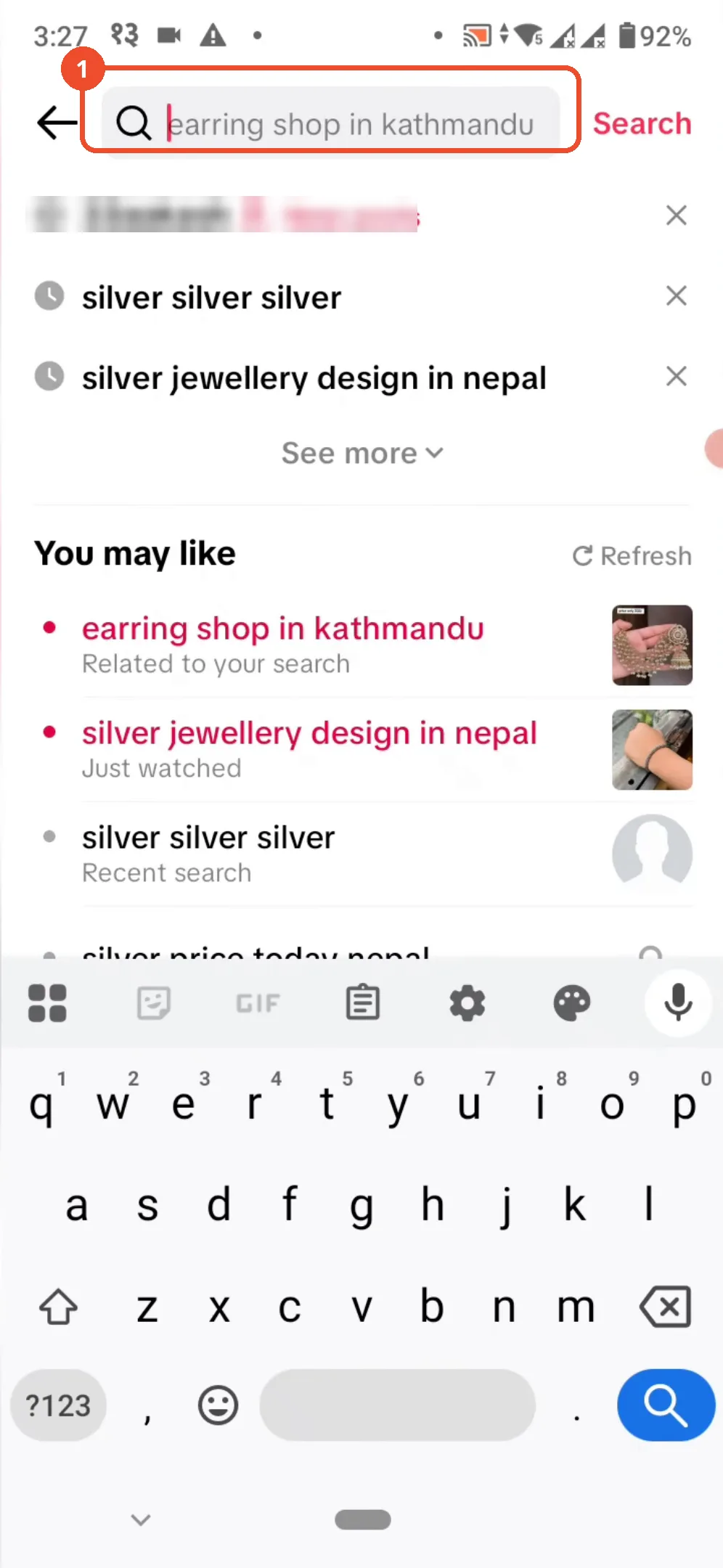
Type the username
Type the username of the account you suspect may have blocked you, then tap the search key on the keyboard. TikTok starts loading the matching results.
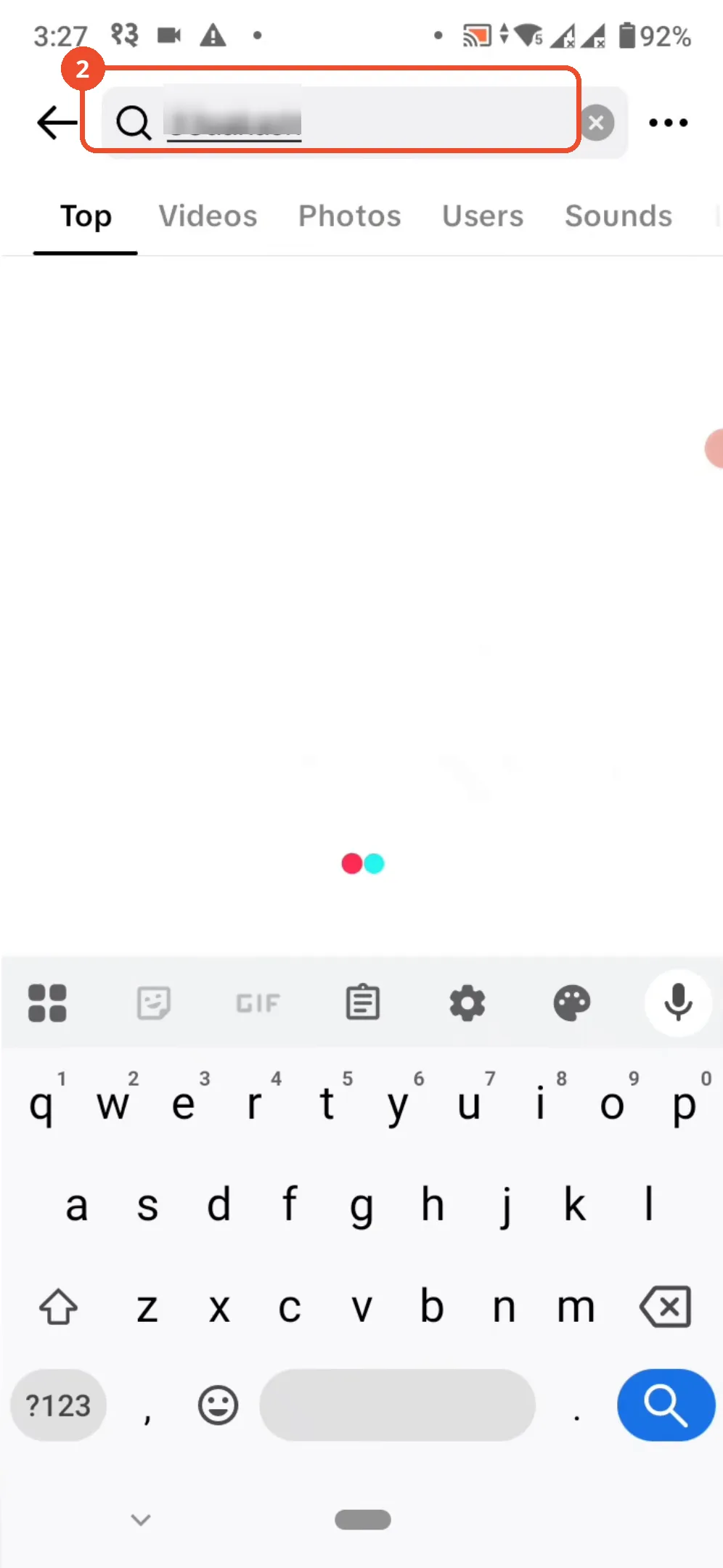
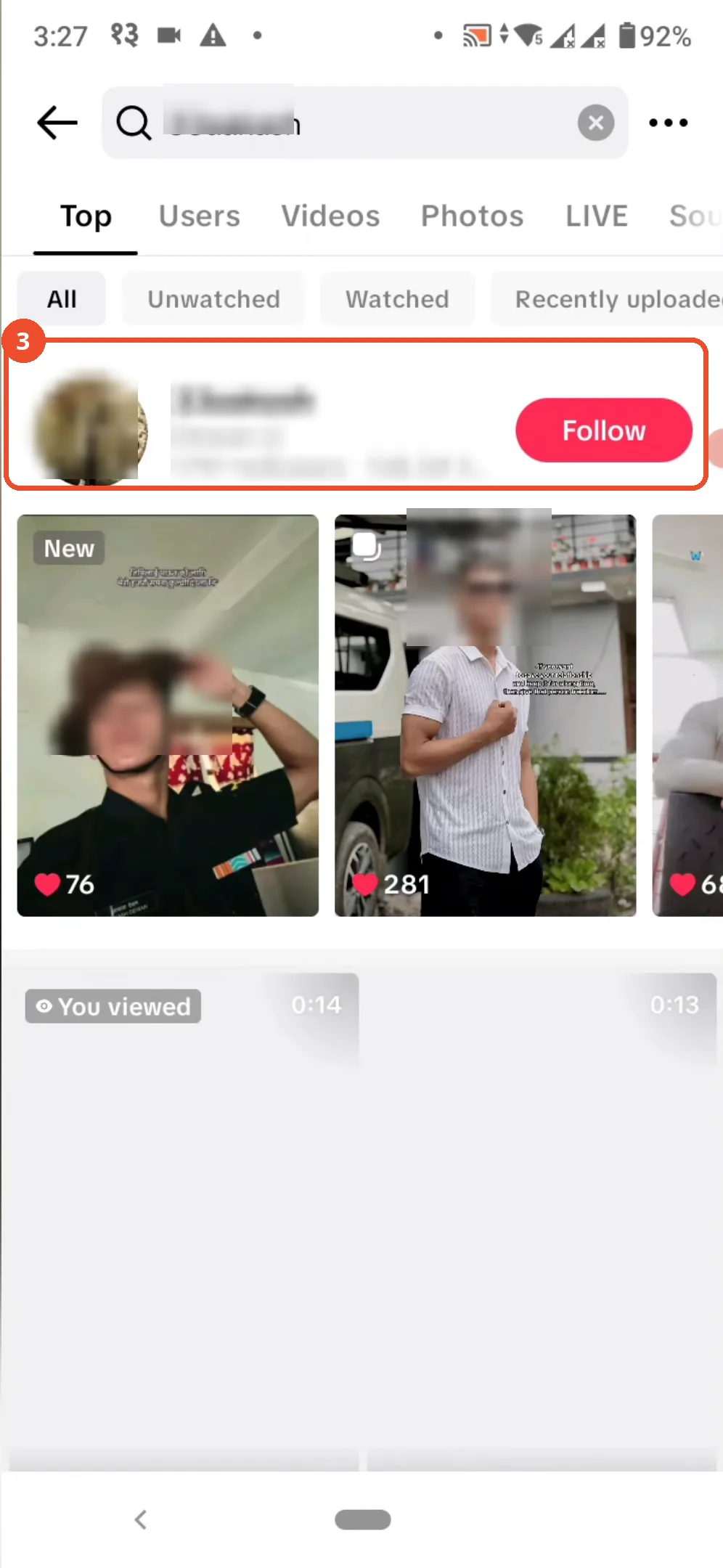
Check whether the account appears in the results
Look at the results. If the account appears with its profile, follower count, and videos, that is a sign you are not blocked.
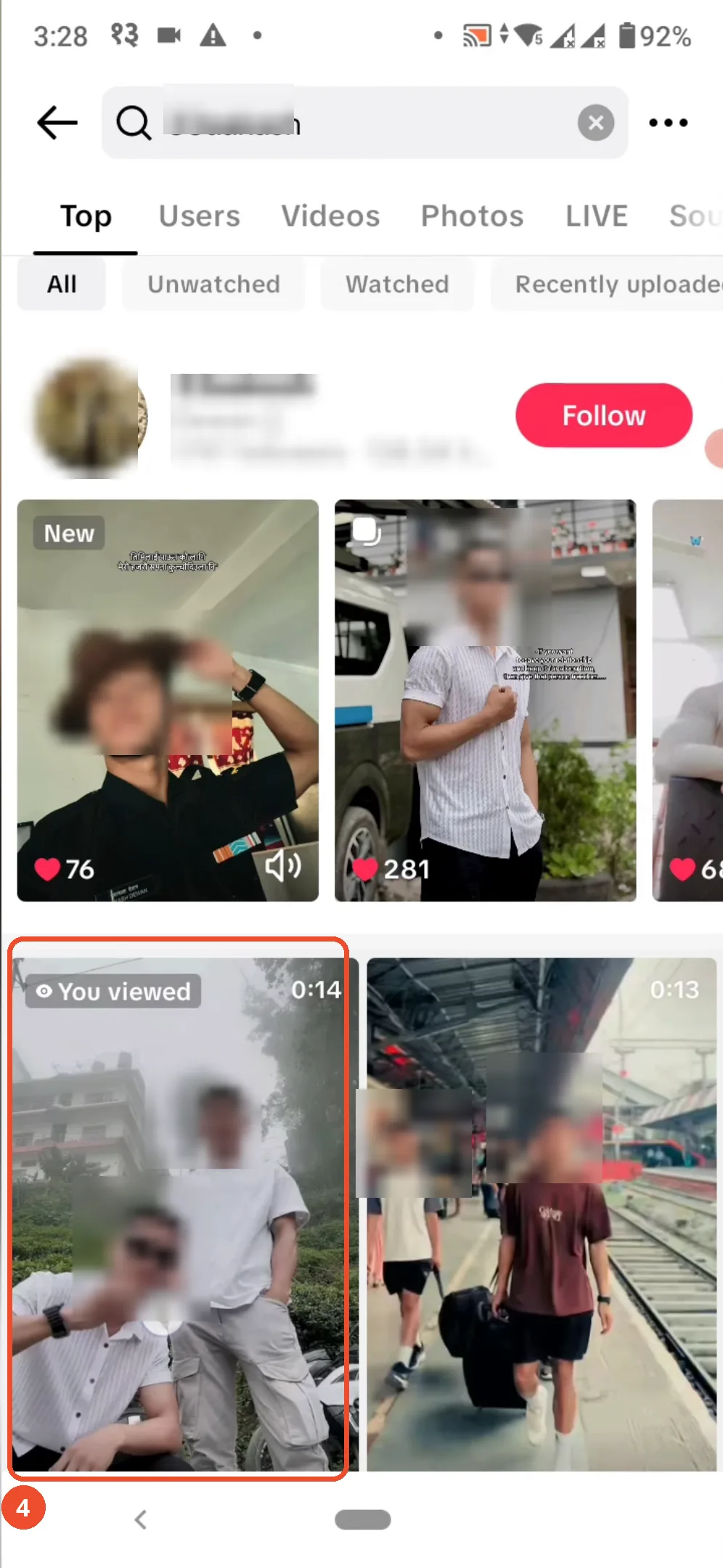
Check whether their videos are visible
Scroll down the results and check the account’s videos. If the videos are listed and watchable, the account has not blocked you.
Good to know
- The film only demonstrates the search check, and it shows the opposite case: the searched account appears with its videos, which means not blocked. A blocked account would not appear in search results at all.
- The other signs the narration mentions are not shown on camera: not being able to view their videos, like or comment on their content, or send them messages. Treat any single sign with caution - an account can also disappear from search if it was deleted, renamed, or set to private.
- TikTok does not notify you when someone blocks you, so this has to be checked manually.
- If you still suspect you are blocked, check the profile from another account or ask a friend whether the profile is visible to them.
More on TikTok
- How to Fix the ‘Tapping Too Fast’ Error on TikTok
- How to Hide TikTok Posts from Certain Followers
- How to Watch TikTok Without Installing the App
- How to Fix TikTok Notifications Not Working
- How to Fix the TikTok ‘Unrecognized Device’ Error
- How to See Comments You Liked on TikTok
- How to Report a TikTok Account
- How to Fix TikTok Video Quality Compression
- How to Remove Multiple Followers on TikTok
- How to Turn Off TikTok Comments on Live
- How to Fix TikTok Search Not Showing Videos (No Results Error)
- Fix TikTok Couldn’t Play Video Error
- Fix TikTok Messages Not Sending
- How to Know If Someone Deleted Your Comment on TikTok
- Fix TikTok Privacy Settings Restricted
- Fix TikTok Likes Not Registering
- How to Block Someone on TikTok Without Viewing Their Profile
- How to View TikTok Profiles Privately Without Notifications
- How to Fix the TikTok Login Expired Error
- How to Buy Coins on TikTok
- How to Hide Your Following List on TikTok Without Going Private
- How to Save TikTok Videos Without Watermark
- Fix TikTok Live Unavailable Error
- How to Fix TikTok Analytics Not Showing
- How to Link Instagram to TikTok
- How to Delete or Remove Your TikTok Profile Photo
- How to Remove TikTok Watermark from Saved Videos
- How to Recover a Banned TikTok Account
- How to Delete a TikTok Story
- How to Fix Maximum Number of Attempts Reached on TikTok
- How to Change Your TikTok Profile Picture
- How to Delete Your TikTok Comments One by One
- How to Check for the Find Similar Setting on TikTok
- How to Add a Linktree Link to Your TikTok Bio
- How to Fix a TikTok Video Uploaded But Not Showing
- How to Enable Auto Scroll on TikTok for Hands-Free Playback
- How to See Who Viewed Your TikTok Profile