How to See Comments You Liked on TikTok
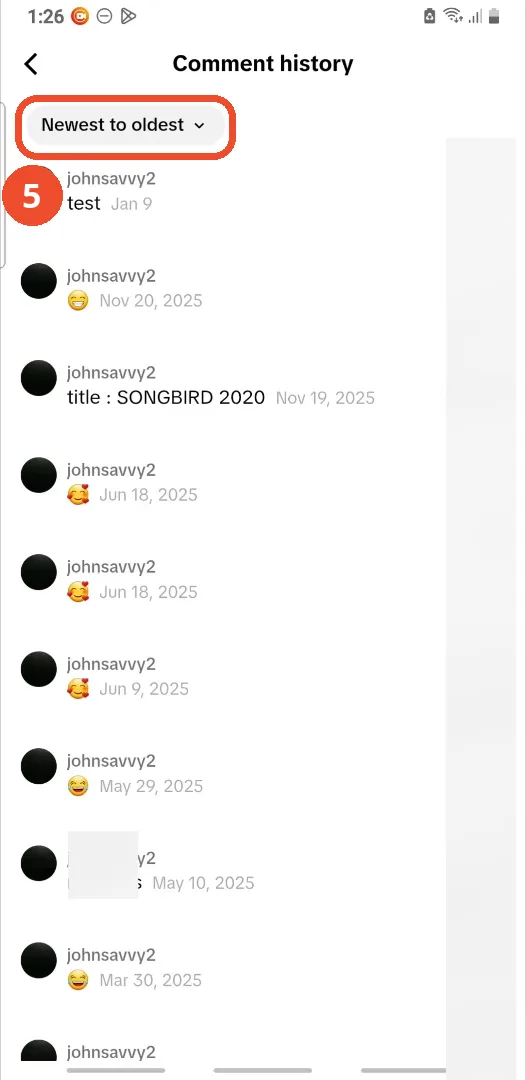
The comments you have liked and written are collected in your Comment history, inside the Activity center — not on your profile page, which is why they are so hard to find again. The recording walks the full path; the list at the end belongs to the demo account, and the filter at the top of it is worth knowing about.
- SystemAndroid
- AppTikTok
- Also works oniPhone (the menus are the same)
- Last verifiedOctober 28, 2026
Every screenshot below is taken from the actual recording on this device — no stock images.
Steps
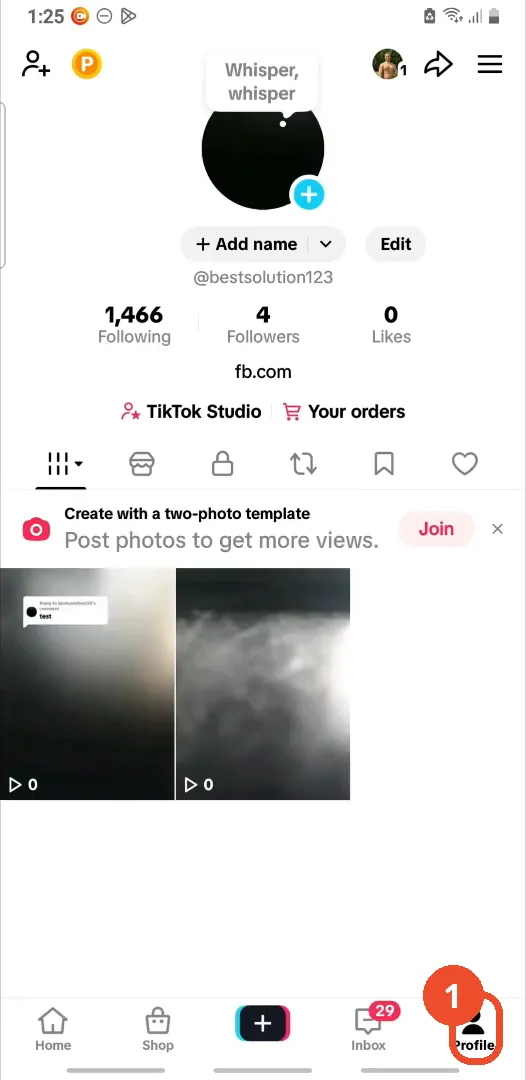
Tap Profile
Open TikTok and tap Profile at the bottom right.
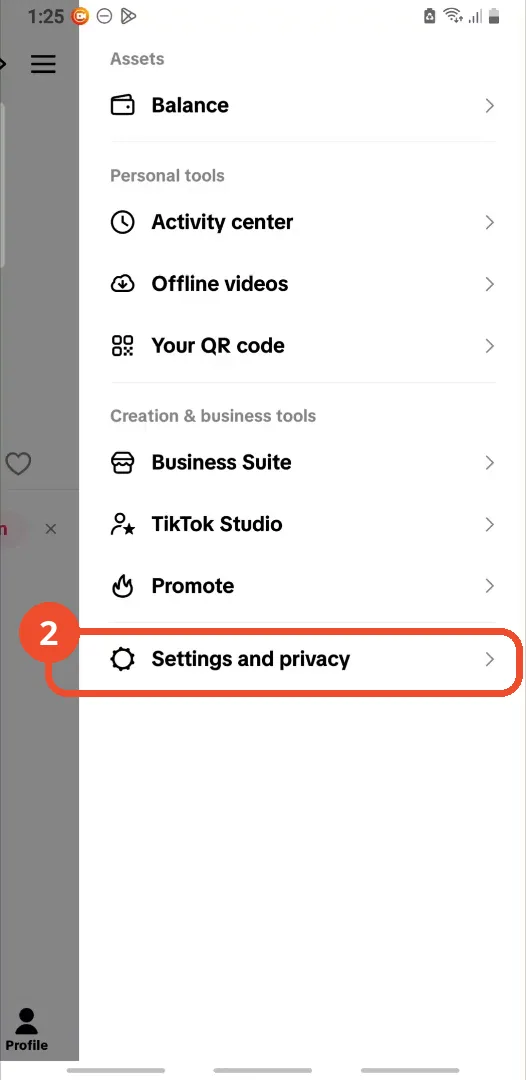
Open the menu and tap Settings and privacy
Tap the ☰ menu at the top right of your profile, then tap Settings and privacy in the list.
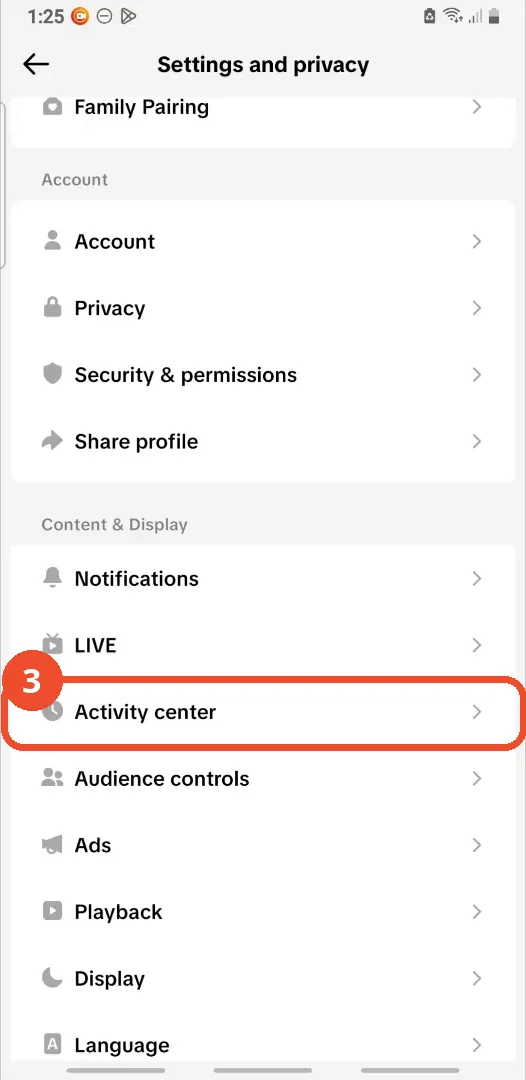
Tap Activity center
Scroll down the Settings and privacy page and tap Activity center.
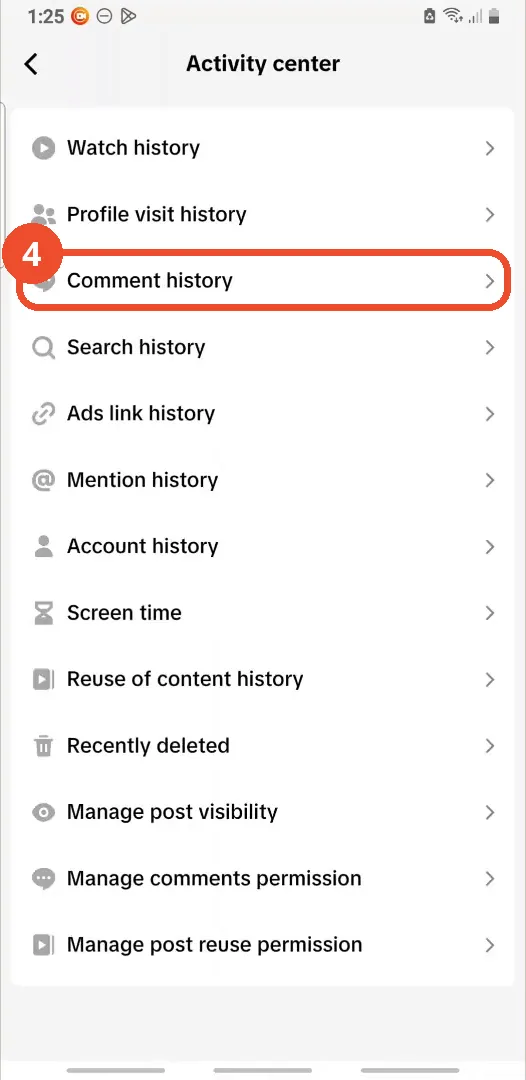
Tap Comment history
In the Activity center, tap Comment history — it sits with your other histories: watch, search, ads link and mention history.
Sort the list with the filter
Your comment history opens, newest first. Tap the Newest to oldest filter at the top left to flip the order and start from your oldest comment instead. Each entry shows the comment and its date, so a liked comment is easy to spot by when you left it.
Good to know
- Comment history is private — it is an activity record for your account only, not something other people can browse on your profile.
- The Activity center also holds your Watch history and Search history; the same path finds all three.
More on TikTok
- How to Fix the ‘Tapping Too Fast’ Error on TikTok
- How to Hide TikTok Posts from Certain Followers
- How to Fix TikTok Messages Not Sending
- How to Watch TikTok Without Installing the App
- How to Fix TikTok Notifications Not Working
- How to Fix the TikTok ‘Unrecognized Device’ Error
- How to Report a TikTok Account