How to Report a TikTok Account
Reporting a whole account — rather than a single video — starts from the account’s own profile. The example in the recording is a real shop account, so its name, bio, contact details and the people in the share sheet are blurred in the screenshots; every button you need stays readable.
- SystemAndroid
- AppTikTok
- Also works oniPhone (the menus are the same)
- Last verifiedOctober 28, 2026
Every screenshot below is taken from the actual recording on this device — no stock images.
Before you start
- Reporting is anonymous: TikTok does not tell the account who reported it.
- To report one video instead, open the video, tap its share arrow and choose Report the same way — then pick Report content instead of Report account.
Steps
Open the account and tap the share arrow
Open the profile of the account you want to report and tap the share arrow at the top right.

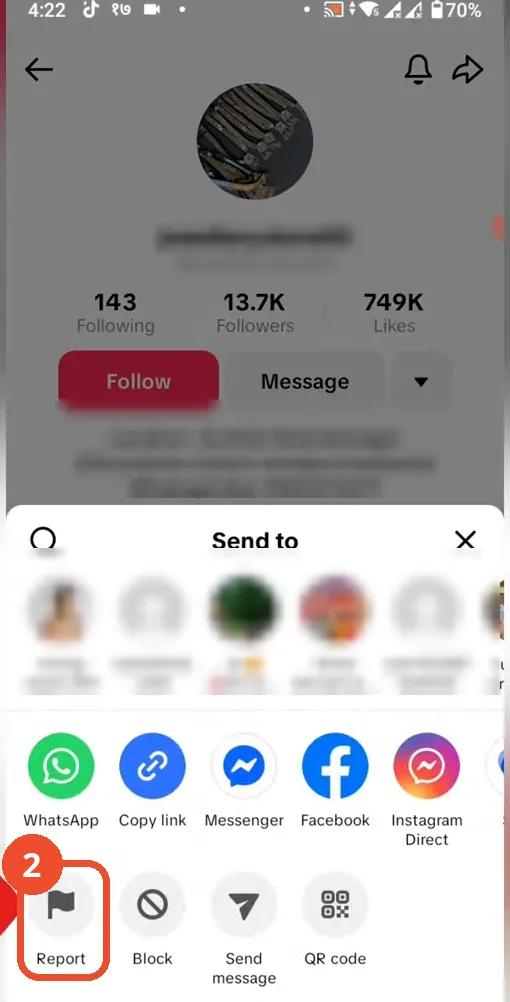
Tap Report
In the share sheet, tap Report at the bottom left. (The top row of the sheet shares the profile to people — it is blurred here on purpose; you do not need it.)
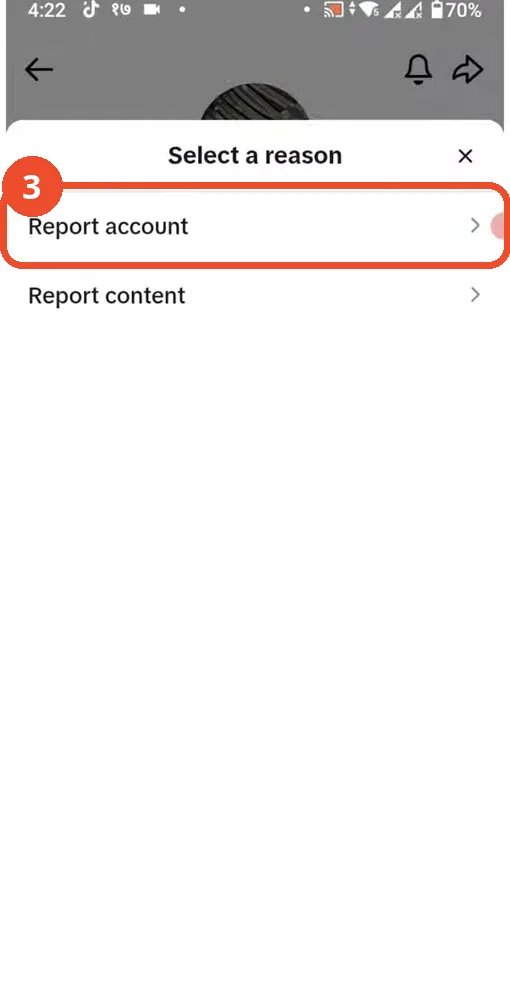
Tap Report account
Tap Report account. The other option, Report content, is for a single post.
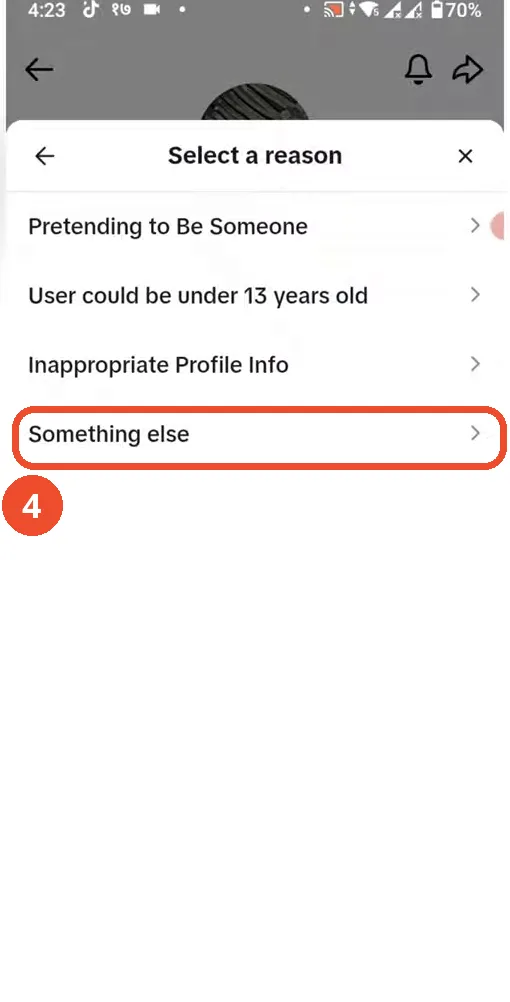
Tap Something else to see every reason
The first list shows the common reasons. If none of them fits, tap Something else at the bottom to open the full list.
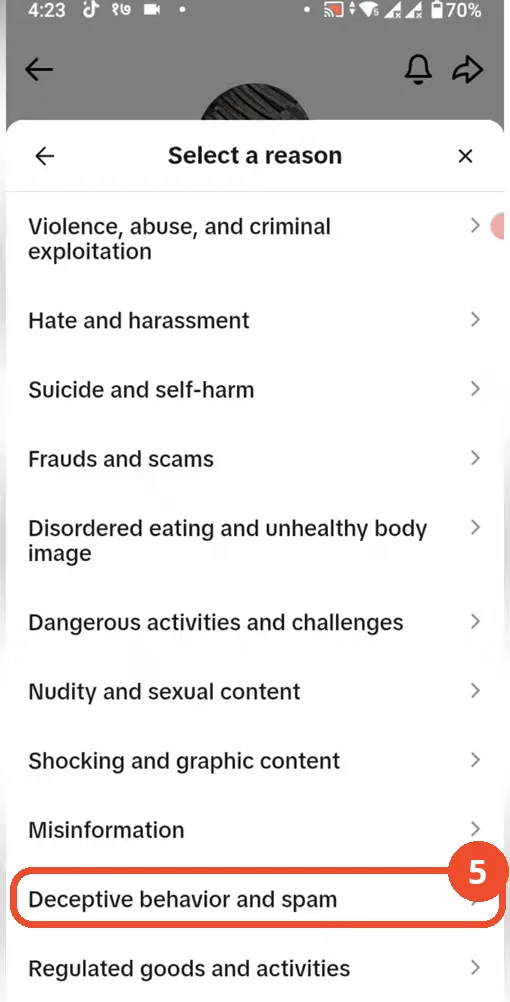
Pick the reason that fits and submit
The full list adds the specific categories — frauds and scams, misinformation, dangerous activities and more. In the recording the path continues with Deceptive behavior and spam. Tap the reason that fits, add any details TikTok asks for, and submit; TikTok reviews the account against its community guidelines.
Good to know
- You will not get a blow-by-blow verdict, but TikTok does notify you when a report leads to action — check Settings and privacy → Activity center and your inbox.
- Reporting is not blocking: if you simply do not want to see the account again, Block sits right next to Report in the same share sheet.
More on TikTok
- How to Fix the ‘Tapping Too Fast’ Error on TikTok
- How to Hide TikTok Posts from Certain Followers
- How to Fix TikTok Messages Not Sending
- How to Watch TikTok Without Installing the App
- How to Fix TikTok Notifications Not Working
- How to Fix the TikTok ‘Unrecognized Device’ Error
- How to See Comments You Liked on TikTok