How to Remove TikTok Watermark from Saved Videos
To save a TikTok video without the watermark, copy its link, paste it into SnapTik in your browser, and download the clean copy it generates. SnapTik is a third-party downloader, not a TikTok setting; for your own posts, TikTok’s own Save settings are the alternative.
- SystemAndroid
- AppTikTok
- Last verifiedNovember 4, 2026
Every screenshot below is taken from the actual recording on this device — no stock images.
Steps
Open TikTok and pick a video
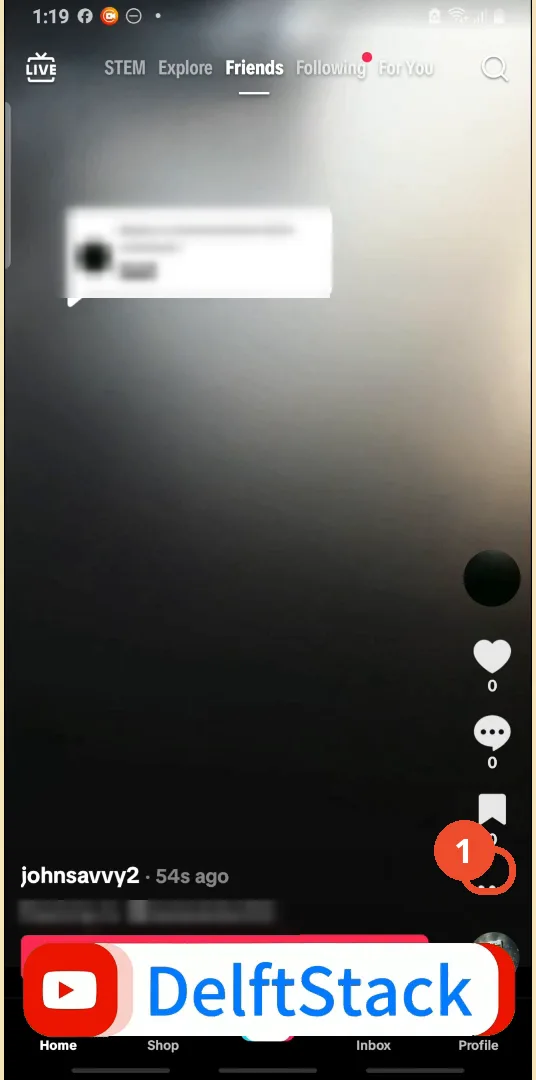
Open TikTok, open the video you want to save, then tap the … (three dots) on the right rail.
Share the video and tap Copy link
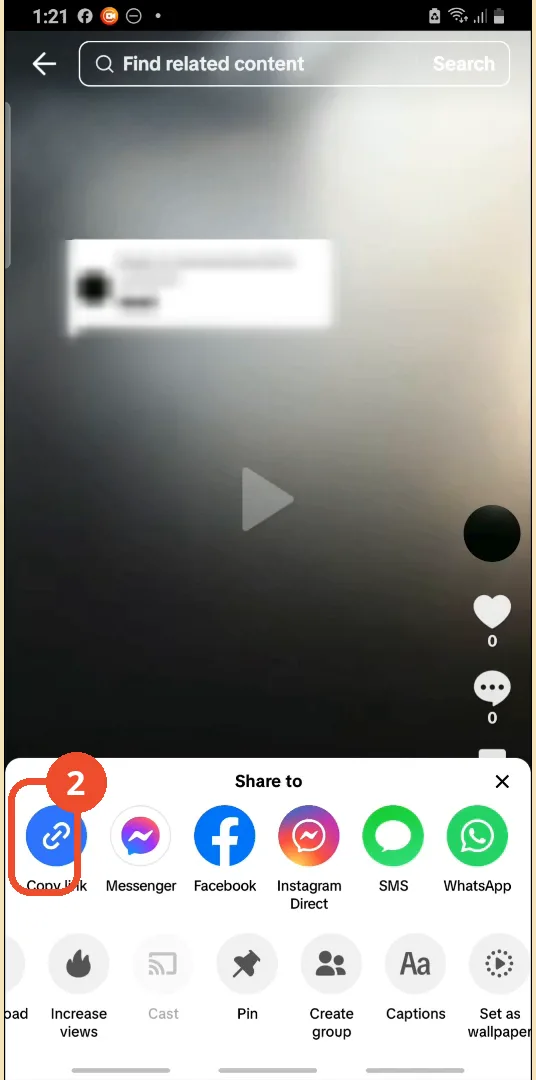
Tap the share icon to open the Share sheet, then tap Copy link.
Open SnapTik in your browser
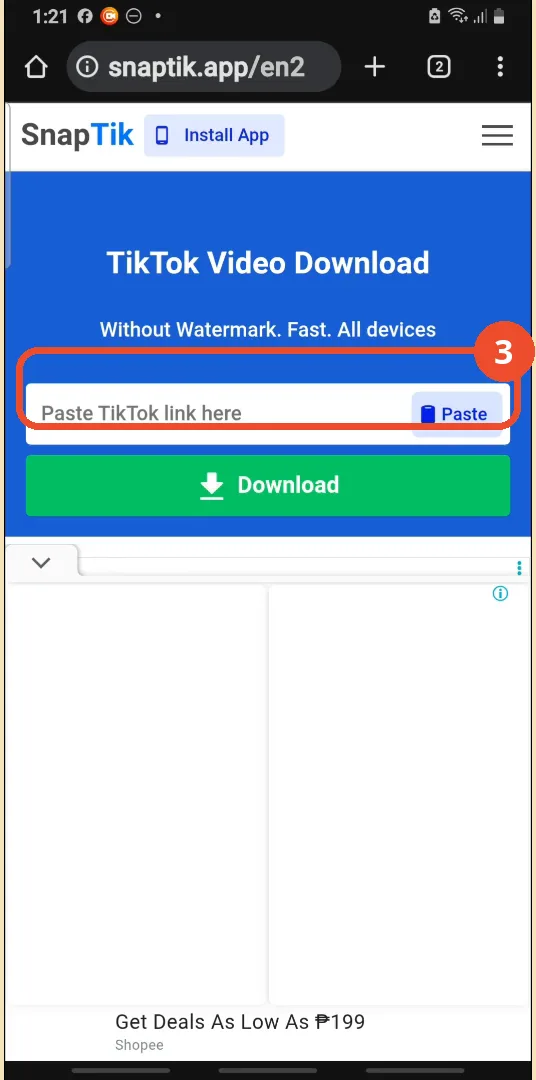
Open a browser on the same phone and go to snaptik.app. The page on camera is SnapTik; the subtitles mis-transcribe its name.
Paste the link and tap Download
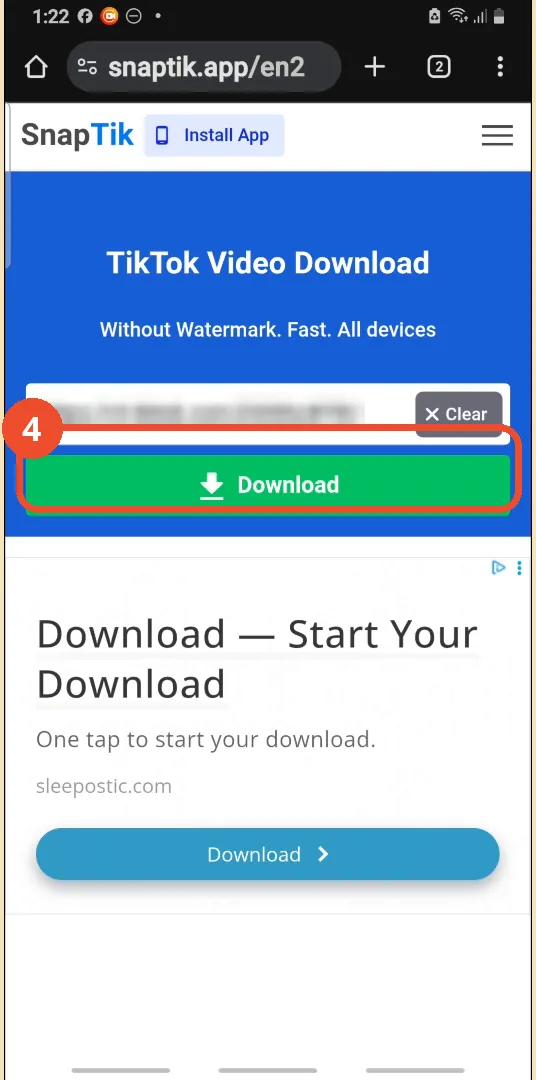
Tap the box, paste the copied TikTok link, then tap Download.
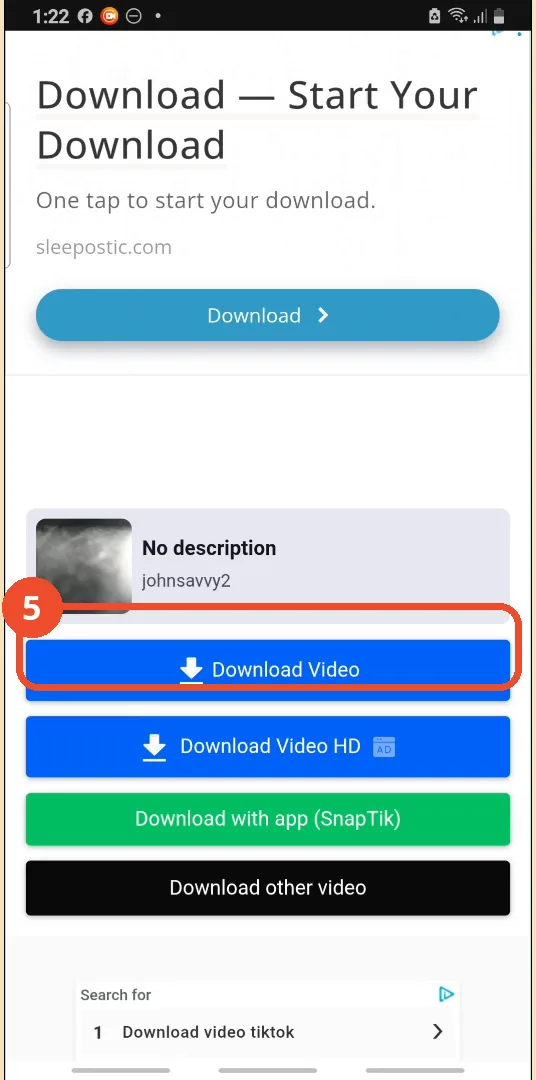
Choose Download Video
When the preview loads, tap Download Video for the standard copy.
Open the downloaded video
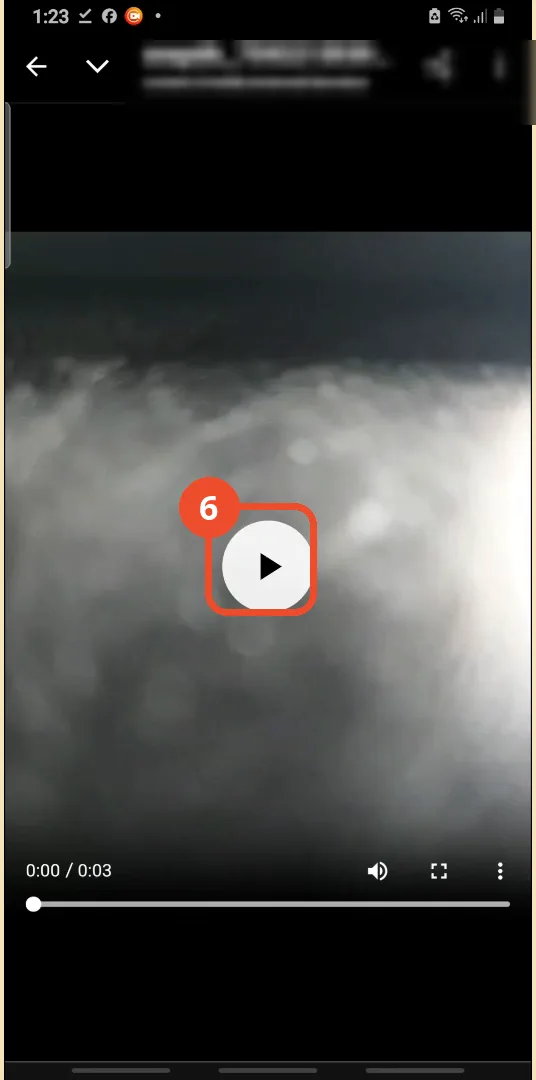
Open the downloaded file and play it: it plays with no TikTok watermark on it.
Good to know
- An ad interstitial can pop up after tapping Download Video (seen at 1:30 in the recording): close it and tap Download Video again.
- SnapTik is a third-party site, not part of TikTok. For videos you posted yourself, TikTok’s own Save to device setting with the watermark toggle off gives a clean copy with no third-party site.
- The downloaded file lands in Downloads named snaptik_ followed by digits.
- The demo clip is the operator’s own test video.
More on TikTok
- How to Fix the ‘Tapping Too Fast’ Error on TikTok
- How to Hide TikTok Posts from Certain Followers
- How to Watch TikTok Without Installing the App
- How to Fix TikTok Notifications Not Working
- How to Fix the TikTok ‘Unrecognized Device’ Error
- How to See Comments You Liked on TikTok
- How to Report a TikTok Account
- How to Fix TikTok Video Quality Compression
- How to Remove Multiple Followers on TikTok
- How to Turn Off TikTok Comments on Live
- How to Fix TikTok Search Not Showing Videos (No Results Error)
- Fix TikTok Couldn’t Play Video Error
- Fix TikTok Messages Not Sending
- How to Know If Someone Deleted Your Comment on TikTok
- Fix TikTok Privacy Settings Restricted
- Fix TikTok Likes Not Registering
- How to Block Someone on TikTok Without Viewing Their Profile
- How to View TikTok Profiles Privately Without Notifications
- How to Fix the TikTok Login Expired Error
- How to Buy Coins on TikTok
- How to Hide Your Following List on TikTok Without Going Private
- How to Save TikTok Videos Without Watermark
- Fix TikTok Live Unavailable Error
- How to Fix TikTok Analytics Not Showing
- How to Link Instagram to TikTok
- How to Delete or Remove Your TikTok Profile Photo
- How to Recover a Banned TikTok Account
- How to Fix a TikTok Video Uploaded But Not Showing