How to Remove Multiple Followers on TikTok
TikTok has no button to remove many followers at once — you remove them one by one from your follower list. Each removal is silent: the person is not notified. The profile in the screenshots is the demonstrator’s own account; other followers’ names and avatars are blurred.
✅ Tested on
- SystemAndroid
- AppTikTok
- Also works oniPhone (TikTok looks the same on iOS)
- Last verifiedOctober 29, 2026
Every screenshot below is taken from the actual recording on this device — no stock images.
Steps
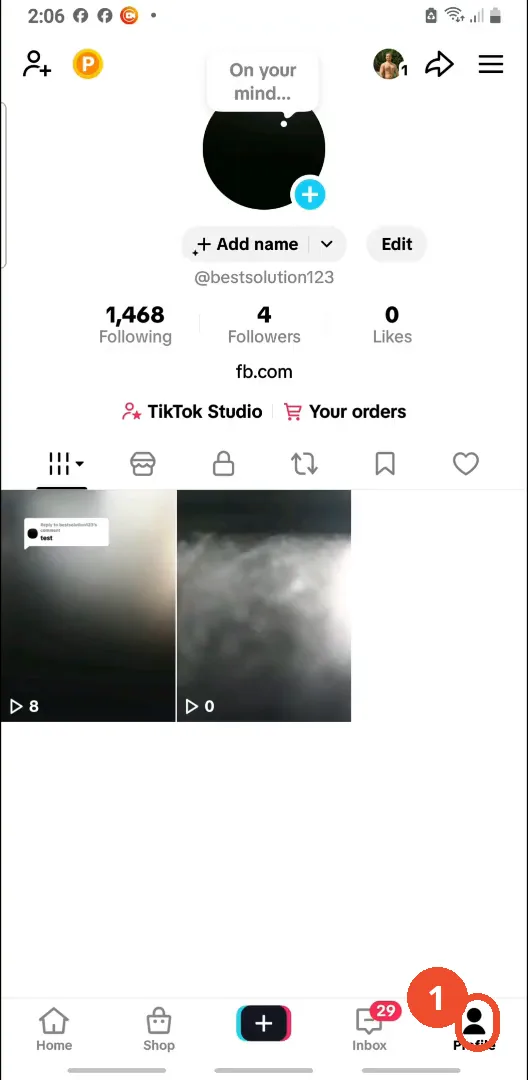
Open your profile
Open TikTok and tap Profile at the bottom right. Your profile page opens.
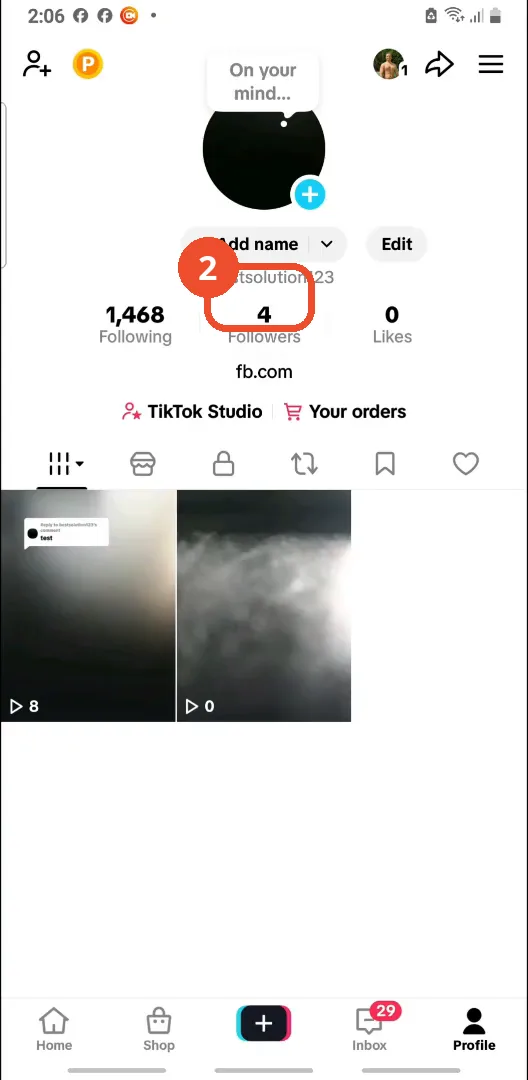
Tap Followers
On your profile, tap Followers (here, 4) to open your follower list.
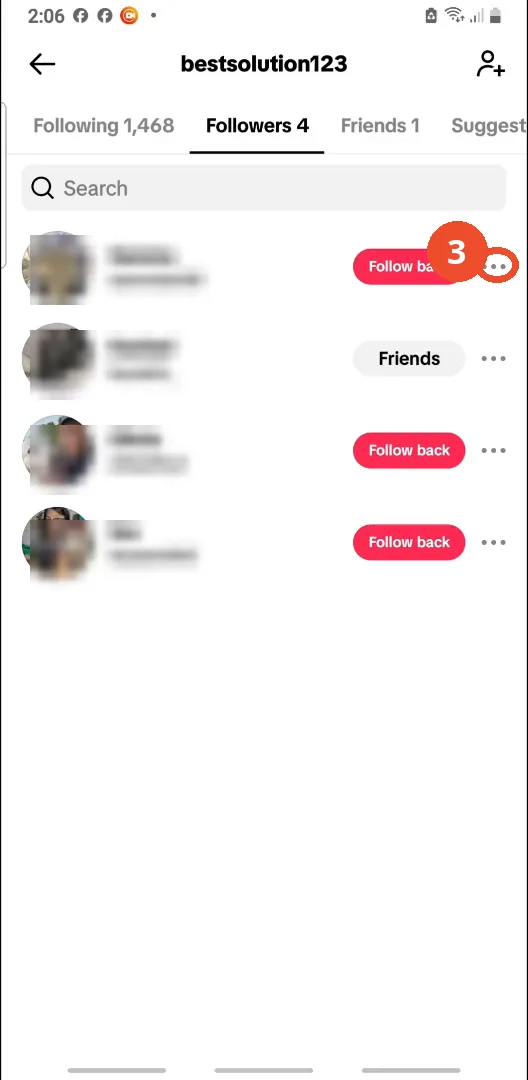
Tap the three dots next to a follower
Find the follower you want to remove and tap the three dots at the right of their row.
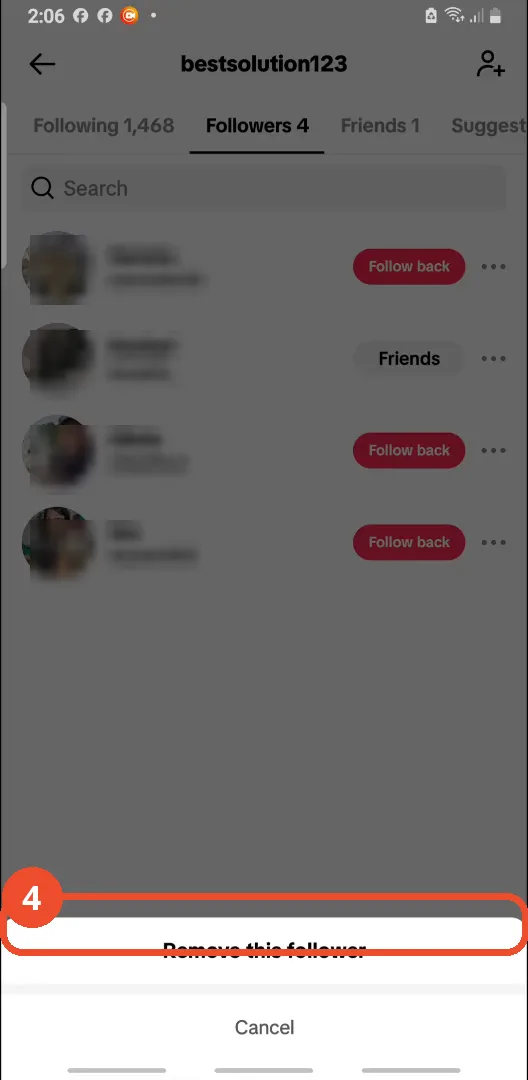
Tap Remove this follower
A sheet opens at the bottom. Tap Remove this follower.
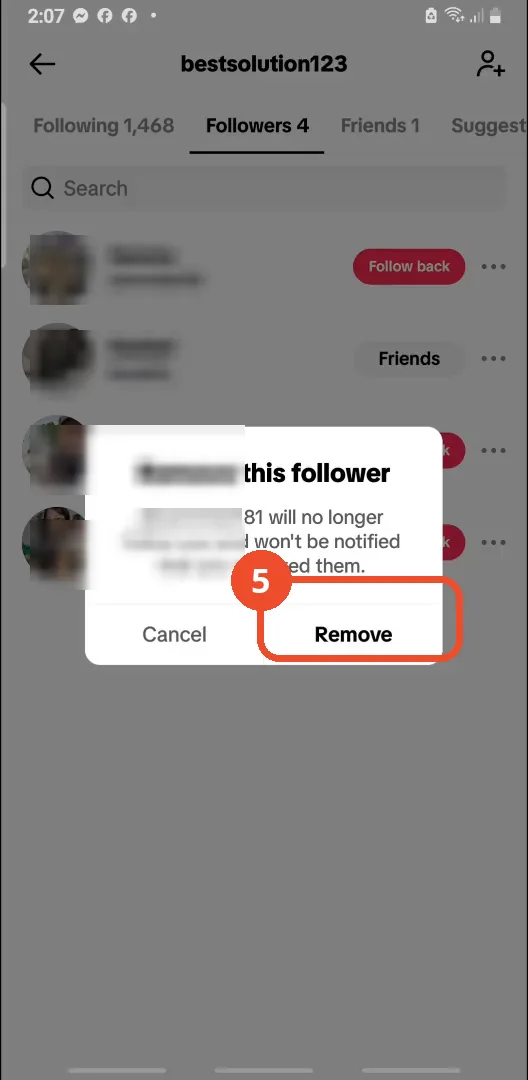
Confirm with Remove
TikTok warns the person will no longer follow you and will not be notified. Tap Remove to confirm.
Good to know
- There is no mass-remove in the app; any third-party app promising bulk removal risks your account — the video warns such apps can steal your information.
- Removing followers quickly in large numbers (the video cites 200 a day) can trip TikTok’s anti-spam measures, so space removals out.
- Removed followers can still find your public videos; blocking is the stronger step if you want them gone entirely.
More on TikTok
- How to Fix the ‘Tapping Too Fast’ Error on TikTok
- How to Hide TikTok Posts from Certain Followers
- How to Fix TikTok Messages Not Sending
- How to Watch TikTok Without Installing the App
- How to Fix TikTok Notifications Not Working
- How to Fix the TikTok ‘Unrecognized Device’ Error
- How to See Comments You Liked on TikTok
- How to Report a TikTok Account
- How to Fix TikTok Video Quality Compression