How to Recover a Banned TikTok Account
If TikTok bans your account, the in-app route to ask for it back runs through Settings and privacy, Help Center, Account recovery, and Recover your account. The recording walks that route; it does not show a banned account actually being restored.
- SystemAndroid
- AppTikTok
- Last verifiedNovember 4, 2026
Every screenshot below is taken from the actual recording on this device — no stock images.
Steps
Open TikTok
Open the TikTok app. If your account is banned, TikTok shows a ban message at login instead of the feed.

Go to your profile
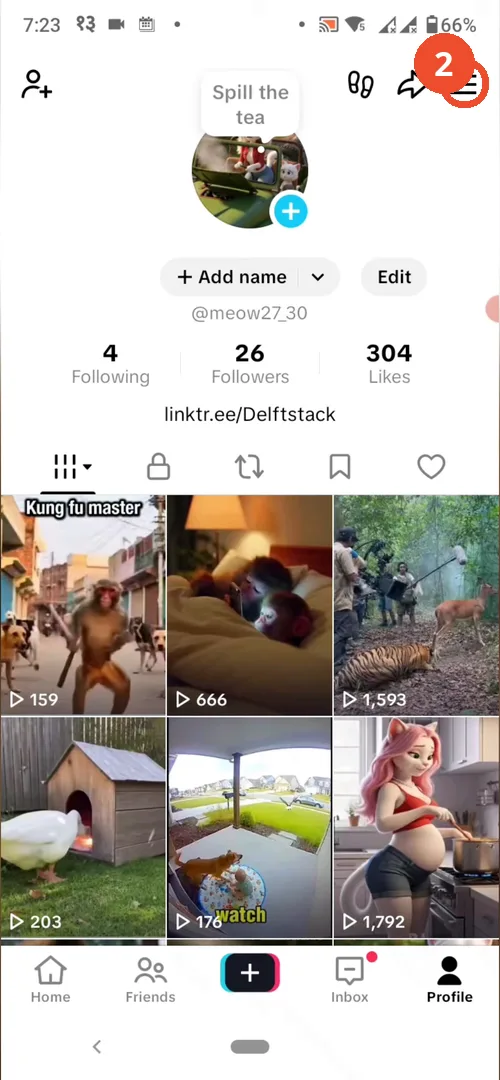
Tap Profile at the bottom right. The demo account here (@meow27_30) is logged in normally, which is why no ban notice appears.
Open Settings and privacy
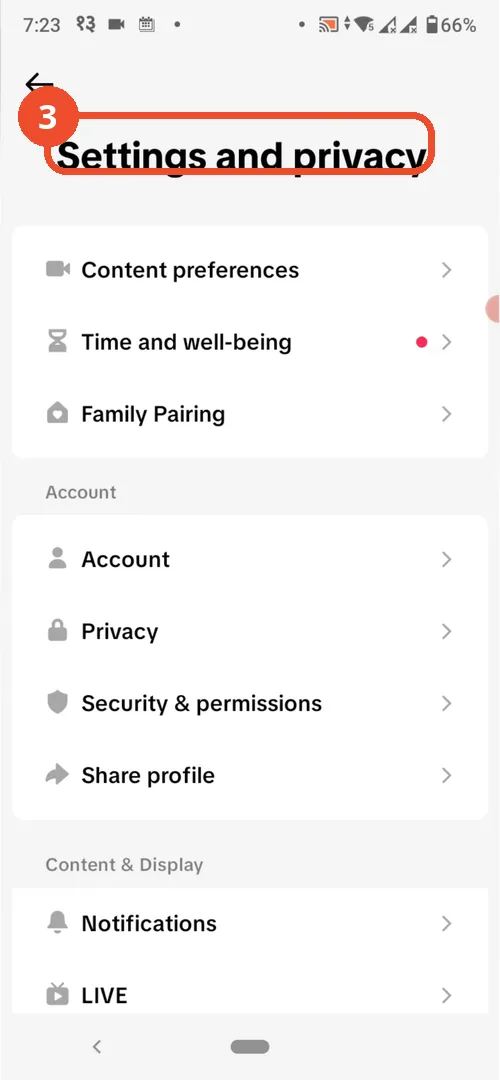
Tap the menu at the top right, then tap Settings and privacy.
Tap Help Center
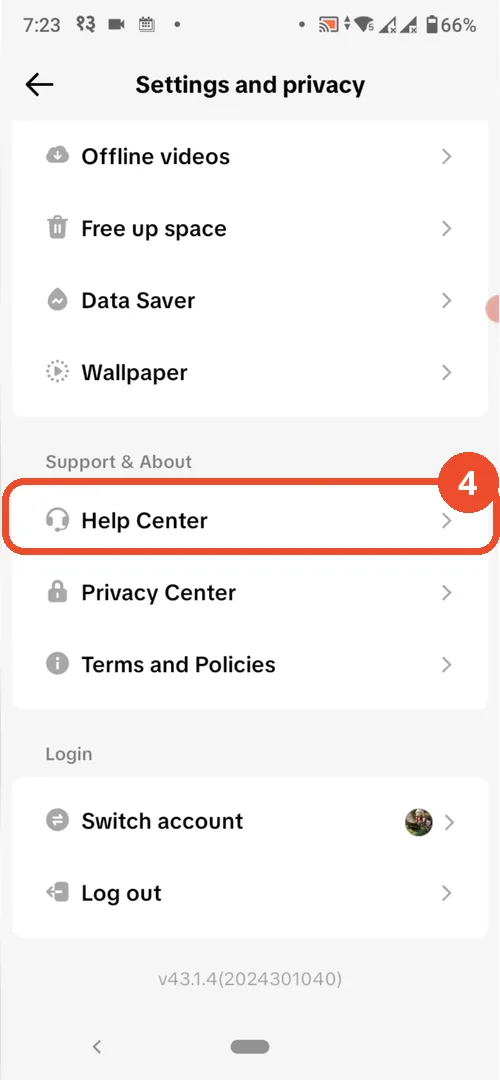
Scroll down to Support & About and tap Help Center.
Open Account recovery
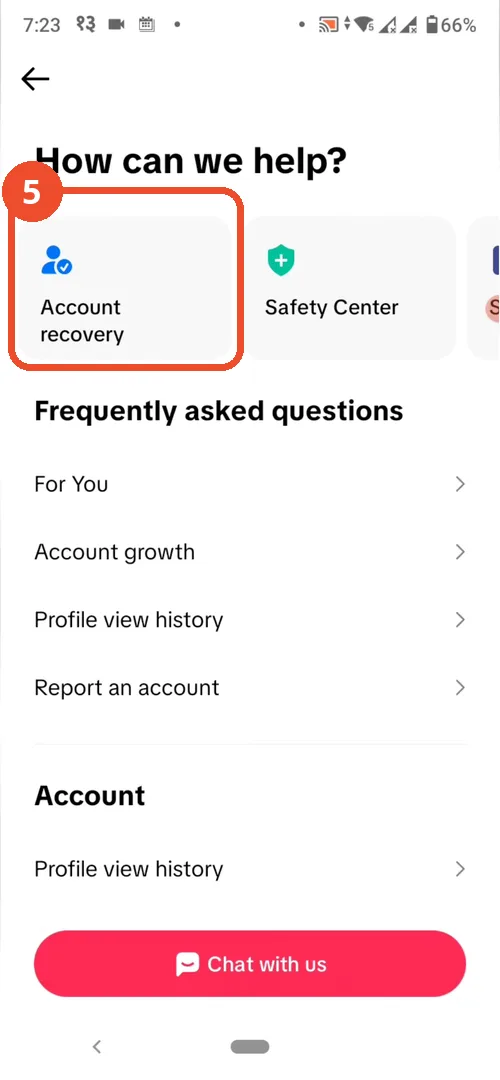
On the Help Center page, tap the Account recovery card.
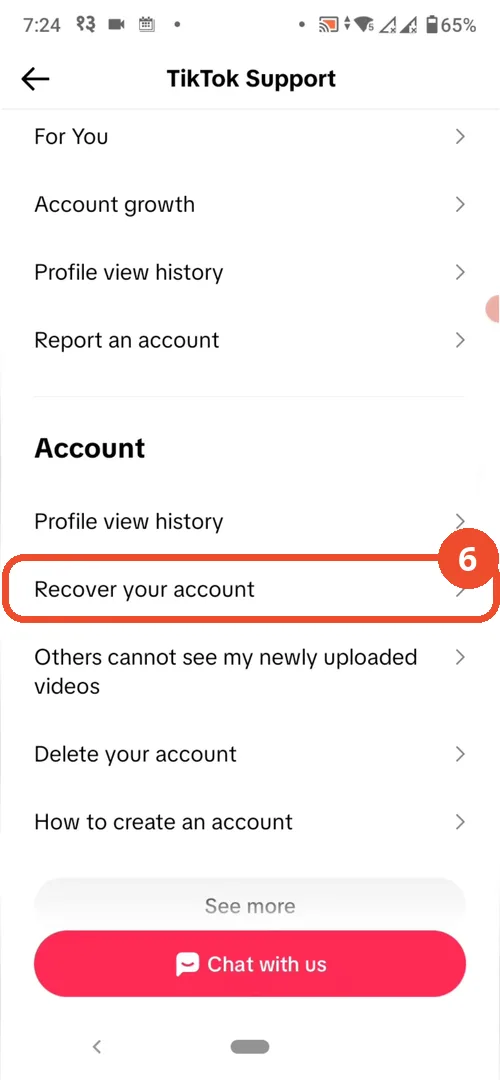
Tap Recover your account
Under Account, tap Recover your account and follow the on-screen request form.
Good to know
- The ban notice and its direct Appeal button are narration-only: this recording never shows a banned account, a ban message, or an appeal being submitted.
- No restored account appears on camera, so the outcome is not demonstrated. Be polite, give accurate account details, and expect TikTok’s review to take time.
- Review times vary and there is no guaranteed outcome; if the ban stands, the same request form is the channel to use.
More on TikTok
- How to Fix the ‘Tapping Too Fast’ Error on TikTok
- How to Hide TikTok Posts from Certain Followers
- How to Watch TikTok Without Installing the App
- How to Fix TikTok Notifications Not Working
- How to Fix the TikTok ‘Unrecognized Device’ Error
- How to See Comments You Liked on TikTok
- How to Report a TikTok Account
- How to Fix TikTok Video Quality Compression
- How to Remove Multiple Followers on TikTok
- How to Turn Off TikTok Comments on Live
- How to Fix TikTok Search Not Showing Videos (No Results Error)
- Fix TikTok Couldn’t Play Video Error
- Fix TikTok Messages Not Sending
- How to Know If Someone Deleted Your Comment on TikTok
- Fix TikTok Privacy Settings Restricted
- Fix TikTok Likes Not Registering
- How to Block Someone on TikTok Without Viewing Their Profile
- How to View TikTok Profiles Privately Without Notifications
- How to Fix the TikTok Login Expired Error
- How to Buy Coins on TikTok
- How to Hide Your Following List on TikTok Without Going Private
- How to Save TikTok Videos Without Watermark
- Fix TikTok Live Unavailable Error
- How to Fix TikTok Analytics Not Showing
- How to Link Instagram to TikTok
- How to Delete or Remove Your TikTok Profile Photo
- How to Remove TikTok Watermark from Saved Videos
- How to Fix a TikTok Video Uploaded But Not Showing