How to Link Instagram to TikTok
If TikTok offers a Links or Instagram row in Edit profile, tapping it lets you log in to Instagram and link it directly. If that row is missing in your region, the fallback is to paste your Instagram profile URL into your bio instead.
- SystemAndroid
- AppTikTok
- Last verifiedNovember 3, 2026
Every screenshot below is taken from the actual recording on this device — no stock images.
Steps
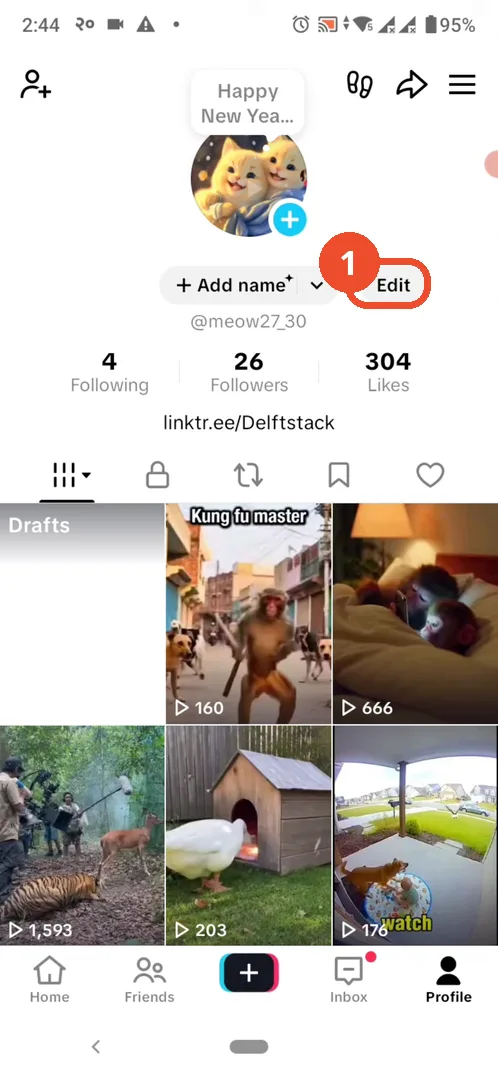
Open TikTok and go to your profile
Open TikTok, tap Profile, then tap Edit profile under your name.
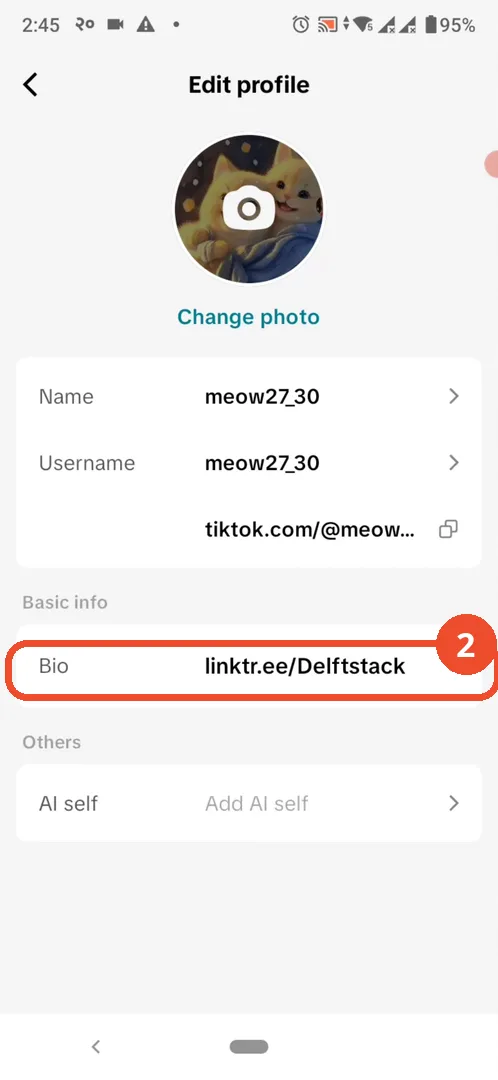
Look for the Links or Instagram row
In Edit profile, look for a Links or Instagram row. On this account there is none: the page only shows Name, Username, the TikTok link, Bio, and AI self, so the link option is not available in this region.
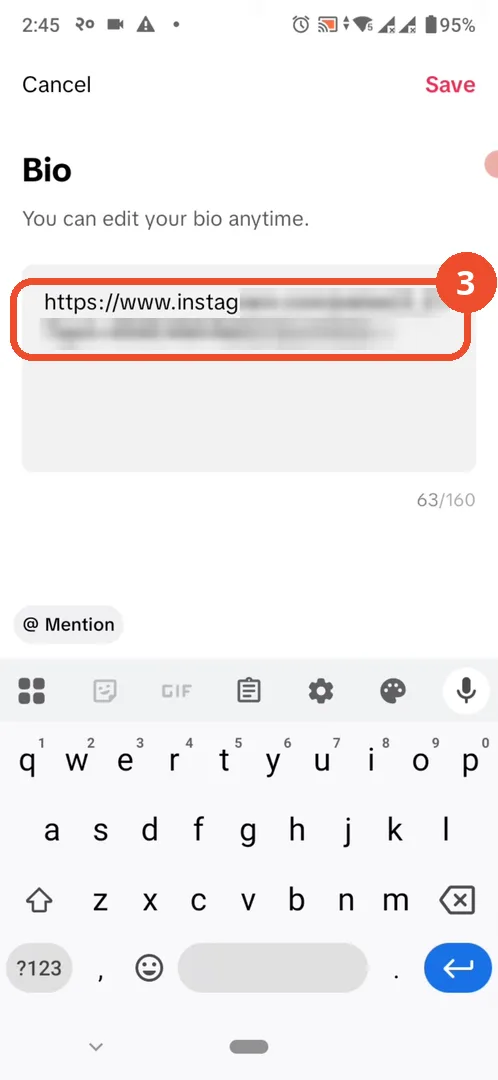
Paste your Instagram URL into your bio
Tap Bio, paste your Instagram profile URL, then tap Save at the top right.
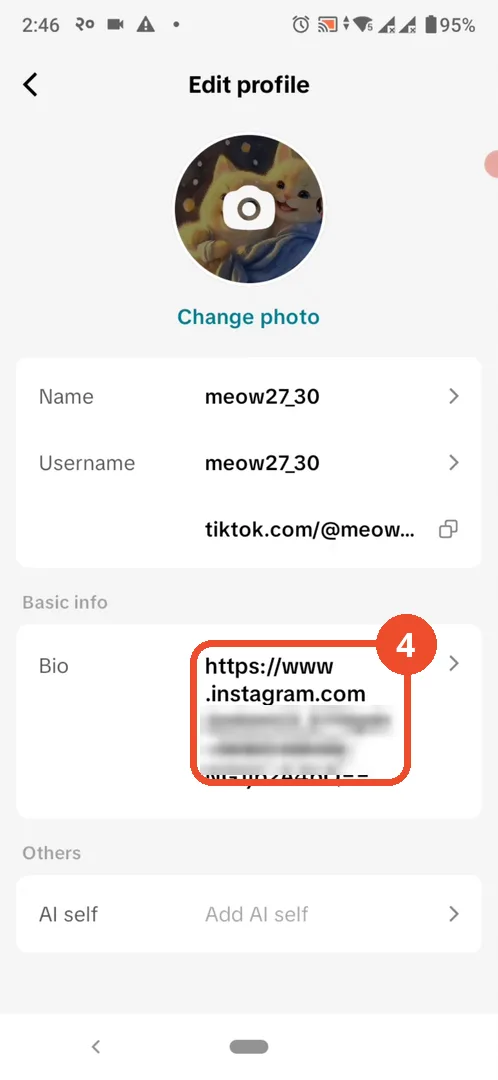
Check the bio saved
Back on Edit profile, Bio now shows the Instagram URL you pasted.
Check your profile
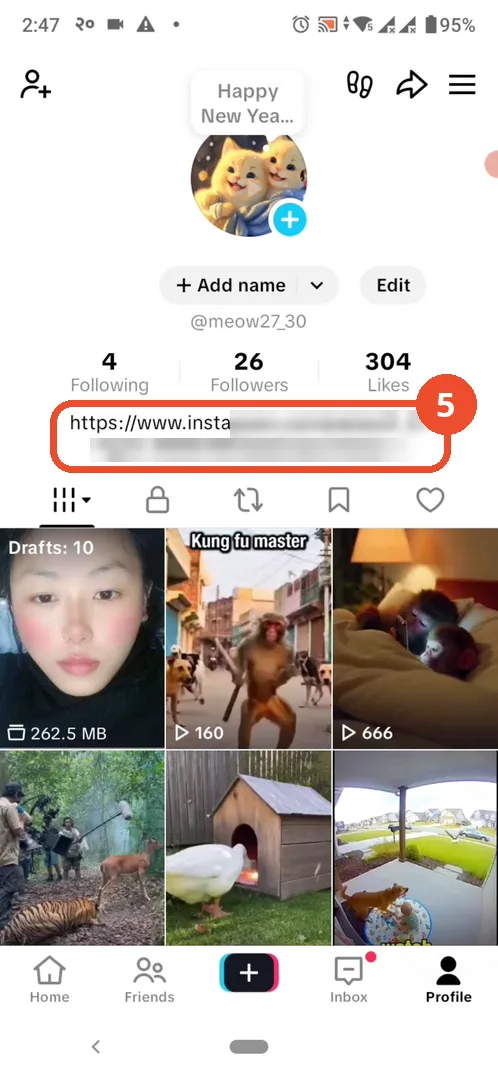
On your profile, the Instagram URL now appears in the bio. Note that a pasted URL is plain text, not a tappable link: viewers have to copy it to open your Instagram page.
Good to know
- If the Links or Instagram row exists in your region, use it instead: TikTok then prompts you to log in to Instagram, and viewers get a tappable Instagram icon on your profile.
- A URL pasted into the bio is plain text, not clickable — the video itself points this out.
- The Instagram handle in the pasted URL is blurred in these screenshots because it could not be confirmed as the demonstrator’s own account.
More on TikTok
- How to Fix the ‘Tapping Too Fast’ Error on TikTok
- How to Hide TikTok Posts from Certain Followers
- How to Watch TikTok Without Installing the App
- How to Fix TikTok Notifications Not Working
- How to Fix the TikTok ‘Unrecognized Device’ Error
- How to See Comments You Liked on TikTok
- How to Report a TikTok Account
- How to Fix TikTok Video Quality Compression
- How to Remove Multiple Followers on TikTok
- How to Turn Off TikTok Comments on Live
- How to Fix TikTok Search Not Showing Videos (No Results Error)
- Fix TikTok Couldn’t Play Video Error
- Fix TikTok Messages Not Sending
- How to Know If Someone Deleted Your Comment on TikTok
- Fix TikTok Privacy Settings Restricted
- Fix TikTok Likes Not Registering
- How to Block Someone on TikTok Without Viewing Their Profile
- How to View TikTok Profiles Privately Without Notifications
- How to Fix the TikTok Login Expired Error
- How to Buy Coins on TikTok
- How to Hide Your Following List on TikTok Without Going Private
- How to Save TikTok Videos Without Watermark
- Fix TikTok Live Unavailable Error
- How to Fix TikTok Analytics Not Showing