How to Know If Someone Deleted Your Comment on TikTok
A comment deleted by another user just disappears — TikTok sends no popup for it. The only removal notices come when TikTok itself takes a comment down for breaking community guidelines. Check your Inbox first, then your comment history to confirm.
- SystemAndroid
- AppTikTok
- Also works oniPhone (TikTok settings look the same on iOS).
- Last verifiedOctober 31, 2026
Every screenshot below is taken from the actual recording on this device — no stock images.
Steps
Check your Inbox for a removal notice
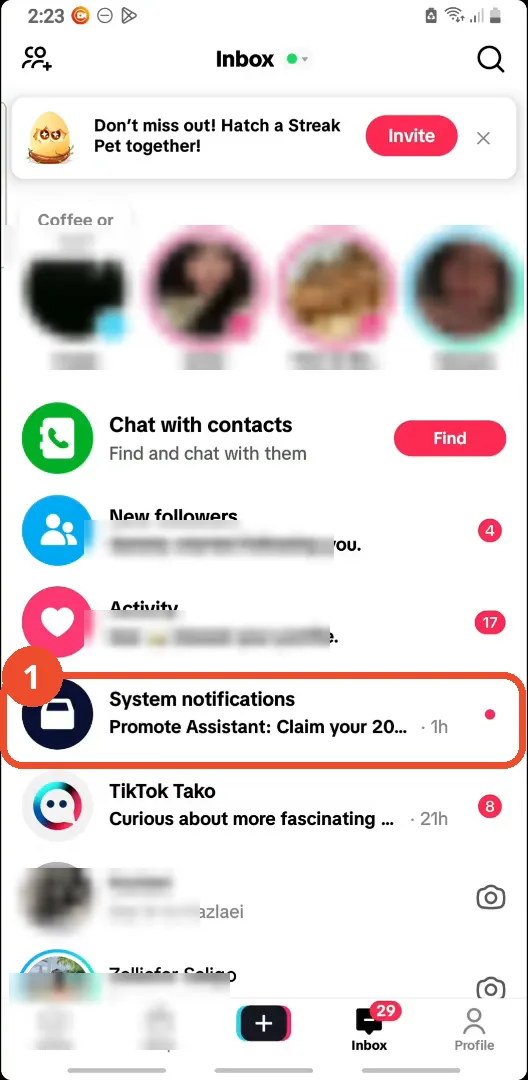
Open TikTok and tap Inbox at the bottom. Look for a removal notice under System notifications: if TikTok removed your comment for breaking community guidelines, the notice shows up here.
Open your profile
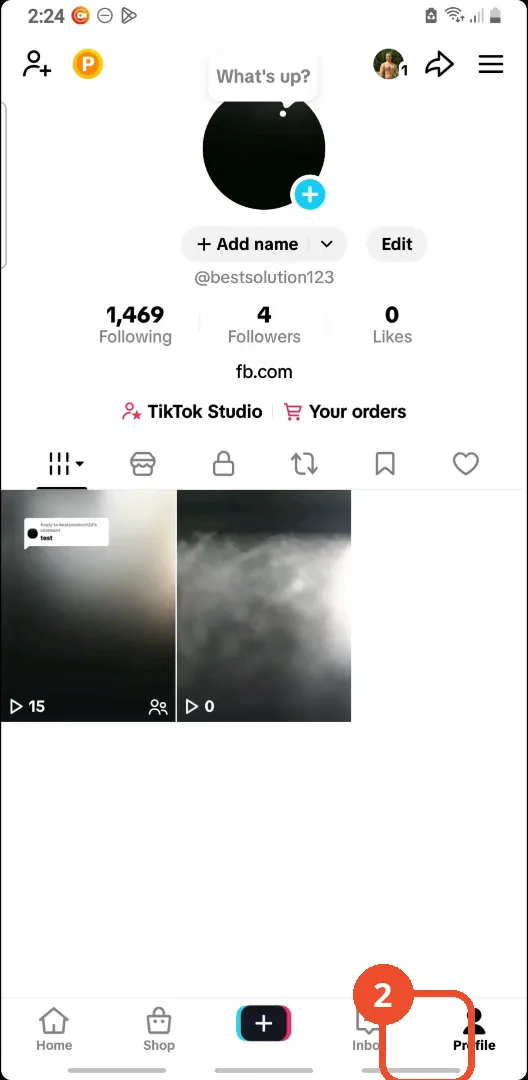
If there is no removal notice, tap Profile at the bottom right to open your own profile page.
Open Settings and privacy
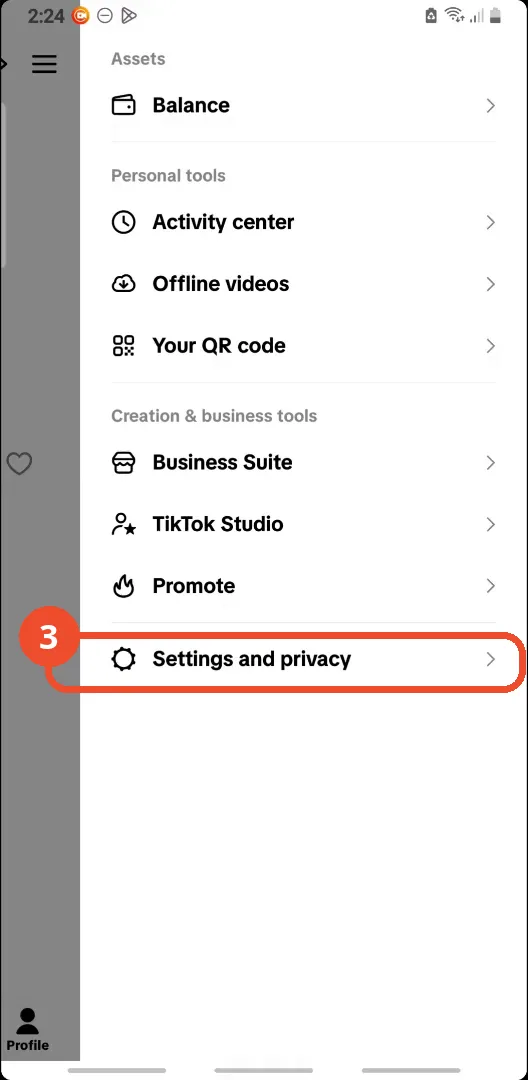
Tap the menu (three lines) at the top right of your profile, then tap Settings and privacy at the bottom of the menu.
Open Activity center
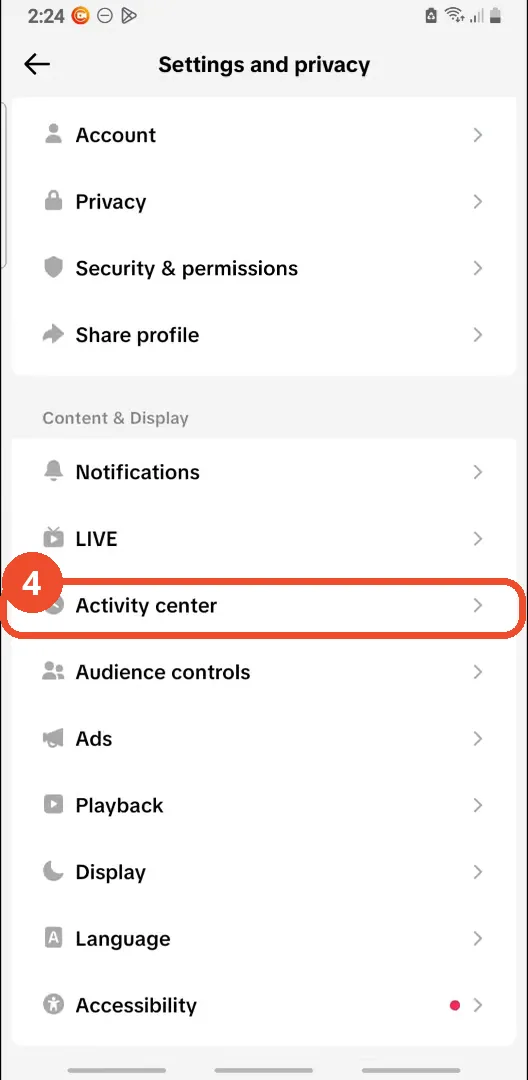
In Settings and privacy, scroll to the Content & Display section and tap Activity center.
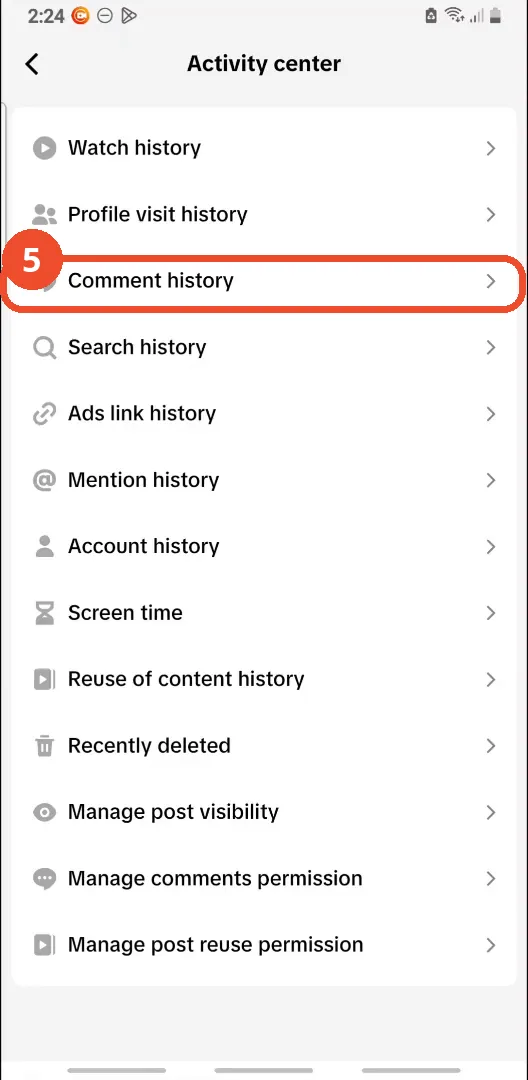
Open Comment history
In Activity center, tap Comment history to see all your past comments and the videos they were posted on.
Check whether your comment is still listed
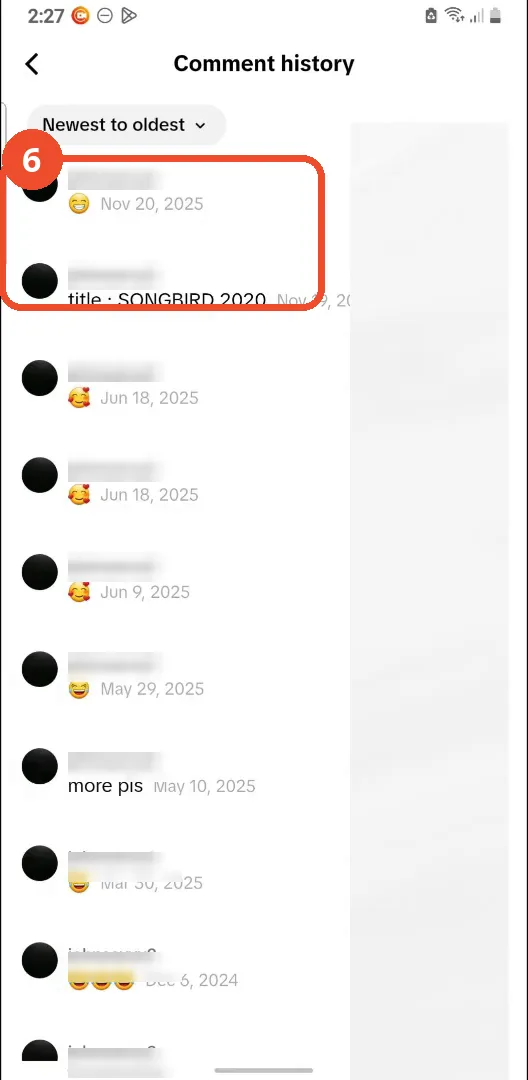
Scroll through your comment history: if the comment is gone from here, it was most likely deleted. As a final check, go back to the original video — if your comment is gone there too, it is deleted.
Good to know
- TikTok sends no popup when another user deletes your comment — it simply disappears.
- Only comments TikTok itself removes for breaking community guidelines produce a notice, shown in your Inbox under System notifications.
- If your comment is missing from both your comment history and the original video, it was deleted.
- Comment history lists your past comments newest first; use the sort control to change the order.
More on TikTok
- How to Fix the ‘Tapping Too Fast’ Error on TikTok
- How to Hide TikTok Posts from Certain Followers
- How to Watch TikTok Without Installing the App
- How to Fix TikTok Notifications Not Working
- How to Fix the TikTok ‘Unrecognized Device’ Error
- How to See Comments You Liked on TikTok
- How to Report a TikTok Account
- How to Fix TikTok Video Quality Compression
- How to Remove Multiple Followers on TikTok
- How to Turn Off TikTok Comments on Live
- How to Fix TikTok Search Not Showing Videos (No Results Error)
- Fix TikTok Couldn’t Play Video Error
- Fix TikTok Messages Not Sending
- Fix TikTok Live Unavailable Error