How to Hide Your Following List on TikTok Without Going Private
TikTok offers no way to fully hide your followers on a public account — but the Following list privacy setting gets you most of the way there: set it to Only you and other users see only mutual friends instead of everyone you follow. No private account needed.
✅ Tested on
- SystemAndroid
- AppTikTok
- Also works oniPhone (TikTok menus look the same on iOS).
- Last verifiedNovember 2, 2026
Every screenshot below is taken from the actual recording on this device — no stock images.
Steps
Open TikTok and go to your profile
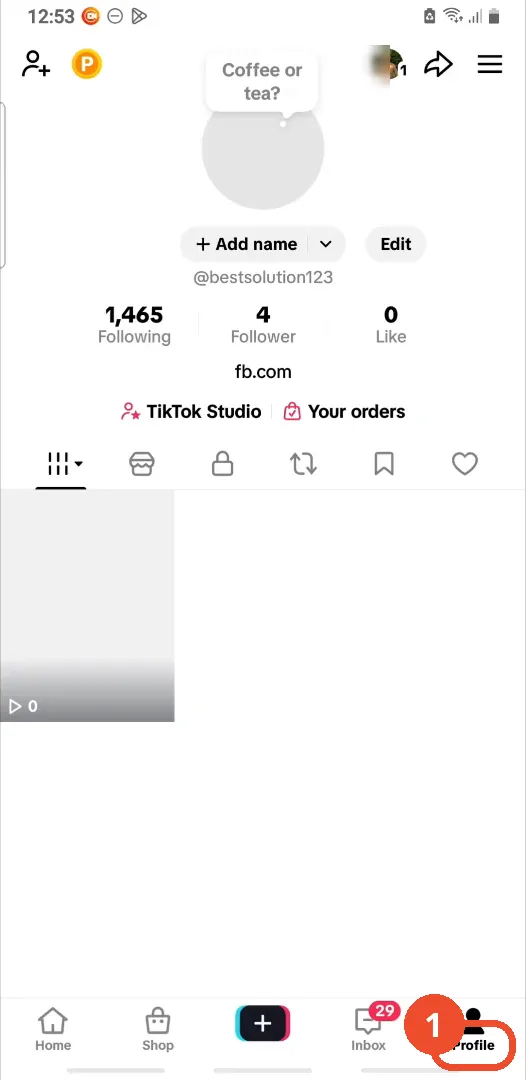
Open TikTok and tap Profile in the bottom navigation.
Tap the three-line menu
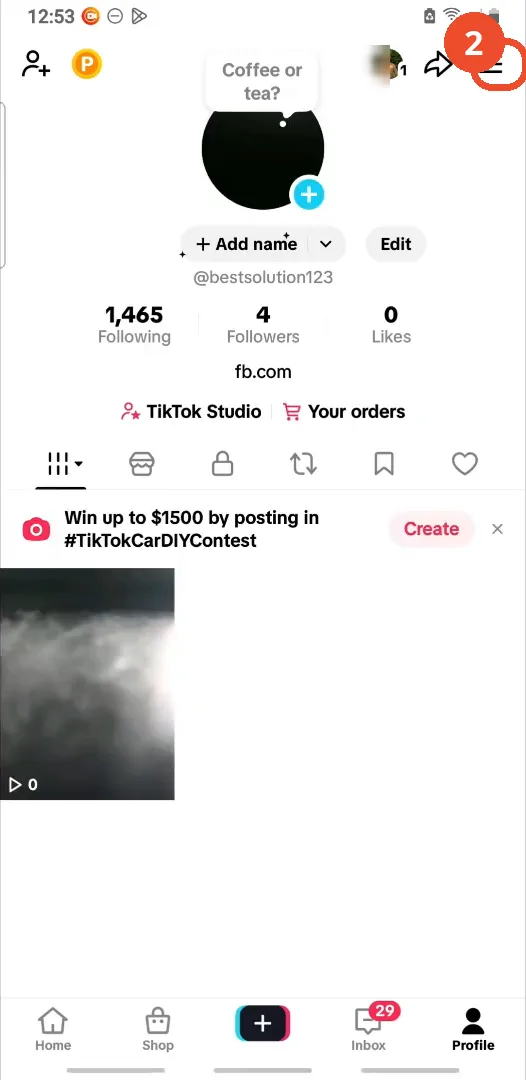
On your profile, tap the three-line menu in the top right.
Open Settings and privacy
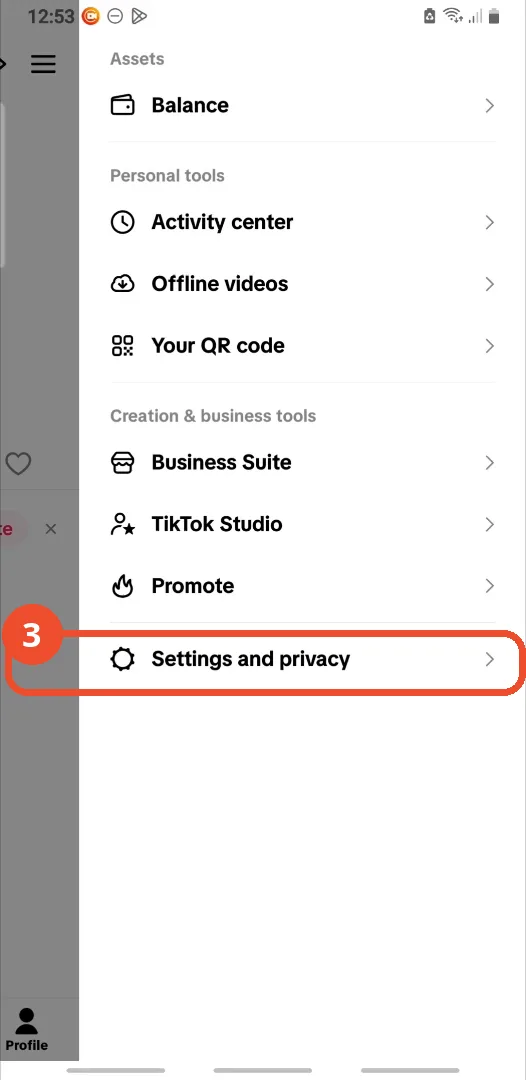
In the menu, tap Settings and privacy at the bottom.
Tap Privacy
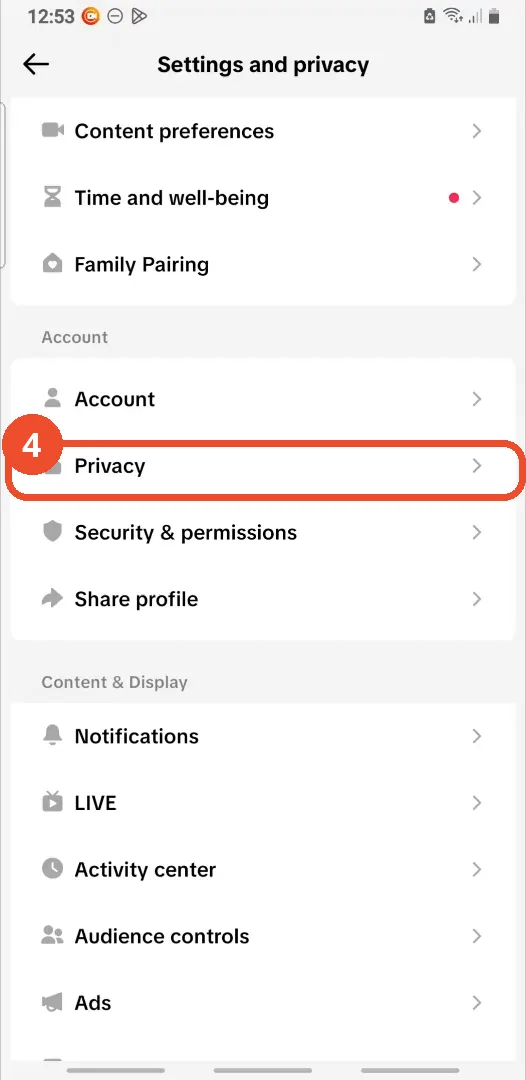
In Settings and privacy, tap Privacy under Account.
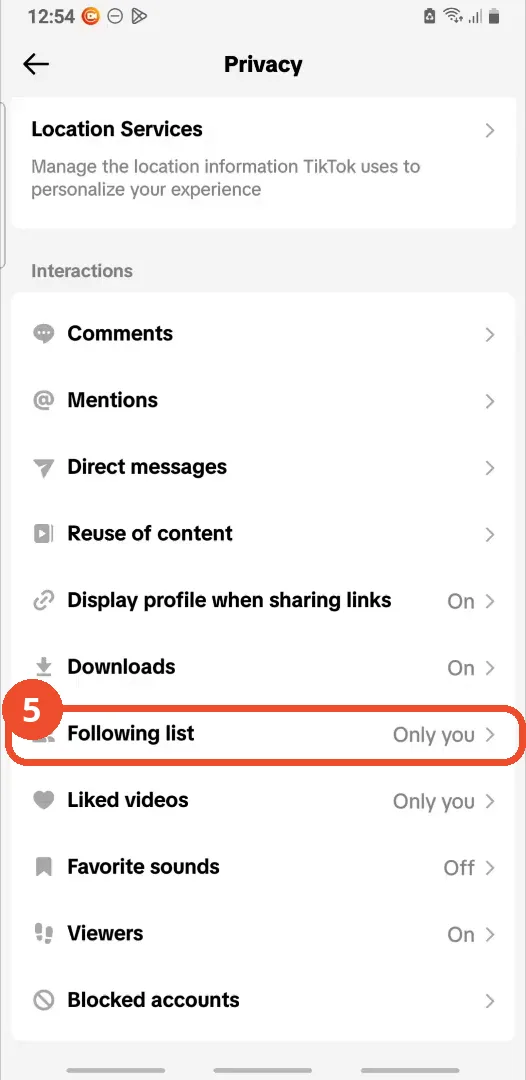
Tap Following list
Scroll down to Interactions and tap Following list.
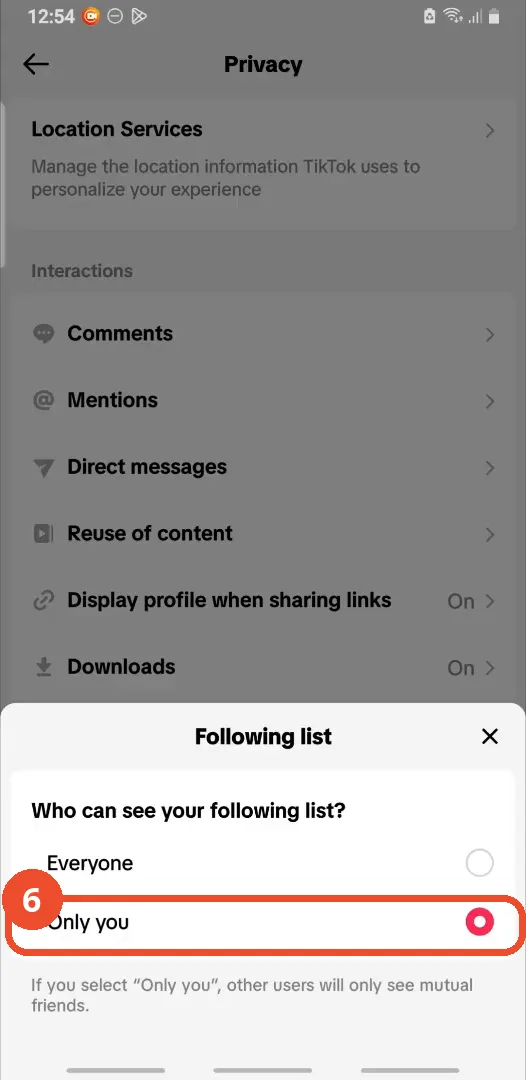
Select Only you
In the Following list sheet, select Only you. Other users will then only see mutual friends, not your full following list.
Good to know
- You cannot fully hide your followers on a public TikTok account; this setting hides your following list, not your follower count.
- With Following list set to Only you, other users only see mutual friends, not your full following list.
- You do not need a private account for this.
- The demo account’s Privacy page already showed Following list set to Only you before the sheet was opened, so the video demonstrates confirming the selection rather than a visible switch from Everyone.
More on TikTok
- How to Fix the ‘Tapping Too Fast’ Error on TikTok
- How to Hide TikTok Posts from Certain Followers
- How to Watch TikTok Without Installing the App
- How to Fix TikTok Notifications Not Working
- How to Fix the TikTok ‘Unrecognized Device’ Error
- How to See Comments You Liked on TikTok
- How to Report a TikTok Account
- How to Fix TikTok Video Quality Compression
- How to Remove Multiple Followers on TikTok
- How to Turn Off TikTok Comments on Live
- How to Fix TikTok Search Not Showing Videos (No Results Error)
- Fix TikTok Couldn’t Play Video Error
- Fix TikTok Messages Not Sending
- How to Know If Someone Deleted Your Comment on TikTok
- Fix TikTok Privacy Settings Restricted
- Fix TikTok Likes Not Registering
- How to Block Someone on TikTok Without Viewing Their Profile
- How to View TikTok Profiles Privately Without Notifications
- How to Fix the TikTok Login Expired Error
- Fix TikTok Live Unavailable Error
- How to Buy Coins on TikTok