How to Fix the TikTok 'Unrecognized Device' Error
The Unrecognized device error appears at login when TikTok cannot match your phone to the devices your account normally uses — typically on a new phone, after a reset, or on an unfamiliar network. The recording works through three fixes in the order to try them. One warning up front: do not keep hammering the login button. Repeated attempts can extend the block, so try each step once.
- SystemAndroid
- AppTikTok
- Also works oniPhone (the same sign-in options)
- Last verifiedOctober 28, 2026
Every screenshot below is taken from the actual recording on this device — no stock images.
Steps
Connect to a Wi-Fi network you have used before
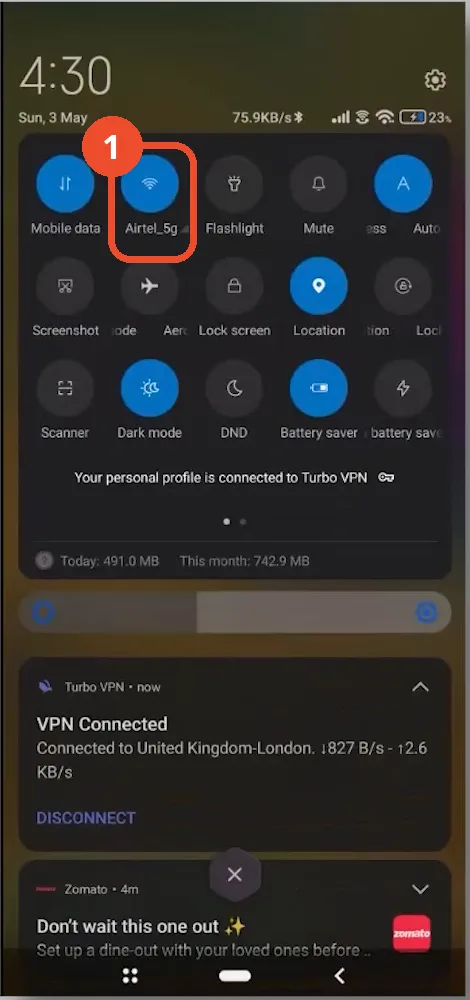
Pull down the quick settings and join the Wi-Fi network you normally use at home — in the recording that is Airtel_5g, already connected. Then force-close TikTok, reopen it and try logging in again. On a network TikTok has seen your account use before, the device check usually passes.
Sign in with a linked account instead
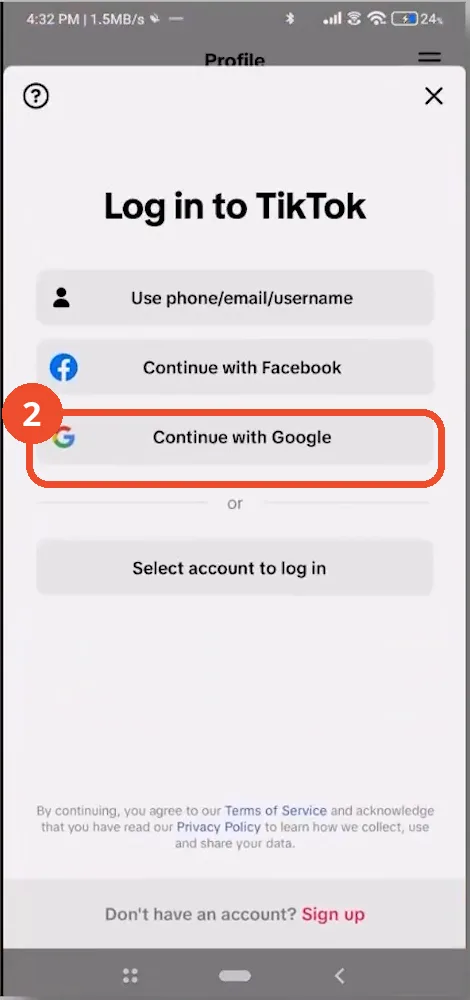
If the error persists, skip the username and password form. On the Log in to TikTok screen, tap Continue with Google (or Continue with Apple / Continue with Facebook, whichever you linked to the account). Signing in through the linked account bypasses the device check that is failing.
Clear TikTok’s cache from App info
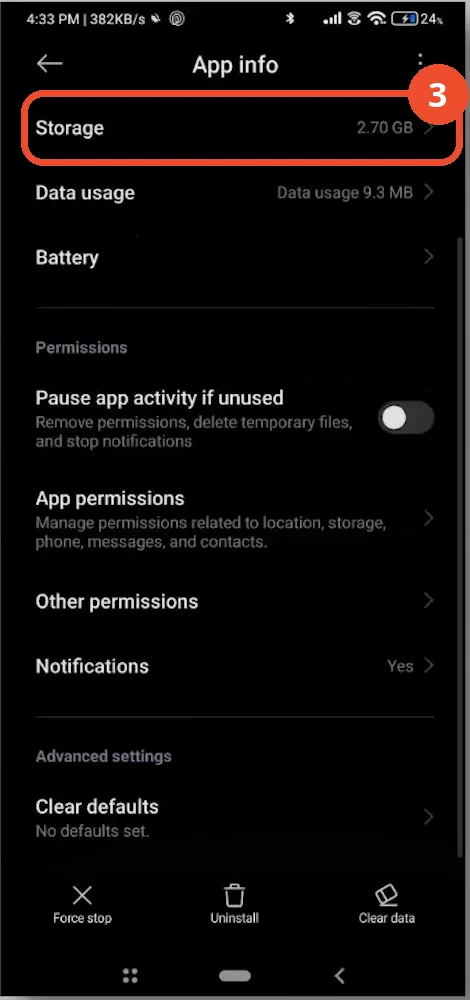
Open Settings → Apps → TikTok and tap Storage on the App info page (2.70 GB in the recording) to clear the cache — or uninstall and reinstall TikTok instead. Then open the app and log in again.
If it still does not work
- Stop retrying and wait 24–48 hours. The block lifts by itself, and each new failed attempt during the wait can restart the clock.
- After the wait, make one attempt on your home Wi-Fi, using the linked-account sign-in from step 2.
- Avoid VPNs and brand-new networks during the wait — they make the device look even less familiar to TikTok.