How to Fix the TikTok Login Expired Error
A sudden login-expired error usually means a dropped connection, corrupted session data, or a security change on your account. Work through the fixes in order — network, restart, clear data, update — and check after each one whether TikTok lets you back in.
- SystemAndroid
- AppTikTok
- Also works oniPhone for the network and update steps; the clear-data step differs on iOS (Offload App).
- Last verifiedNovember 1, 2026
Every screenshot below is taken from the actual recording on this device — no stock images.
Steps
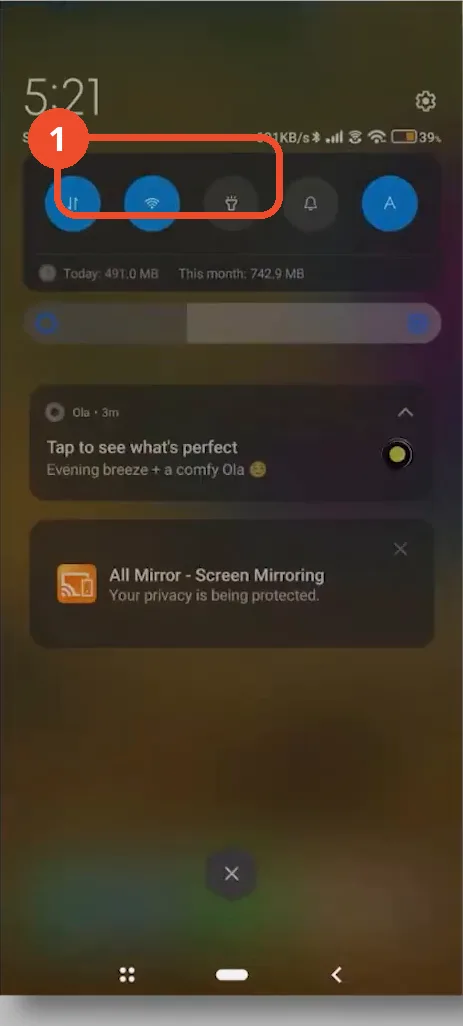
Switch networks in quick settings
Pull down quick settings and switch from Wi-Fi to mobile data, or the other way around, to get a fresh connection to TikTok’s servers.
Close TikTok fully and reopen it
Swipe TikTok away from your recent apps to close it fully, then reopen it and try logging back in.

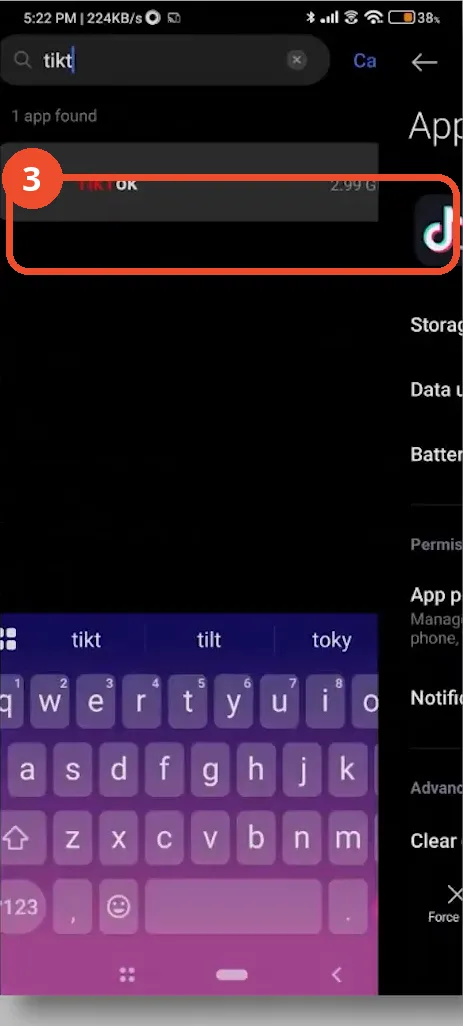
Open TikTok’s App info in Settings
If the error is still there, open your phone’s Settings, search for TikTok, and open its App info page.
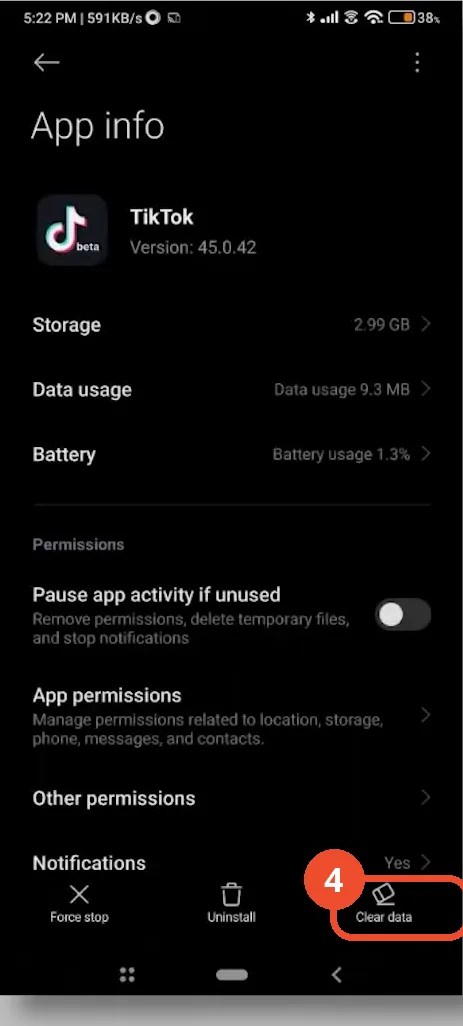
Tap Clear data
On the App info page, tap Clear data to remove the corrupted session data. On some devices the cache controls sit under the Storage row instead.
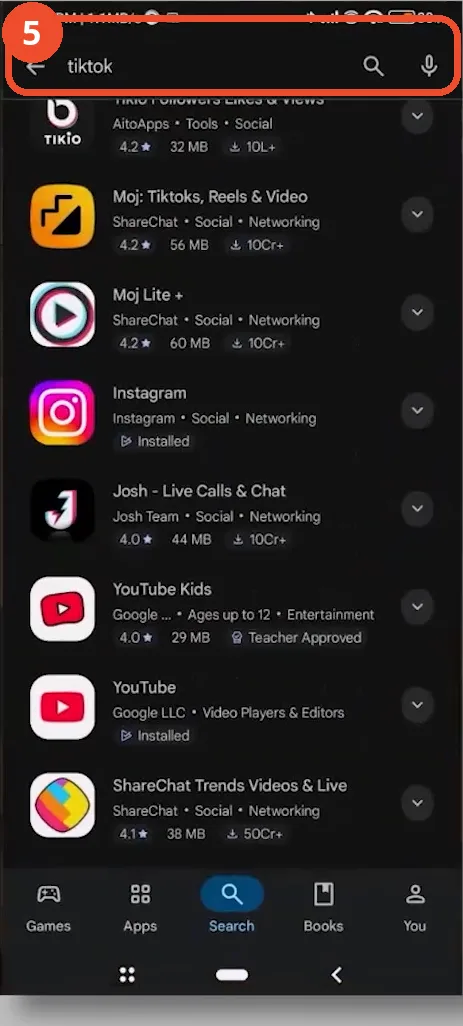
Check for TikTok updates
Open the Play Store and search for TikTok, then open TikTok’s own listing and install the update if one is offered — outdated versions frequently drop login sessions.
Check TikTok opens without the error
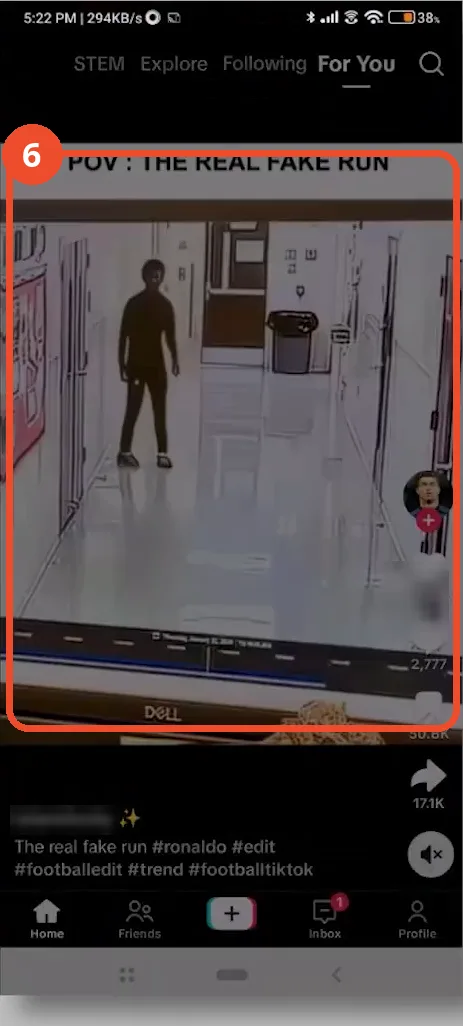
Reopen TikTok: if the feed loads normally, the session error is fixed and you are logged in again.
Good to know
- Clearing TikTok’s data logs you out, so have your login credentials ready before you tap it.
- On iPhone the equivalent of the Android clear-data step is Settings, General, iPhone Storage, TikTok, Offload App — this is narrated in the video but not shown on screen.
- If the error persists after updating, your password may have been changed on another device or your account compromised: use Forgot password on the login screen to reset it. That screen is narrated but not shown in the video.
- The video never shows the login-expired error message itself; it jumps straight to the fixes.
More on TikTok
- How to Fix the ‘Tapping Too Fast’ Error on TikTok
- How to Hide TikTok Posts from Certain Followers
- How to Watch TikTok Without Installing the App
- How to Fix TikTok Notifications Not Working
- How to Fix the TikTok ‘Unrecognized Device’ Error
- How to See Comments You Liked on TikTok
- How to Report a TikTok Account
- How to Fix TikTok Video Quality Compression
- How to Remove Multiple Followers on TikTok
- How to Turn Off TikTok Comments on Live
- How to Fix TikTok Search Not Showing Videos (No Results Error)
- Fix TikTok Couldn’t Play Video Error
- Fix TikTok Messages Not Sending
- How to Know If Someone Deleted Your Comment on TikTok
- Fix TikTok Privacy Settings Restricted
- Fix TikTok Likes Not Registering
- Fix TikTok Live Unavailable Error
- How to Block Someone on TikTok Without Viewing Their Profile
- How to View TikTok Profiles Privately Without Notifications