How to Fix the 'Tapping Too Fast' Error on TikTok
You are liking videos at a normal pace and TikTok suddenly pops up “You’re tapping too fast. Take a break!” — and your likes stop counting. The error is TikTok’s anti-spam system misreading fast, repeated taps as bot behaviour. TikTok’s own advice is simply to wait 24 hours, but if the error keeps coming back you can appeal it directly in the app. That is what the recording does: it reports the problem on the exact topic page and asks TikTok Support to lift the limit.
- SystemAndroid
- AppTikTok 45.0.42
- Also works oniPhone (the menus are the same)
- Last verifiedOctober 28, 2026
Every screenshot below is taken from the actual recording on this device — no stock images.
Before you start
- The limit is temporary. Even without an appeal, liking usually works again after about 24 hours.
- An appeal does not guarantee an instant fix — it puts your account in front of a human instead of only waiting out the timer.
- The topic list in Report a problem is long; the tapping error is filed under Likes, not under your profile or account.
Steps
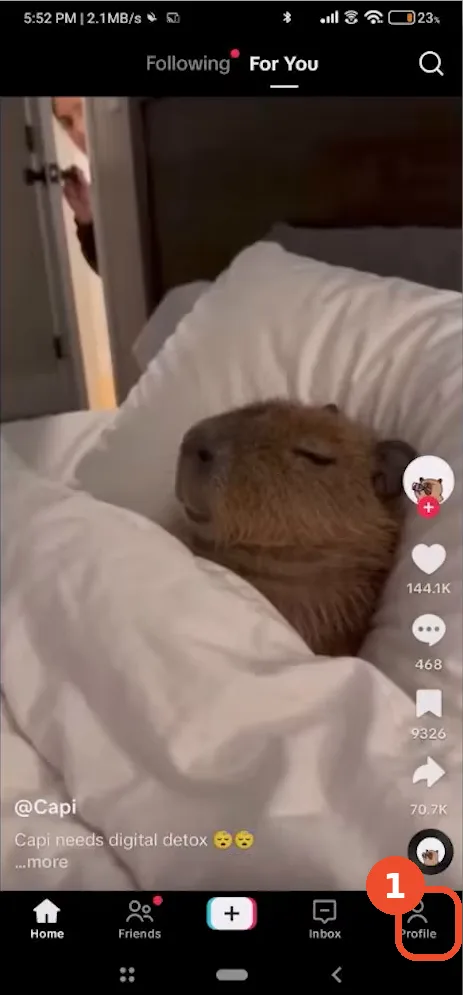
Tap Profile
On the home feed, tap Profile at the bottom right.
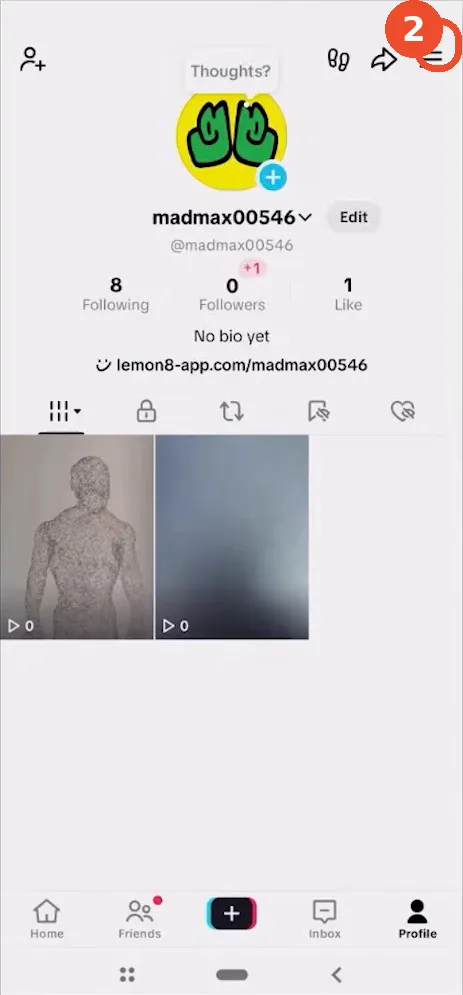
Open Settings and privacy
Tap the three-line (☰) menu at the top right of your profile, then tap Settings and privacy.
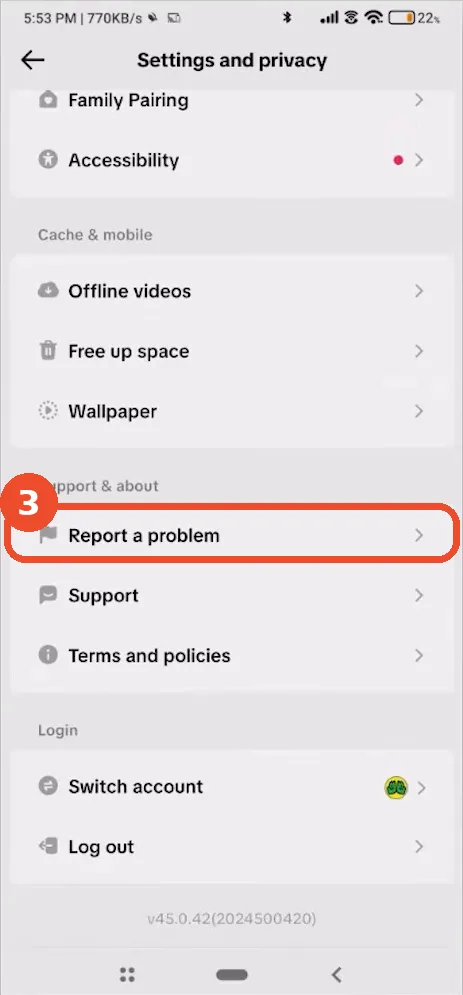
Tap Report a problem
In Settings and privacy, scroll to the Support & about section and tap Report a problem.
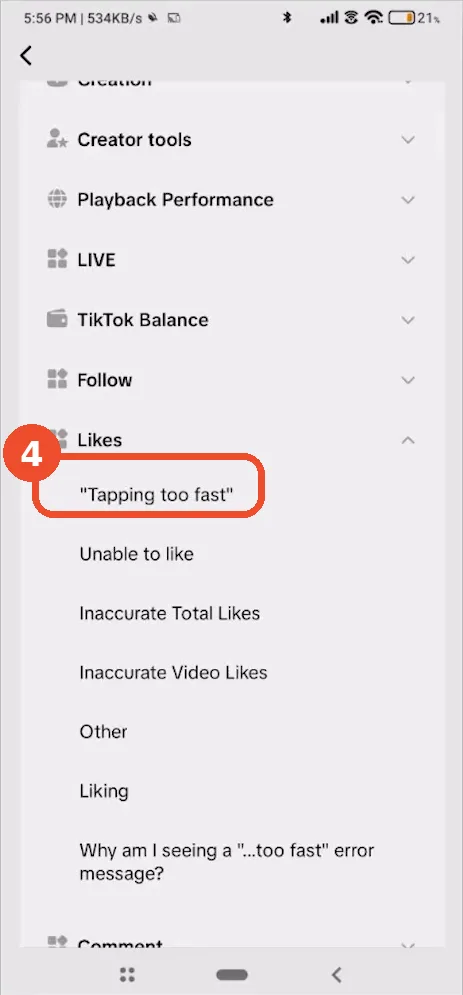
Choose ‘Tapping too fast’ under Likes
Expand the Likes section and tap “Tapping too fast” — TikTok files the error as a liking problem, under Interaction topics.
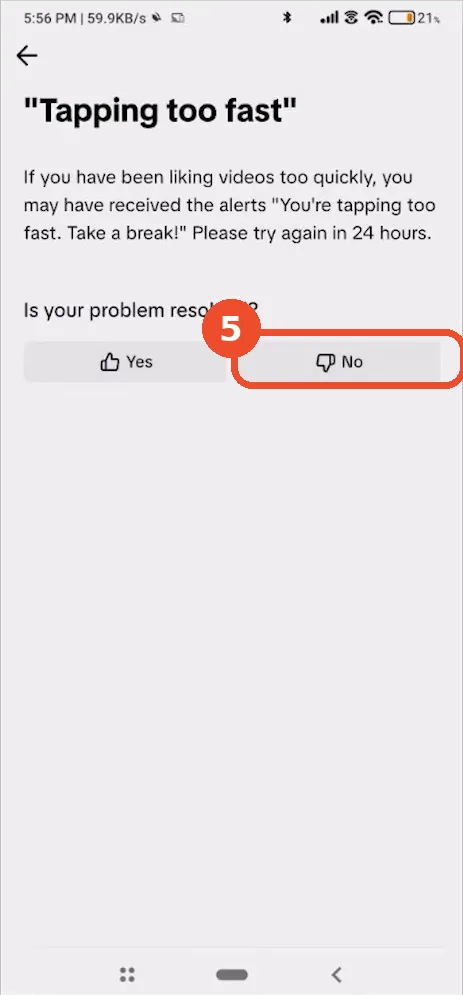
Tap No
The topic page repeats the standard advice (wait 24 hours) and asks “Is your problem resolved?” Tap No — Yes would simply close the report.
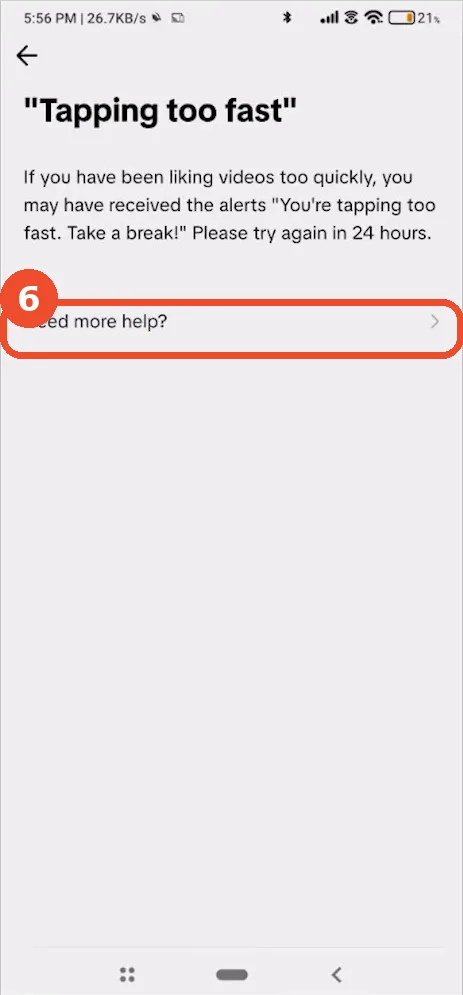
Tap Need more help?
At the bottom of the same page, tap Need more help?. This is the step that turns an FAQ page into a real support conversation.
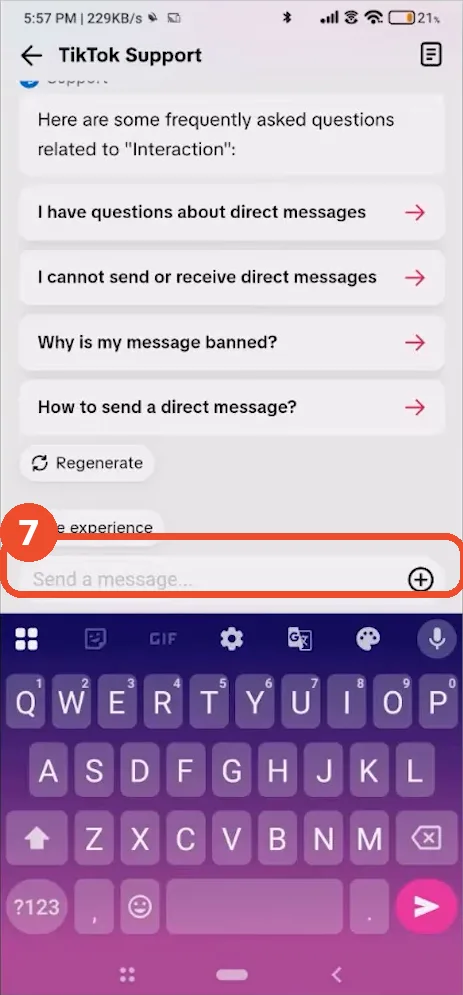
Send your appeal to TikTok Support
TikTok Support opens as a chat. Write a short message in the Send a message… field — say that the “tapping too fast” error appears while you like videos normally and ask for the limit to be reviewed — then send it. Replies land in this same chat.
If it keeps coming back
- Slow down the bursts: the trigger is many likes in a few seconds, so a steadier pace avoids most repeats.
- Avoid auto-like or follower-booster apps — they produce exactly the tap pattern the anti-spam system looks for, and can get the account restricted for longer.
- If direct messages broke at the same time, that is a separate restriction — see How to Fix TikTok Messages Not Sending.