How to Fix TikTok Search Not Showing Videos (No Results Error)
TikTok search returning ’no results found’ or a blank page is usually a corrupted cache or a shaky connection. Work through these steps in order: clear the cache, switch networks, and finally check for an update.
- SystemAndroid
- AppTikTok
- Also works oniPhone too — the in-app steps are the same, but check for updates in the App Store instead of Google Play.
- Last verifiedOctober 30, 2026
Every screenshot below is taken from the actual recording on this device — no stock images.
Steps
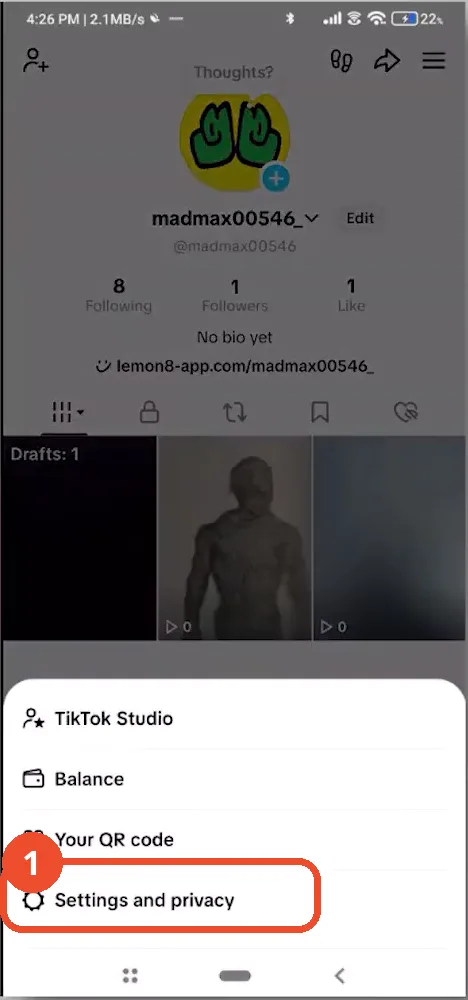
Open Settings and privacy
Open TikTok, tap the Profile icon at the bottom right, then tap the menu (three lines) at the top right. In the menu that opens, tap Settings and privacy.
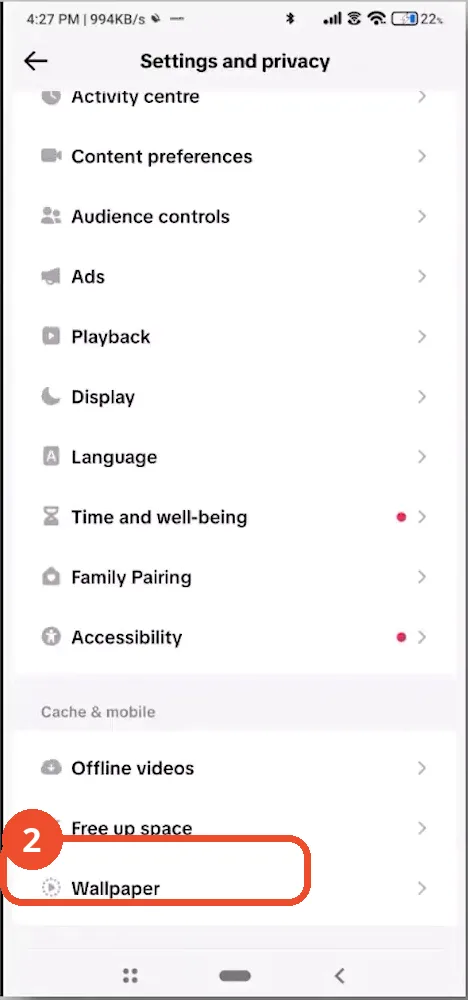
Open Free up space
In Settings and privacy, scroll down to the Cache & mobile section and tap Free up space.
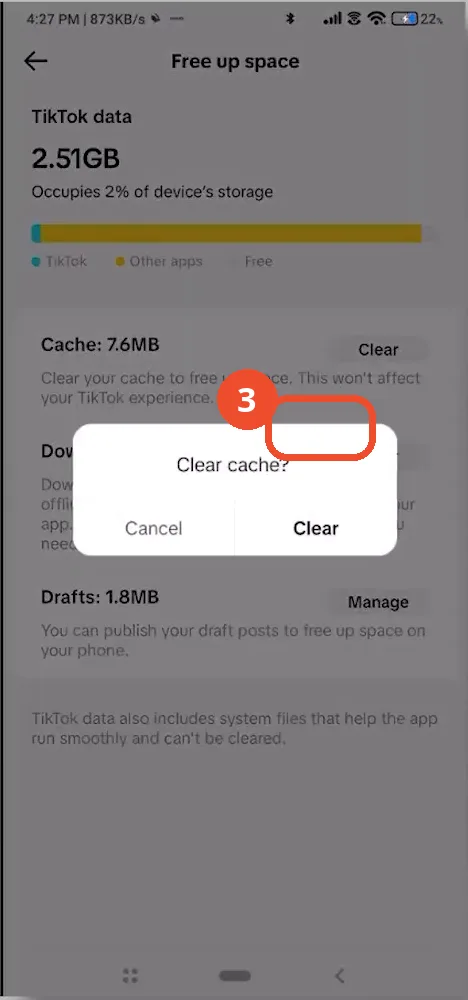
Confirm clearing the cache
Tap Clear next to Cache, then tap Clear again in the confirmation dialog. Clearing the cache removes temporary files without deleting your drafts or saved videos; afterwards the Cache line drops to 0.0MB.
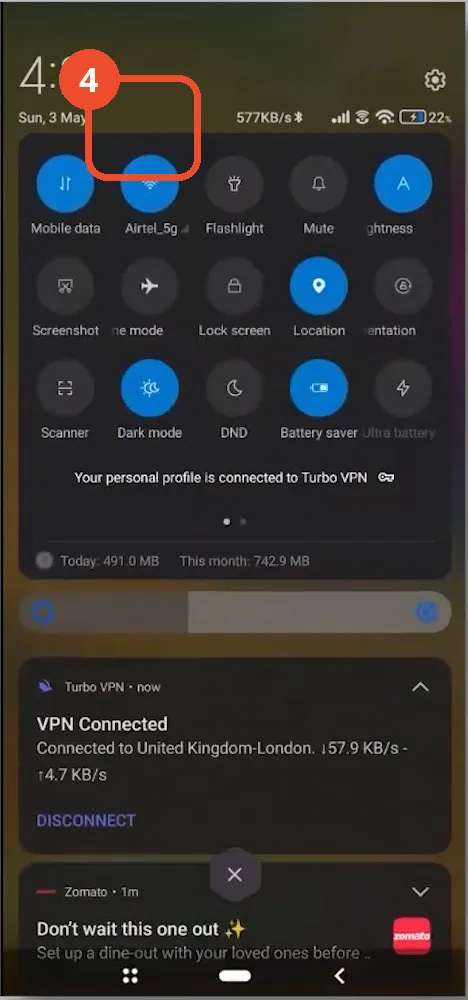
Switch to a different network
Pull down the quick settings panel and tap the Wi-Fi tile (here, Airtel_5g) to turn Wi-Fi off, forcing the phone onto mobile data. Alternatively, toggle Aeroplane mode on for 10 seconds and off again to reset the connection — a shaky connection makes TikTok search fail silently.
Check for a TikTok update in the Play Store
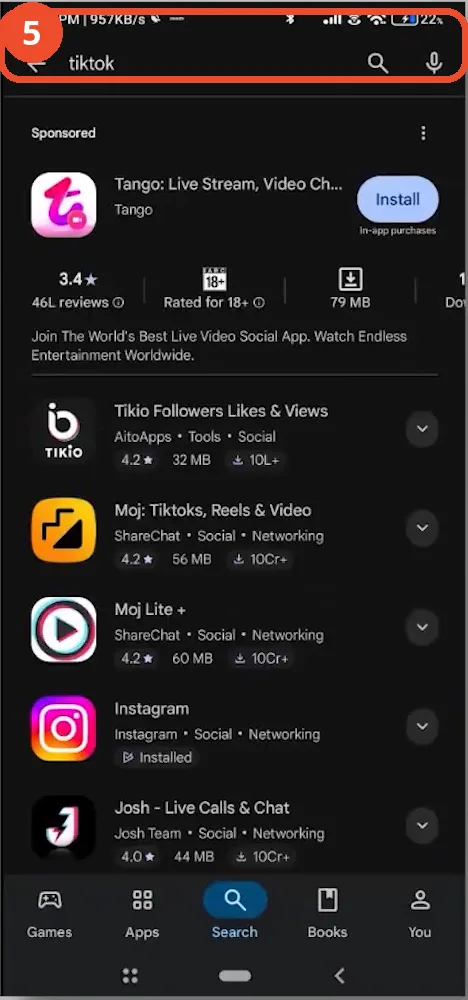
Open the Play Store, search for TikTok, and install any available update. If TikTok is already up to date, uninstall it and reinstall a clean copy — this replaces corrupted app files and usually restores search.
Good to know
- Clearing the cache never deletes drafts or saved videos.
- If search still fails on both Wi-Fi and mobile data, a clean reinstall is the last resort — it replaces corrupted core files.
- On iPhone, use the App Store for the update step instead of Google Play.
More on TikTok
- How to Fix the ‘Tapping Too Fast’ Error on TikTok
- How to Hide TikTok Posts from Certain Followers
- How to Watch TikTok Without Installing the App
- How to Fix TikTok Notifications Not Working
- How to Fix the TikTok ‘Unrecognized Device’ Error
- How to See Comments You Liked on TikTok
- How to Report a TikTok Account
- How to Fix TikTok Video Quality Compression
- How to Remove Multiple Followers on TikTok
- How to Turn Off TikTok Comments on Live
- Fix TikTok Messages Not Sending