Fix TikTok Privacy Settings Restricted
The ‘settings restricted by TikTok to protect your privacy’ block is tied to your account’s registered age or an active safety filter. Work through the filters in order: Restricted Mode, then Family Pairing, then an age appeal.
- SystemAndroid
- AppTikTok
- Also works oniPhone (TikTok settings look the same on iOS).
- Last verifiedOctober 31, 2026
Every screenshot below is taken from the actual recording on this device — no stock images.
Steps
Open Settings and privacy
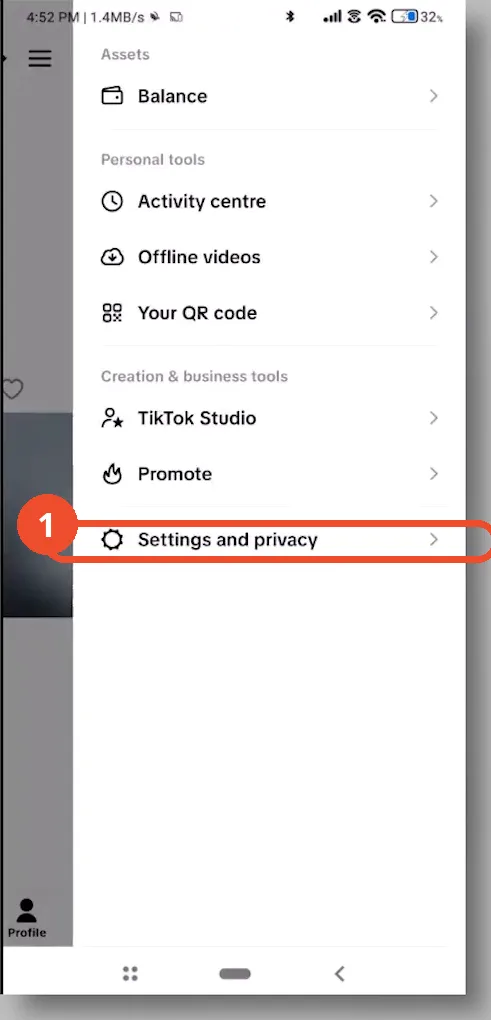
Open TikTok, tap your profile icon at the bottom right, then tap the three lines at the top right and choose Settings and privacy.
Open Content preferences
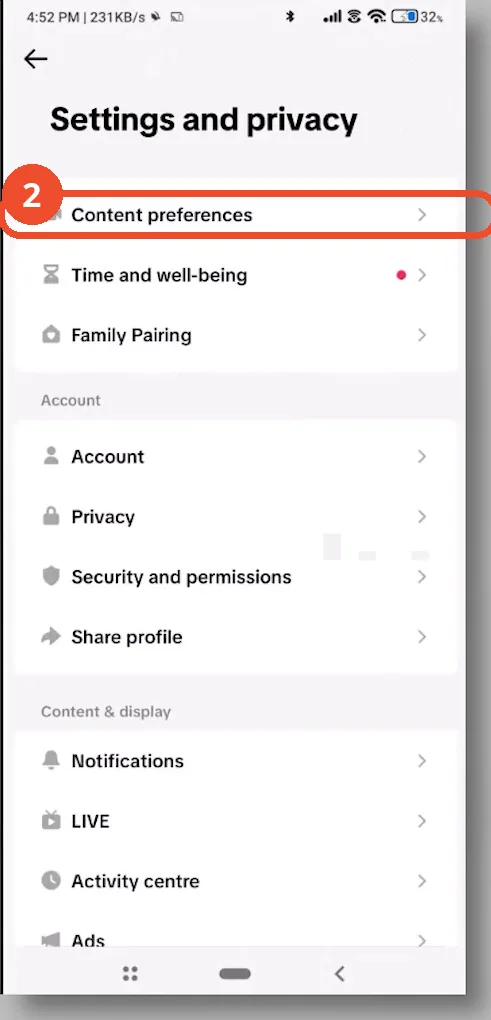
In Settings and privacy, scroll down and tap Content preferences.
Turn off Restricted Mode
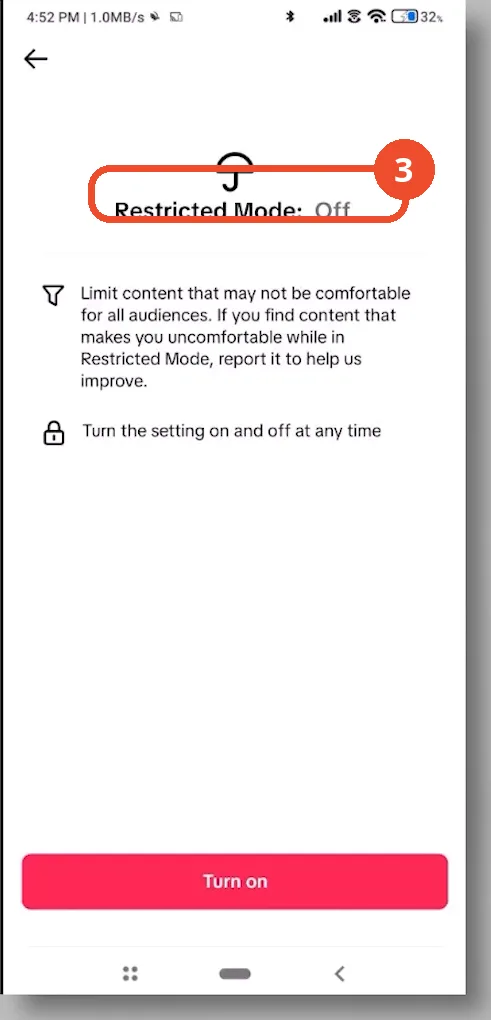
Open Restricted Mode: if it says On, tap it, select Turn off, and enter the 4-digit passcode. This immediately unlocks many blocked features. Shown here in the Off state, the filter is not active.
Check Family Pairing
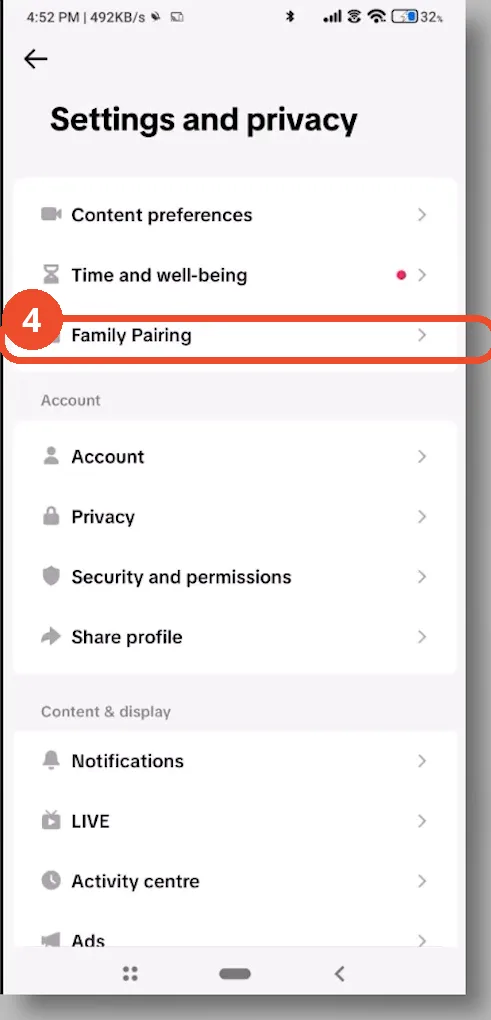
If Restricted Mode was already off but settings are still grayed out, go back to Settings and privacy and look for Family Pairing. If it is active, the linked parent account has ultimate control over your privacy options and must adjust them on their device.
Appeal a wrong birth date via Report a problem
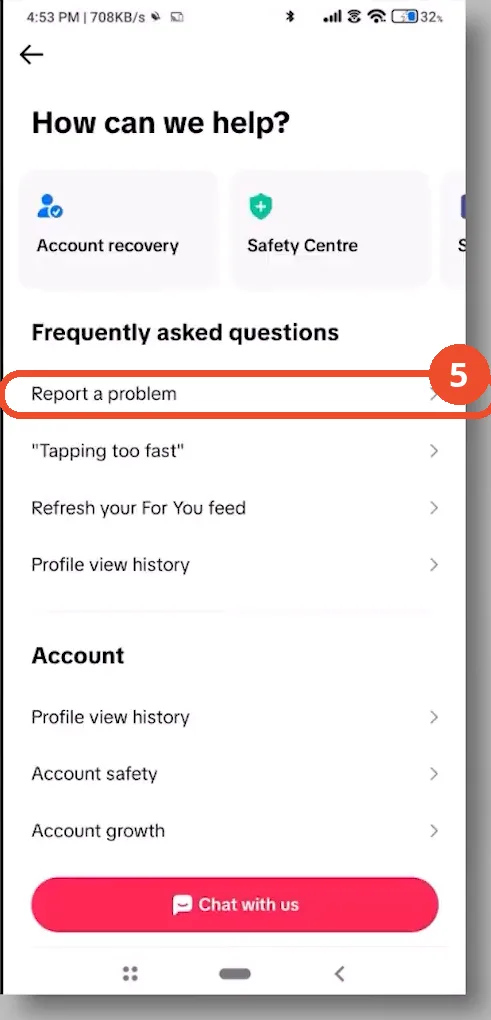
If neither filter is active, the restriction is down to your registered age. Go to Settings and privacy, scroll down to Report a problem, and submit a support ticket with a photo of your government ID to correct your birthday and permanently unlock your privacy settings.
Good to know
- Turning Restricted Mode off asks for the 4-digit passcode if one was set.
- Family Pairing can only be changed from the linked parent or guardian’s TikTok account on their device.
- TikTok automatically locks privacy settings and forces a private account for users registered under 16.
- An age appeal needs a support ticket with a photo of your government ID, filed via Report a problem.
More on TikTok
- How to Fix the ‘Tapping Too Fast’ Error on TikTok
- How to Hide TikTok Posts from Certain Followers
- How to Watch TikTok Without Installing the App
- How to Fix TikTok Notifications Not Working
- How to Fix the TikTok ‘Unrecognized Device’ Error
- How to See Comments You Liked on TikTok
- How to Report a TikTok Account
- How to Fix TikTok Video Quality Compression
- How to Remove Multiple Followers on TikTok
- How to Turn Off TikTok Comments on Live
- How to Fix TikTok Search Not Showing Videos (No Results Error)
- Fix TikTok Couldn’t Play Video Error
- Fix TikTok Messages Not Sending
- Fix TikTok Live Unavailable Error
- How to Know If Someone Deleted Your Comment on TikTok