Fix TikTok Likes Not Registering
When hearts uncheck themselves, TikTok’s anti-spam filters have usually rate-limited the account, or the app cache is corrupted. There is no bypass button for a rate limit — only a cooldown fixes it — but a corrupted cache is worth clearing first.
✅ Tested on
- SystemAndroid
- AppTikTok
- Also works oniPhone (TikTok settings look the same on iOS).
- Last verifiedOctober 31, 2026
Every screenshot below is taken from the actual recording on this device — no stock images.
Steps
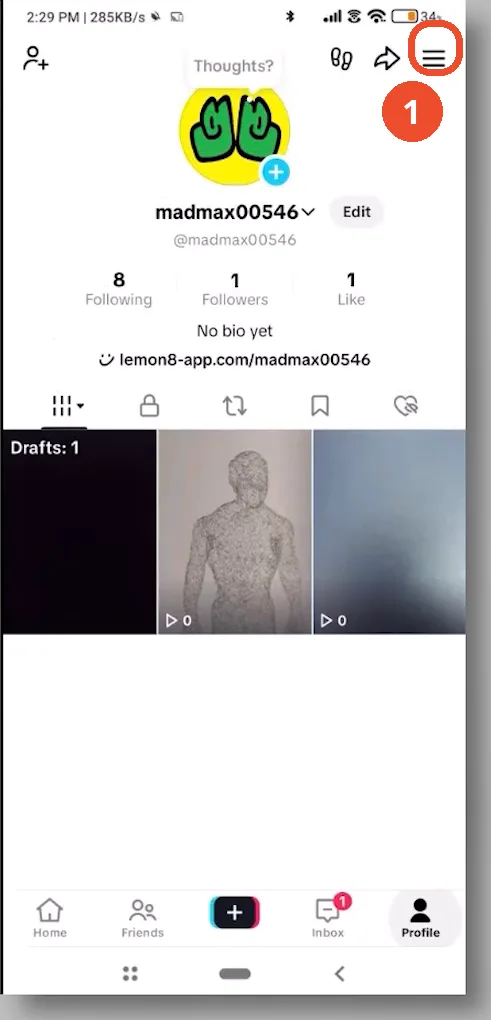
Open your profile and tap the menu
Open TikTok, tap your profile icon at the bottom right, then tap the menu (three lines) at the top right.
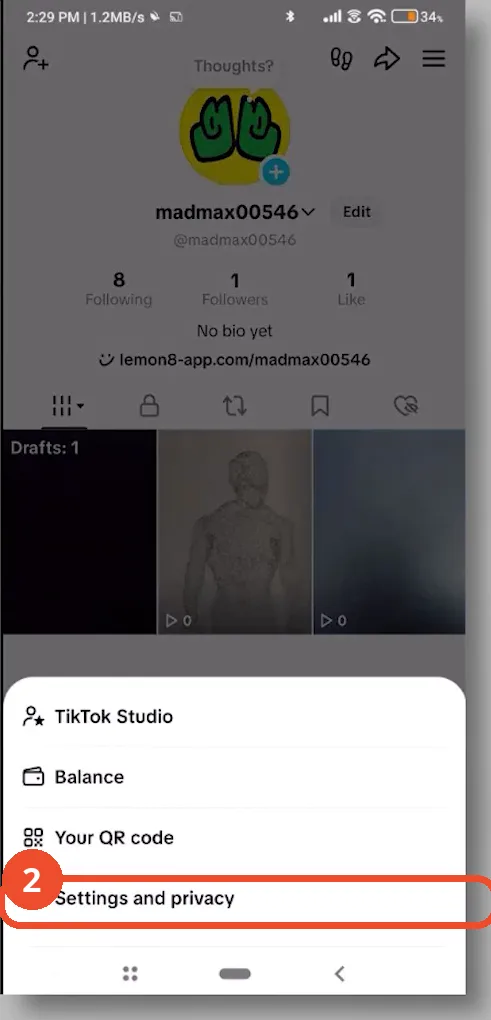
Open Settings and privacy
In the menu, tap Settings and privacy.
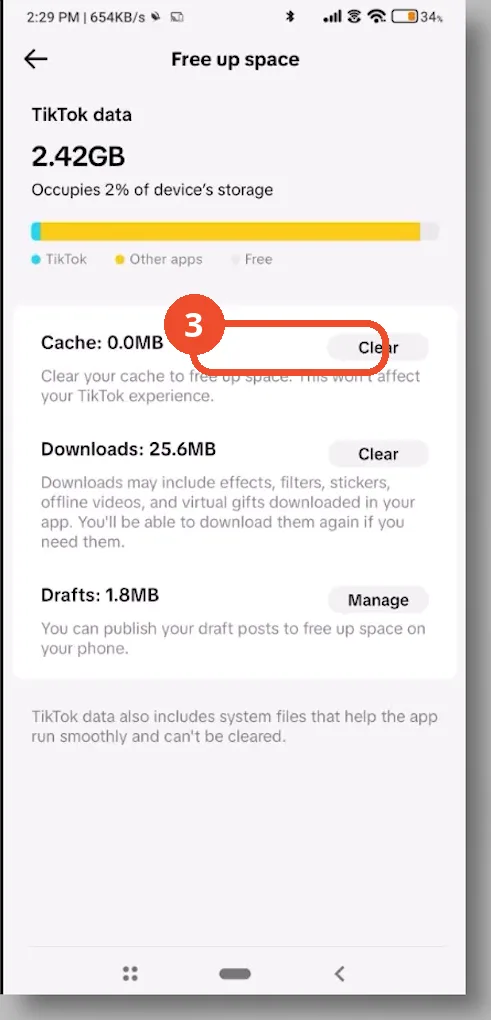
Clear the cache in Free up space
Scroll down to Free up space and tap Clear next to Cache. This refreshes the app’s performance without deleting saved videos or drafts. Once cleared, the Cache line reads 0.0MB. If likes still do not register, wait out the roughly 24-hour rate-limit cooldown.
Good to know
- TikTok limits accounts to around 500 likes per day; tapping the heart too fast can flag the account as a potential spam bot.
- There is no button to bypass a rate limit — stop liking, wait about 24 hours, and access is restored automatically.
- Clearing the cache refreshes the app without deleting saved videos or drafts.
- If only one video will not take a like, its creator may have gone private, deleted it, or had it removed for a guideline violation — try liking videos from verified public creators to test.
More on TikTok
- How to Fix the ‘Tapping Too Fast’ Error on TikTok
- How to Hide TikTok Posts from Certain Followers
- How to Watch TikTok Without Installing the App
- How to Fix TikTok Notifications Not Working
- How to Fix the TikTok ‘Unrecognized Device’ Error
- How to See Comments You Liked on TikTok
- How to Report a TikTok Account
- How to Fix TikTok Video Quality Compression
- How to Remove Multiple Followers on TikTok
- How to Turn Off TikTok Comments on Live
- How to Fix TikTok Search Not Showing Videos (No Results Error)
- Fix TikTok Couldn’t Play Video Error
- Fix TikTok Messages Not Sending
- Fix TikTok Live Unavailable Error
- How to Know If Someone Deleted Your Comment on TikTok
- Fix TikTok Privacy Settings Restricted