How to Fix Maximum Number of Attempts Reached on TikTok
The “maximum number of attempts reached” error means TikTok has temporarily rate-limited your device or IP address after too many login tries. Work through the fixes in order — switch networks first, then clear the app’s data, then reinstall — and try logging in again after each one.
- SystemAndroid
- AppTikTok 45.0.42
- Also works oniPhone for the network-switch step; the clear-data step differs on iOS (Offload App) and is not shown on camera.
- Last verifiedNovember 6, 2026
Every screenshot below is taken from the actual recording on this device — no stock images.
Steps
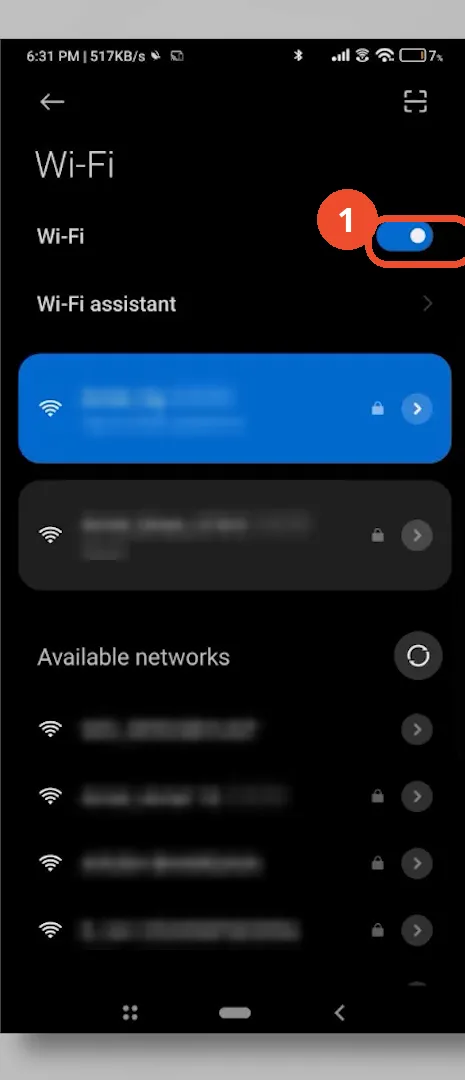
Switch networks in Wi-Fi settings
Open Settings, then Wi-Fi. Turn Wi-Fi off to switch to mobile data — or turn it on to switch back to Wi-Fi. A new network gives you a new IP address, which often clears the block on its own.
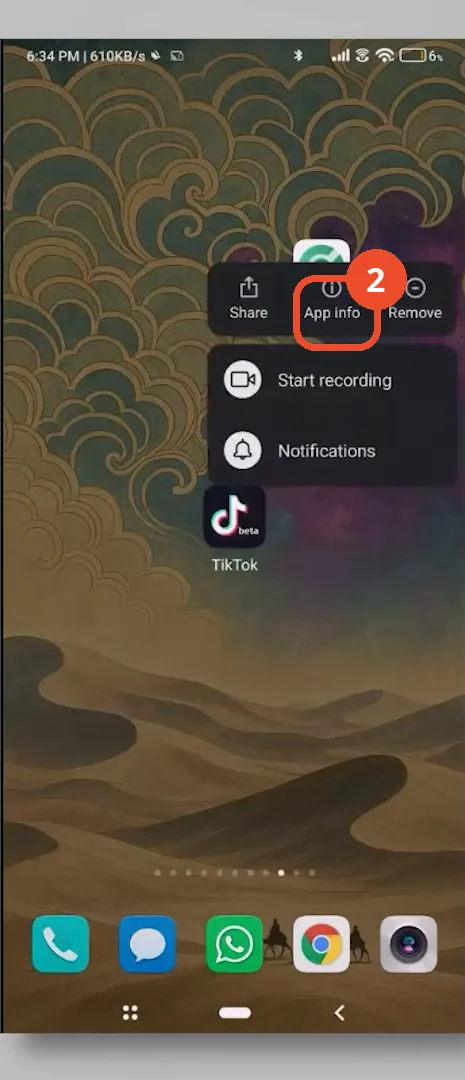
Long-press TikTok and tap App info
On your home screen, long-press the TikTok icon, then tap App info in the menu that appears.
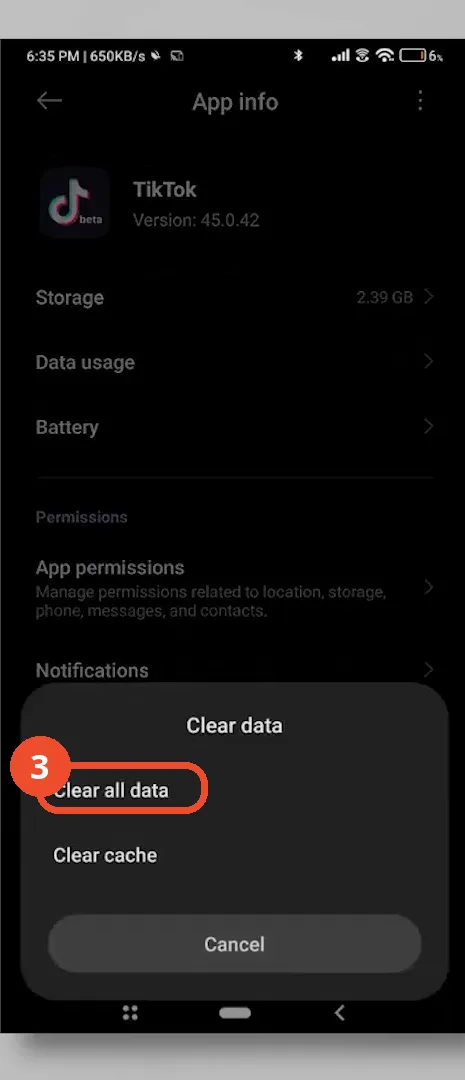
Tap Clear data, then Clear all data
In App info, tap Clear data at the bottom, then tap Clear all data — not just Clear cache — to wipe the flagged login data.
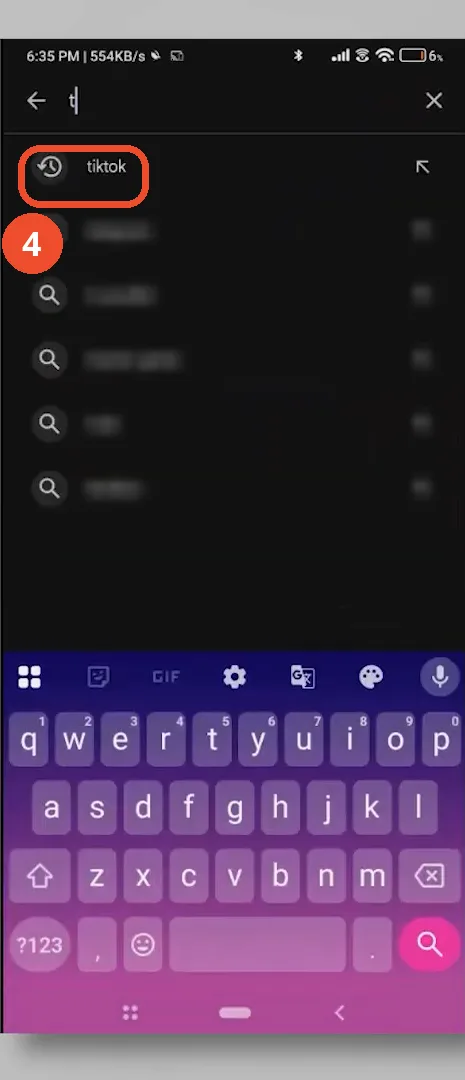
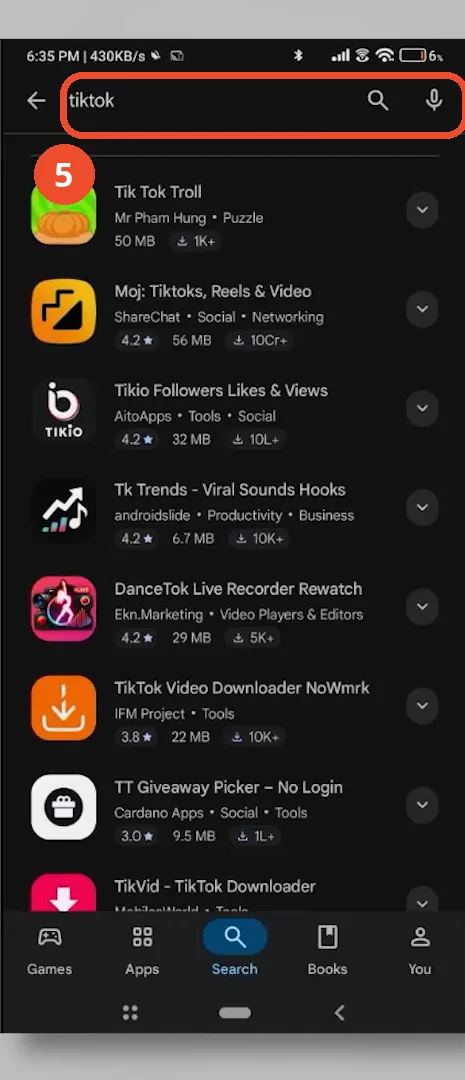
Open the Play Store and search for TikTok
Open the Play Store, tap the search bar, type tiktok, then tap the tiktok suggestion.
Find the official TikTok app and reinstall it
In the results, scroll until you find the official TikTok app (TikTok Pte. Ltd.) and install it. The first screen of results in the recording shows third-party TikTok tools, so check the developer name before installing anything.
Good to know
- The Wi-Fi switch is not shown as an actual tap in the recording: the Wi-Fi toggle stays on in every frame, so the screenshot shows where the switch is, not the tap itself.
- Clearing all data signs you out of TikTok and deletes downloads and drafts stored in the app — have your login details ready first. The film shows the Clear data sheet; the confirm tap is not on camera, and Storage still reads 2.39 GB in the frames after the sheet closes.
- The iPhone path is narration-only: Settings, General, iPhone Storage, then delete or offload TikTok. No iPhone appears in the recording.
- The reinstall is narration-only too: uninstall TikTok, restart the phone, then install a fresh copy from the Play Store or App Store. The recording only shows searching the Play Store — no uninstall, restart, Install tap, or successful login appears on camera.
- The recording shows an active Turbo VPN connection (United States — Los Angeles) during the network-switch segment; a VPN also changes your IP address, so it may affect whether the block clears.
- Wait before retrying: the block is temporary, and hammering login again can extend it.
More on TikTok
- How to Fix the ‘Tapping Too Fast’ Error on TikTok
- How to Hide TikTok Posts from Certain Followers
- How to Watch TikTok Without Installing the App
- How to Fix TikTok Notifications Not Working
- How to Fix the TikTok ‘Unrecognized Device’ Error
- How to See Comments You Liked on TikTok
- How to Report a TikTok Account
- How to Fix TikTok Video Quality Compression
- How to Remove Multiple Followers on TikTok
- How to Turn Off TikTok Comments on Live
- How to Fix TikTok Search Not Showing Videos (No Results Error)
- Fix TikTok Couldn’t Play Video Error
- Fix TikTok Messages Not Sending
- How to Know If Someone Deleted Your Comment on TikTok
- Fix TikTok Privacy Settings Restricted
- Fix TikTok Likes Not Registering
- How to Block Someone on TikTok Without Viewing Their Profile
- How to View TikTok Profiles Privately Without Notifications
- How to Fix the TikTok Login Expired Error
- How to Buy Coins on TikTok
- How to Hide Your Following List on TikTok Without Going Private
- How to Save TikTok Videos Without Watermark
- Fix TikTok Live Unavailable Error
- How to Fix TikTok Analytics Not Showing
- How to Link Instagram to TikTok
- How to Delete or Remove Your TikTok Profile Photo
- How to Remove TikTok Watermark from Saved Videos
- How to Recover a Banned TikTok Account
- How to Fix a TikTok Video Uploaded But Not Showing
- How to Delete a TikTok Story
- How to Change Your TikTok Profile Picture