Fix TikTok Live Unavailable Error
TikTok only offers Live to accounts that are 18+ with at least 1,000 followers — but even qualifying accounts can see Live as unavailable. Check the account rules, fix the security block, and clear corrupted app data.
- SystemAndroid
- AppTikTok
- Also works oniPhone (TikTok settings look the same on iOS).
- Last verifiedOctober 30, 2026
Every screenshot below is taken from the actual recording on this device — no stock images.
Steps
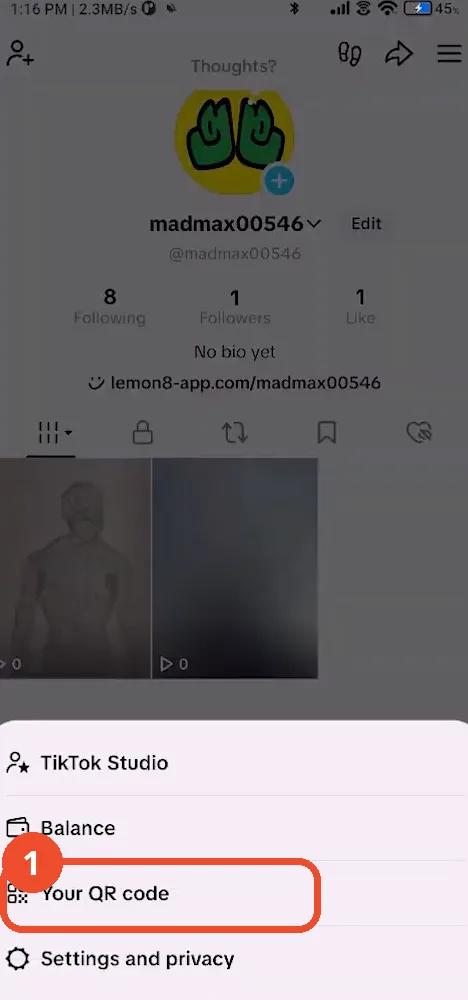
Open Settings and privacy
Open TikTok, tap the Profile icon at the bottom right, then tap the menu (three lines) at the top right and choose Settings and privacy.
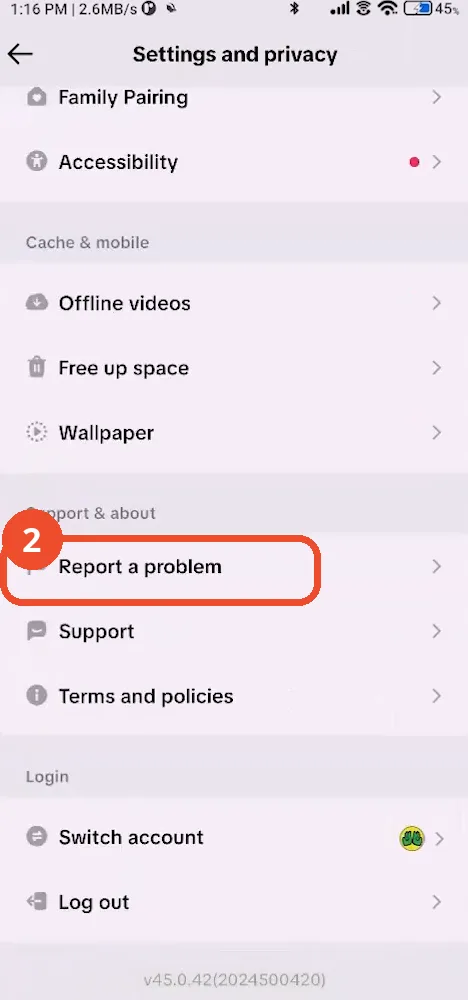
Open Report a problem
In Settings and privacy, scroll down to Support & about and tap Report a problem. This opens the help hub where you can raise an age issue — submit an age appeal with photo ID if your birth date is set incorrectly.
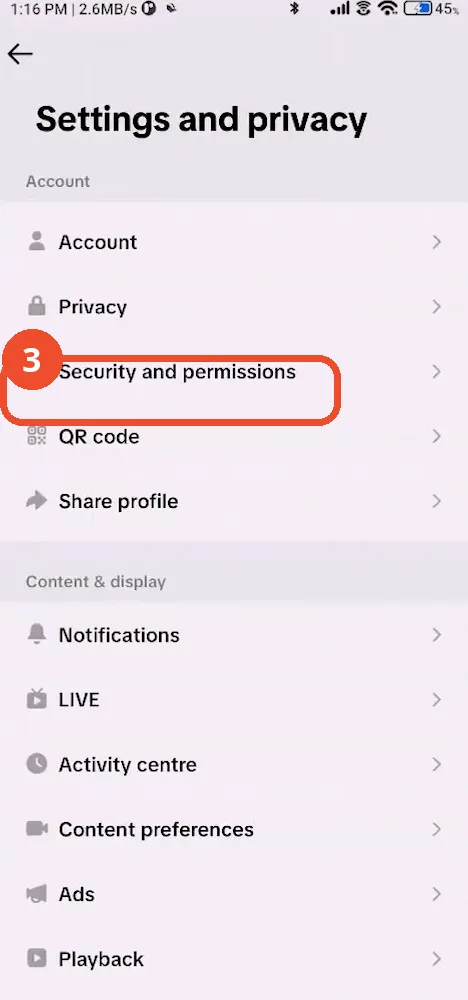
Open Security and permissions
Back in Settings and privacy, tap Security and permissions under Account.
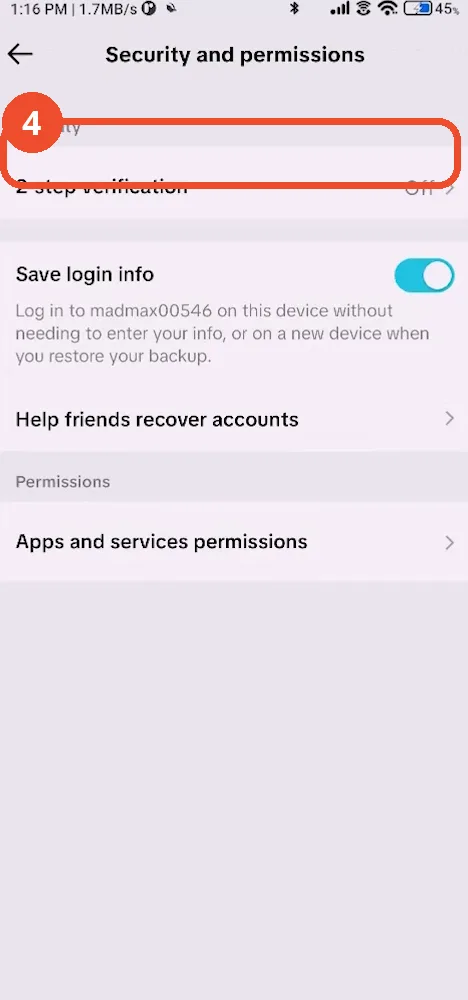
Turn on 2-step verification
Tap 2-step verification (shown as Off here) and switch it on, and make sure a backup phone number is linked. This clears the hidden approval block that can deny TikTok Live Studio access on PC.
Open Free up space
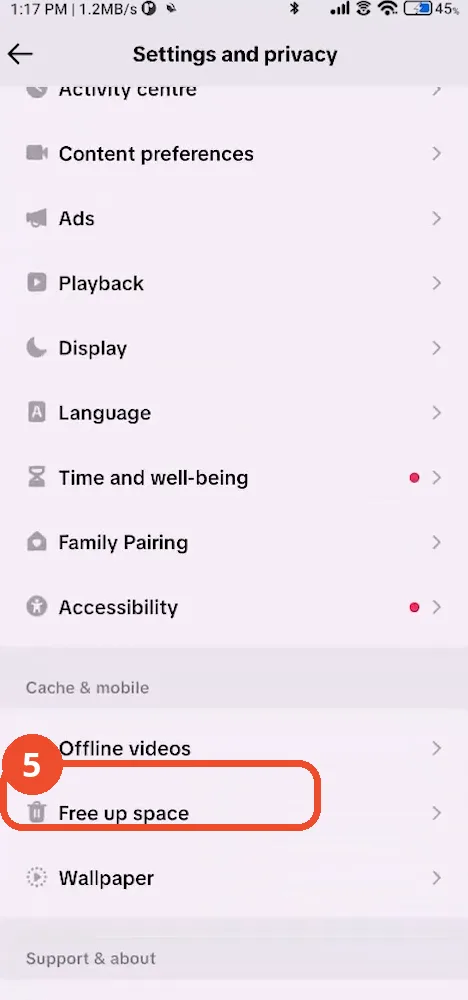
Back in Settings and privacy, scroll down to the Cache & mobile section and tap Free up space.
Confirm clearing the cache
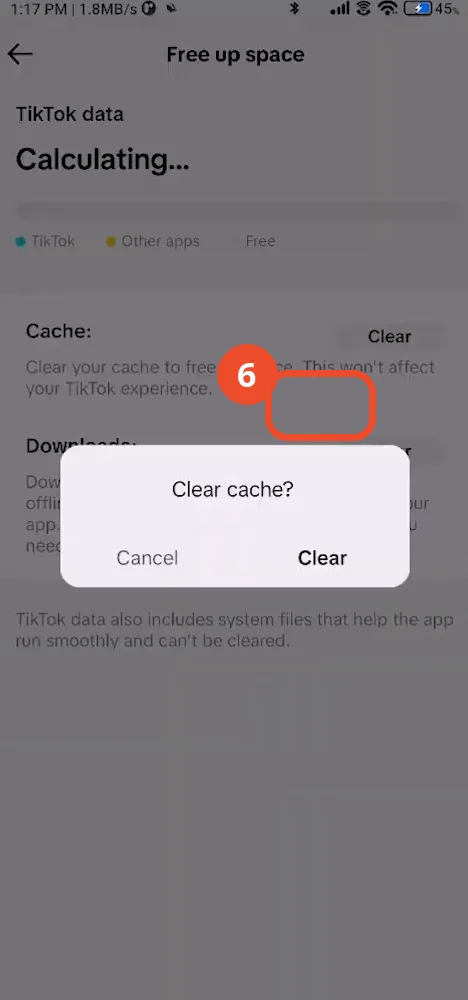
Tap Clear next to Cache, then tap Clear again in the confirmation dialog. Corrupted app data can hide the Go Live option even when your account qualifies.
Check the cache is cleared, then restart TikTok
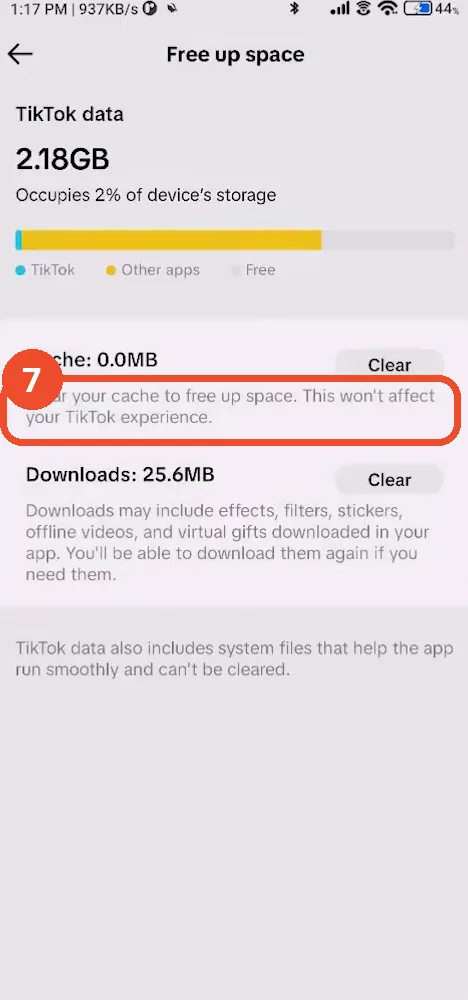
The Cache line now reads 0.0MB. Fully close and reopen TikTok — the Go Live option should now appear when you meet the age and follower requirements.
Good to know
- Going live needs age 18+ and at least 1,000 followers.
- If your birth date is wrong, submit an age appeal with photo ID via Report a problem.
- A recent community-guideline strike can also hide the Go Live option until it expires.
- Restart TikTok after clearing the cache so the change takes effect.
More on TikTok
- How to Fix the ‘Tapping Too Fast’ Error on TikTok
- How to Hide TikTok Posts from Certain Followers
- How to Watch TikTok Without Installing the App
- How to Fix TikTok Notifications Not Working
- How to Fix the TikTok ‘Unrecognized Device’ Error
- How to See Comments You Liked on TikTok
- How to Report a TikTok Account
- How to Fix TikTok Video Quality Compression
- How to Remove Multiple Followers on TikTok
- How to Turn Off TikTok Comments on Live
- How to Fix TikTok Search Not Showing Videos (No Results Error)
- Fix TikTok Couldn’t Play Video Error
- Fix TikTok Messages Not Sending