How to Clear TikTok Cache & Free Up Storage
TikTok stores watched videos as cache, and on this phone it had grown to 422 MB. You don’t need to open TikTok to clear it: Android lets you wipe an app’s cache from the phone’s own Settings. This film walks the phone-settings route - Settings, Apps, TikTok, Storage, Clear cache - and the cache drops to 0 B on camera while the app and its data stay untouched.
- SystemAndroid
- AppTikTok
- Last verifiedNovember 10, 2026
Every screenshot below is taken from the actual recording on this device — no stock images.
Steps
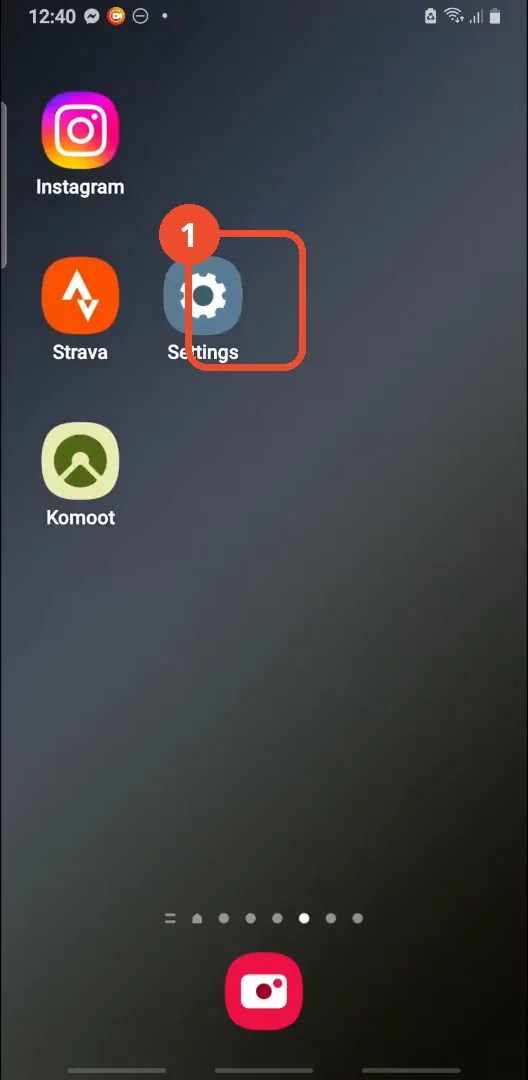
Open Settings
Tap the Settings gear icon on your home screen or app drawer.
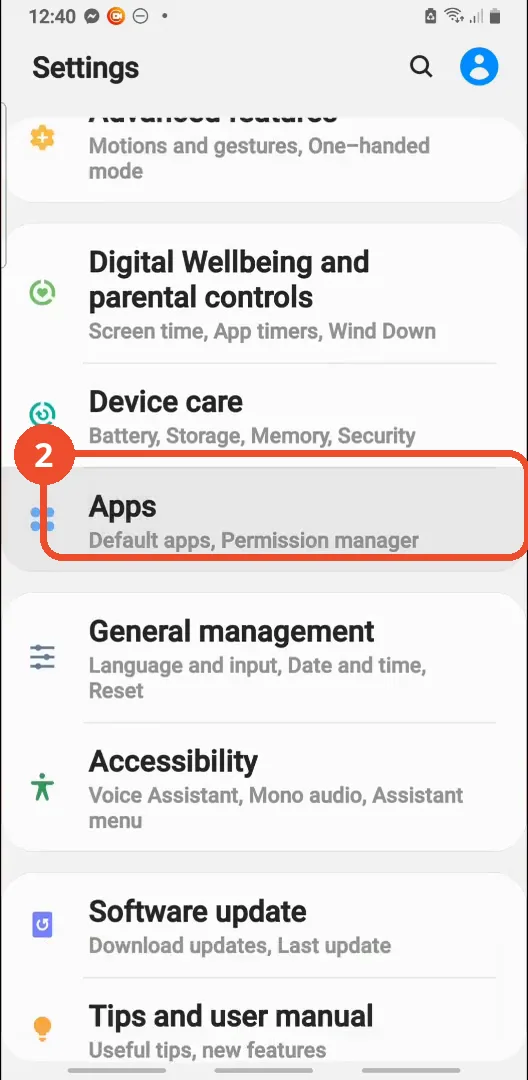
Scroll down and tap Apps
Scroll down in Settings, then tap Apps.
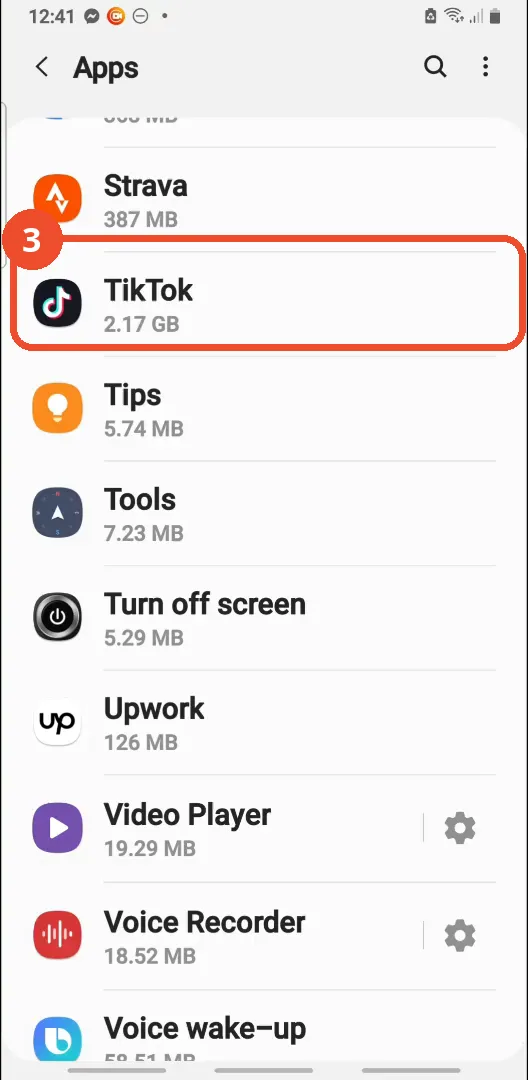
Find and tap TikTok
Scroll down the app list to TikTok and tap it. If you don’t see it, use the search icon at the top right, as the narrator suggests.
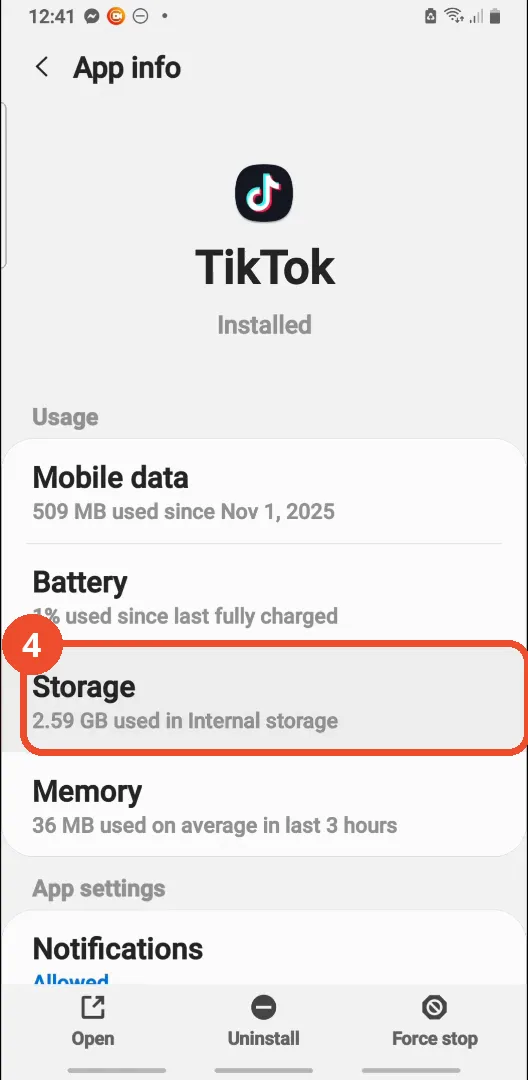
Tap Storage
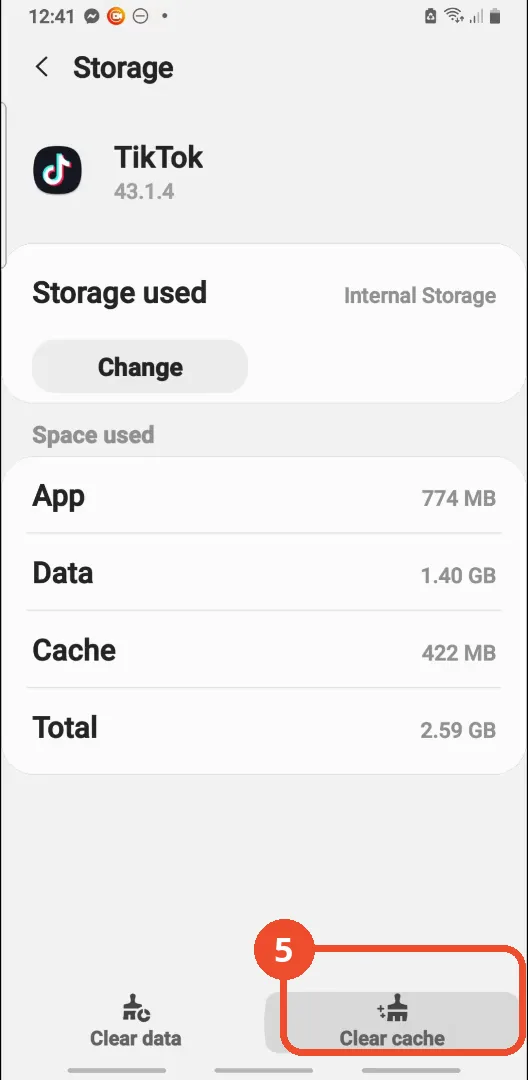
On the TikTok App info screen, tap Storage. It reads 2.59 GB used in Internal storage.
Tap Clear cache
Tap Clear cache at the bottom right. The cache reads 422 MB here; the app itself is 774 MB and its data is 1.40 GB.
Check the cache is cleared
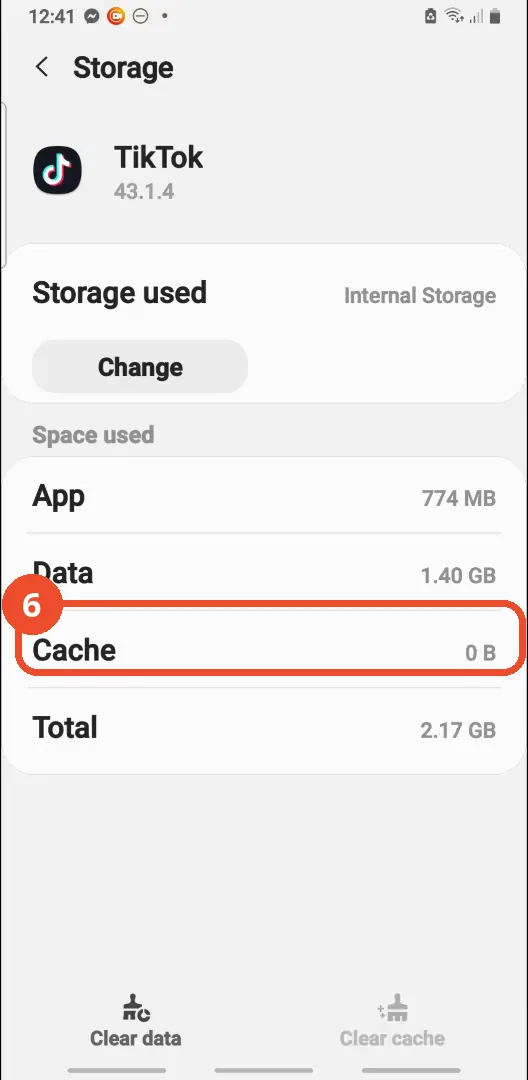
Cache now reads 0 B and the total drops from 2.59 GB to 2.17 GB. The app and data figures are unchanged - only the cache is gone.
Good to know
- This film clears the cache through the phone’s Settings, without opening TikTok at all. TikTok also has its own in-app clear-cache button under Settings and privacy, Free up space - that route is covered in our ‘Fix Error 2433 on TikTok’ guide, which taps Clear inside the app.
- The cache clear is shown working: the cache drops from 422 MB to 0 B and the total from 2.59 GB to 2.17 GB.
- Clearing the cache does not log you out or delete anything you saved: the App (774 MB) and Data (1.40 GB) figures are identical before and after the tap.
- The film’s TikTok version is 43.1.4, shown on the Storage screen; the phone is a Samsung on Android.
- If TikTok is not visible in the Apps list, the narrator suggests using the search icon at the top right of the Apps screen.
- The film never opens TikTok itself, so no account, profile or video appears on camera.
More on TikTok
- How to Fix the ‘Tapping Too Fast’ Error on TikTok
- How to Hide TikTok Posts from Certain Followers
- How to Watch TikTok Without Installing the App
- How to Fix TikTok Notifications Not Working
- How to Fix the TikTok ‘Unrecognized Device’ Error
- How to See Comments You Liked on TikTok
- How to Report a TikTok Account
- How to Fix TikTok Video Quality Compression
- How to Remove Multiple Followers on TikTok
- How to Turn Off TikTok Comments on Live
- How to Fix TikTok Search Not Showing Videos (No Results Error)
- Fix TikTok Couldn’t Play Video Error
- Fix TikTok Messages Not Sending
- How to Know If Someone Deleted Your Comment on TikTok
- Fix TikTok Privacy Settings Restricted
- Fix TikTok Likes Not Registering
- How to Block Someone on TikTok Without Viewing Their Profile
- How to View TikTok Profiles Privately Without Notifications
- How to Fix the TikTok Login Expired Error
- How to Buy Coins on TikTok
- How to Hide Your Following List on TikTok Without Going Private
- How to Save TikTok Videos Without Watermark
- Fix TikTok Live Unavailable Error
- How to Fix TikTok Analytics Not Showing
- How to Link Instagram to TikTok
- How to Delete or Remove Your TikTok Profile Photo
- How to Remove TikTok Watermark from Saved Videos
- How to Recover a Banned TikTok Account
- How to Delete a TikTok Story
- How to Fix Maximum Number of Attempts Reached on TikTok
- How to Change Your TikTok Profile Picture
- How to Delete Your TikTok Comments One by One
- How to Check for the Find Similar Setting on TikTok
- How to Add a Linktree Link to Your TikTok Bio
- How to Fix a TikTok Video Uploaded But Not Showing
- How to Enable Auto Scroll on TikTok for Hands-Free Playback
- How to See Who Viewed Your TikTok Profile
- How to Tell If Someone Has Blocked You on TikTok
- How to Get Access to TikTok LIVE and Why It May Not Appear
- How to Reply to a TikTok Comment with a Video
- How to Edit Captions on TikTok
- How to Fix Error 2433 on TikTok (Bio/Profile Update)
- How to Influence Your Location on TikTok