How to Change Your TikTok Profile Picture
Changing your TikTok profile picture takes less than a minute: open Edit profile, tap Change photo, upload a picture from your gallery, crop it into the circle, and save.
- SystemAndroid
- AppTikTok
- Last verifiedNovember 6, 2026
Every screenshot below is taken from the actual recording on this device — no stock images.
Steps
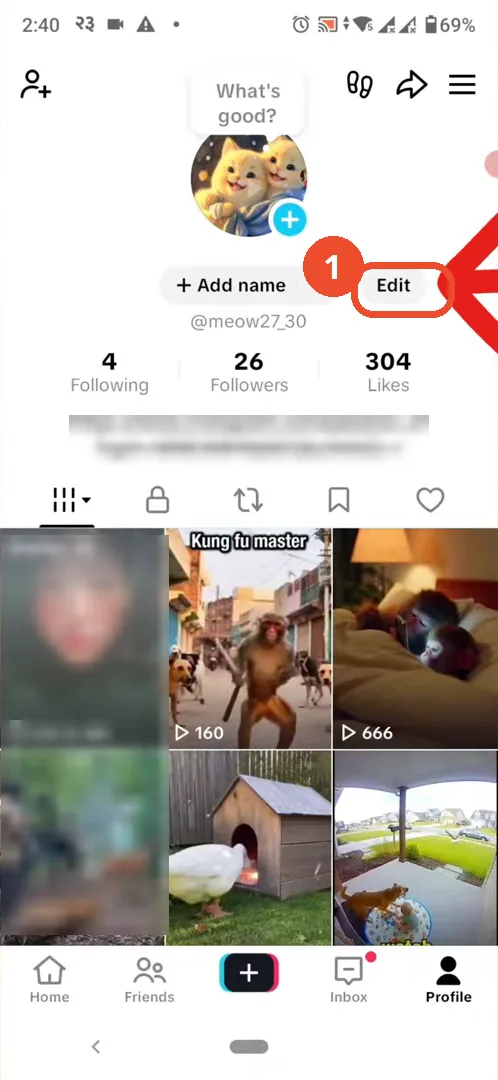
Open TikTok and go to your profile
Open TikTok, tap Profile at the bottom right, then tap Edit on your profile.
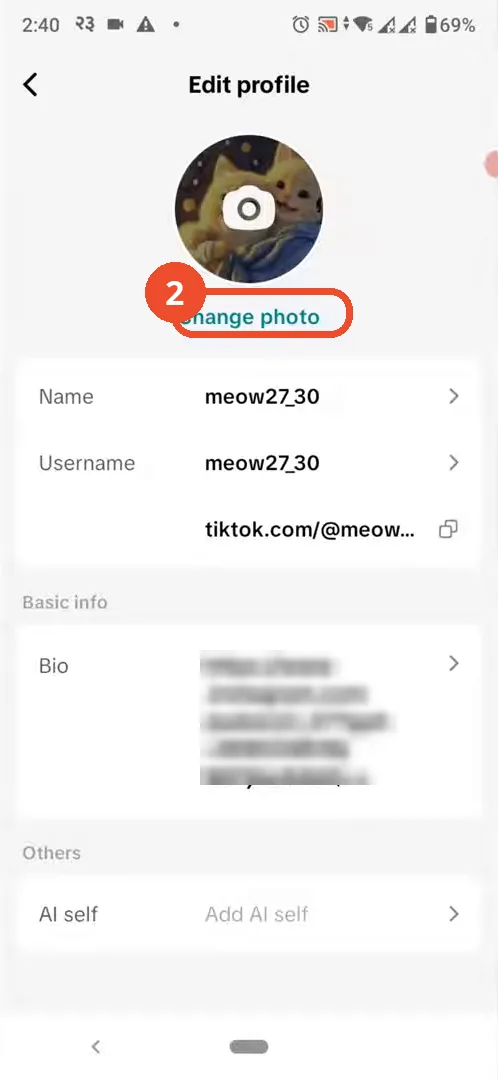
Tap Change photo
On the Edit profile page, tap Change photo under your current picture.
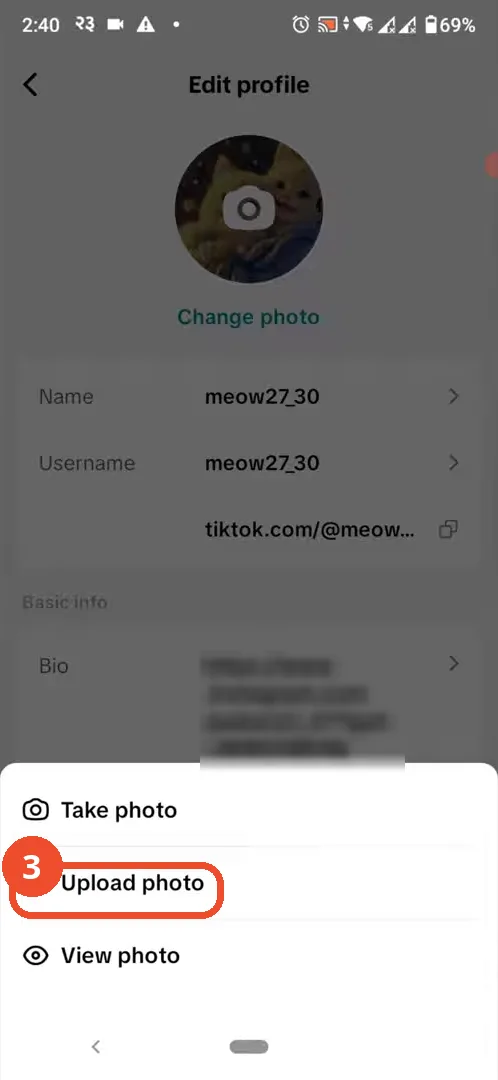
Tap Upload photo
Choose Upload photo to pick a picture from your gallery. Take photo uses the camera instead, and View photo only shows your current picture.
Pick a photo and tap Next
Tap the photo you want, then tap Next (1) at the bottom right.

Adjust the crop and tap Save & post
Drag to position the photo inside the circle, then tap Save & post. The button is labelled Save & post, not Save as the narration says.

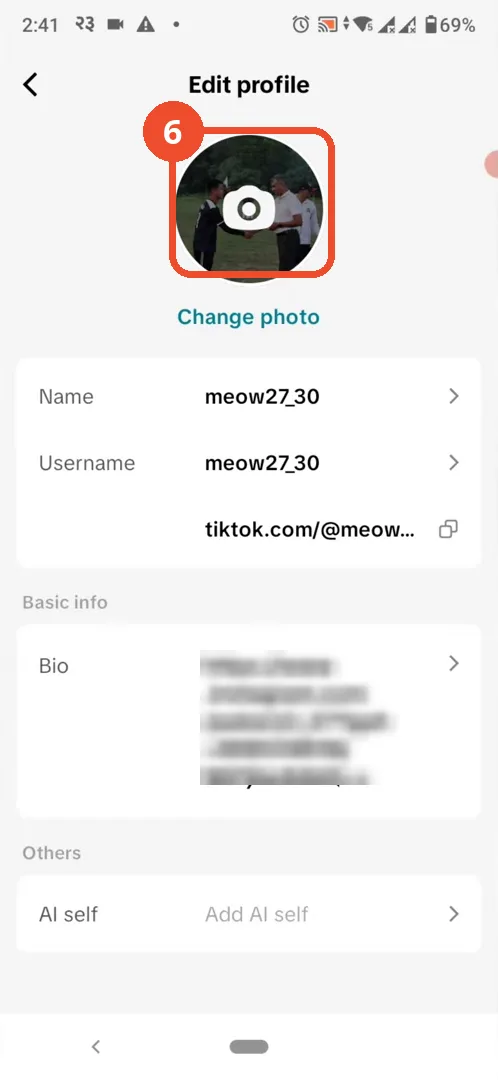
Check your new profile photo
Back on Edit profile, your new photo is already showing as your profile picture.
Good to know
- The button is labelled Save & post, not Save as the narration says.
- Post this photo to Story is ticked by default on the crop screen: untick it if you do not also want the new picture posted to your Story.
- Take photo opens the camera instead of the gallery, and View photo only shows your current picture.
- The gallery grid and the photo preview are blurred in the screenshots because the operator’s camera roll contains personal photos.
- This is a different operation from removing a profile photo: TikTok has no Remove option, so deleting a picture means replacing it with a blank one — see our separate guide on deleting your TikTok profile photo.
More on TikTok
- How to Fix the ‘Tapping Too Fast’ Error on TikTok
- How to Hide TikTok Posts from Certain Followers
- How to Watch TikTok Without Installing the App
- How to Fix TikTok Notifications Not Working
- How to Fix the TikTok ‘Unrecognized Device’ Error
- How to See Comments You Liked on TikTok
- How to Report a TikTok Account
- How to Fix TikTok Video Quality Compression
- How to Remove Multiple Followers on TikTok
- How to Turn Off TikTok Comments on Live
- How to Fix TikTok Search Not Showing Videos (No Results Error)
- Fix TikTok Couldn’t Play Video Error
- Fix TikTok Messages Not Sending
- How to Know If Someone Deleted Your Comment on TikTok
- Fix TikTok Privacy Settings Restricted
- Fix TikTok Likes Not Registering
- How to Block Someone on TikTok Without Viewing Their Profile
- How to View TikTok Profiles Privately Without Notifications
- How to Fix the TikTok Login Expired Error
- How to Buy Coins on TikTok
- How to Hide Your Following List on TikTok Without Going Private
- How to Save TikTok Videos Without Watermark
- Fix TikTok Live Unavailable Error
- How to Fix TikTok Analytics Not Showing
- How to Link Instagram to TikTok
- How to Delete or Remove Your TikTok Profile Photo
- How to Remove TikTok Watermark from Saved Videos
- How to Recover a Banned TikTok Account
- How to Fix a TikTok Video Uploaded But Not Showing
- How to Delete a TikTok Story
- How to Fix Maximum Number of Attempts Reached on TikTok