How to Buy Coins on TikTok
Buying coins happens inside the TikTok app: profile, Balance, pick a package, pay. The demo account has never bought coins, so it walks in through the First recharge offer — if you have bought before, your Balance page shows the regular package list instead.
- SystemAndroid
- AppTikTok
- Also works oniPhone (TikTok menus look the same on iOS).
- Last verifiedNovember 2, 2026
Every screenshot below is taken from the actual recording on this device — no stock images.
Steps
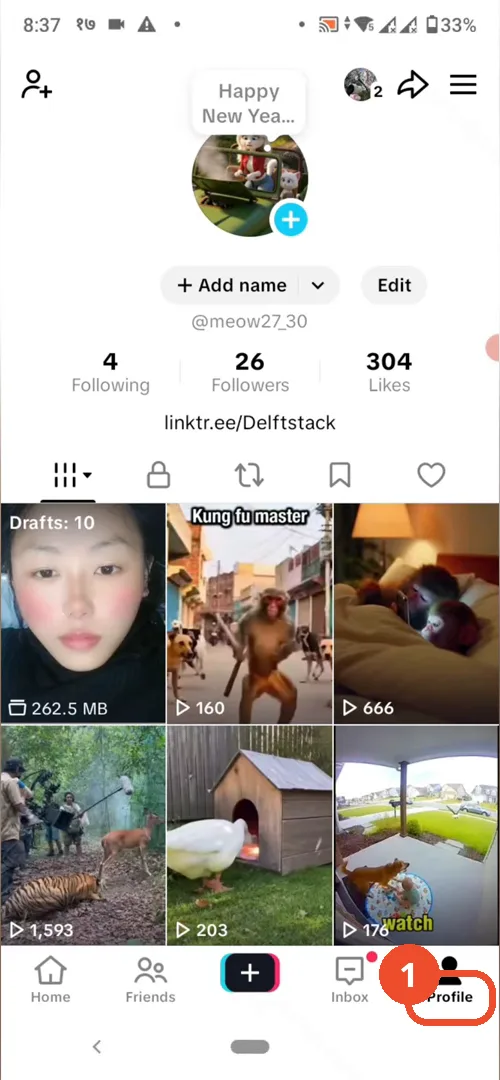
Open TikTok and go to your profile
Open TikTok and tap Profile in the bottom navigation.
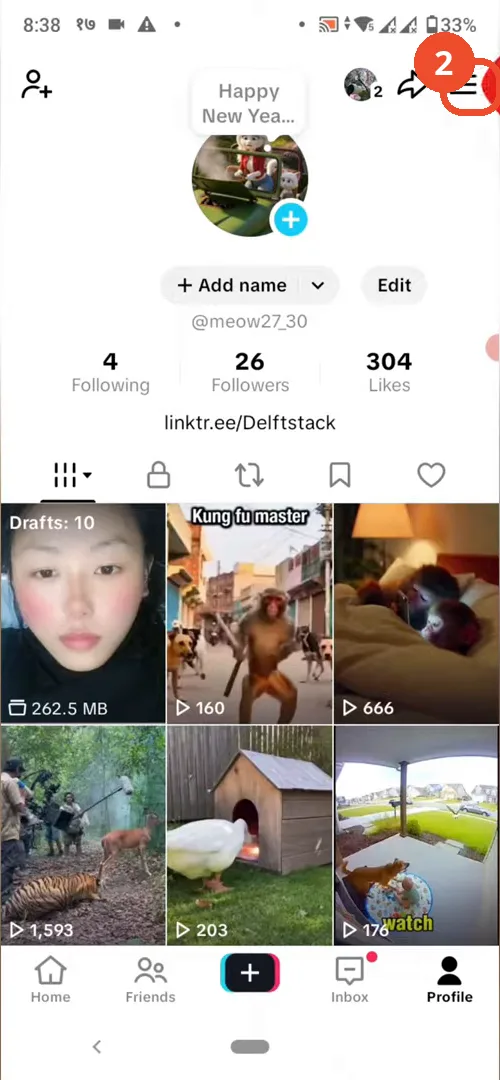
Tap the three-line menu
On your profile, tap the three-line menu in the top right.
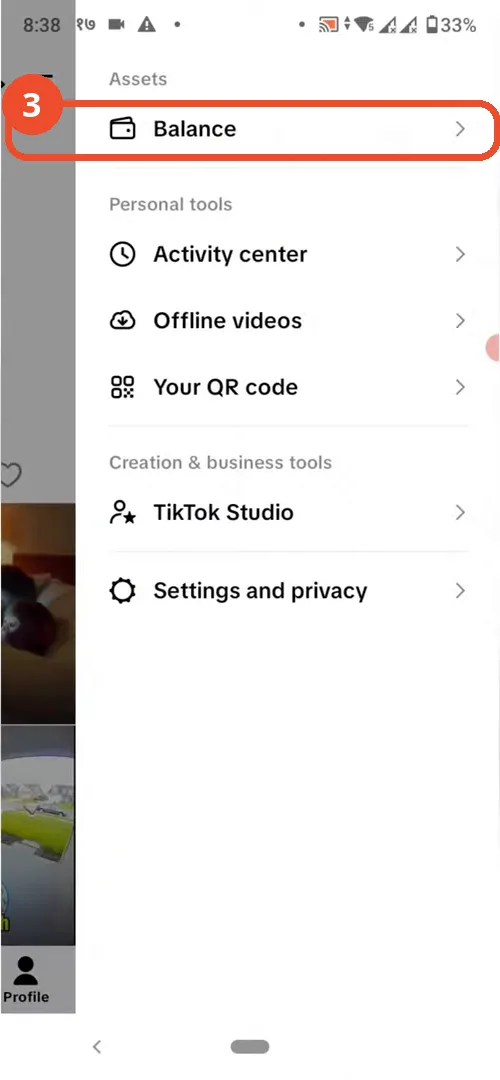
Tap Balance
In the menu, tap Balance under Assets.
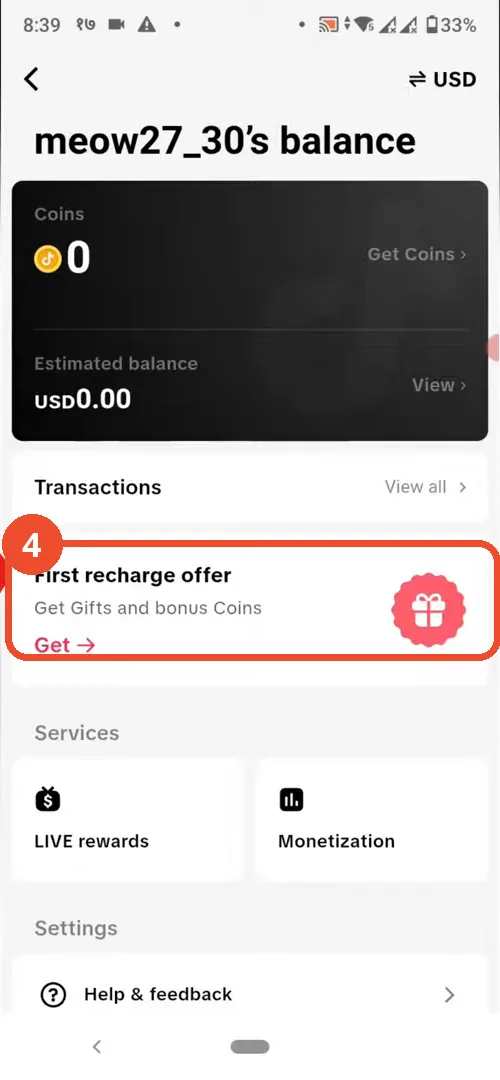
Open the First recharge offer
On the Balance page, tap the First recharge offer card to open the coin packages.
Choose a coin package
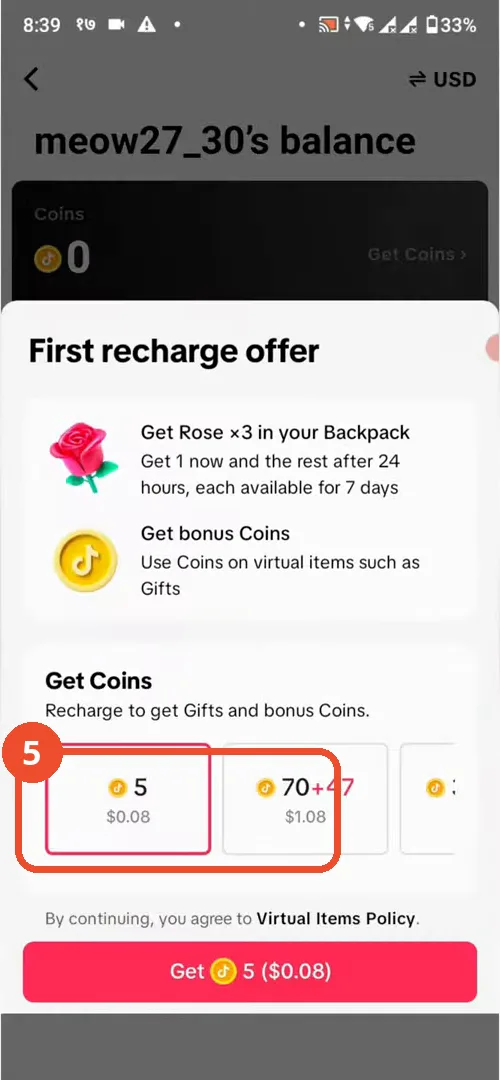
Swipe sideways through the coin packages to compare them, then tap the package you want — the demo shows 5 coins for $0.08 and 70+47 coins for $1.08.
Tap Get to start checkout
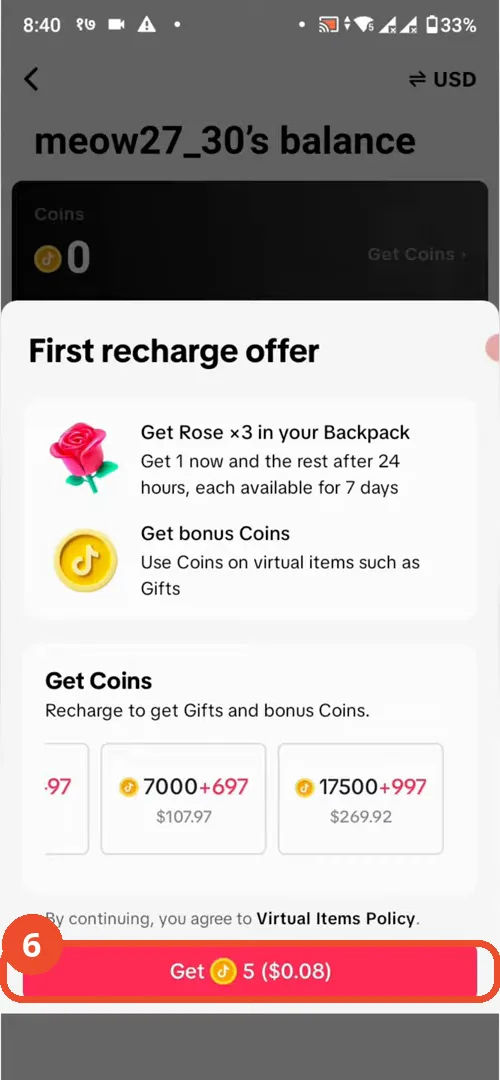
Tap the pink Get button for your package, then follow the on-screen payment prompts with your preferred payment method.
Good to know
- TikTok Coins are used to buy gifts for live streamers or to support creators.
- The First recharge offer only appears if you have not bought coins before; returning buyers see the regular Get Coins list instead.
- The video never shows a completed purchase: the Get button tap, the payment sheet and a credited balance are not on camera — the balance still reads 0 in the last frames. Follow the on-screen payment prompts to finish.
- Once a purchase succeeds, the coins are added to your TikTok balance immediately.
- Prices vary by region and package; the demo shows USD prices (5 coins for $0.08, 70+47 coins for $1.08).
More on TikTok
- How to Fix the ‘Tapping Too Fast’ Error on TikTok
- How to Hide TikTok Posts from Certain Followers
- How to Watch TikTok Without Installing the App
- How to Fix TikTok Notifications Not Working
- How to Fix the TikTok ‘Unrecognized Device’ Error
- How to See Comments You Liked on TikTok
- How to Report a TikTok Account
- How to Fix TikTok Video Quality Compression
- How to Remove Multiple Followers on TikTok
- How to Turn Off TikTok Comments on Live
- How to Fix TikTok Search Not Showing Videos (No Results Error)
- Fix TikTok Couldn’t Play Video Error
- Fix TikTok Messages Not Sending
- How to Know If Someone Deleted Your Comment on TikTok
- Fix TikTok Privacy Settings Restricted
- Fix TikTok Likes Not Registering
- How to Block Someone on TikTok Without Viewing Their Profile
- How to View TikTok Profiles Privately Without Notifications
- How to Fix the TikTok Login Expired Error
- Fix TikTok Live Unavailable Error