How to Block Someone on TikTok Without Viewing Their Profile
You do not need to visit someone’s profile to block them — if you already have a DM thread with them, or they commented on your video. Both routes end at the same Block confirmation; only a stranger with no prior interaction still forces you to open their profile.
- SystemAndroid
- AppTikTok
- Also works oniPhone (TikTok menus look the same on iOS).
- Last verifiedNovember 1, 2026
Every screenshot below is taken from the actual recording on this device — no stock images.
Steps
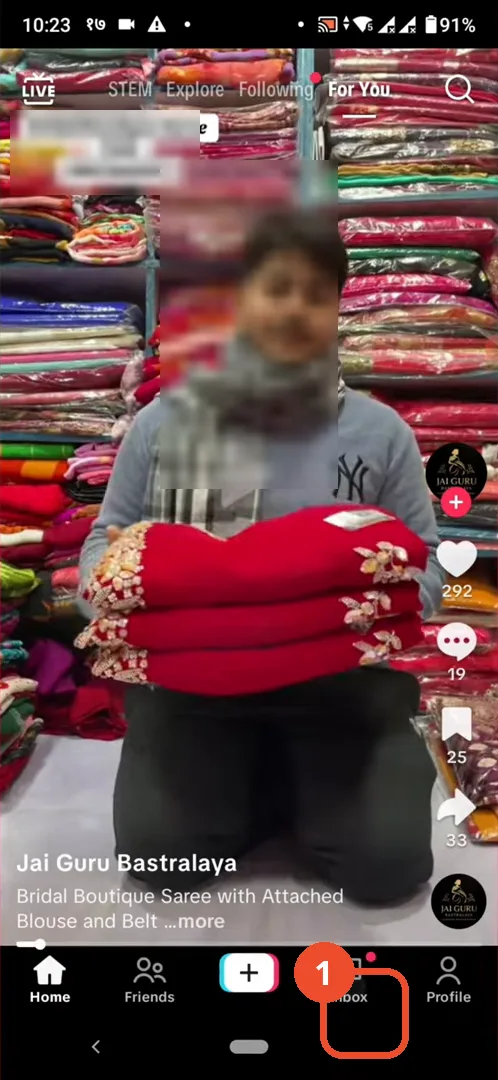
Open TikTok and go to Inbox
Open TikTok and tap Inbox in the bottom navigation.
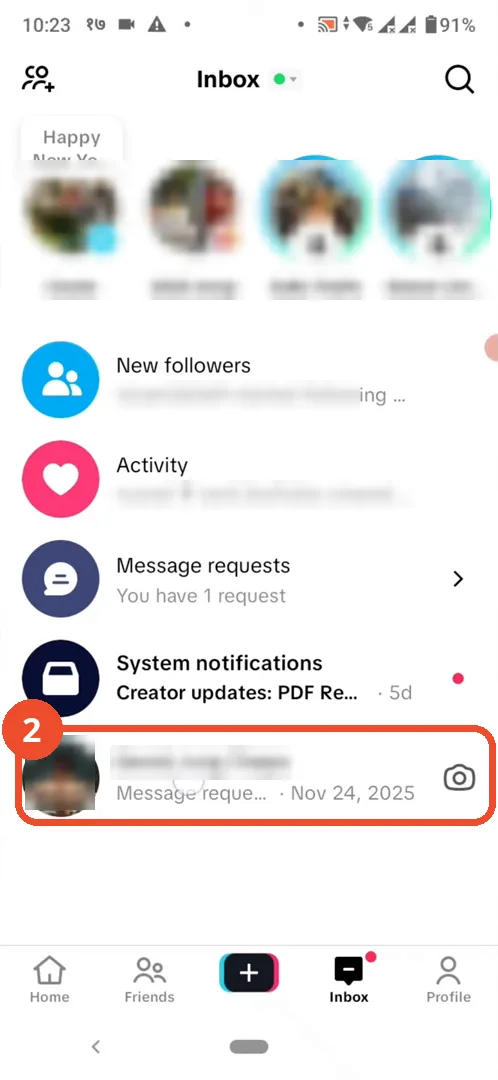
Open the conversation
In your Inbox, open the conversation with the person you want to block.
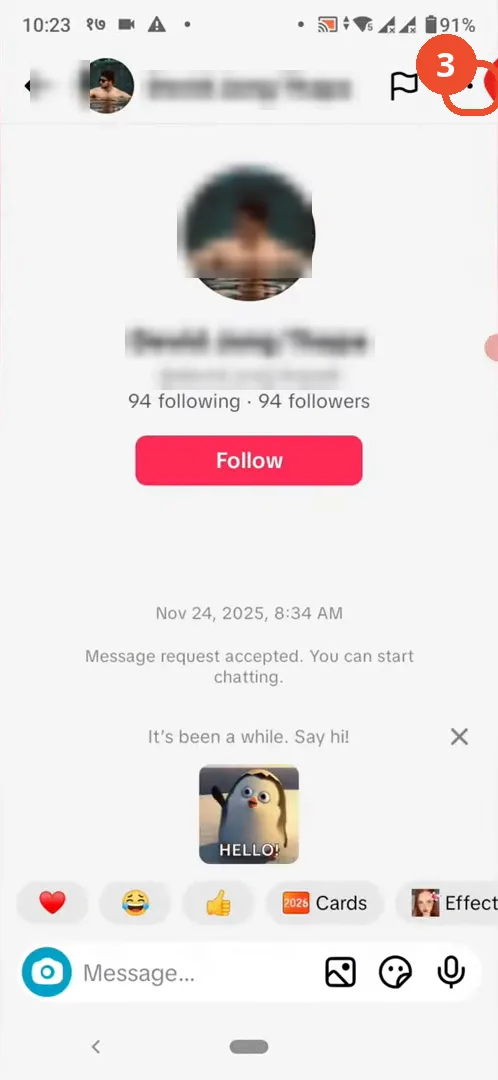
Tap the three dots
In the conversation, tap the three dots in the top right to open the conversation options.
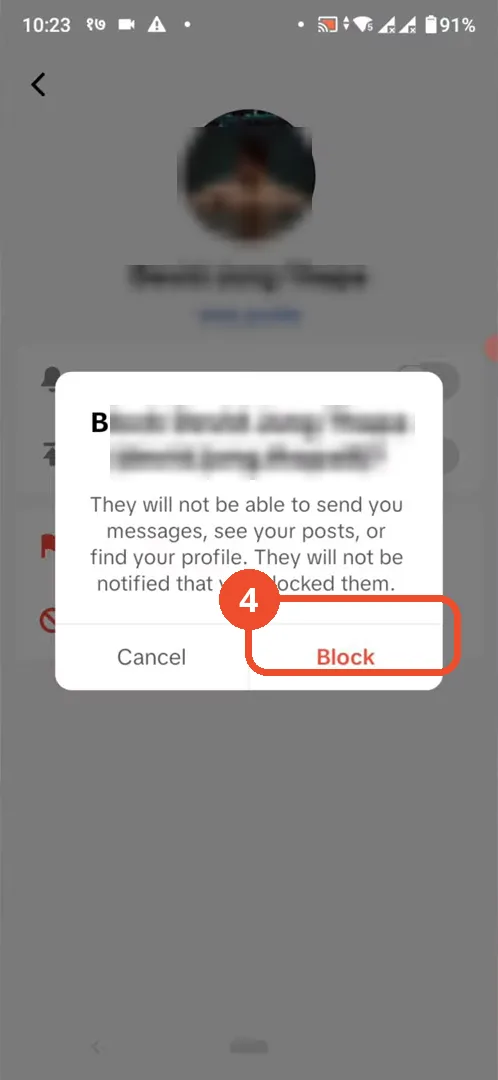
Tap Block and confirm
Tap Block in the options sheet, then tap Block again in the confirmation dialog.
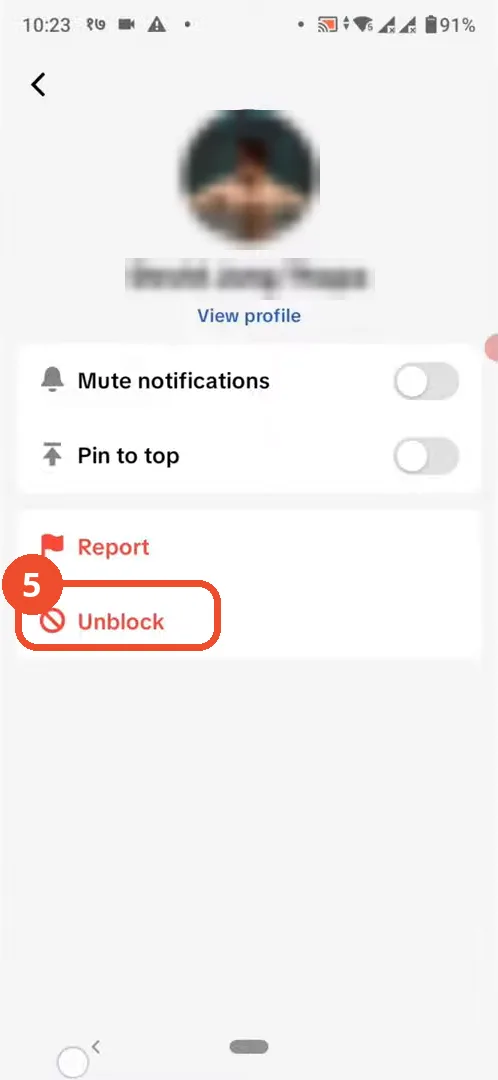
Check the option now reads Unblock
Open the conversation options again: the entry now reads Unblock, which proves the person is blocked.
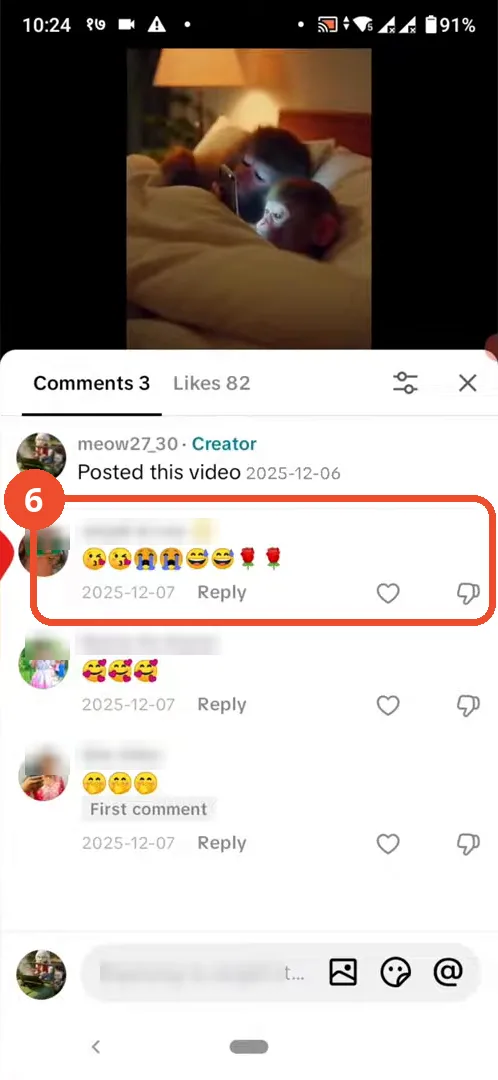
Long-press the comment
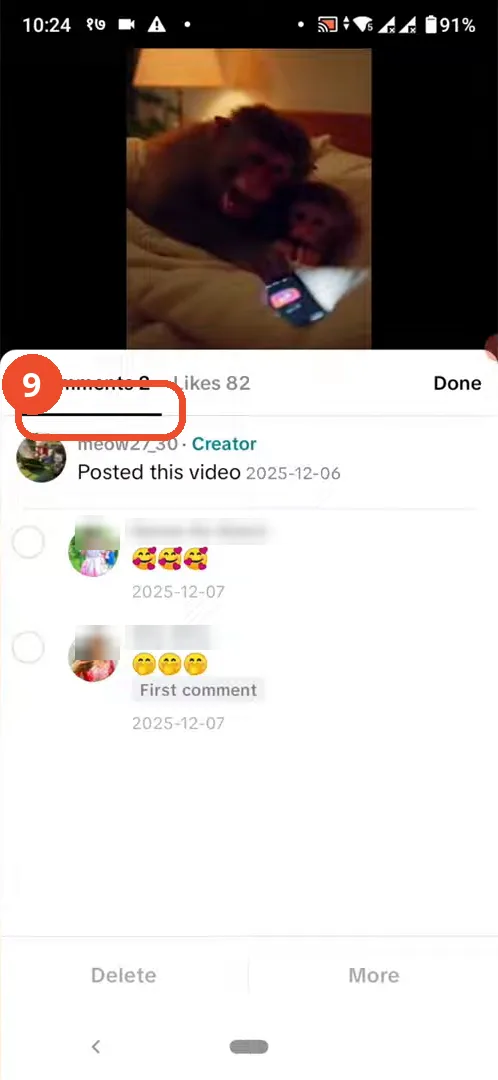
For the second method, open the comments on your own video and long-press the comment from the person you want to block.
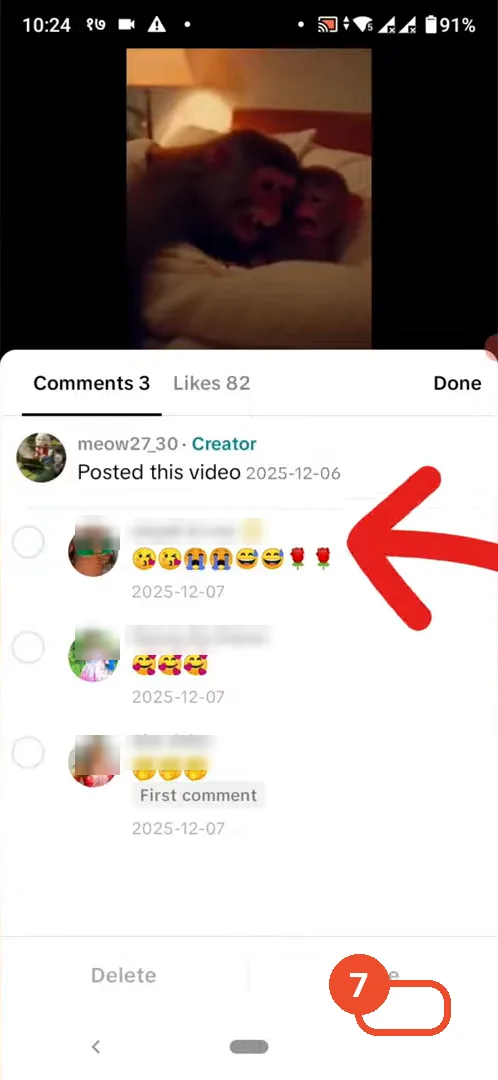
Manage comments and tap More
Tap Manage multiple comments in the menu, tick the commenter’s comment, then tap More at the bottom.
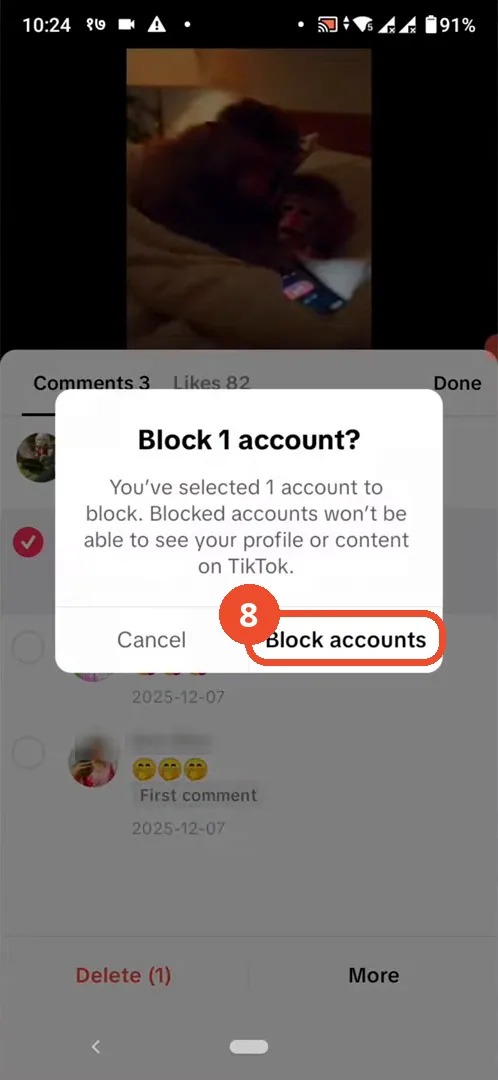
Confirm Block accounts
In the confirmation dialog, tap Block accounts to block the selected account.
Check the comment is gone
The comment list refreshes with one fewer comment — the blocked commenter’s comment is gone.
Good to know
- Blocked users cannot send you messages, see your posts, or find your profile, and they are not notified that you blocked them.
- If you have no prior interaction with someone — no messages and no comments — TikTok offers no way to block them without opening their profile.
- To unblock, open the same conversation options again: the Block entry now reads Unblock.
- In the comments method, blocking removes that person’s comment from your video.
More on TikTok
- How to Fix the ‘Tapping Too Fast’ Error on TikTok
- How to Hide TikTok Posts from Certain Followers
- How to Watch TikTok Without Installing the App
- How to Fix TikTok Notifications Not Working
- How to Fix the TikTok ‘Unrecognized Device’ Error
- How to See Comments You Liked on TikTok
- How to Report a TikTok Account
- How to Fix TikTok Video Quality Compression
- How to Remove Multiple Followers on TikTok
- How to Turn Off TikTok Comments on Live
- How to Fix TikTok Search Not Showing Videos (No Results Error)
- Fix TikTok Couldn’t Play Video Error
- Fix TikTok Messages Not Sending
- How to Know If Someone Deleted Your Comment on TikTok
- Fix TikTok Privacy Settings Restricted
- Fix TikTok Likes Not Registering
- Fix TikTok Live Unavailable Error