How to View Instagram Stories Without Being Seen
Instagram counts you as a viewer once a Story loads, so the film’s method is to cut the connection first: turn Wi-Fi off, switch airplane mode on, and only then open the Story. A second method — swiping toward the next Story and holding it — lets you peek without opening it at all. The film never shows a viewer list, so neither method is proven on camera.
- SystemAndroid
- AppInstagram
- Last verifiedNovember 9, 2026
Every screenshot below is taken from the actual recording on this device — no stock images.
Steps
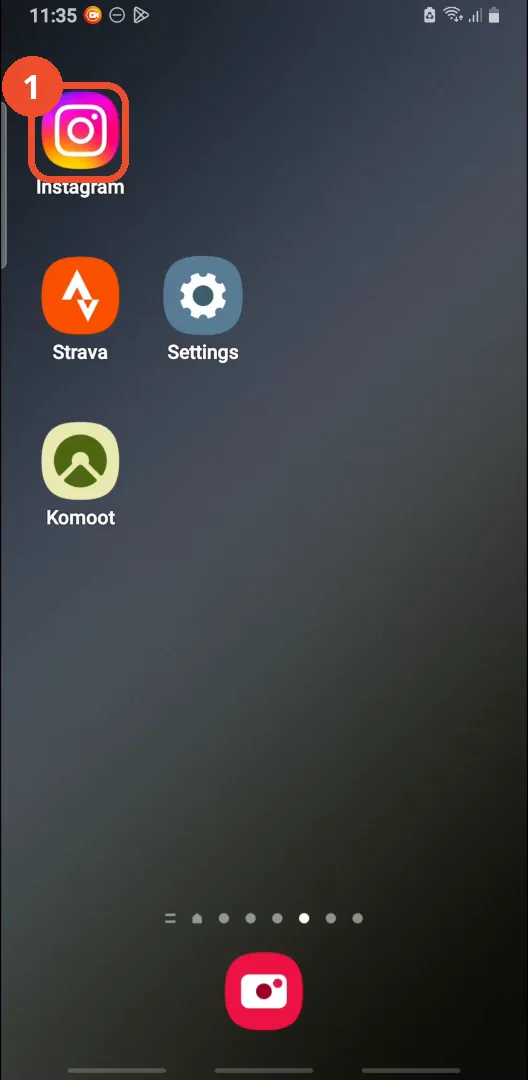
Open Instagram
Open Instagram from your home screen.
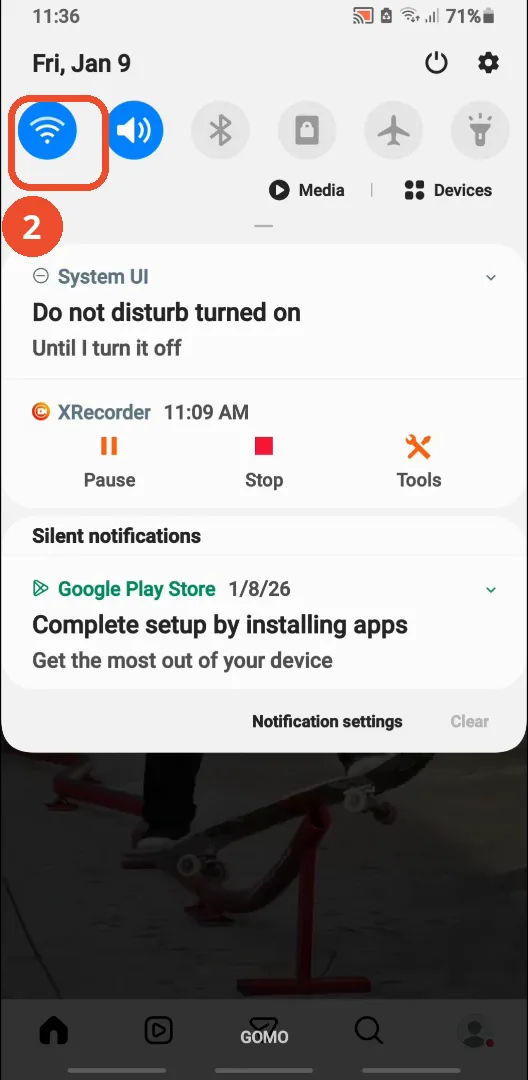
Turn off Wi-Fi
Swipe down from the top to open quick settings and tap the Wi-Fi tile to turn it off. It is blue here, which means it is still on.
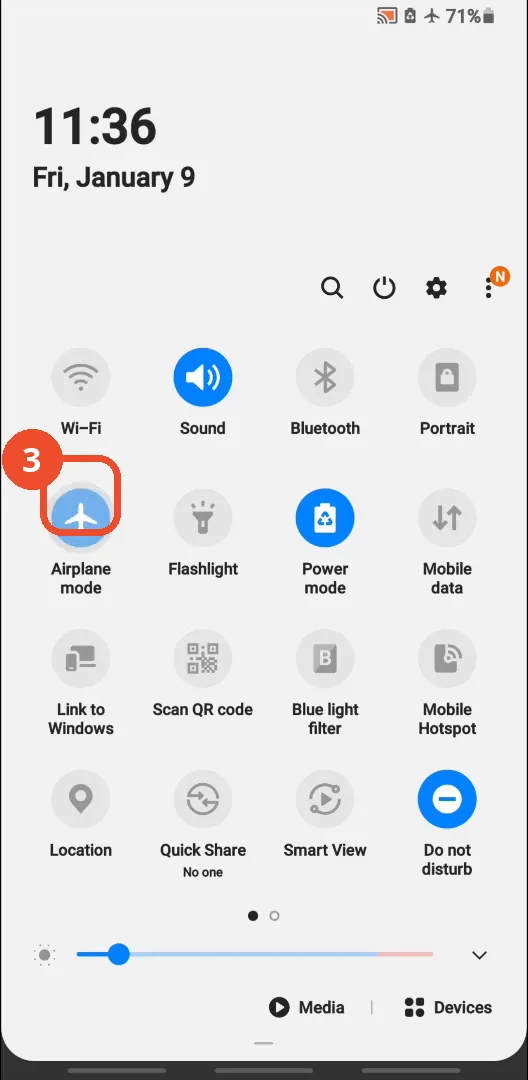
Turn on airplane mode
In the expanded quick-settings panel, tap the airplane mode tile. It turns blue, and the airplane icon appears in the status bar. Wi-Fi is already off.
Tap the Story
Back in Instagram, tap the Story you want to watch at the top of the feed. It was already loaded before you went offline, which is why it still plays.

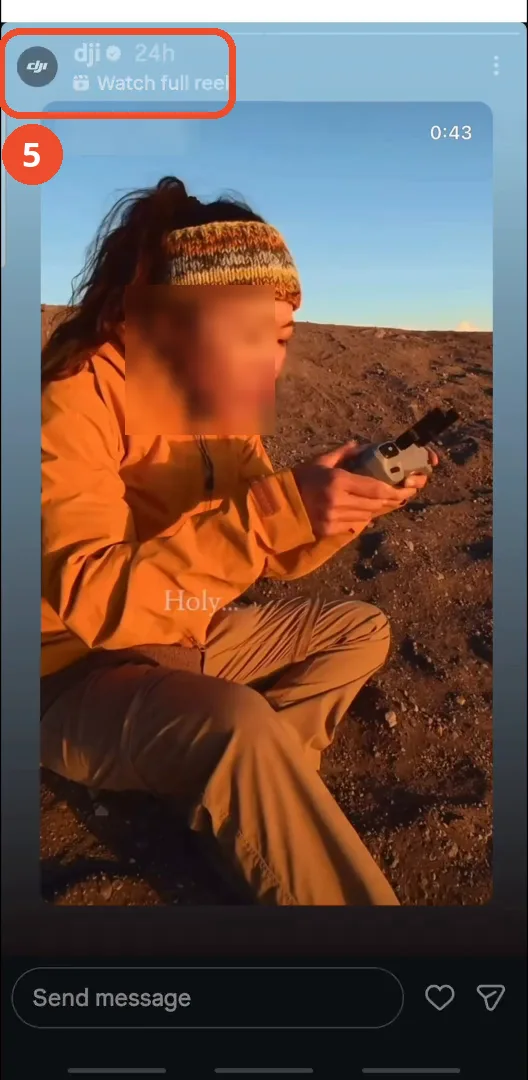
Watch the Story while offline
The Story plays while the phone is offline. The creator’s face and name are blurred in this screenshot.
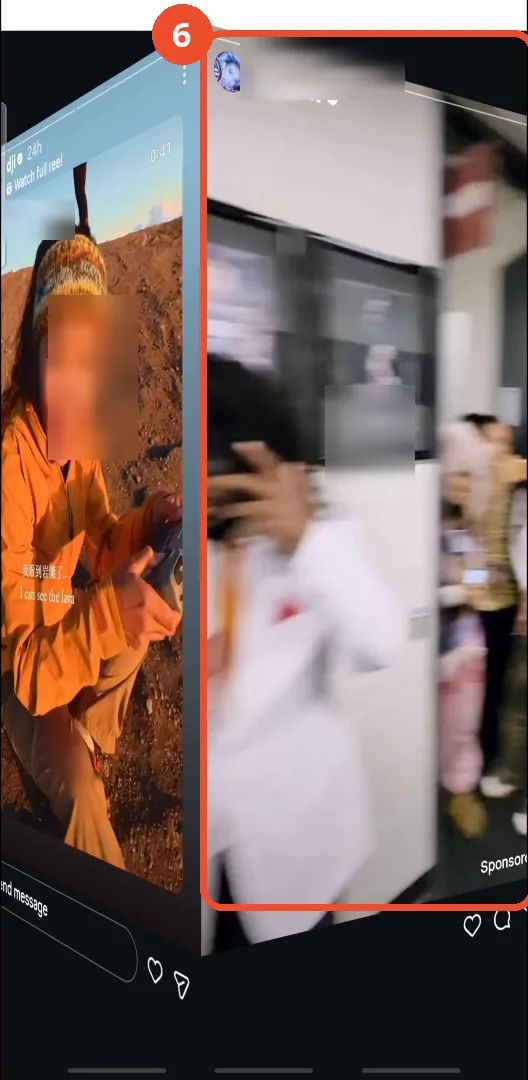
Swipe left and hold to peek at the next Story
For the second method, open a Story, then swipe left toward the next one and hold your finger down: the next Story slides in part-way and you can preview it without opening it. If you let go, it opens — and you are counted as a viewer — so slide back instead.
Good to know
- The film never shows the Story’s viewer list, so “without being seen” is the narrator’s claim, not something demonstrated on camera.
- This only works if the Story is already loaded on your phone: the film opens the Story after going offline, so let the Stories load while you are still online, then go offline.
- In the film, mobile data is off as well as Wi-Fi — the quick-settings panel shows both tiles grey — so the phone is fully offline when the Story is opened.
- The film never shows Wi-Fi being switched back on, so remember to turn Wi-Fi back on and airplane mode off yourself when you are done.
- The half-swipe only previews the next Story: if you let go, the next Story opens and you are counted as a viewer, so hold the swipe and slide back instead.
- The Story in the screenshots is a collaboration between a creator and DJI; the creator’s face and name are blurred, while DJI’s name stays visible.
More on Instagram
- How to Comment on Your Own Instagram Story
- How to Hide Your Instagram Story from Everyone at Once
- How to Find the Email Associated with Your Instagram Account (2026 Guide)
- How to Unfollow Multiple People on Instagram
- How to Hide Your Instagram Account from Search
- How to Tag Someone on Instagram (Posts and Stories)
- How to View All Comments on an Instagram Post