How to Unfollow Multiple People on Instagram
Instagram has no bulk-unfollow button: to unfollow several people you repeat the same steps for each one — open your Following list, tap the three dots next to an account, and tap Unfollow. This guide shows one full round, plus how to sort the list by earliest followed so you can work through the oldest follows first.
- SystemAndroid
- AppInstagram
- Last verifiedNovember 8, 2026
Every screenshot below is taken from the actual recording on this device — no stock images.
Steps
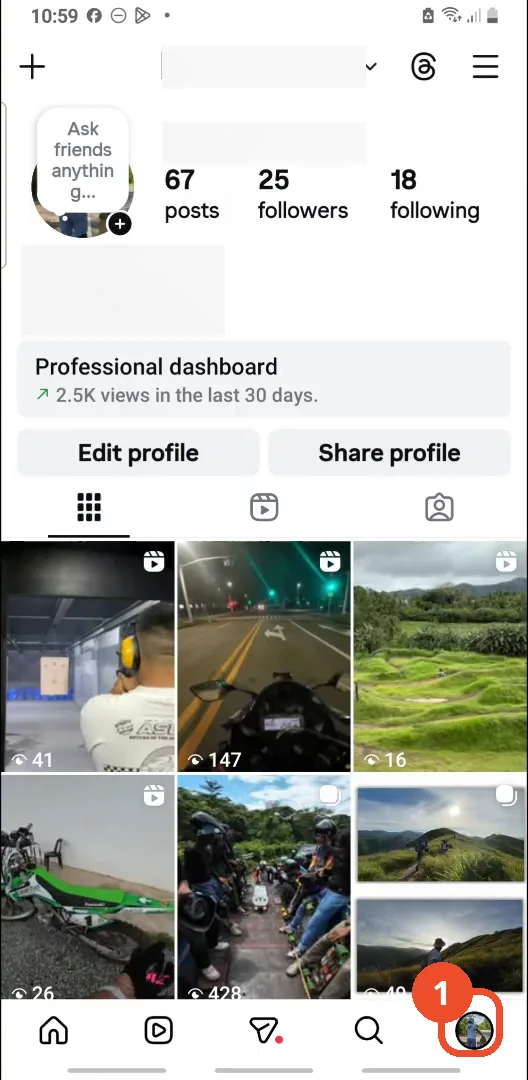
Open Instagram and go to your profile
Open Instagram, then tap your profile picture at the bottom right.
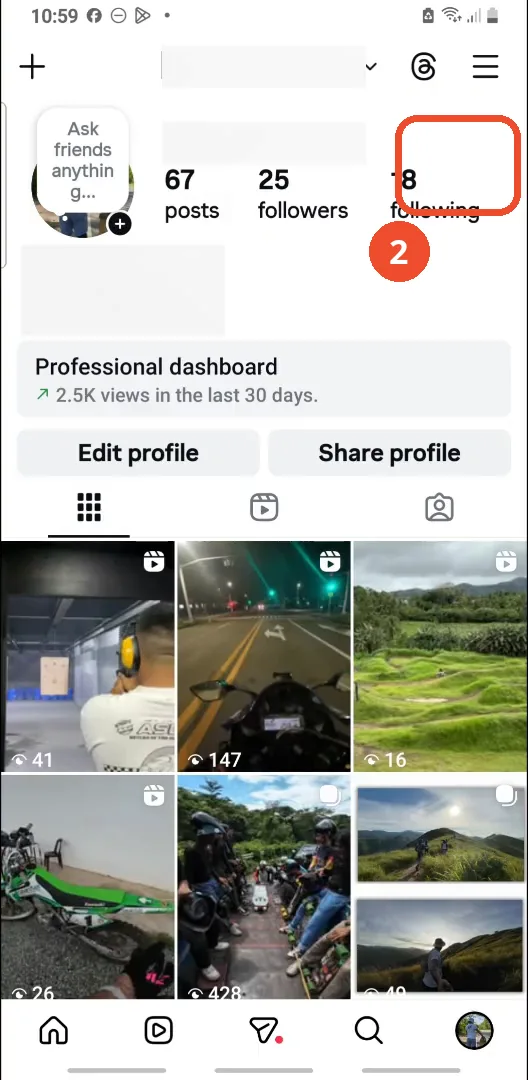
Tap following
Tap 18 following at the top of your profile to open the list of accounts you follow.
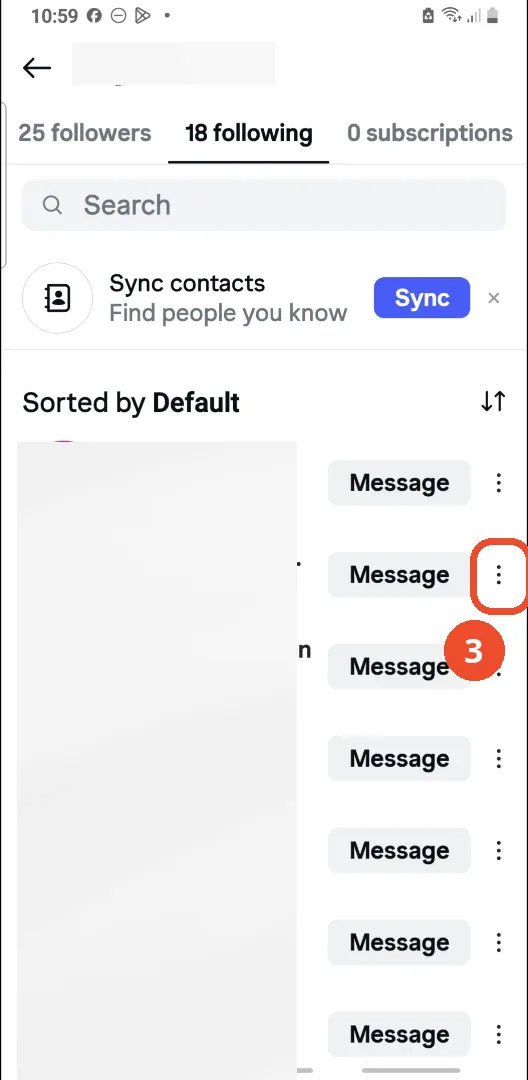
Tap the three dots next to an account
Find an account in the list and tap the three dots on the right of its row.
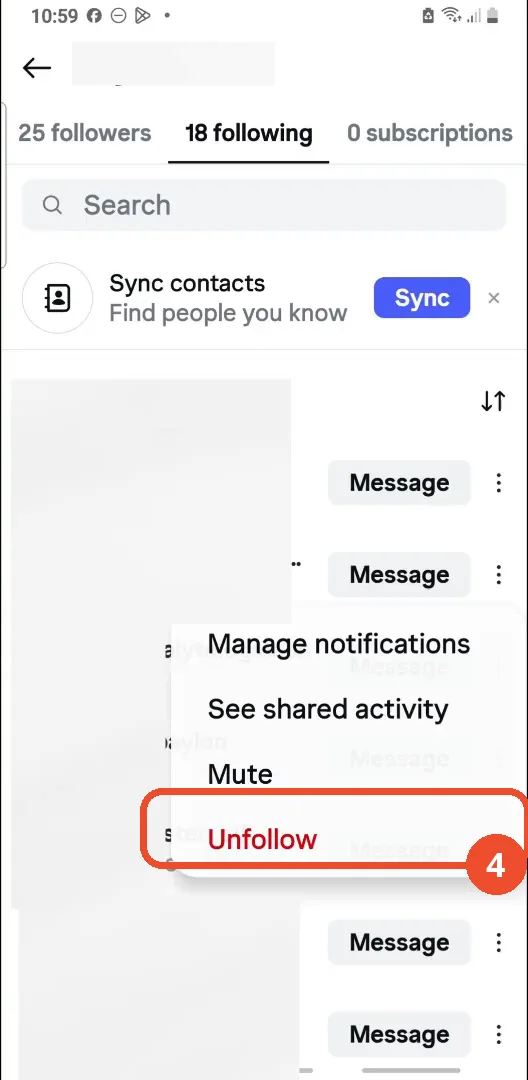
Tap Unfollow
In the menu that opens, tap Unfollow in red at the bottom.
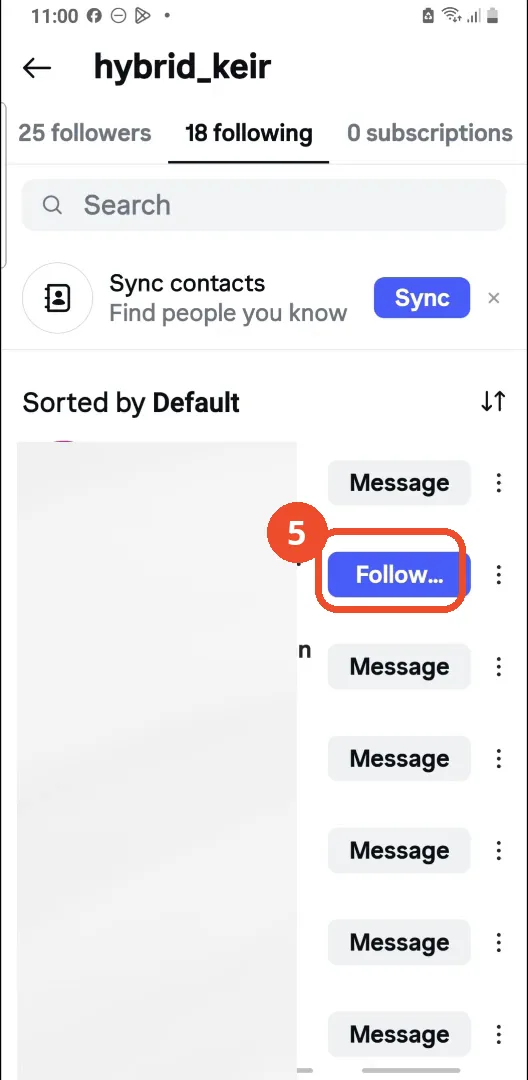
Check the button now says Follow
Back in the list, the account’s Message button has become a blue Follow button — that account is now unfollowed. (The “18 following” count at the top does not update in the film.)
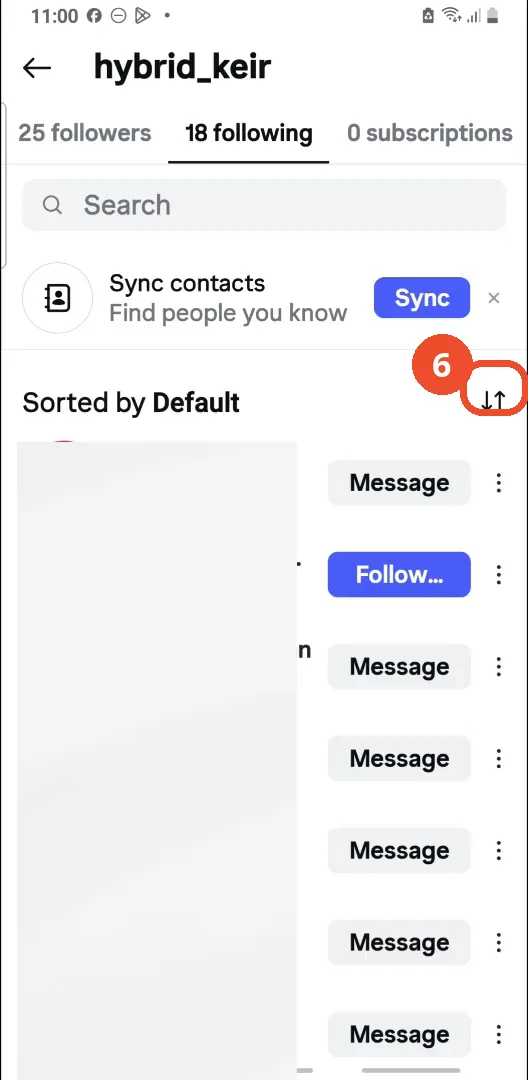
Tap the sort icon to reorder the list
To work through the list in order, tap the up-and-down sort icon at the top right of the list.
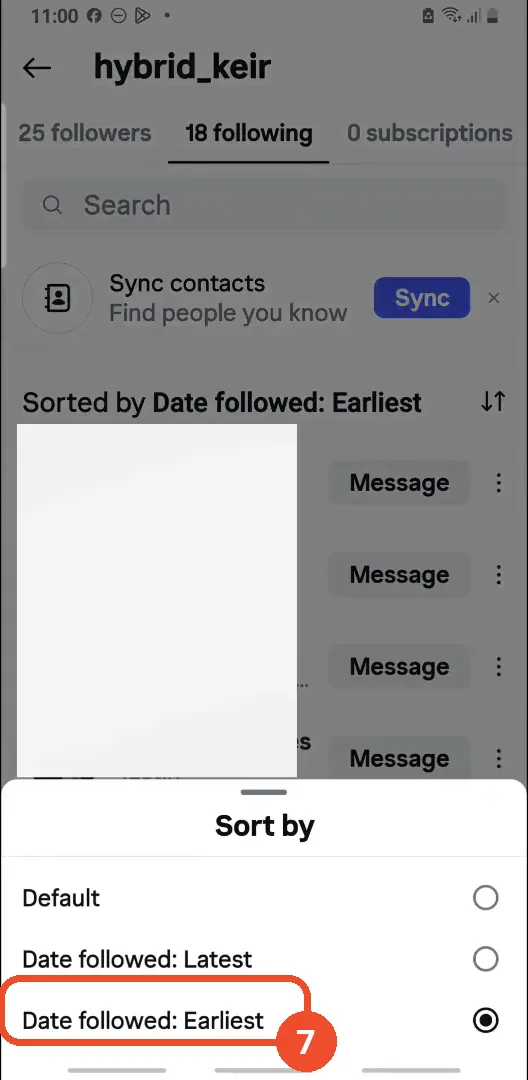
Choose Date followed: Earliest
In the Sort by sheet, tap Date followed: Earliest. The list header updates to “Sorted by Date followed: Earliest”, putting your oldest follows first.
Good to know
- There is no bulk or select-all unfollow in Instagram: the film says so at the start, and each person has to be unfollowed one by one with the same three-dot menu.
- The unfollow is confirmed by the button changing: the account’s Message button becomes a blue Follow button. The “18 following” count at the top does not update in the film — it still reads 18 after the unfollow.
- The film unfollows one account; to unfollow more people, repeat the three-dot and Unfollow steps for each account.
- Sorting the list by “Date followed: Earliest” puts the accounts you followed longest ago at the top, which is handy if you want to work through old follows first.
- The followed accounts’ names are already blanked out in the video itself, so no handles are visible in the screenshots; the list is the operator’s own Following list (@hybrid_keir).