How to Make Your Instagram Bio Multiple Lines
Instagram’s bio field accepts line breaks, but the keyboard hides how: type a line, press the Enter key at the bottom right, and keep typing. The film types ‘Subscribe’, ‘Like’, ‘Share’ and ‘as you like’ on four lines and saves with the checkmark at the top right.
- SystemAndroid
- AppInstagram
- Last verifiedNovember 10, 2026
Every screenshot below is taken from the actual recording on this device — no stock images.
Steps
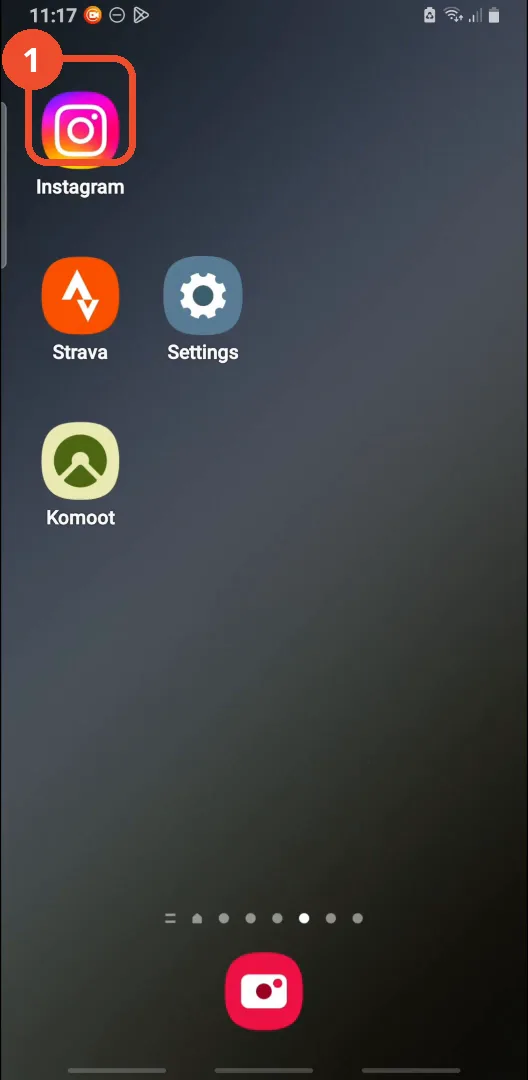
Open Instagram
Open Instagram from your home screen.
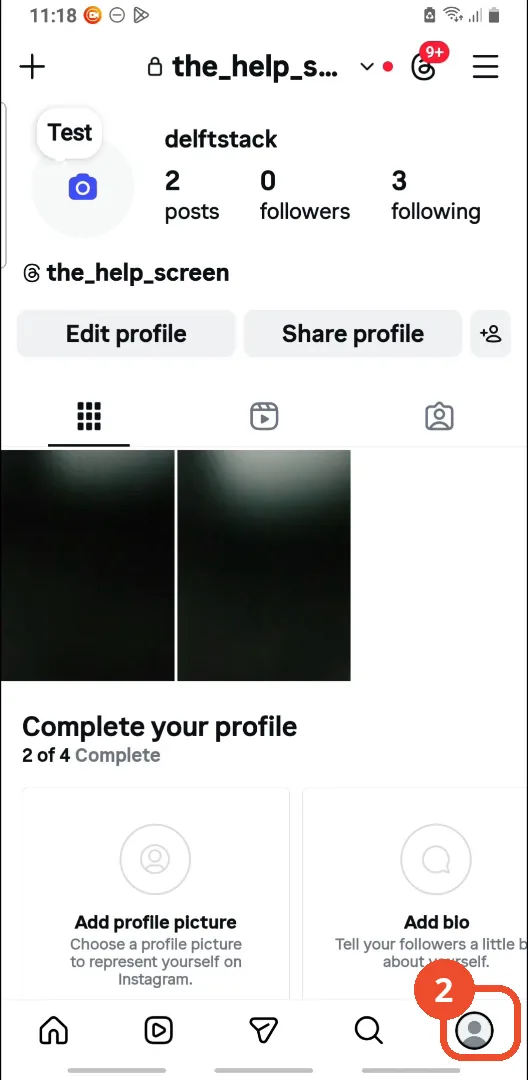
Go to your profile
Tap the profile icon in the bottom-right corner to open your profile.
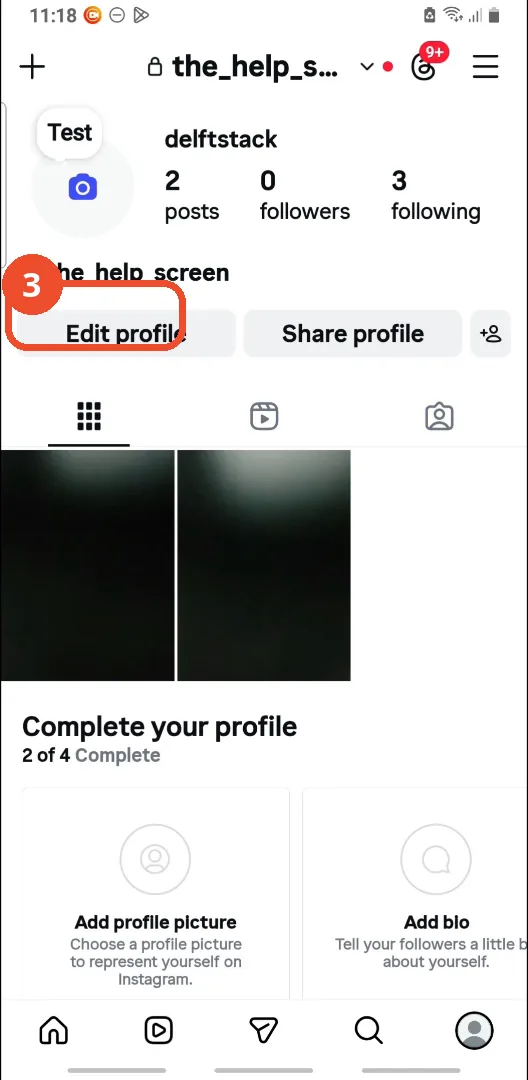
Tap Edit profile
Tap Edit profile under your name.
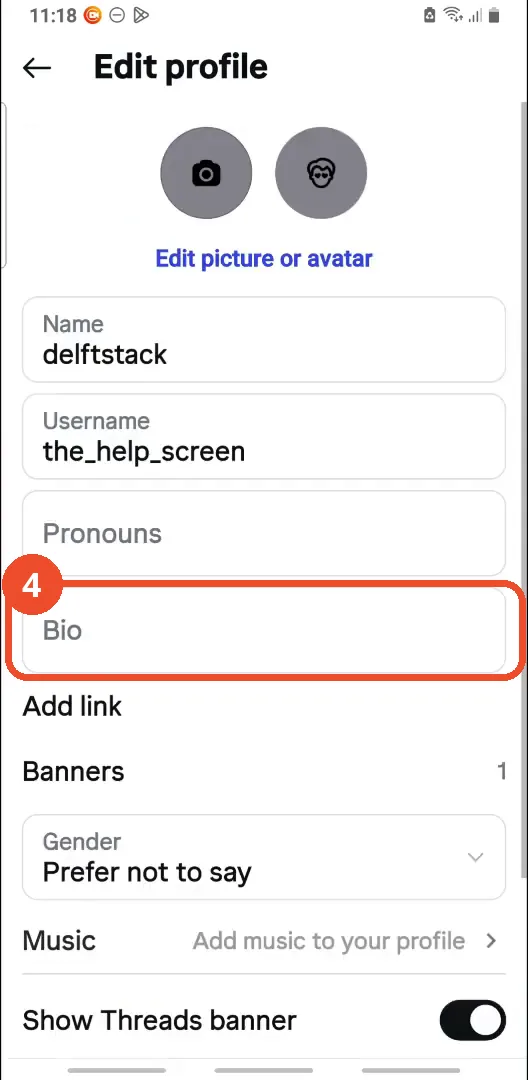
Tap Bio
Tap Bio in the Edit profile form.
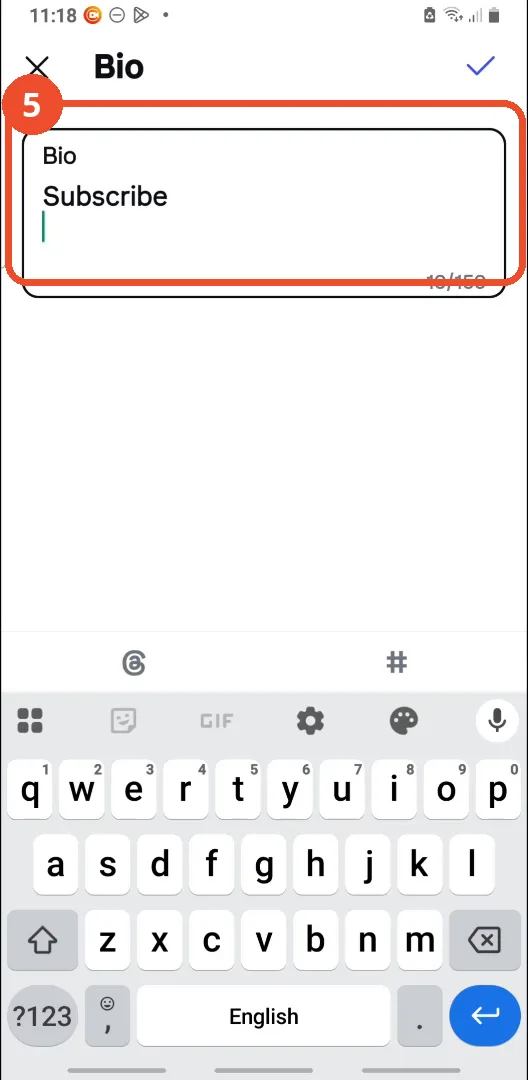
Type the first line
Type the first line of your bio. The film types ‘Subscribe’.
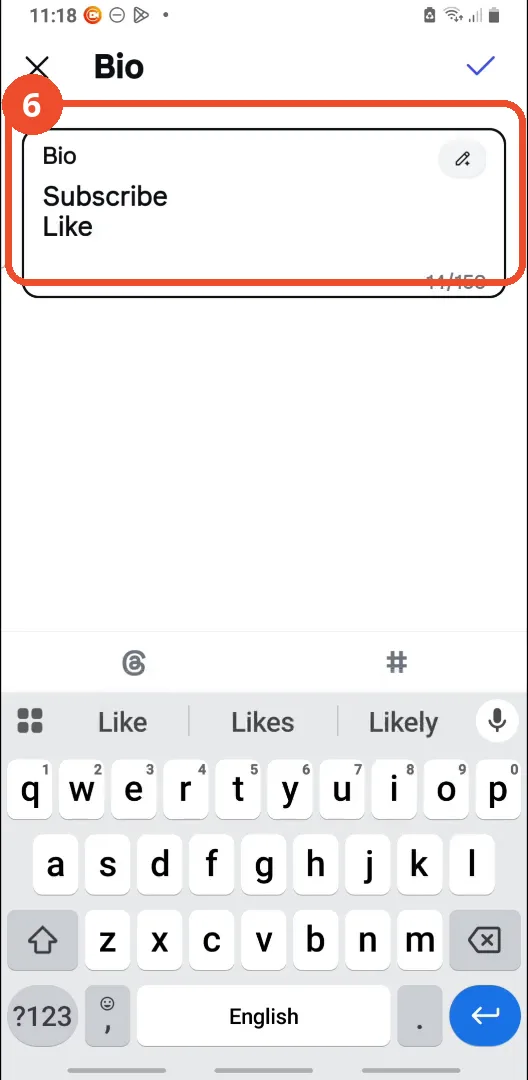
Press Enter and type the second line
Press Enter on the keyboard, then type the second line. The film types ‘Like’.
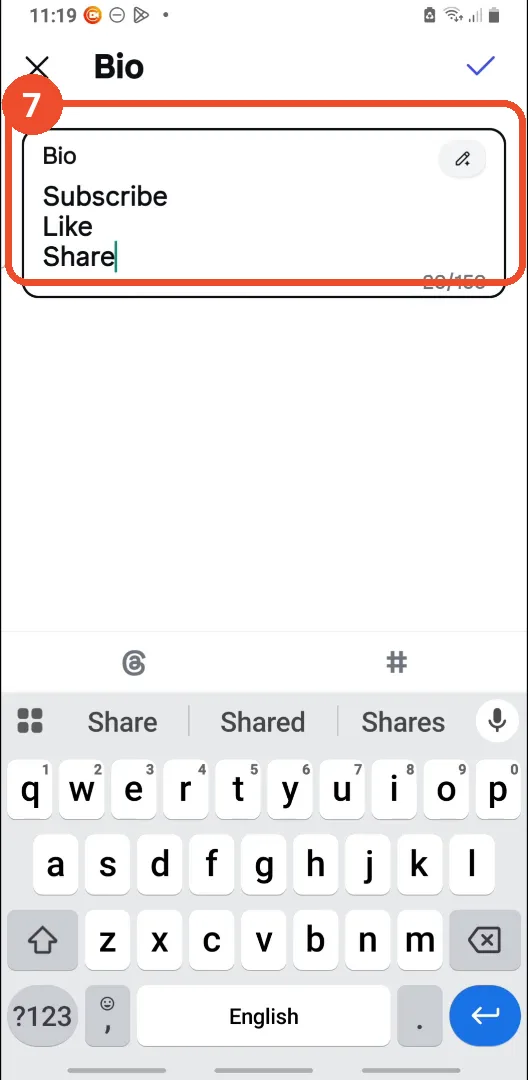
Press Enter and type the third line
Press Enter again and type the third line. The film types ‘Share’.
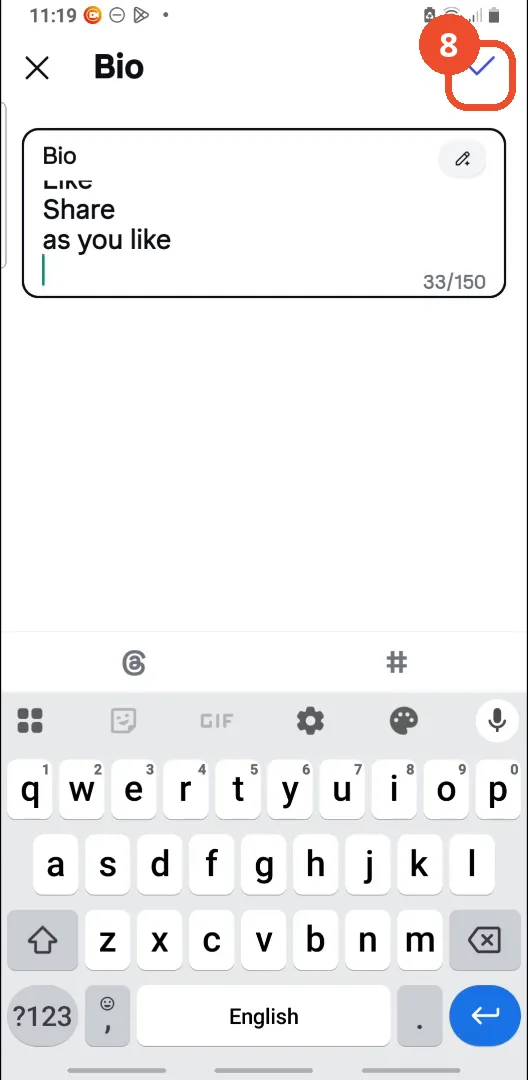
Tap the checkmark to save
Tap the checkmark at the top right to save. The film’s bio ends up with a fourth line, ‘as you like’, typed the same way.
Check your profile
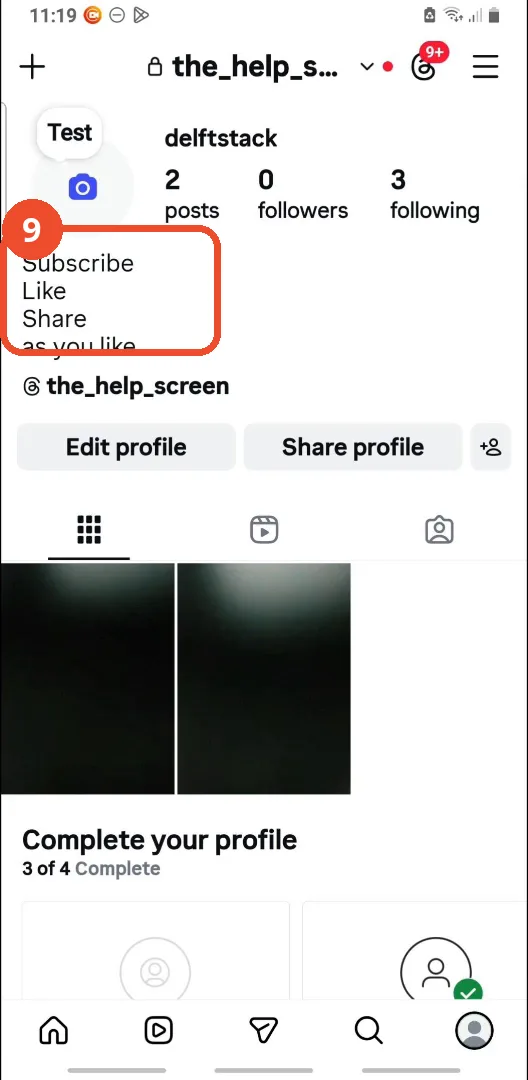
Back on your profile, the bio now shows on four lines: Subscribe, Like, Share, as you like.
Good to know
- The narrator says the bio can hold ‘up to 150 words’ - the limit is actually 150 characters, and the counter in the film counts characters (33/150 for the four lines).
- If your keyboard has no Enter key, the narrator says to tap the ‘123’ key at the bottom left - the Enter key then appears in its place.
- A ‘Write with Meta AI’ sheet pops up while the film is typing; the film dismisses it and keeps typing - you can ignore it.
- The film’s bio ends up with four lines, not three: Subscribe, Like, Share, as you like.
- The account in the film is the operator’s test account (@the_help_screen).
More on Instagram
- How to Comment on Your Own Instagram Story
- How to Hide Your Instagram Story from Everyone at Once
- How to Find the Email Associated with Your Instagram Account (2026 Guide)
- How to Unfollow Multiple People on Instagram
- How to Hide Your Instagram Account from Search
- How to View Instagram Stories Without Being Seen
- How to Tag Someone on Instagram (Posts and Stories)
- How to View All Comments on an Instagram Post
- How to Search Multiple Hashtags on Instagram
- How to Follow a Hashtag on Instagram (2026 Workaround)