How to Hide Your Last Seen on Instagram
Hiding your last seen on Instagram means turning off Show activity status: Profile, menu, Settings and activity, Messages and story replies, then Activity Status. With the switch off, accounts you follow and anyone you message can no longer see when you were last active or are currently active - and you cannot see theirs either.
- SystemAndroid
- AppInstagram
- Last verifiedNovember 15, 2026
Every screenshot below is taken from the actual recording on this device — no stock images.
Steps
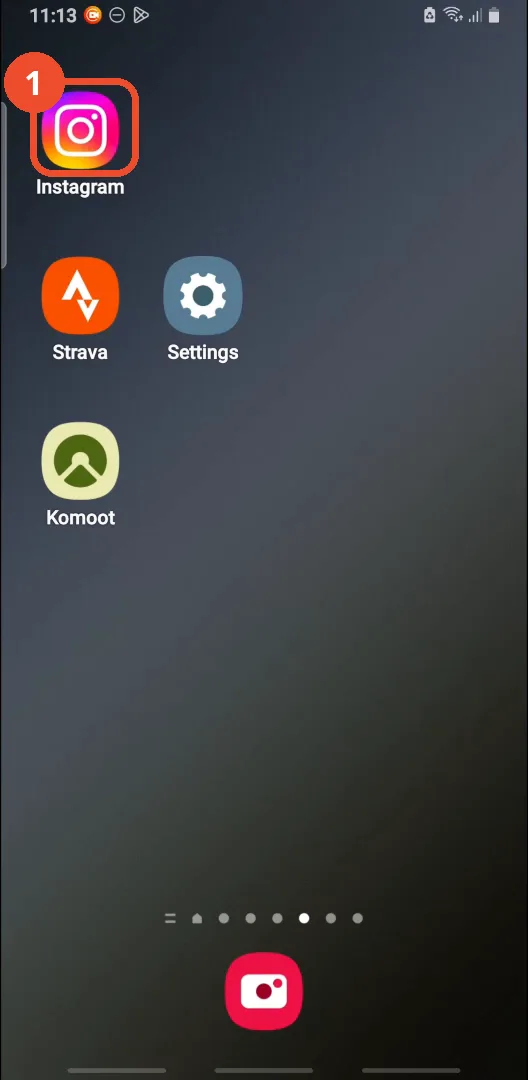
Open Instagram
On the home screen, tap the Instagram icon.
Go to your profile
In Instagram, tap your profile picture at the bottom right.

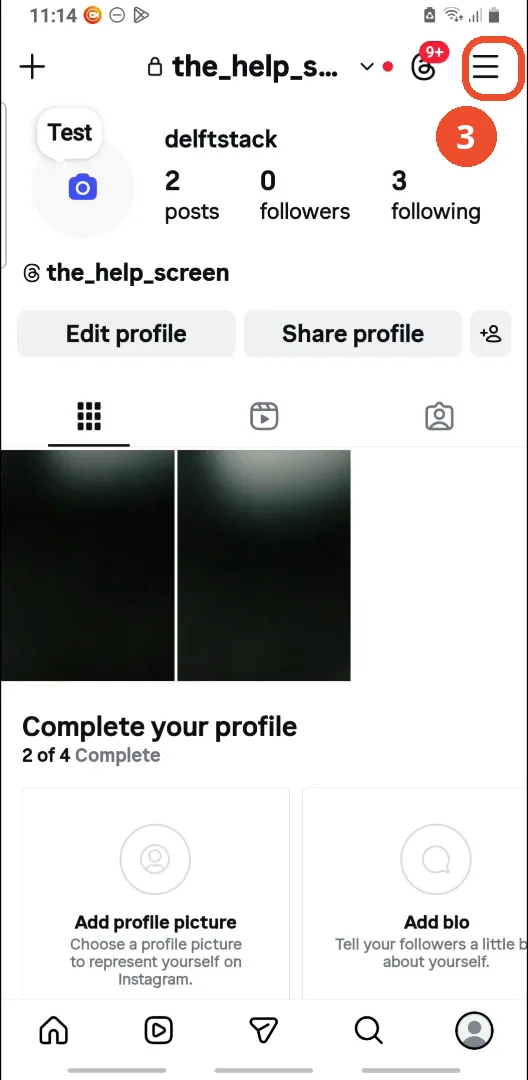
Tap the menu
On your profile, tap the three lines at the top right. This opens Settings and activity directly - no separate menu sheet appears.
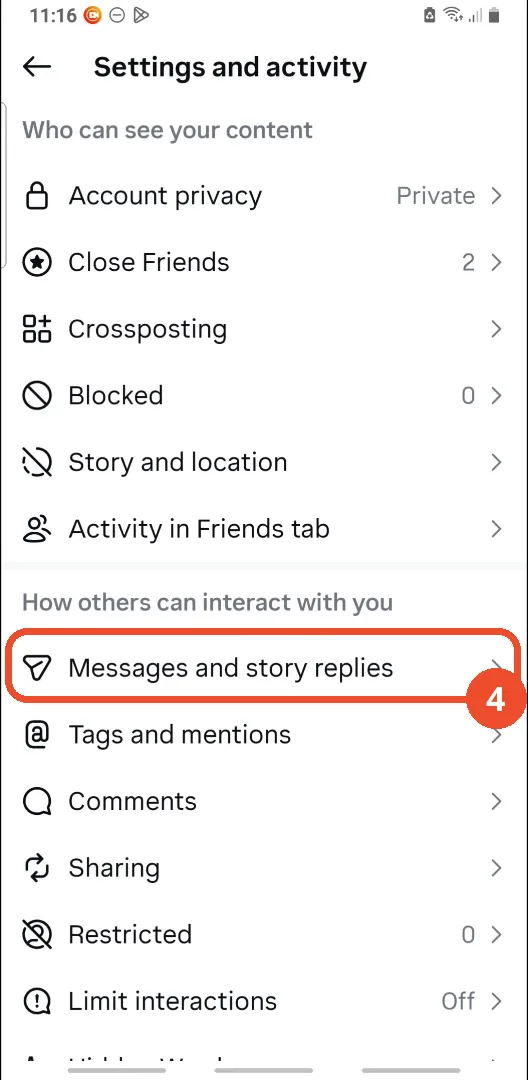
Tap Messages and story replies
On the Settings and activity page, scroll down to How others can interact with you and tap Messages and story replies.
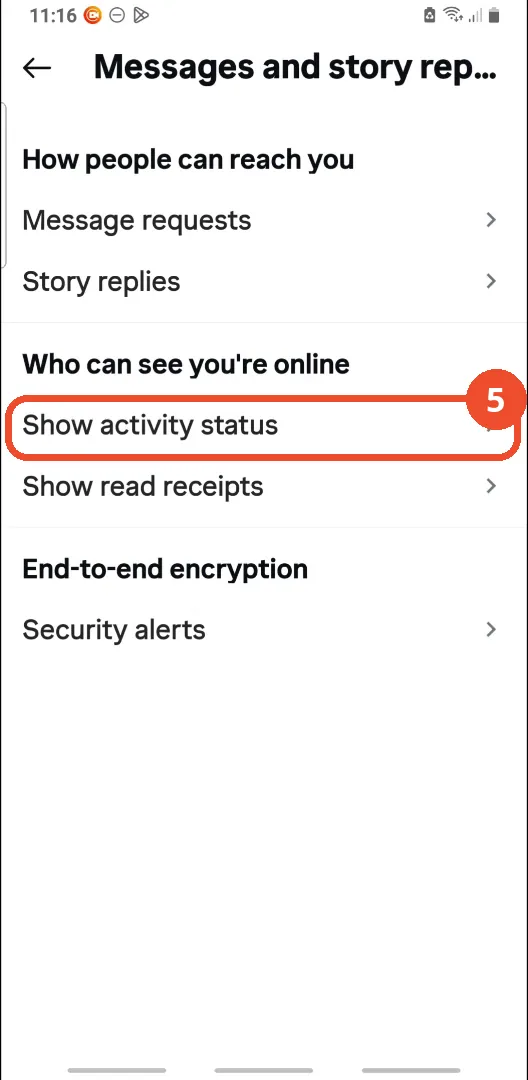
Tap Show activity status
Under Who can see you’re online, tap Show activity status.
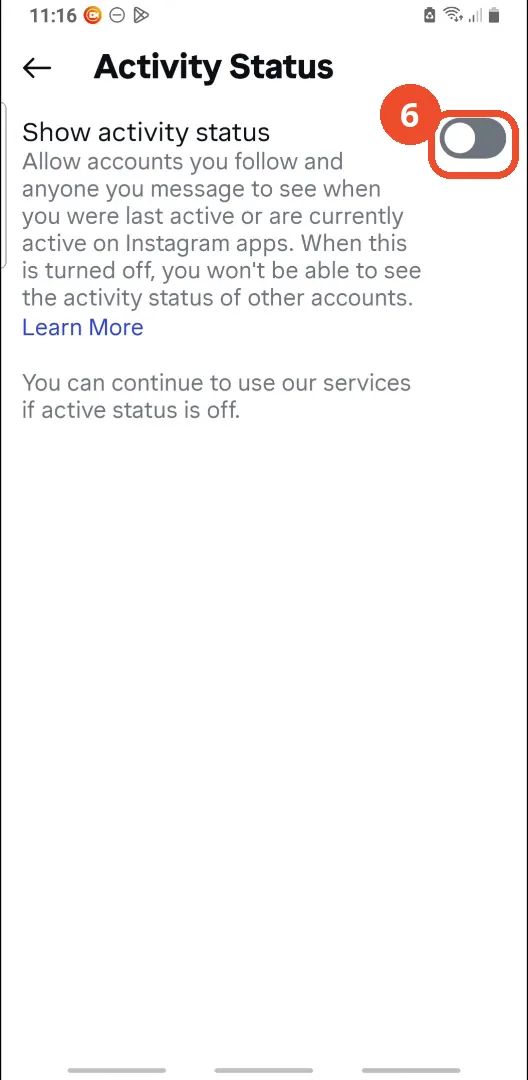
Check Show activity status is off
On the Activity Status page, check the Show activity status switch. In the film it is already off - the grey switch with the knob on the left - so no tap is shown. If yours is on, tap it to turn it off.
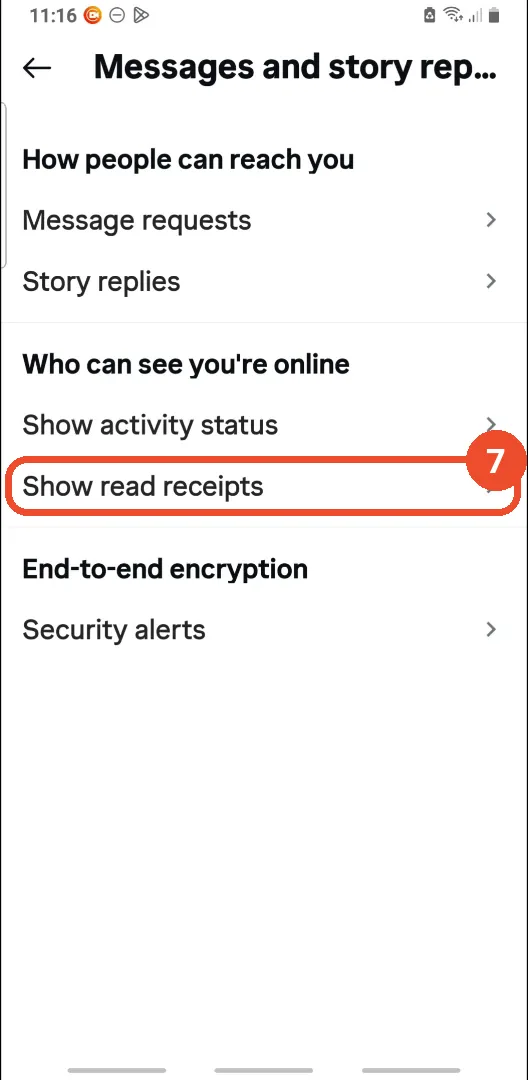
Tap Show read receipts
Back on the Messages and story replies page, tap Show read receipts.
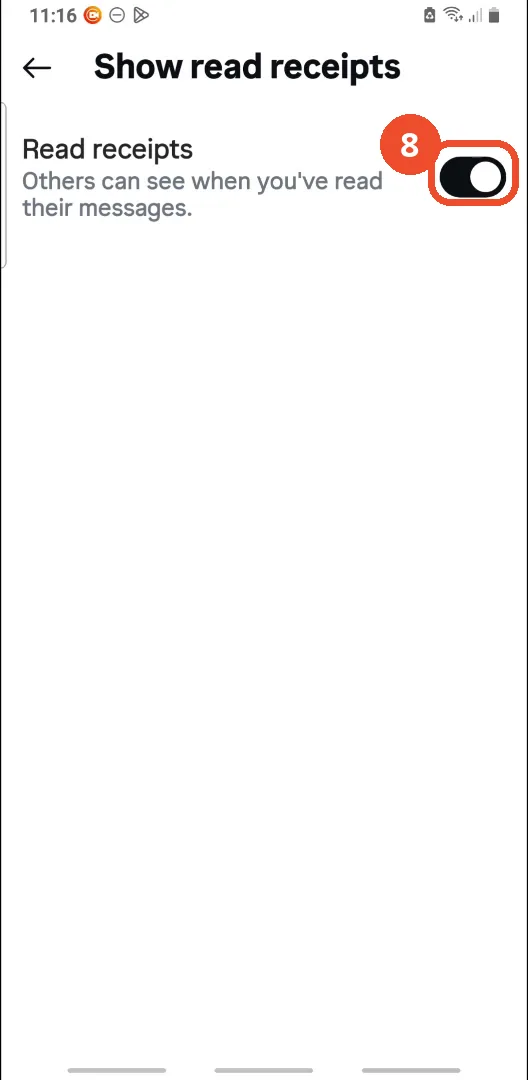
Check Read receipts is on
On the Show read receipts page, check the Read receipts switch. In the film it is already on - the black switch with the knob on the right - so no tap is shown.
Good to know
- The switch in the film is already off: the film shows where Show activity status lives and confirms it is off, but nobody taps the switch on camera. If yours is on, tap it - the change takes effect immediately.
- Instagram calls this activity status: the one switch controls both the Active now indicator and the last active time people see in messages.
- Turning it off is two-way: the page says that when it is off, you also cannot see the activity status of other accounts.
- Show read receipts is a different setting on the same page: it controls whether others can see when you have read their messages. In the film it is already on, and the narrator leaves it on - turning it on does not hide anything.
- There is no per-person version of this setting: turning off activity status hides it from everyone, and there is no way to hide it from one person only. For hiding a note from specific people instead, see How to Hide Notes from Someone on Instagram (Close Friends Workaround) - Close Friends is the per-person workaround for notes, not for activity status.
- The film’s account is the operator’s own @the_help_screen.
More on Instagram
- How to Comment on Your Own Instagram Story
- How to Hide Your Instagram Story from Everyone at Once
- How to Find the Email Associated with Your Instagram Account (2026 Guide)
- How to Unfollow Multiple People on Instagram
- How to Hide Your Instagram Account from Search
- How to View Instagram Stories Without Being Seen
- How to Tag Someone on Instagram (Posts and Stories)
- How to Search Multiple Hashtags on Instagram
- How to Make Your Instagram Bio Multiple Lines
- How to Follow a Hashtag on Instagram (2026 Workaround)
- How to Clear Cache on Instagram
- How to Copy an Instagram Comment (Screenshot + OCR Workaround)
- How to Hide Instagram Chats Without Deleting Them
- How to Change Email on Instagram
- How to Comment a GIF on Instagram
- How to Hide Notes from Someone on Instagram (Close Friends Workaround)
- How to View All Comments on an Instagram Post
- How to Hide Who You Follow on Instagram (Privacy Guide)
- How to Delete Multiple Posts on Instagram